sketchucation logo sketchucation
    • Login
    Oops, your profile's looking a bit empty! To help us tailor your experience, please fill in key details like your SketchUp version, skill level, operating system, and more. Update and save your info on your profile page today!
    ⚠️ Update | Sketchucation Tools 5.0.8 released with licensing improvements and bugfixes Download

    Depth Maps from SU

    Scheduled Pinned Locked Moved SketchUp Tutorials
    sketchup
    47 Posts 14 Posters 22.9k Views 14 Watching
    Loading More Posts
    • Oldest to Newest
    • Newest to Oldest
    • Most Votes
    Reply
    • Reply as topic
    Log in to reply
    This topic has been deleted. Only users with topic management privileges can see it.
    • L
      lewiswadsworth
      last edited by

      It wouldn't bother me to move it to post-processing. Jackson, do you mind?

      (You're right, incidentally, we should call the bug the "horizontal plane error"...that's more accurate since I don't use SU's ground plane either.)

      poster-Lewis Wadsworth

      col sporcar si trova

      1 Reply Last reply
      Reply Quote 0
      • J
        Jackson
        last edited by

        Moved.

        Jackson

        Jackson

        1 Reply Last reply
        Reply Quote 0
        • takesh hT
          takesh h
          last edited by

          Hi Lewis, you are a busy guy.
          I get both "the edges bug" and "horizontal plane error". πŸ‘Ώ
          I tried this depth map thing a while ago and immediately I encountered the above problems.
          Then I figured this cannot be done, but look at what you guys accomplished here...
          I downloaded and used Lewis's style setting but got the same problem.
          It could be my videocard problem (I use GeForce though).
          There might be some workarounds for "horizontal plane error", but those edges are very difficult to get rid of.

          BTW I found a nice tutorial of how those depth map should be applied to the original image.
          This should save some of Lewis's time.
          http://photography-on-the.net/forum/showthread.php?t=102294

          Did you ever find a setting to get rid of edges, jackson?

          poster-takesh h

          1 Reply Last reply
          Reply Quote 0
          • J
            Jackson
            last edited by

            Takesh,

            I must admit I've been too busy with boring stuff to have another go at doing these depth maps- I keep meaning to create a Style which incorporates the right settings. I didn't worry too much about the lines as it didn't have much of an effect on the blurring (as it bled over the lines anyway). I'll try to have another go at this this week.

            Regards,

            Jackson

            1 Reply Last reply
            Reply Quote 0
            • L
              lewiswadsworth
              last edited by

              Takesh,

              I've received your message and I sent you my test model. Let me know how it goes.

              You know what's odd? I've been using VRay a lot lately, and the quality of the depth mask it produces from an SU model (assuming we have no extraneous lines or whatever) is not better than what happens with this direct SU "cheat."

              --Lewis

              poster-Lewis Wadsworth

              col sporcar si trova

              1 Reply Last reply
              Reply Quote 0
              • takesh hT
                takesh h
                last edited by

                Thank you for your sample model, Lewis.
                I never imagined it was that big... the 18MB almost killed my PC.
                Now I know what I did wrong. I turned "use sun for shading" off.
                I discovered that either "shadow" or "use sun for shading" has to be on (even with both on, I got the same result).
                IOW the sun has to be there somehow, but shadows has to be erased by setting "dark slider" to the most right.
                Doesn't make much sense to me but it works.

                poster-takesh h

                1 Reply Last reply
                Reply Quote 0
                • L
                  lewiswadsworth
                  last edited by

                  Glad to help, takesh. For some reason I didn't get a notification that you had responded to this thread...so ignore the email I sent you asking if you had received the models.

                  --Lewis

                  poster-Lewis Wadsworth

                  col sporcar si trova

                  1 Reply Last reply
                  Reply Quote 0
                  • Mike LuceyM
                    Mike Lucey
                    last edited by

                    Good thinking Lewis, thanks for this.

                    Mike

                    Support us so we can support you! Upgrade to Premium Membership!

                    1 Reply Last reply
                    Reply Quote 0
                    • C
                      cymurai
                      last edited by

                      nice!!! such a great info.. thanks all

                      1 Reply Last reply
                      Reply Quote 0
                      • R
                        rkitek
                        last edited by

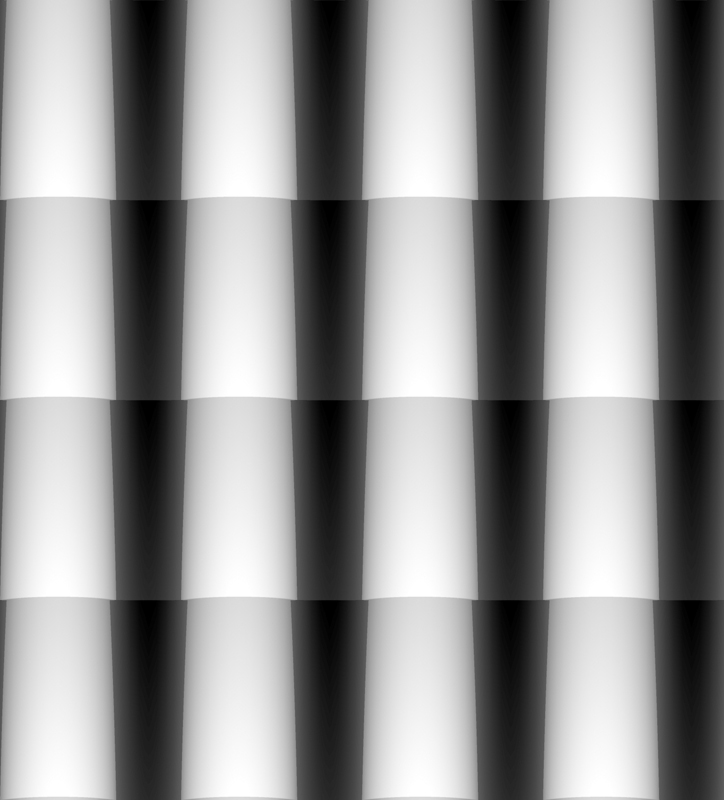
                        I'm sure someone's already thought of this, but this just struck me. Another cool use for this technique... you can use your 2d export as a displacement map in your favorite rendering program.

                        Here's an example of my test depth map in plan view with camera set to parallel projection(very quickly modelled terracotta roof tiles 😳 😞
                        displacement map

                        and the output when rendered on a single plane with it in the displacement slot and no diffuse:
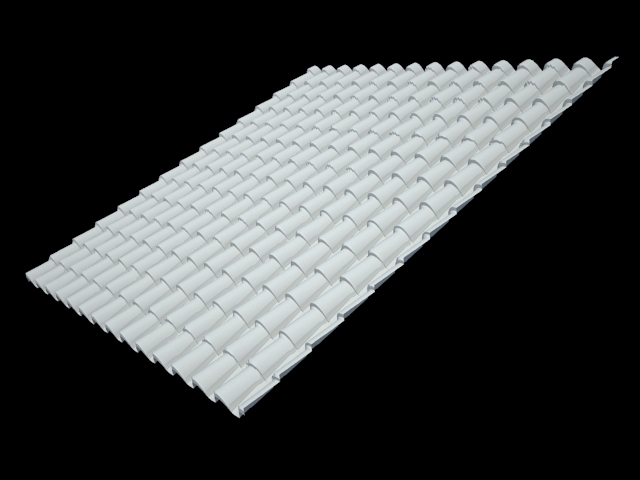
                        with out diffuse map

                        and the output when rendered on a single plane with it in the displacement slot and a diffuse color map:
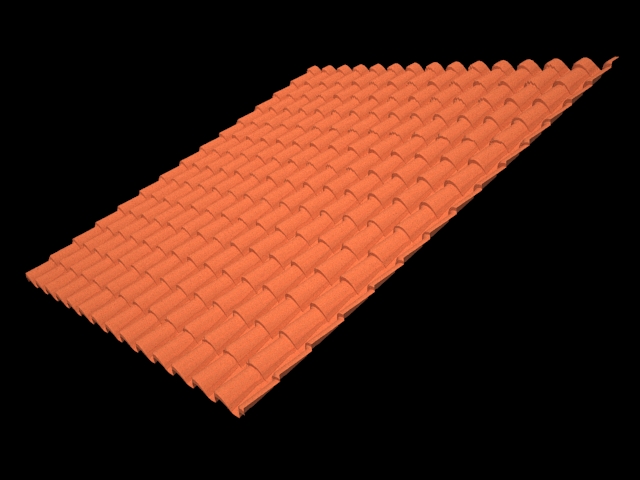
                        with diffuse map

                        fun stuff! πŸ’š

                        1 Reply Last reply
                        Reply Quote 0
                        • GaieusG
                          Gaieus
                          last edited by

                          This is really cool and I'd love to use it but the rendering program I'm just trying to familiarize myself with does not support displacement maps (yet?). 😞
                          Howeve your image can also be used as a bumpmap (which certainly will give a "poorer" result - especially at the edges).

                          Gai...

                          1 Reply Last reply
                          Reply Quote 0
                          • S
                            SpaceMan
                            last edited by

                            VRay has Displacement and Bump maps.
                            http://www.asgvis.com

                            1 Reply Last reply
                            Reply Quote 0
                            • L
                              lewiswadsworth
                              last edited by

                              @spaceman said:

                              VRay has Displacement and Bump maps.
                              http://www.asgvis.com

                              Yes, and if you had read the entire thread you might have noticed that I brought that up.

                              Most of the other plugin renders do as well, as do the dinosaur modelers like Max and Maya or oddities like Piranesi and Blender.

                              But isn't it nice that you don't always need them? SketchUp has the capability without plugins or additional software.

                              col sporcar si trova

                              1 Reply Last reply
                              Reply Quote 0
                              • J
                                Julius
                                last edited by

                                hi,
                                i found this tutorial on you tube.
                                i was wondering which version of photoshop is required: mine is 7.0.1 but it doesn't have "lens blur", it has four or five kinds of blur but not this one.

                                1 Reply Last reply
                                Reply Quote 0
                                • P
                                  pav_3j
                                  last edited by

                                  oooh, i'm going to have fun tinkering with this tonight...

                                  that said some of the links are dead.

                                  pav

                                  Just won the 'Who is Least Competitive Championships' where trying to win will make you lose. Trying to lose makes you win which makes you lose. Not trying at all makes you lose which makes you win which makes you lose.

                                  1 Reply Last reply
                                  Reply Quote 0
                                  • J
                                    Julius
                                    last edited by

                                    @julius said:

                                    hi,
                                    i found this tutorial on you tube.
                                    i was wondering which version of photoshop is required: mine is 7.0.1 but it doesn't have "lens blur", it has four or five kinds of blur but not this one.

                                    somebody's goning to answer? which version of photoshop is required to have "lens blur" ❓

                                    1 Reply Last reply
                                    Reply Quote 0
                                    • R
                                      remus
                                      last edited by

                                      My cursory search of the internet suggests it was released as a new feature in CS.

                                      http://remusrendering.wordpress.com/

                                      1 Reply Last reply
                                      Reply Quote 0
                                      • L
                                        lewiswadsworth
                                        last edited by

                                        Remus is correct...it appeared with the PS CS versions.

                                        However, you can achieve the same effects by using the "depth mask" as an alpha channel and (depending on what you want to do...make the near blurred or the far blurred) simply use Gausian blur to throw the area "out of focus." In fact, this will also work with other image editors such as GIMP (which incidentally has a Gausian filter capable of finer tuning than Photoshop's).

                                        The Photoshop CS lens blur filter complicates matters needlessly. I almost never use it.

                                        Incidentally, once you have a depth mask as an alpha channel, you can control its relative strength using Levels on the channel. Want things to get blurry real fast, as if you used a telescopic lens? Increase the contrast in the depth mask channel.

                                        I also use depth mask channels to simulate the watercolorist's traditional "atmospheric perspective"--in other words, things that are far away are more gray (desaturated) compared to foreground objects.

                                        If I have a little time later today I'll post some examples.

                                        col sporcar si trova

                                        1 Reply Last reply
                                        Reply Quote 0

                                        Hello! It looks like you're interested in this conversation, but you don't have an account yet.

                                        Getting fed up of having to scroll through the same posts each visit? When you register for an account, you'll always come back to exactly where you were before, and choose to be notified of new replies (either via email, or push notification). You'll also be able to save bookmarks and upvote posts to show your appreciation to other community members.

                                        With your input, this post could be even better πŸ’—

                                        Register Login
                                        • 1
                                        • 2
                                        • 3
                                        • 2 / 3
                                        • First post
                                          Last post
                                        Buy SketchPlus
                                        Buy SUbD
                                        Buy WrapR
                                        Buy eBook
                                        Buy Modelur
                                        Buy Vertex Tools
                                        Buy SketchCuisine
                                        Buy FormFonts

                                        Advertisement