Modlumi - Easy 3D modelling

-
@ntxdave
Maybe there something in the modeling who explain the bug!
Generaly a false size of something!For your animation my little free Gif can't make an only one animation (infinite or yoyo yes
So i go there where there are some free Gif Tools : https://onlinegiftools.com/stop-gif-loop
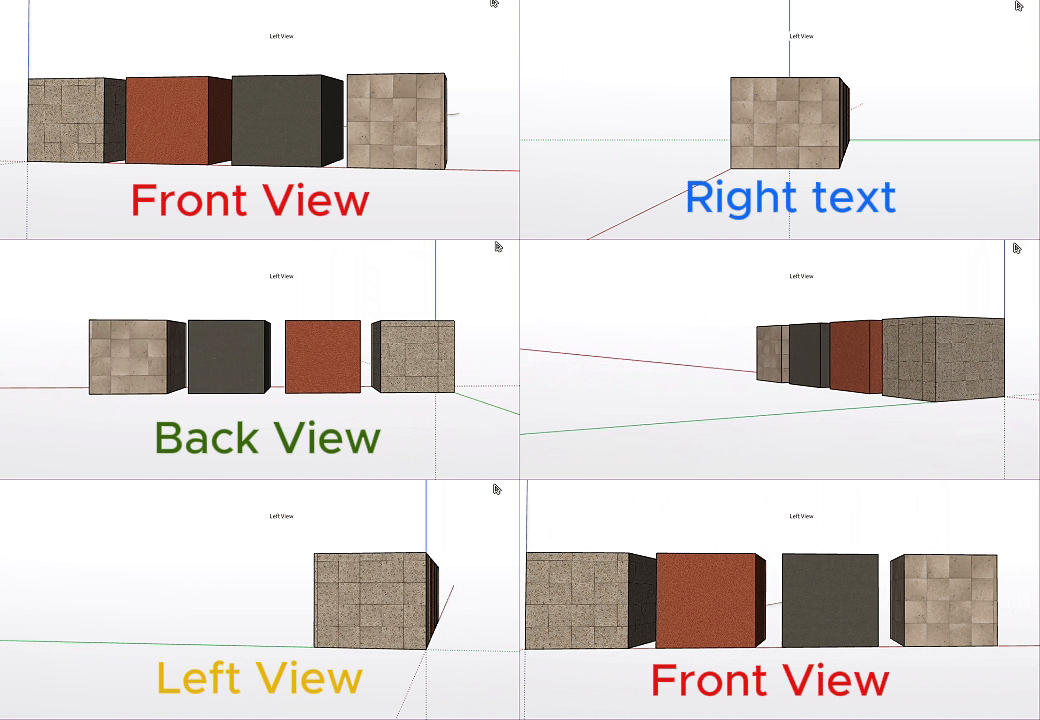
So here the result!
(If this is that you want ?
Frenchy Pilou
Is beautiful that please without concept!
My Little site :) -
@pilou Thanks but, not really. What I was thinking about was a wa to pause the gif or just have I ply once and then let the user/viewer decide if they want to see the animation again.
This, to me, is not about my gif in particular. In many cases when I see things on the forum where the posted is show how to some or how something works us viewers might want to pause the animation to see more details about what is being shown (kind of like a tutorial). With something like an MP4 video you can pause it.
Hope I am clarifying what I would like to see or figure out how to do/post.
-
@ntxdave
So... Try this one!
https://gifplayer.app/Frenchy Pilou
Is beautiful that please without concept!
My Little site :) -
@ntxdave
So... Try this one!
https://gifplayer.app/But I was really looking for a way to include pause and continue options for viewers on a web page.
I think I have messed up this topic with my silly wishes when presenting info on a wen page.
I do not want to distract from this topic. I am looking forward to more updates to Modlumi and want that to be goa
Of this thread. -
Yes for test if i have same result than you!
Pilou,
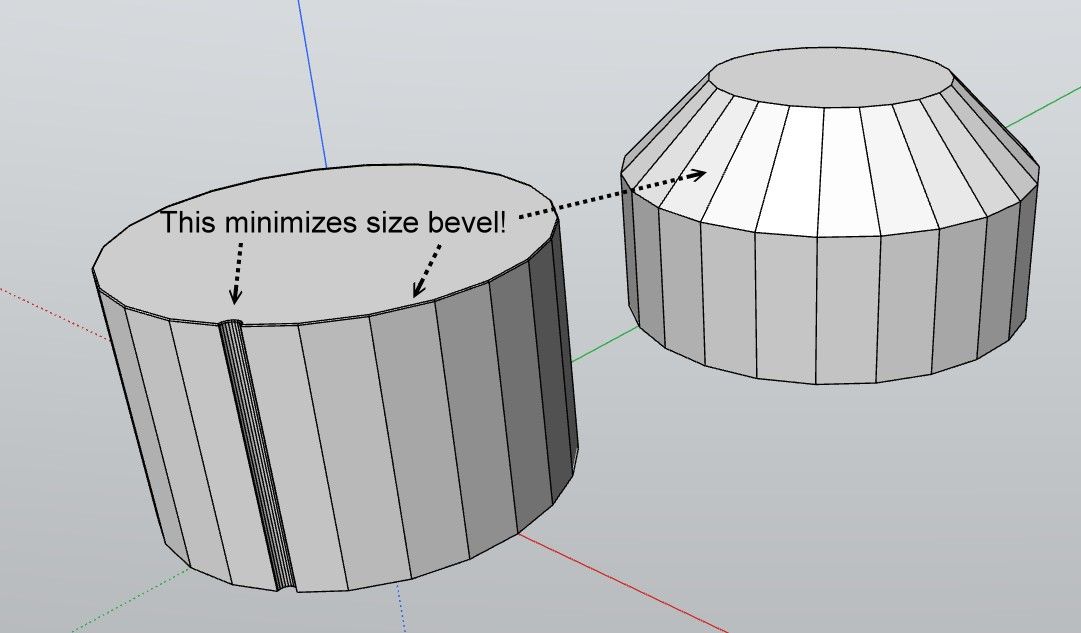
j'ai supprimé le fichier, et en effet, ce serait assez coton de retrouver la même situation où Modlumi ne veut pas faire le bevel sur une face circulaire standard...
Et l'autre exemple en capture vidéo où on voit que supprimer un bout qui dépasse d' une arête qui a bien une intersection détruit ma face contre toute logique -

-
Modlumi 0.25 is out: section planes, texture pins, soft edges and more
This is the biggest Modlumi release so far. You can now cut your model open, turn wood grain with pins, smooth faceted surfaces, and send your scenes around as a GIF. Most of it started right here in this thread, so thank you all.
Download it for Windows from https://modlumi.com/download/latest/windows, or open the browser version at https://modlumi.com/app/. If you already run 0.24 on Windows, it will offer you the update. The Mac build of 0.25 will follow later.
Cut through your model with section planes
Pick the Section Plane tool, point at a face (or press an arrow key to line it up with an axis), and click. Everything on the near side disappears and the cut edges are drawn heavy, so you can look straight into a room. Right-click a plane to turn its cut off and on, reverse it, or look straight at it. Scenes remember which planes cut, and section planes in your SketchUp files come along when you import them.
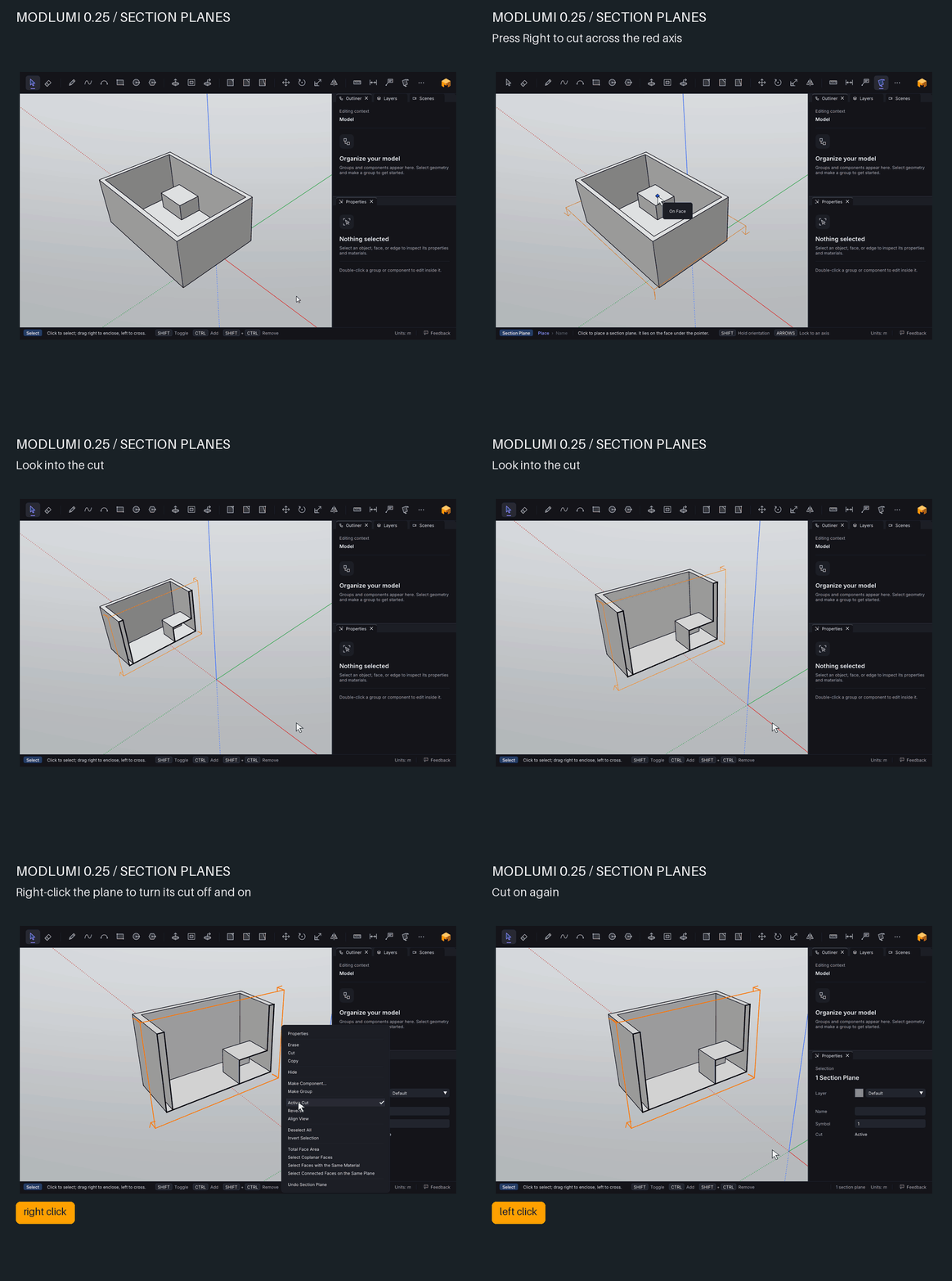

Section planes
Cut a model open with section planes to see inside it, show the cut heavier and filled, and save cuts in scenes.

Modlumi Docs (modlumi.com)
Position textures with pins
Right-click a textured face and choose Texture → Position. Drag the four pins to move, turn, scale, shear or distort the image. Turning wood grain to run along a board now takes one drag.
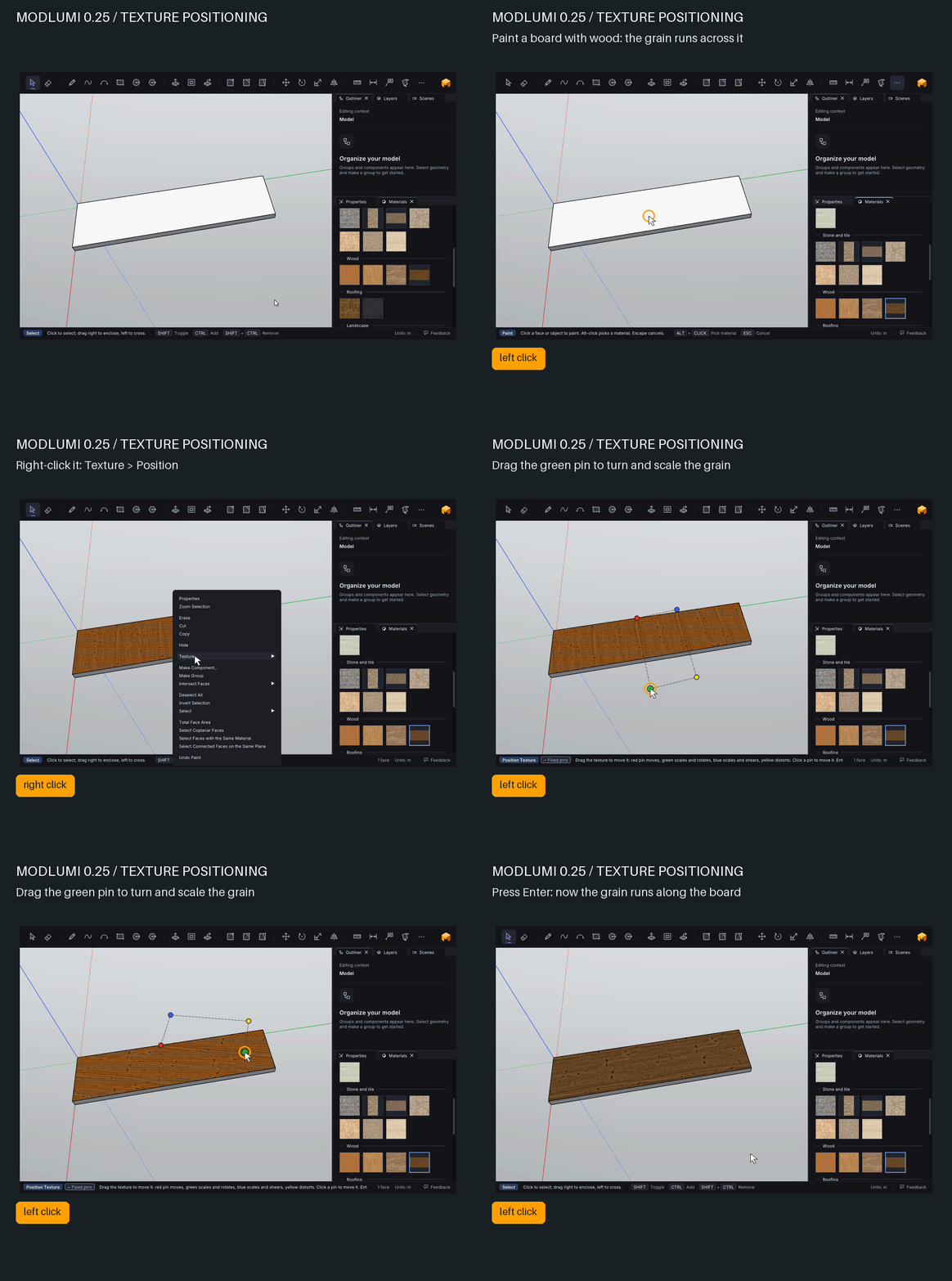
Texture positioning
Move, rotate, scale, shear and distort a material's image on a face with pins, and continue a texture across neighboring faces.
Modlumi Docs (modlumi.com)
Soften and smooth edges
@Krass, this one's for you. Window → Soften Edges smooths the selected edges by the angle between their faces, so a faceted cylinder becomes a smooth one. The Eraser softens an edge with Ctrl and unsoftens it with Alt, and clicking a smoothed surface selects all of it.
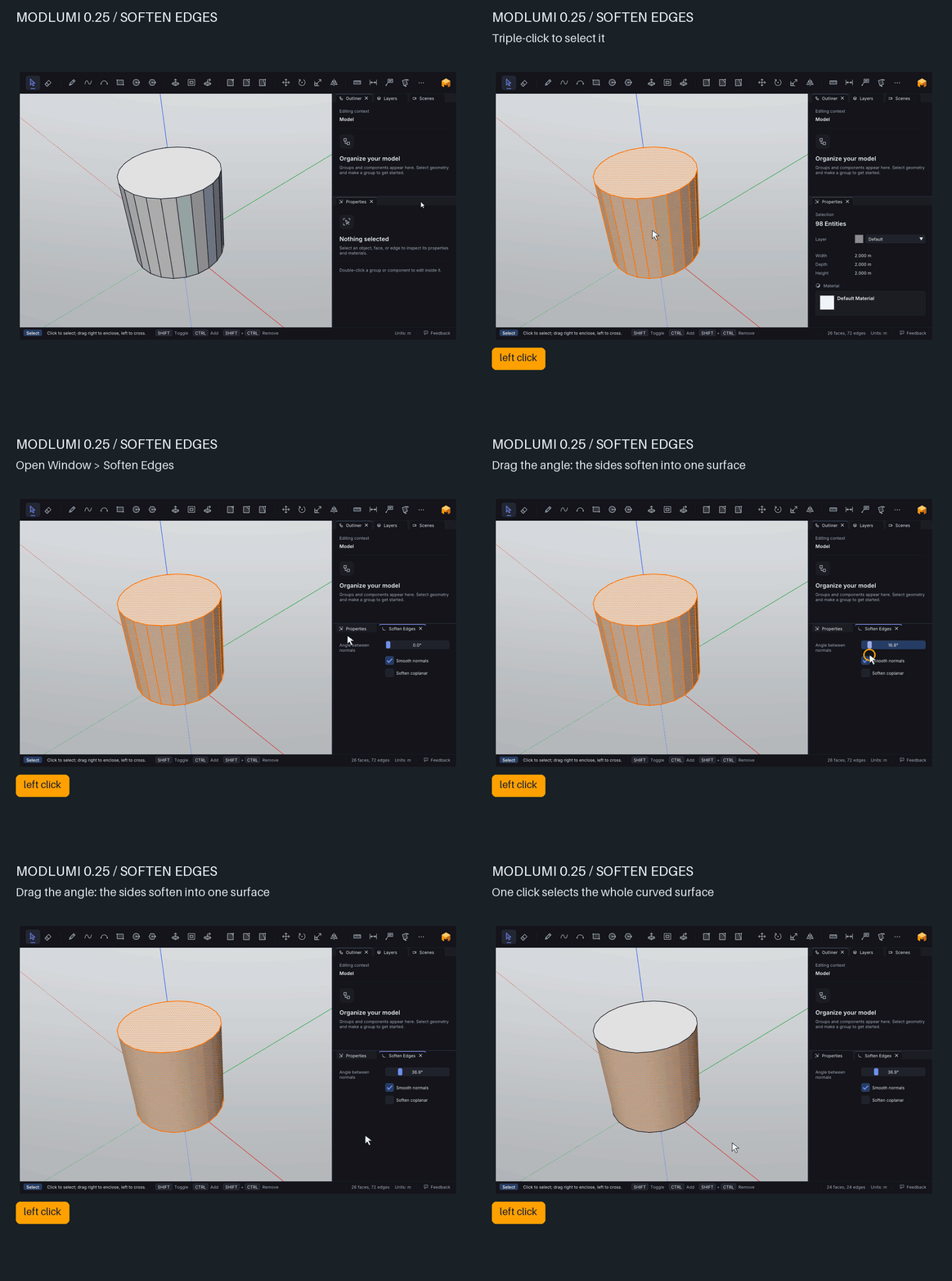
Softening edges
Soften and smooth edges so faceted geometry reads as a curved surface.
Modlumi Docs (modlumi.com)
Export your scenes as a GIF
@ntxdave, you asked whether scene playback could be saved to share. File → Export Animation records your scenes playing as a looping GIF, at the size and frame rate you choose. This is one, straight out of Modlumi:
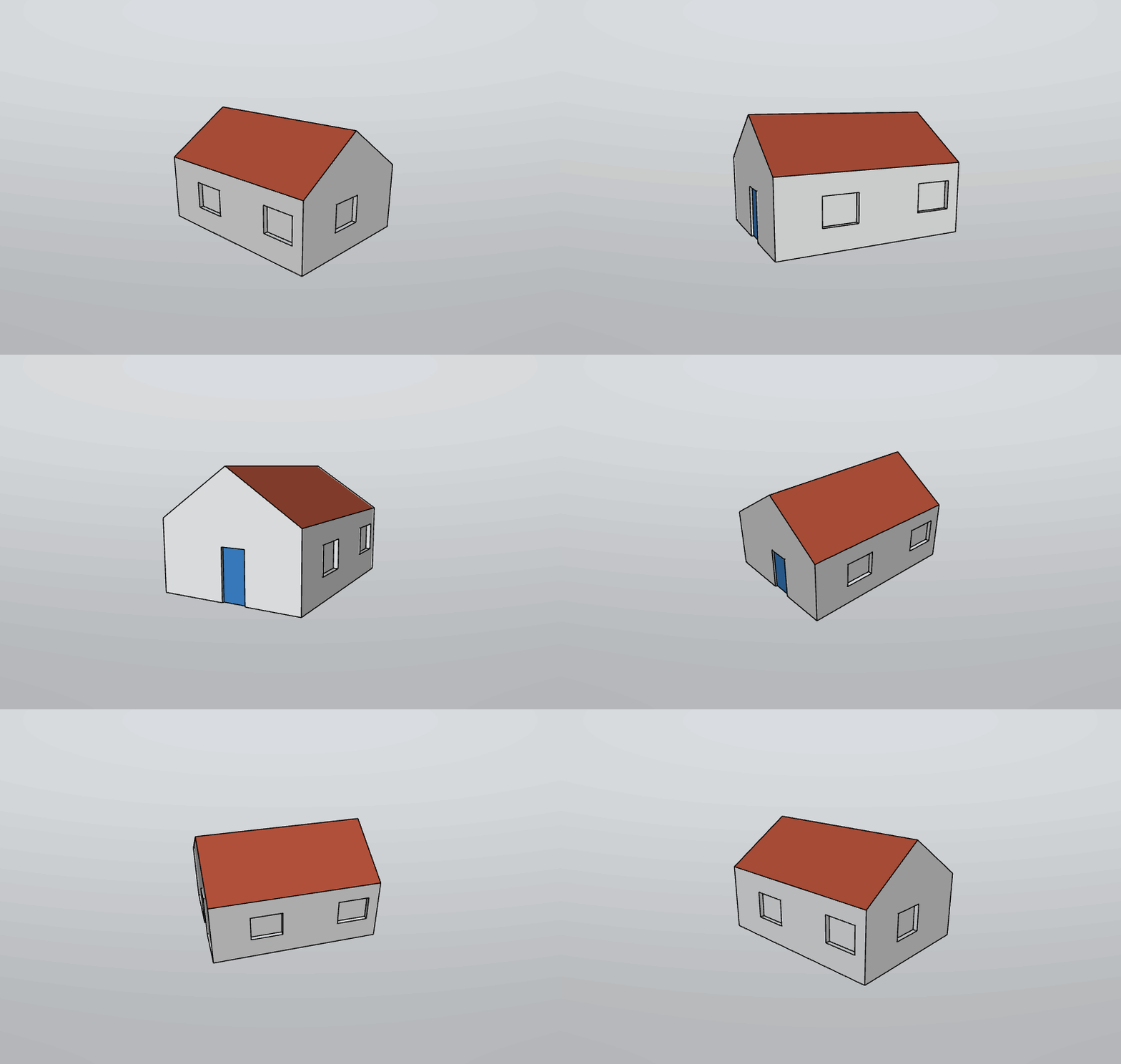
Open, save and export
Open Modlumi projects and SketchUp files, save your work, copy and paste, and export images, animations and glTF models.
Modlumi Docs (modlumi.com)
Your own fonts, and nicer labels
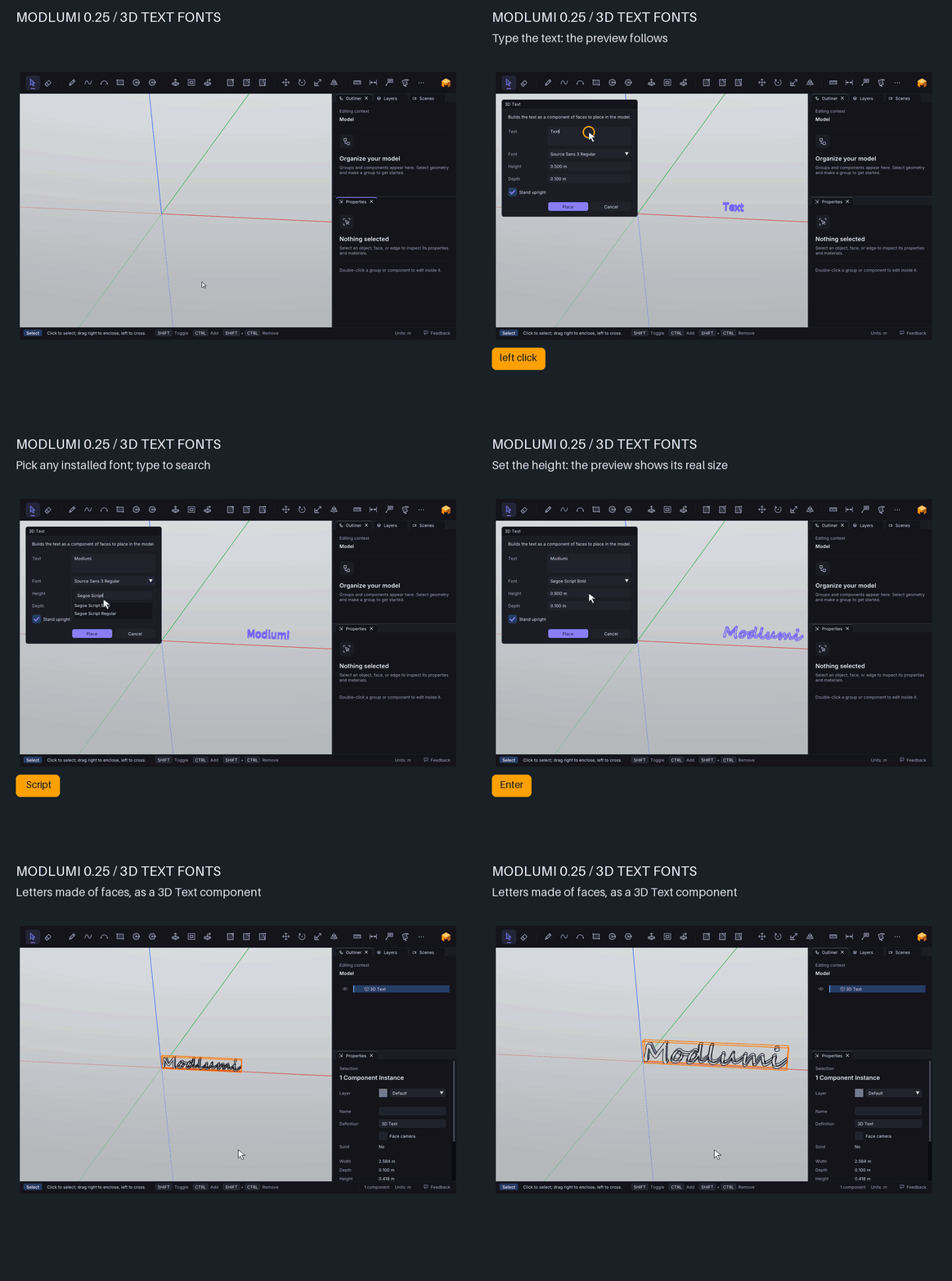
3D text can now use any font installed on your computer (desktop app), and the dialog previews the text in the model while you type. Text labels get a font, size and color in Properties.
Extrude, faster
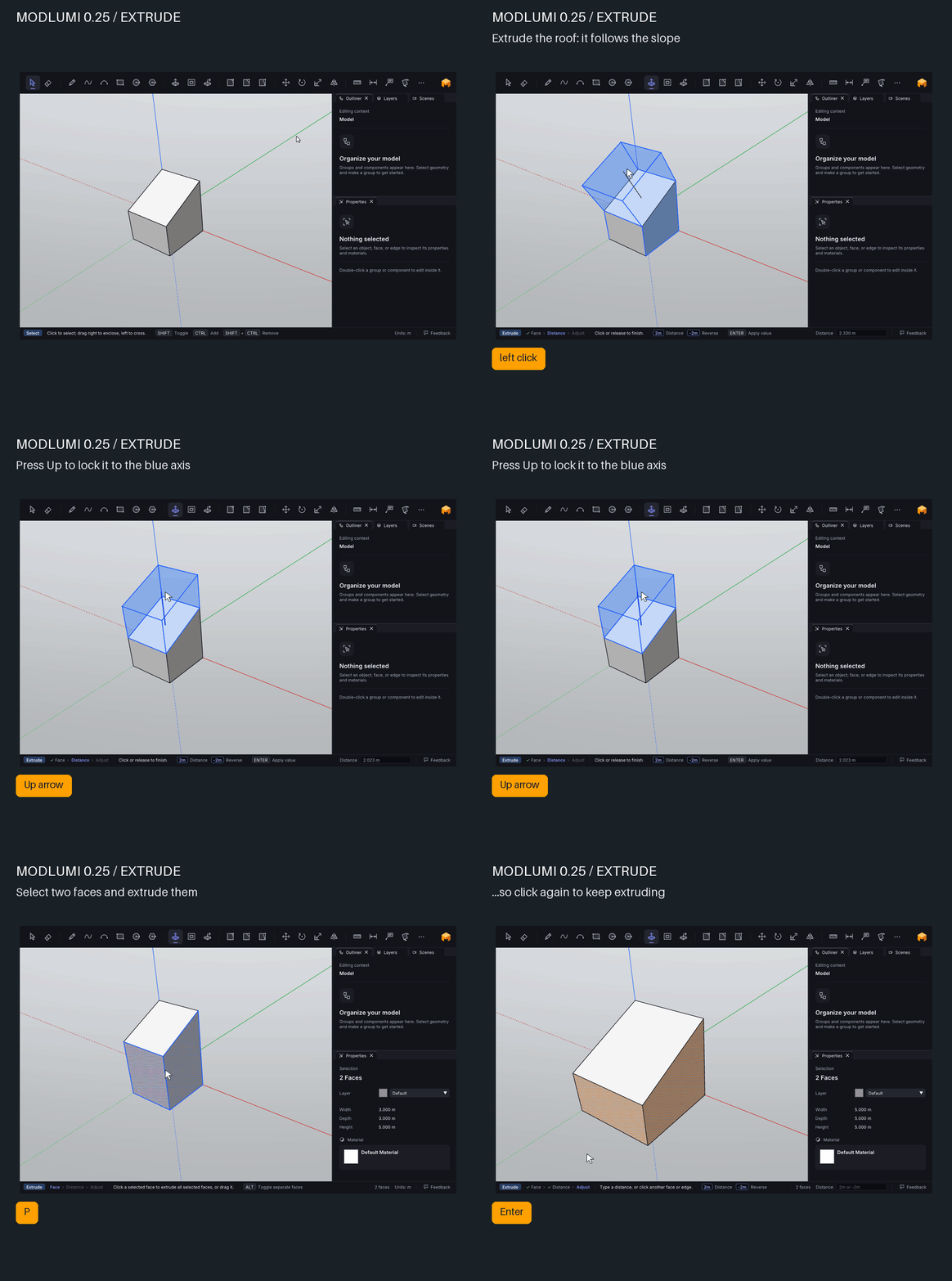
@pilou, this one comes from your "so big request". After extruding several faces or edges, the new ends stay selected, so you can click again and keep going. Extruding a face along a direction you pick isn't in yet, but the arrow keys now lock a single face's extrusion to the red, green or blue axis, drawn in that axis's color.
A fresh look
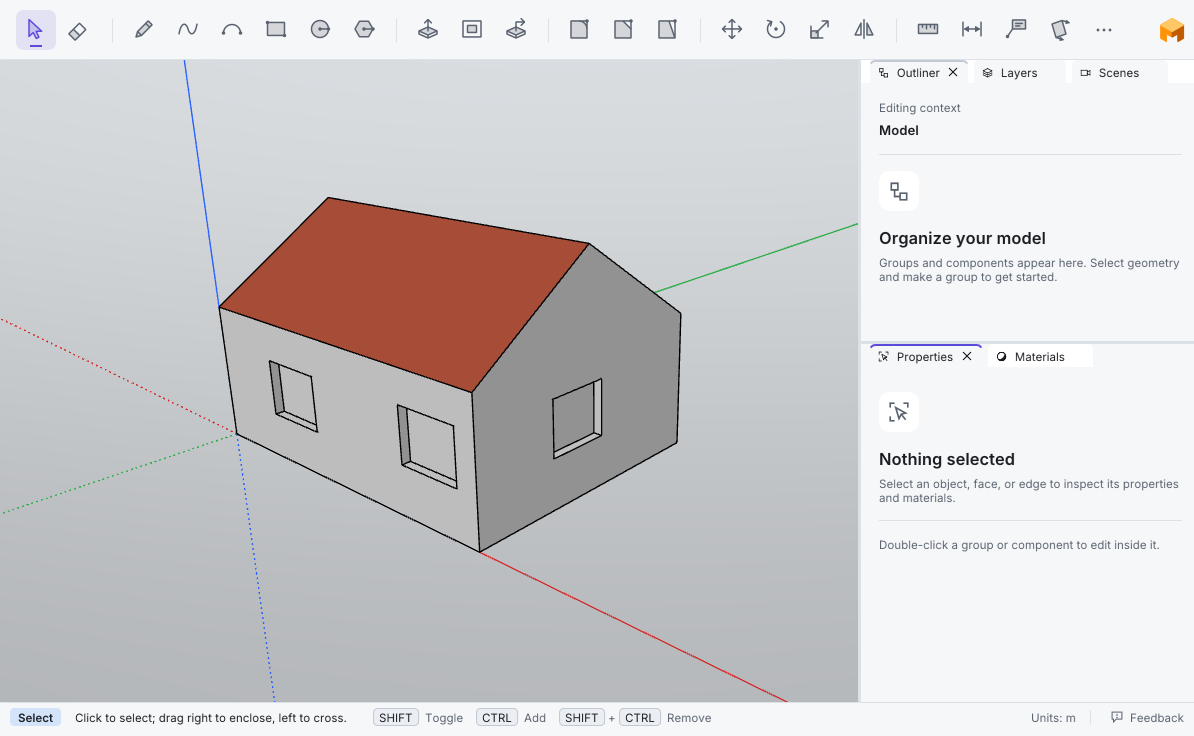
View → Theme switches between Dark and Light, or follows your system. The whole interface is now set in Inter.
And also
- Snap outside the group. While editing inside a group or component, tools snap to guides and to the rest of the model.
- Combine Solids by clicking. Choose a command from Edit → Combine Solids with nothing selected, then click two solids. Subtract and Trim now cut with the first solid you pick, as SketchUp does.
- See before you confirm. Divide, 3D Text and Make Component preview their result in the viewport.
- Get the desktop app from the browser. A Download desktop app button in the web version gets the installer while your model stays open.
Fixes
- Erasing a curve's stub past a crossing erases only the stub. Before, it removed the whole curve and its face. Thanks @Krass!
- Bevel says why it can't bevel a loop. It draws the edge that is too short in red and stops at the largest size that fits. Thanks @Krass and @pilou!
- AltGr and Option characters. You can type characters such as @ on a French keyboard. Thanks @Krass!
- Extruding onto existing corners keeps soft edges and previews the whole result.
- Combine Solids on imported models succeeds more often.
All the details are in the release notes: https://modlumi.com/docs/release-notes/
As always, tell me what breaks and what you'd like next. Help → Report a Bug can attach your model.
I'm the developer of Rayscaper: https://rayscaper.com/ - Fast and easy rendering for SketchUp.
-
Big release indeed!
LIttle big request ! Does it possible to have Size function aligned to an inclined face ?
Else works but it's a mess!
Keep Last face(s) extrude works fine! Bravo!
With next Size function aligned will be a killer one!Request : Extrude with mouse direction!
(but i see that you speek about for a next release! 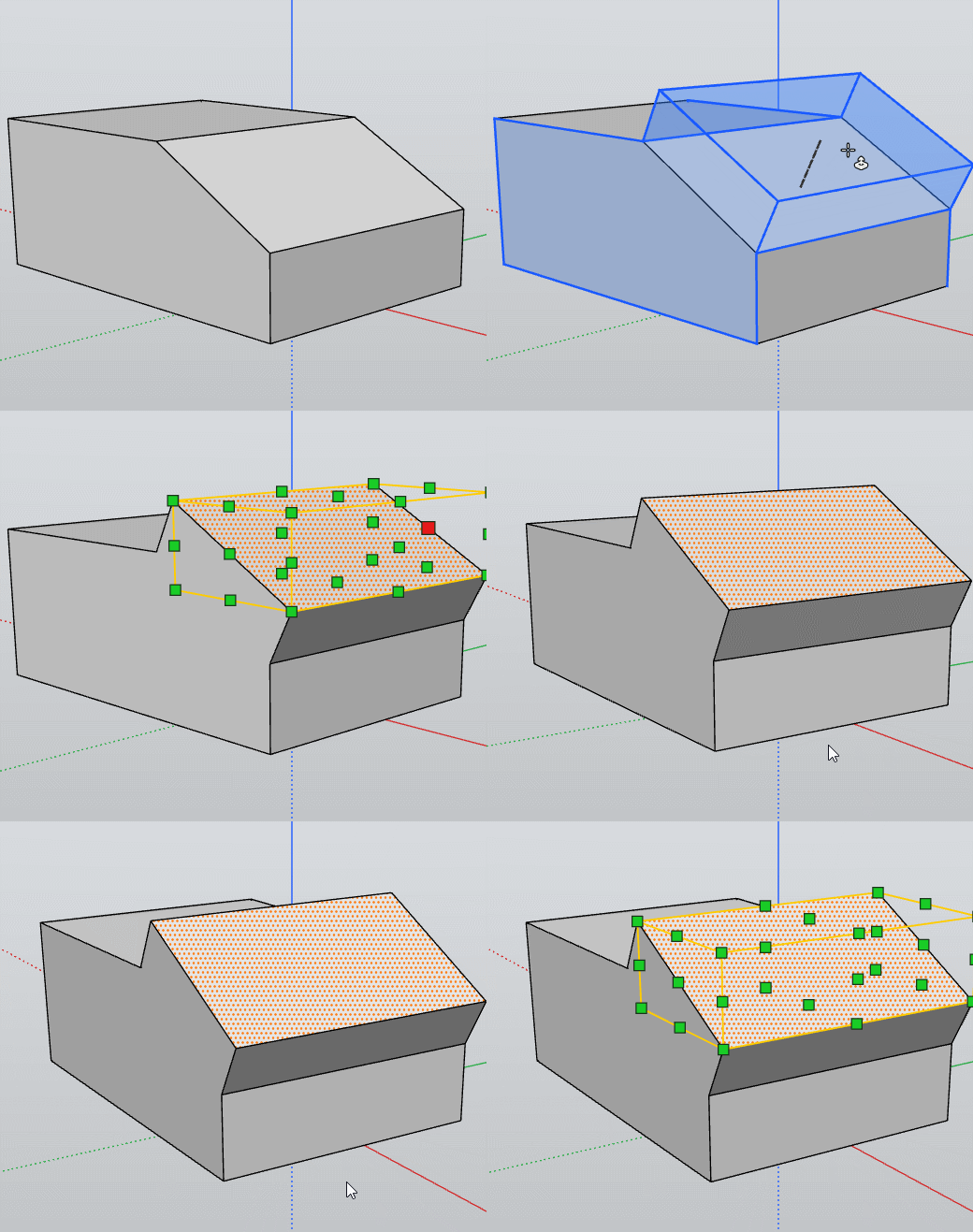
-
@pixelcruncher Greate release. I just installed so now I have to try some of the new stuff, and I am really looking forward to that.
One question I have though is what software do you use to create your animated gifs They are really great and you can add things like the keys and other stuff.
 .
-





Hello! It looks like you're interested in this conversation, but you don't have an account yet.
Getting fed up of having to scroll through the same posts each visit? When you register for an account, you'll always come back to exactly where you were before, and choose to be notified of new replies (either via email, or push notification). You'll also be able to save bookmarks and upvote posts to show your appreciation to other community members.
With your input, this post could be even better 💗
Register Login


Advertisement