sketchucation logo sketchucation
    • Login
    Oops, your profile's looking a bit empty! To help us tailor your experience, please fill in key details like your SketchUp version, skill level, operating system, and more. Update and save your info on your profile page today!
    Mac User? | Join the Rayscaper Beta for Mac Learn More

    Modlumi - Easy 3D modelling
    Scheduled Pinned Locked Moved Corner Bar
    401 Posts 9 Posters 67.9k Views 9 Watching
    Loading More Posts
    • Oldest to Newest
    • Newest to Oldest
    • Most Votes
    Reply
    • Reply as topic
    Log in to reply
    This topic has been deleted. Only users with topic management privileges can see it.
    • pilouP
      pilou
      last edited by

      a gif can be send like a simple image!

      Frenchy Pilou
      Is beautiful that please without concept!
      My Little site :)

      1 Reply Last reply
      Reply Quote 0
      • KrassK
        Krass
        last edited by Krass

        Hello,
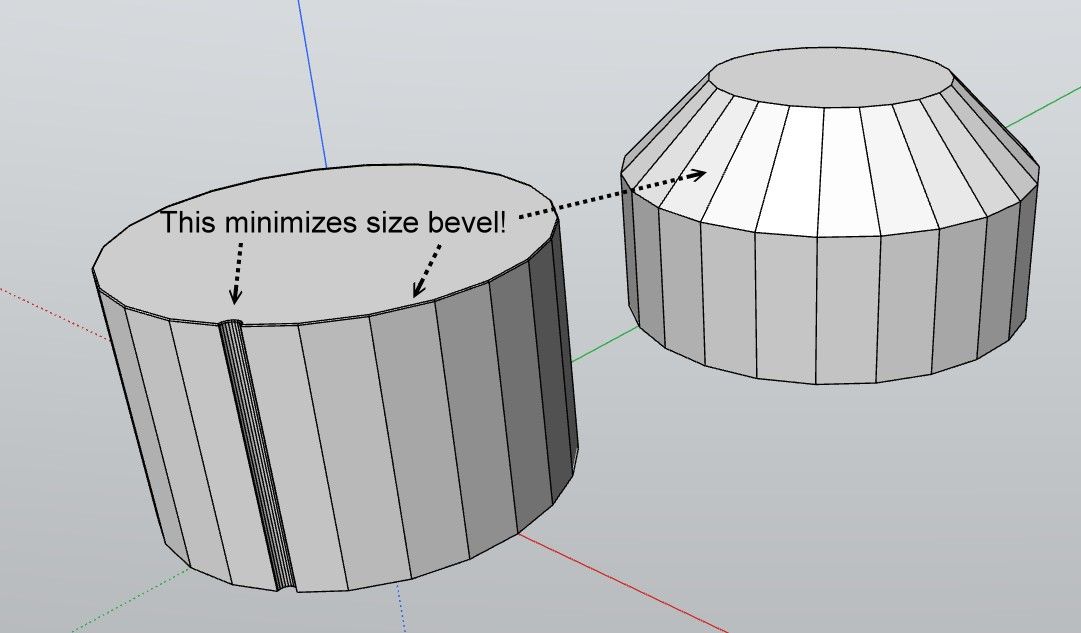
        I can't bevel this other edges... don't know why.
        You report bug doesn't want to accept @ sign

        modlumi_EUcuuMRhcI.mp4

        1 Reply Last reply
        Reply Quote 0
        • KrassK
          Krass
          last edited by

          other bug

          modlumi_t1RGl8rcDl.mp4

          1 Reply Last reply
          Reply Quote 0
          • pilouP
            pilou
            last edited by

            Have you a file ?

            Frenchy Pilou
            Is beautiful that please without concept!
            My Little site :)

            1 Reply Last reply
            Reply Quote 0
            • KrassK
              Krass
              last edited by

              are you asking me?

              1 Reply Last reply
              Reply Quote 0
              • ntxdaveN
                ntxdave
                last edited by ntxdave

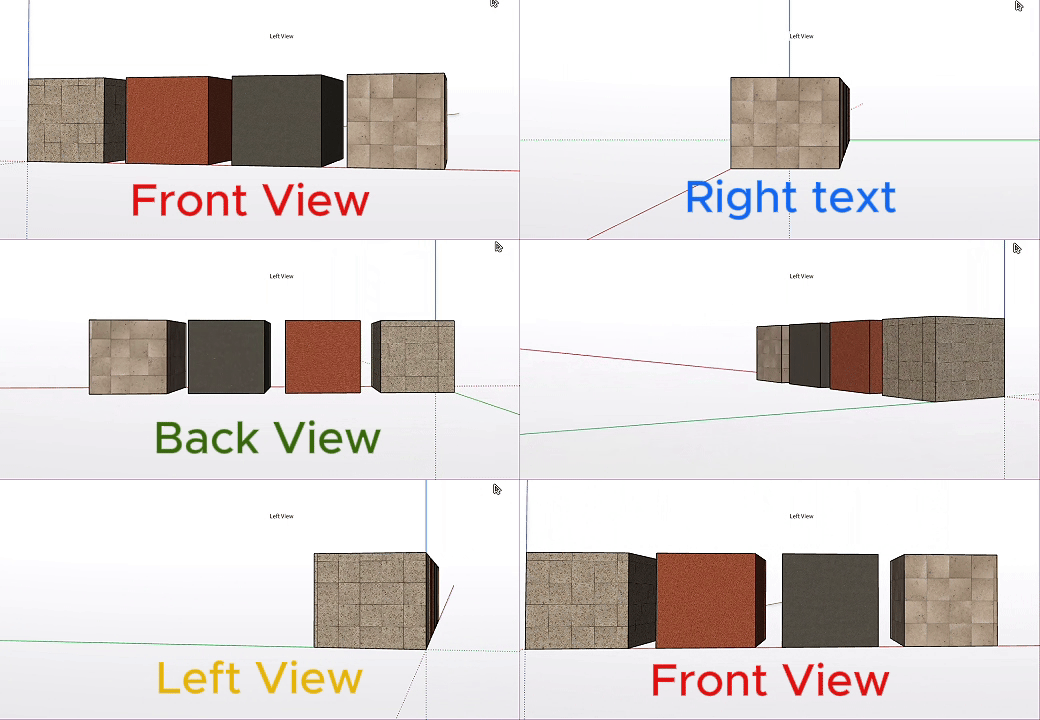
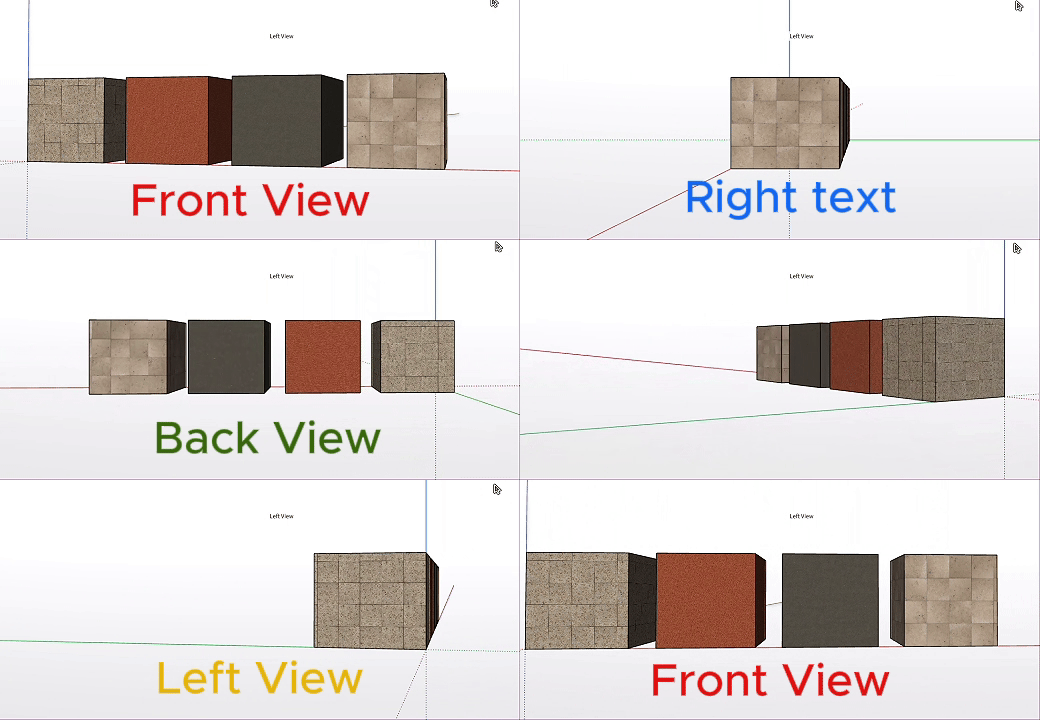
                OK guys, here is my first attempt at creating an animated gif of one of my Modlumi models. I know this is not great but at least it is a start. Sometime pretty soon, I will try another one (if you do not laugh to loud). 🙂

                GIF Video Test 1.gif

                I should have added that the text about which view wa being shown was done in my video editor, not in Modlumi.

                I do have (as is normal for me) a silly question. Is there a way so that it only plays one?

                Press F1...thank me later

                1 Reply Last reply
                Reply Quote 0
                • KrassK
                  Krass
                  last edited by

                  This post is deleted!
                  1 Reply Last reply
                  Reply Quote 0
                  • pilouP
                    pilou
                    last edited by

                    @krass
                    Yes for test if i have same result than you! 🙂

                    Frenchy Pilou
                    Is beautiful that please without concept!
                    My Little site :)

                    ntxdaveN 1 Reply Last reply
                    Reply Quote 0
                    • ntxdaveN
                      ntxdave @pilou
                      last edited by

                      @pilou said:

                      @krass
                      Yes for test if i have same result than you! 🙂

                      What was the test?

                      Press F1...thank me later

                      KrassK 1 Reply Last reply
                      Reply Quote 0
                      • pilouP
                        pilou
                        last edited by pilou

                        @ntxdave
                        Maybe there something in the modeling who explain the bug! 🙂
                        Generaly a false size of something!

                        For your animation my little free Gif can't make an only one animation (infinite or yoyo yes 🙂

                        So i go there where there are some free Gif Tools : https://onlinegiftools.com/stop-gif-loop
                        So here the result!
                        (If this is that you want ?
                        Daves stop.gif

                        Frenchy Pilou
                        Is beautiful that please without concept!
                        My Little site :)

                        ntxdaveN 1 Reply Last reply
                        Reply Quote 0
                        • ntxdaveN
                          ntxdave @pilou
                          last edited by ntxdave

                          @pilou Thanks but, not really. What I was thinking about was a wa to pause the gif or just have I ply once and then let the user/viewer decide if they want to see the animation again.

                          This, to me, is not about my gif in particular. In many cases when I see things on the forum where the posted is show how to some or how something works us viewers might want to pause the animation to see more details about what is being shown (kind of like a tutorial). With something like an MP4 video you can pause it.

                          Hope I am clarifying what I would like to see or figure out how to do/post.

                          Press F1...thank me later

                          1 Reply Last reply
                          Reply Quote 0
                          • pilouP
                            pilou
                            last edited by pilou

                            @ntxdave
                            So... Try this one! 😉
                            https://gifplayer.app/

                            Frenchy Pilou
                            Is beautiful that please without concept!
                            My Little site :)

                            ntxdaveN 1 Reply Last reply
                            Reply Quote 0
                            • ntxdaveN
                              ntxdave @pilou
                              last edited by

                              @pilou said:

                              @ntxdave
                              So... Try this one! 😉
                              https://gifplayer.app/

                              But I was really looking for a way to include pause and continue options for viewers on a web page.

                              I think I have messed up this topic with my silly wishes when presenting info on a wen page.

                              I do not want to distract from this topic. I am looking forward to more updates to Modlumi and want that to be goa
                              Of this thread.

                              Press F1...thank me later

                              1 Reply Last reply
                              Reply Quote 0
                              • KrassK
                                Krass @ntxdave
                                last edited by

                                @ntxdave said:

                                Yes for test if i have same result than you!

                                Pilou,
                                j'ai supprimé le fichier, et en effet, ce serait assez coton de retrouver la même situation où Modlumi ne veut pas faire le bevel sur une face circulaire standard...
                                Et l'autre exemple en capture vidéo où on voit que supprimer un bout qui dépasse d' une arête qui a bien une intersection détruit ma face contre toute logique

                                1 Reply Last reply
                                Reply Quote 0
                                • pilouP
                                  pilou
                                  last edited by pilou

                                  mini circle1.jpg

                                  12a2a1ca-1df8-42b5-9fa8-4c630bb45f8c.jpg

                                  Frenchy Pilou
                                  Is beautiful that please without concept!
                                  My Little site :)

                                  1 Reply Last reply
                                  Reply Quote 1
                                  • pixelcruncherP
                                    pixelcruncher Extension Creator
                                    last edited by

                                    Modlumi 0.25 is out: section planes, texture pins, soft edges and more

                                    This is the biggest Modlumi release so far. You can now cut your model open, turn wood grain with pins, smooth faceted surfaces, and send your scenes around as a GIF. Most of it started right here in this thread, so thank you all.

                                    Download it for Windows from https://modlumi.com/download/latest/windows, or open the browser version at https://modlumi.com/app/. If you already run 0.24 on Windows, it will offer you the update. The Mac build of 0.25 will follow later.

                                    Cut through your model with section planes

                                    Pick the Section Plane tool, point at a face (or press an arrow key to line it up with an axis), and click. Everything on the near side disappears and the cut edges are drawn heavy, so you can look straight into a room. Right-click a plane to turn its cut off and on, reverse it, or look straight at it. Scenes remember which planes cut, and section planes in your SketchUp files come along when you import them.
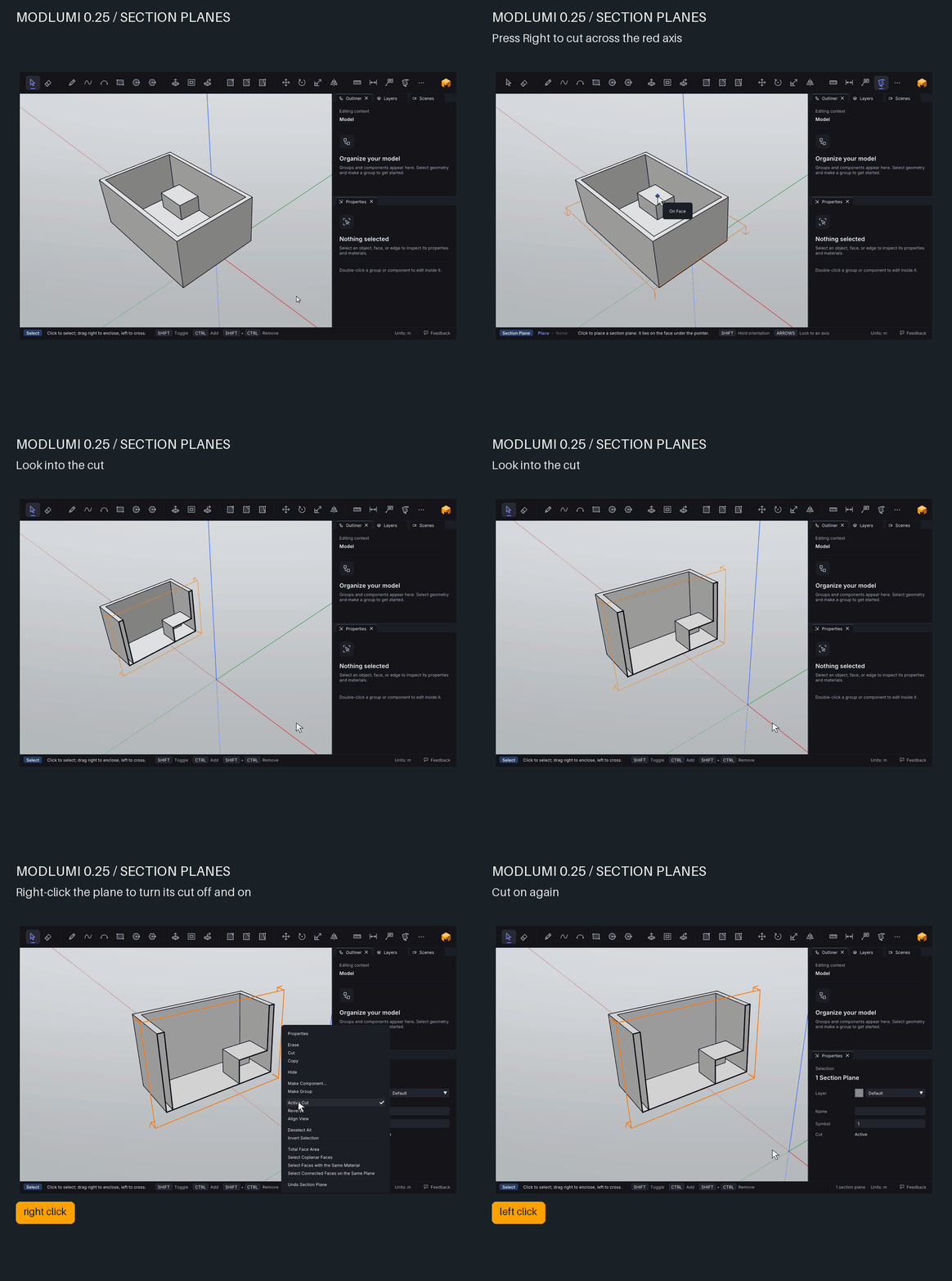

                                    Section planes

                                    Link Preview Image
                                    Section planes

                                    Cut a model open with section planes to see inside it, show the cut heavier and filled, and save cuts in scenes.

                                    favicon

                                    Modlumi Docs (modlumi.com)

                                    Position textures with pins

                                    Right-click a textured face and choose Texture → Position. Drag the four pins to move, turn, scale, shear or distort the image. Turning wood grain to run along a board now takes one drag.
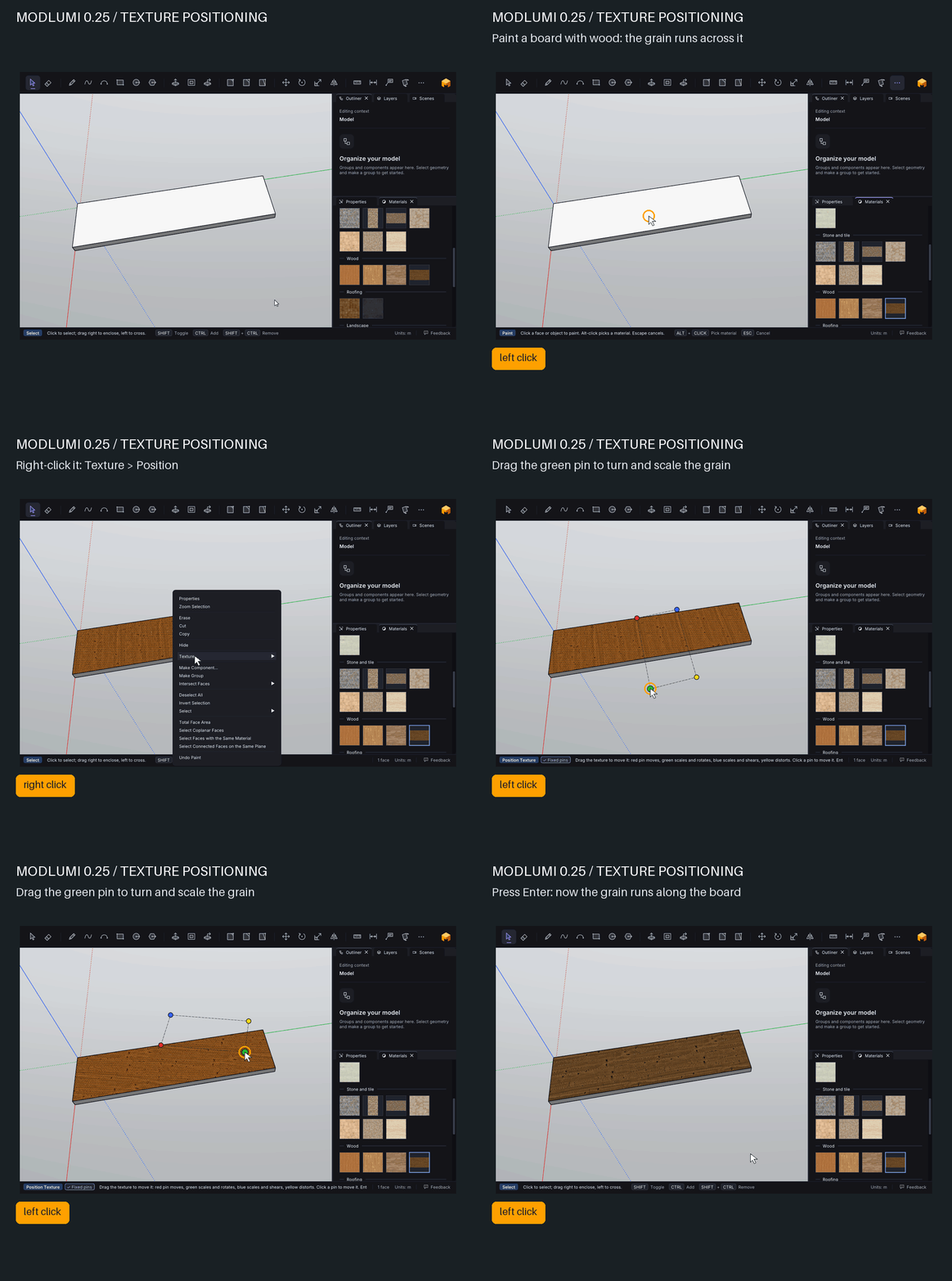
                                    Texture pins

                                    Link Preview Image
                                    Texture positioning

                                    Move, rotate, scale, shear and distort a material's image on a face with pins, and continue a texture across neighboring faces.

                                    favicon

                                    Modlumi Docs (modlumi.com)

                                    Soften and smooth edges

                                    @Krass, this one's for you. Window → Soften Edges smooths the selected edges by the angle between their faces, so a faceted cylinder becomes a smooth one. The Eraser softens an edge with Ctrl and unsoftens it with Alt, and clicking a smoothed surface selects all of it.
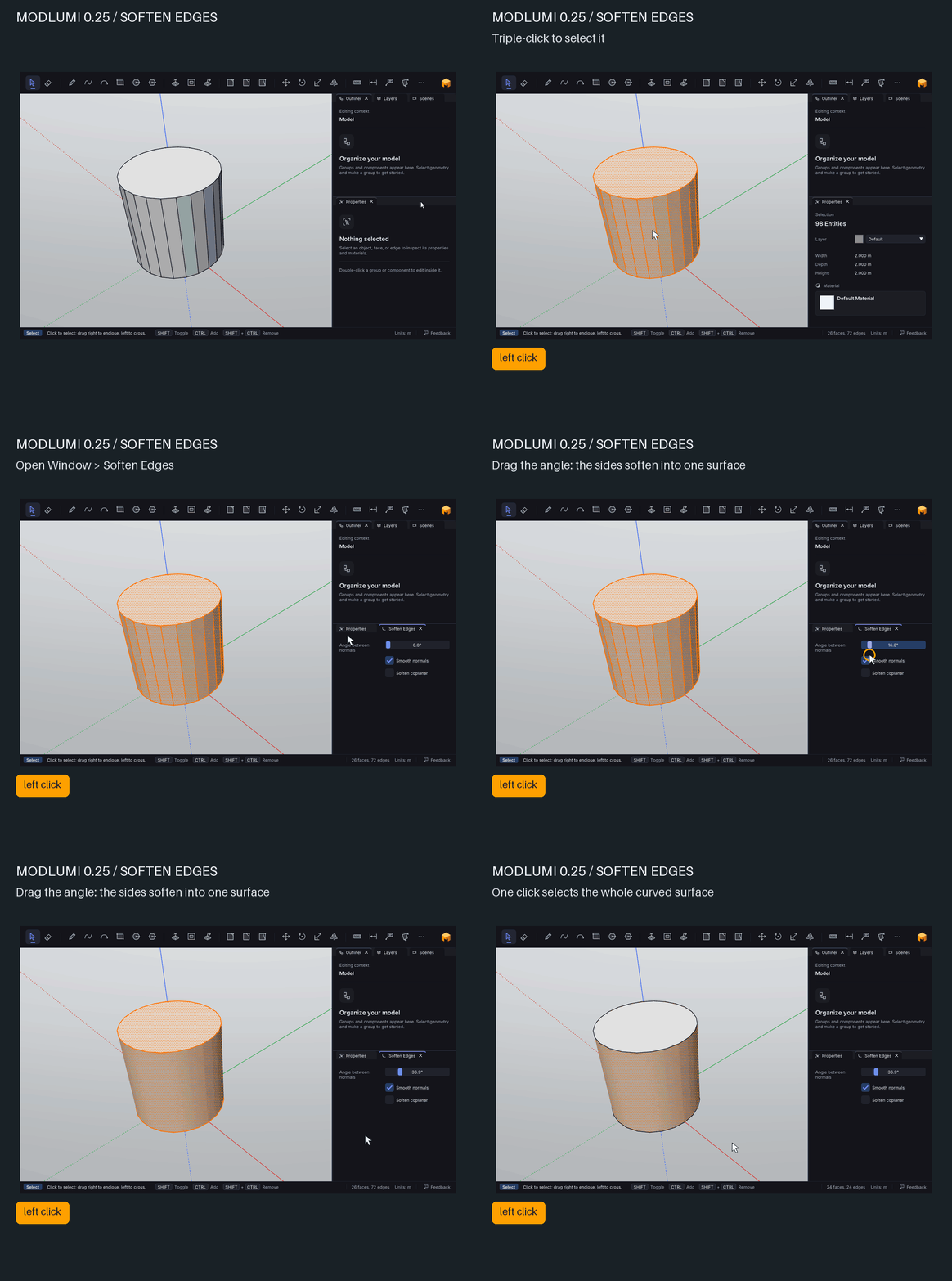
                                    Soften edges

                                    Link Preview Image
                                    Softening edges

                                    Soften and smooth edges so faceted geometry reads as a curved surface.

                                    favicon

                                    Modlumi Docs (modlumi.com)

                                    Export your scenes as a GIF

                                    @ntxdave, you asked whether scene playback could be saved to share. File → Export Animation records your scenes playing as a looping GIF, at the size and frame rate you choose. This is one, straight out of Modlumi:
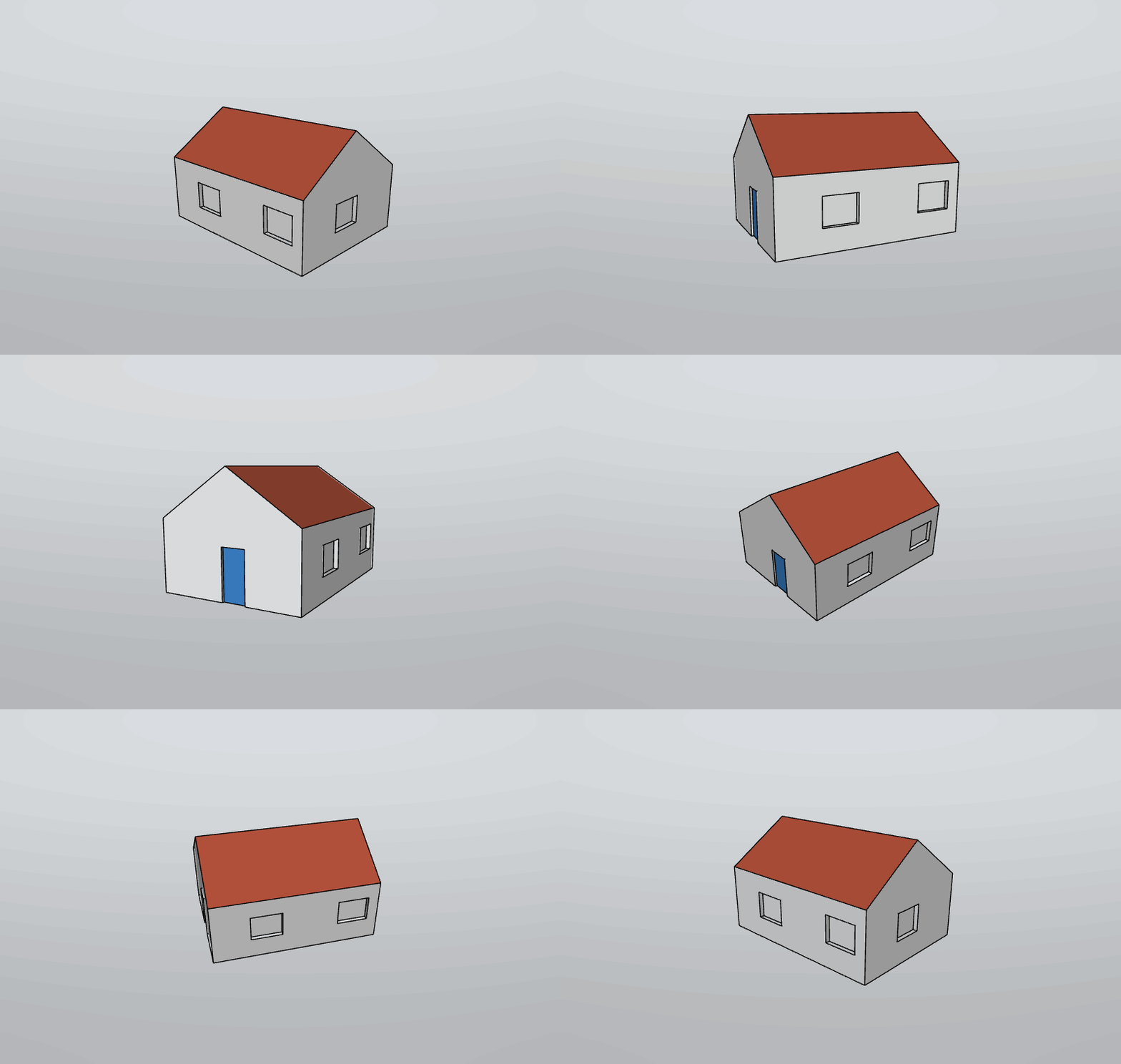
                                    Exported scene tour

                                    Link Preview Image
                                    Open, save and export

                                    Open Modlumi projects and SketchUp files, save your work, copy and paste, and export images, animations and glTF models.

                                    favicon

                                    Modlumi Docs (modlumi.com)

                                    Your own fonts, and nicer labels

                                    3D text can now use any font installed on your computer (desktop app), and the dialog previews the text in the model while you type. Text labels get a font, size and color in Properties.
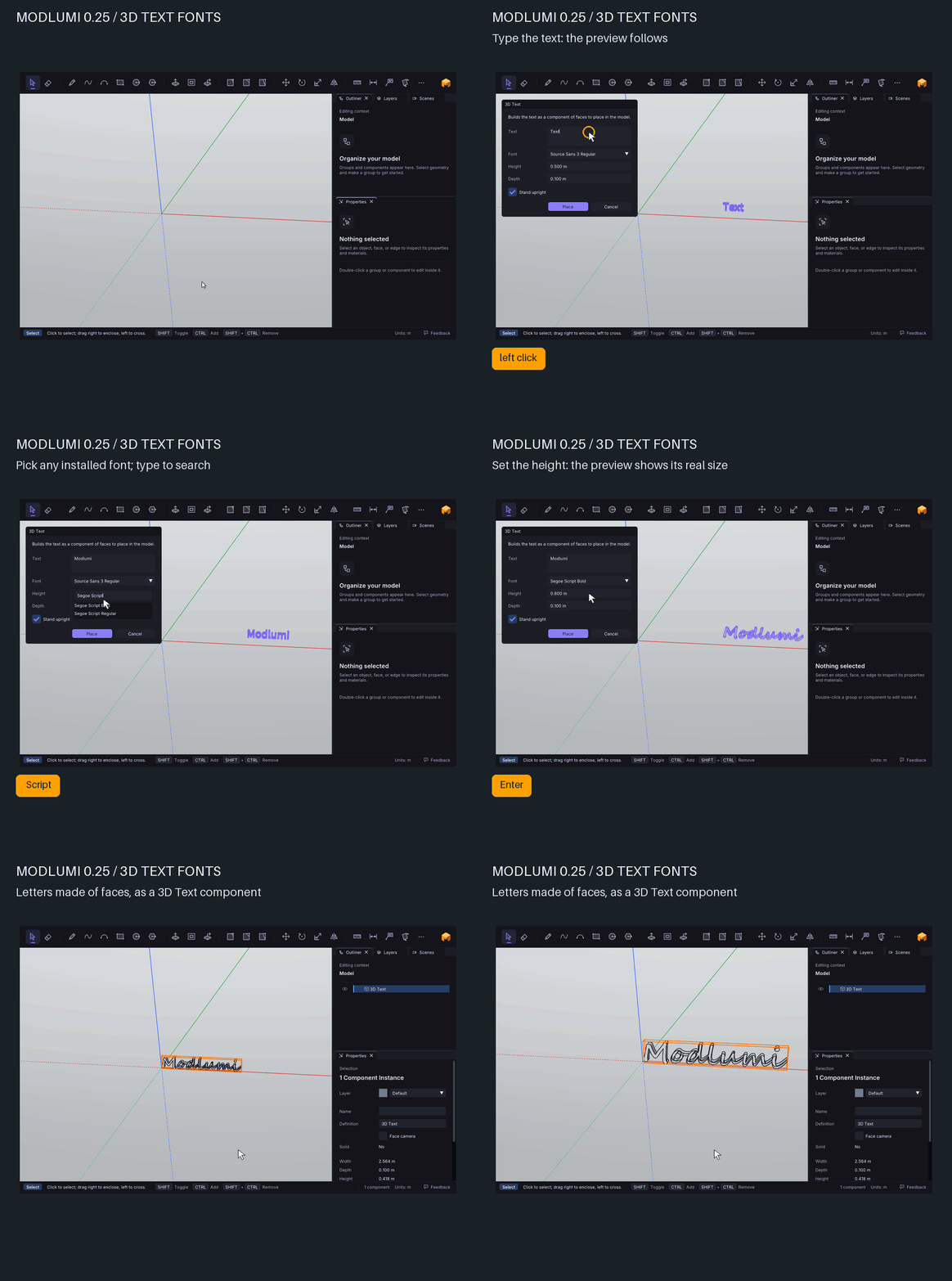
                                    3D text with an installed font

                                    Extrude, faster

                                    @pilou, this one comes from your "so big request". After extruding several faces or edges, the new ends stay selected, so you can click again and keep going. Extruding a face along a direction you pick isn't in yet, but the arrow keys now lock a single face's extrusion to the red, green or blue axis, drawn in that axis's color.
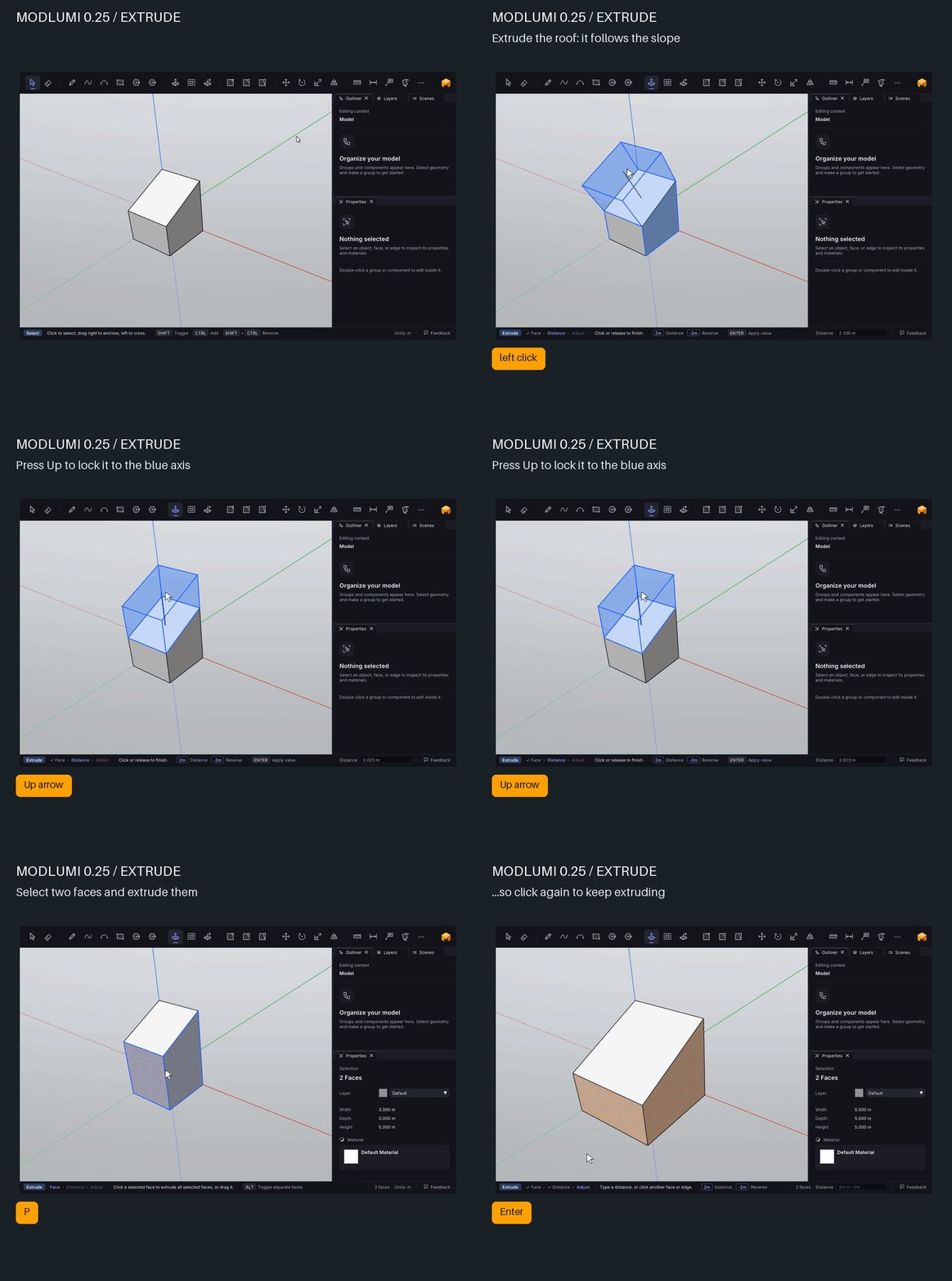
                                    Extrude improvements

                                    A fresh look

                                    View → Theme switches between Dark and Light, or follows your system. The whole interface is now set in Inter.
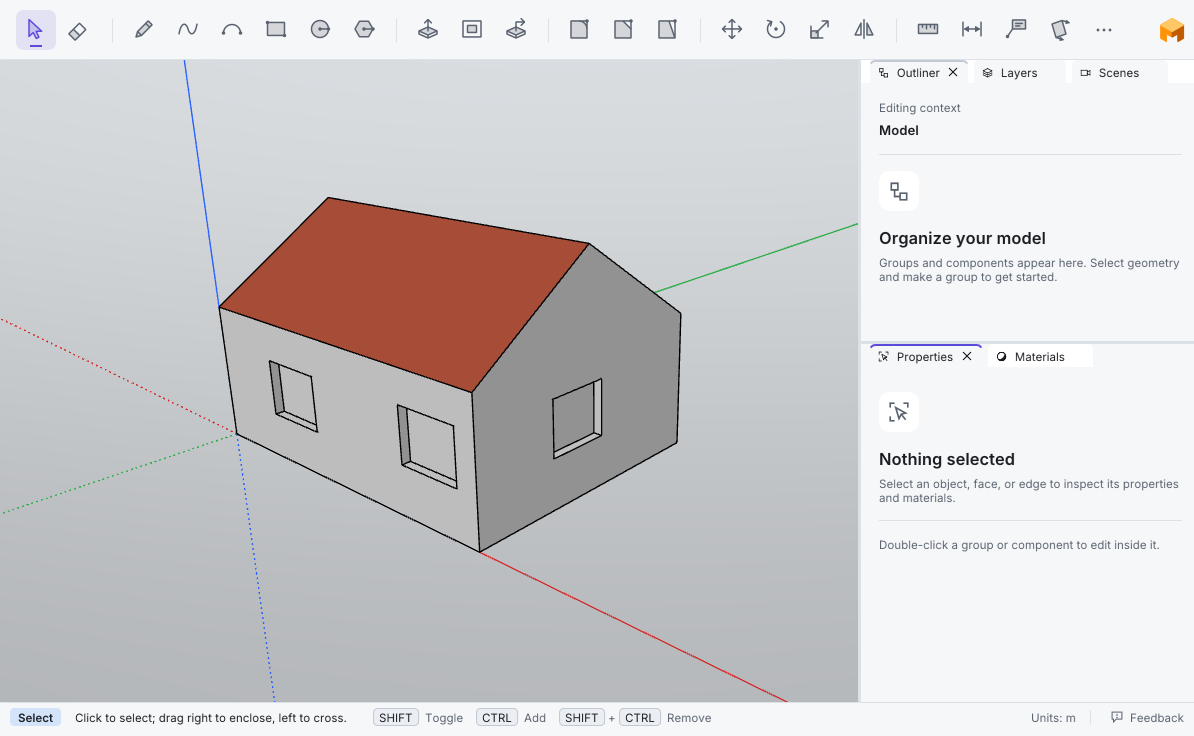
                                    Light theme

                                    And also

                                    • Snap outside the group. While editing inside a group or component, tools snap to guides and to the rest of the model.
                                    • Combine Solids by clicking. Choose a command from Edit → Combine Solids with nothing selected, then click two solids. Subtract and Trim now cut with the first solid you pick, as SketchUp does.
                                    • See before you confirm. Divide, 3D Text and Make Component preview their result in the viewport.
                                    • Get the desktop app from the browser. A Download desktop app button in the web version gets the installer while your model stays open.

                                    Fixes

                                    • Erasing a curve's stub past a crossing erases only the stub. Before, it removed the whole curve and its face. Thanks @Krass!
                                    • Bevel says why it can't bevel a loop. It draws the edge that is too short in red and stops at the largest size that fits. Thanks @Krass and @pilou!
                                    • AltGr and Option characters. You can type characters such as @ on a French keyboard. Thanks @Krass!
                                    • Extruding onto existing corners keeps soft edges and previews the whole result.
                                    • Combine Solids on imported models succeeds more often.

                                    All the details are in the release notes: https://modlumi.com/docs/release-notes/

                                    As always, tell me what breaks and what you'd like next. Help → Report a Bug can attach your model.

                                    I'm the developer of Rayscaper: https://rayscaper.com/ - Fast and easy rendering for SketchUp.

                                    ntxdaveN KrassK 2 Replies Last reply
                                    Reply Quote 1
                                    • pilouP
                                      pilou
                                      last edited by pilou

                                      Big release indeed!
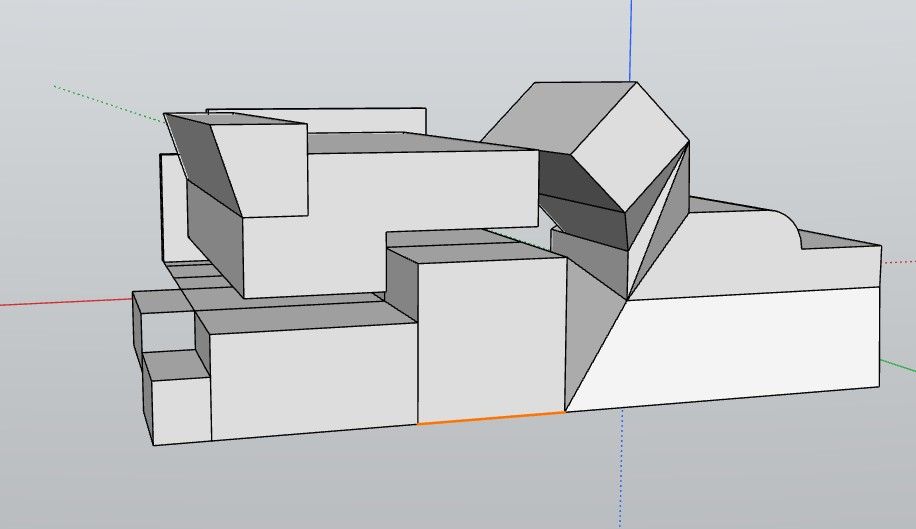
                                      LIttle big request ! Does it possible to have Size function aligned to an inclined face ?
                                      Else works but it's a mess! 🙂
                                      Keep Last face(s) extrude works fine! Bravo!
                                      With next Size function aligned will be a killer one! 😉

                                      Request : Extrude with mouse direction! 🙂 (but i see that you speek about for a next release! 🙂
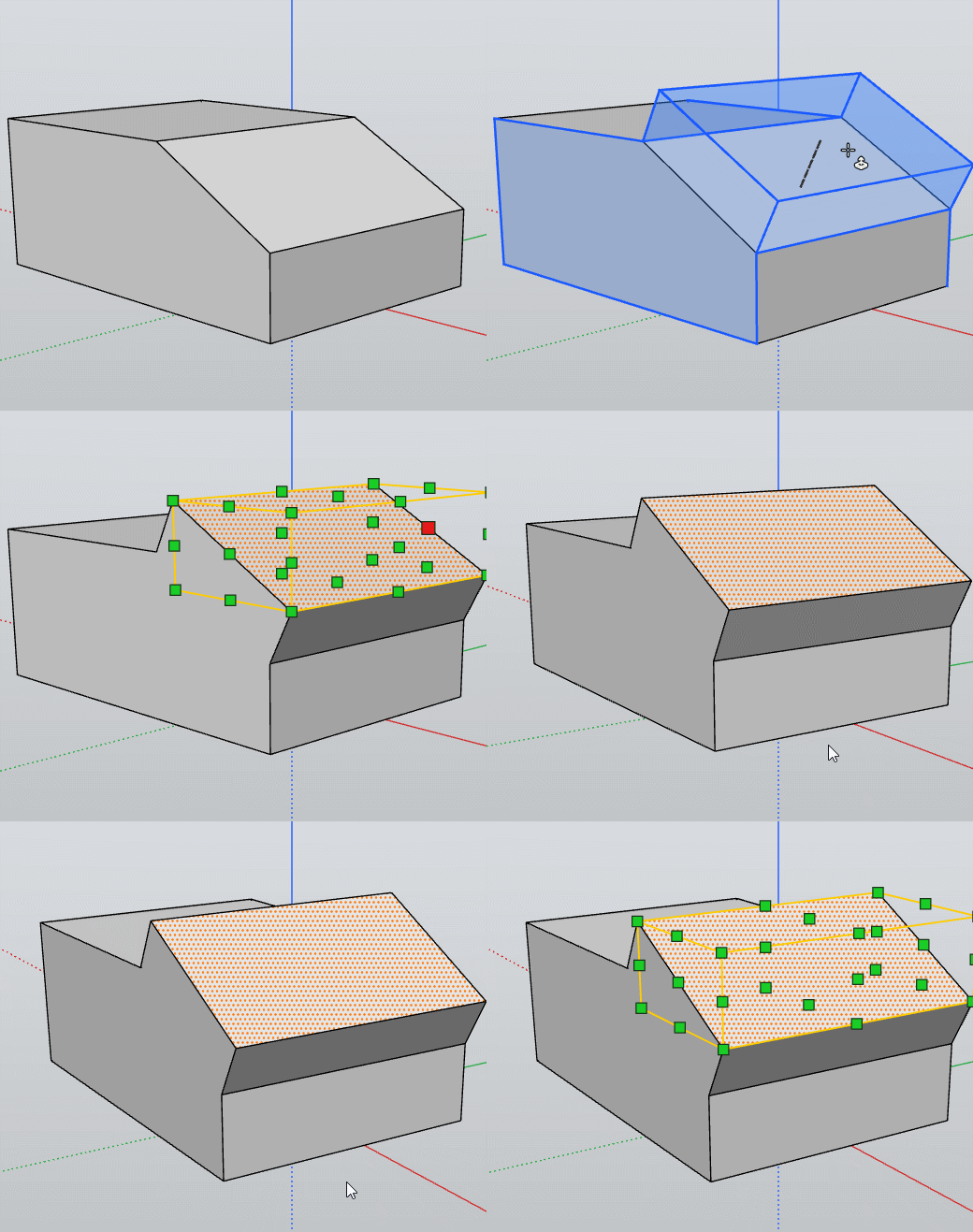
                                      GIF_size mess.gif

                                      Frenchy Pilou
                                      Is beautiful that please without concept!
                                      My Little site :)

                                      1 Reply Last reply
                                      Reply Quote 0
                                      • ntxdaveN
                                        ntxdave @pixelcruncher
                                        last edited by

                                        @pixelcruncher Greate release. I just installed so now I have to try some of the new stuff, and I am really looking forward to that.

                                        One question I have though is what software do you use to create your animated gifs They are really great and you can add things like the keys and other stuff. 👍.

                                        Press F1...thank me later

                                        pixelcruncherP 1 Reply Last reply
                                        Reply Quote 0
                                        • pilouP
                                          pilou
                                          last edited by

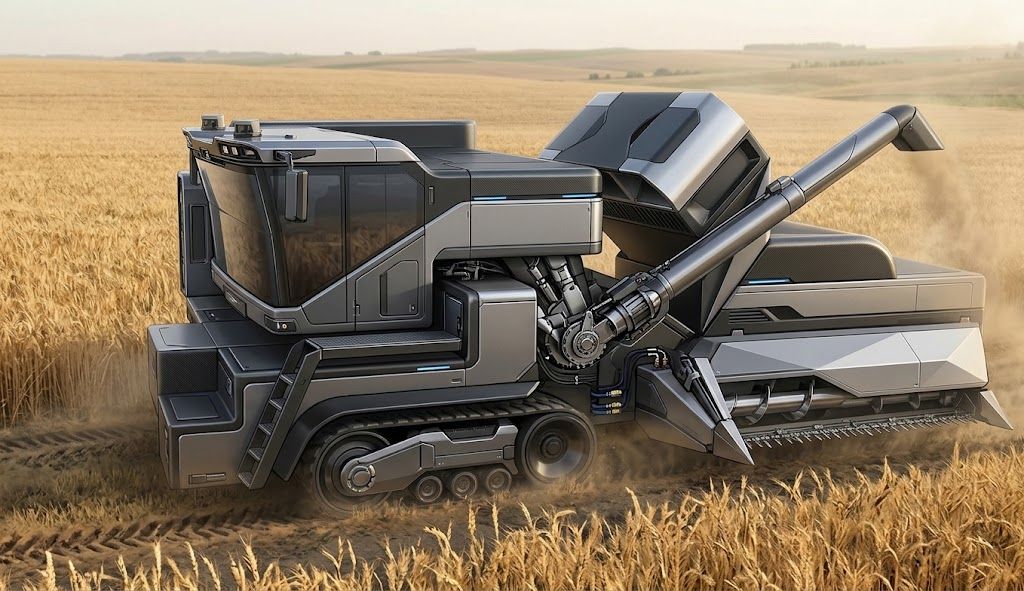
                                          moisson.jpg

                                          d8b25936-4363-4694-bbde-7652d4f7bbac.jpg

                                          Frenchy Pilou
                                          Is beautiful that please without concept!
                                          My Little site :)

                                          1 Reply Last reply
                                          Reply Quote 0
                                          • majidM majid referenced this topic
                                          • pilouP
                                            pilou
                                            last edited by

                                            General Request : edit Points - now we have only Objects Volumes, Surfaces, Segments 🙂
                                            and natural following "Subdivision"

                                            Frenchy Pilou
                                            Is beautiful that please without concept!
                                            My Little site :)

                                            1 Reply Last reply
                                            Reply Quote 0

                                            Hello! It looks like you're interested in this conversation, but you don't have an account yet.

                                            Getting fed up of having to scroll through the same posts each visit? When you register for an account, you'll always come back to exactly where you were before, and choose to be notified of new replies (either via email, or push notification). You'll also be able to save bookmarks and upvote posts to show your appreciation to other community members.

                                            With your input, this post could be even better 💗

                                            Register Login
                                            • 1
                                            • 2
                                            • 16
                                            • 17
                                            • 18
                                            • 19
                                            • 20
                                            • 21
                                            • 18 / 21
                                            • First post
                                              Last post
                                            Buy SketchPlus
                                            Buy SUbD
                                            Buy WrapR
                                            Buy eBook
                                            Buy Modelur
                                            Buy Vertex Tools
                                            Buy SketchCuisine
                                            Buy FormFonts

                                            Advertisement