Toposhaper fails installing on SketchUp 2026
-
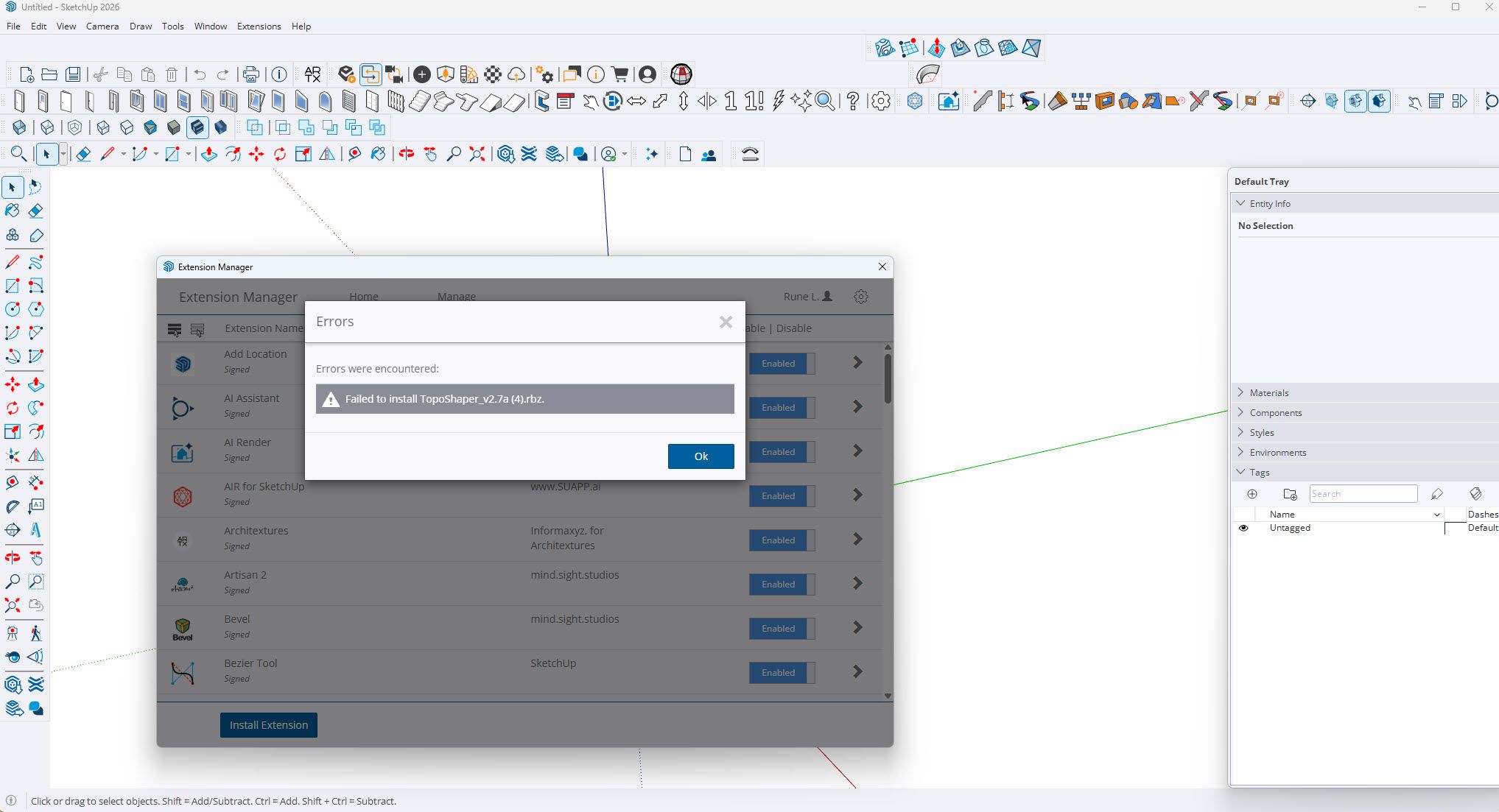
I have a licensed Toposhaper plugIn but when I try to install on SU 2026 I get the message
Failed to install?
Anybody know how to solve this?
-
How did you try to install it?
-
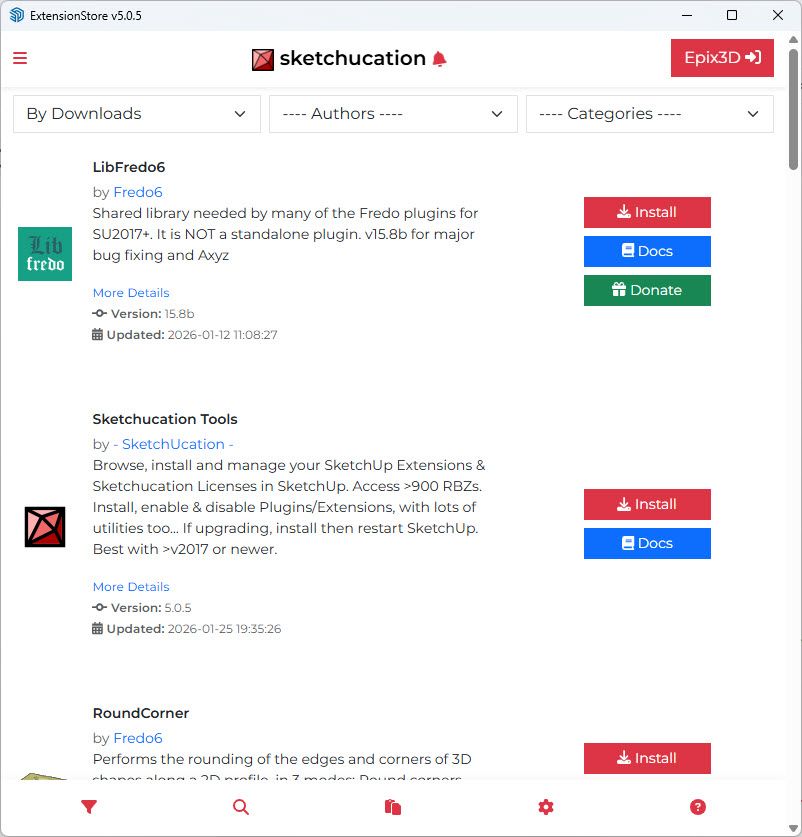
If it is licensed you must already have the SketchUcation toolset installed to cover the licensing.
Use the SketchUcation toolset's ExtensionStore dialog to first check that you have the latest toolset version installed - if not then install it and restart Sketchup.
After that use the ExtensionStore dialog to Auto-Install the latest LibFredo6 extension, and restart SketchUp
After that use the ExtensionStore dialog to Auto-Install the latest version of Toposhaper, and then restart SketchUp.
Any improvement ? -
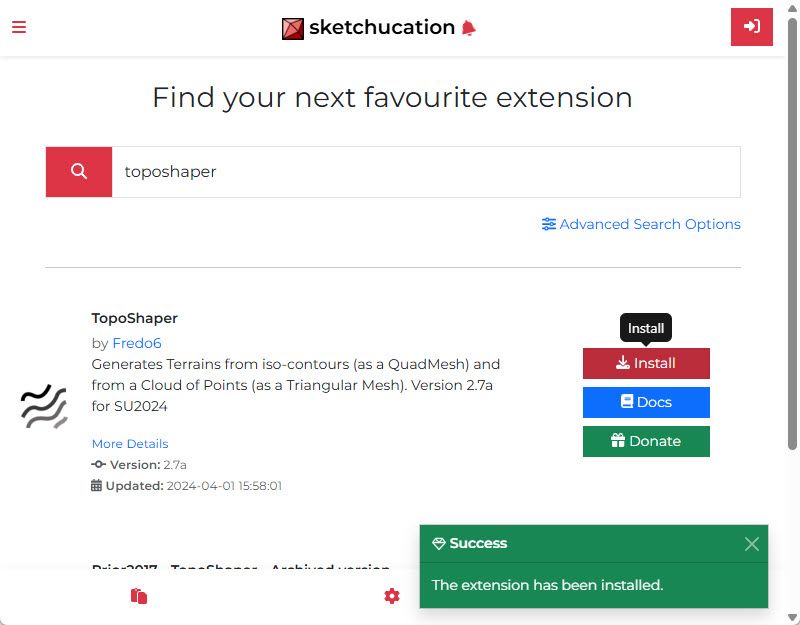
I used your method step by step TIG -still cannot find Toposhaper though the install says success. I did turn on and off SU for each step.
-
@Epix3D said in Toposhaper fails installing on SketchUp 2026:
I used your method step by step TIG -still cannot find Toposhaper though the install says success. I did turn on and off SU for each step.
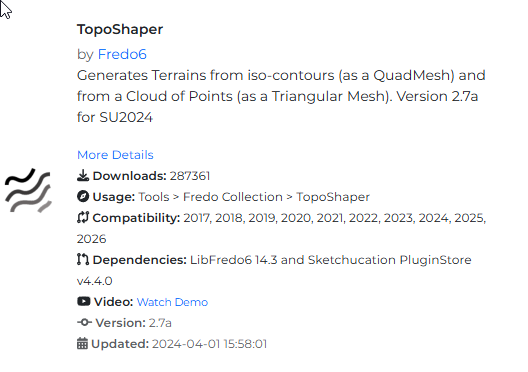
You need to read its usage instructions AND also install LibFredo6 [as well as SketchUcation tools] which contains supporting code.
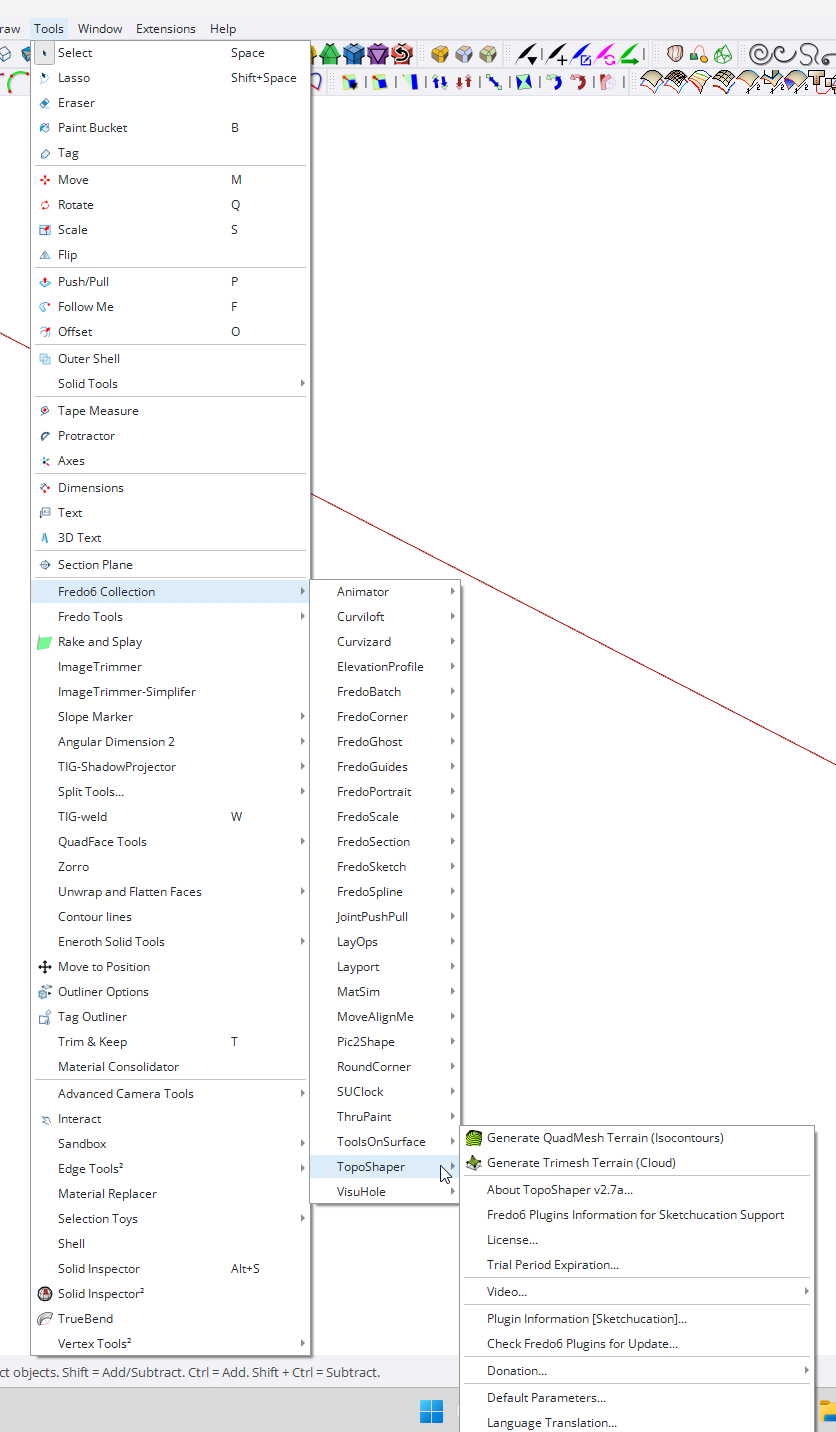
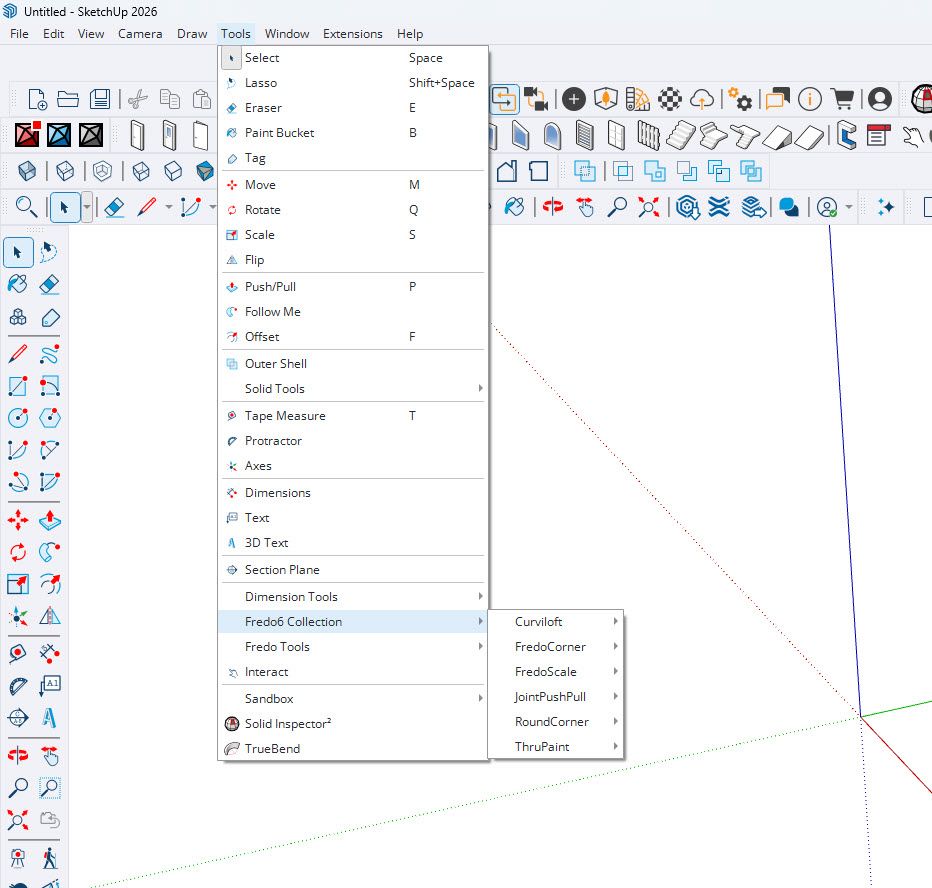
Most of Fredo's extensions appear under the Tools menu, Fredo6 Collection > TopoShaper - It also has a Toolbar which you can activate... -
Illustrating what TIG described.
-
Sorry,- but still not showing up...
-
This is a very strange issue...
You haven't explicitly said it but I assume you've installed the other two extensions that I listed.
If you download a brand new copy of TopoShaper RBZ from our PluginStore and manually install it with the Extension-Manager do you still get the installation error message ?
https://sketchucation.com/pluginstore?pln=TopoShaper
I just installed it and it's fine, BUT I did notice its reported as 'unsigned' after the install. so perhaps @fredo6 needs to fix that.
Also, if your Extension-Manager Loading-Policy is set to anything other than 'Unrestricted' then that might be causing issues ? -
@TIG
This is strange that the rbz is unsigned. Is that the only one of my plugins?
I can re-release it to see if this changes anything. -
@fredo6
Everything else seems signed OK.
So something seems to have gone wrong with the TopoShaper RBZ ?
But for me it load OK when 'Unrestricted' so it's not faulty - just something have changed within it to mess with the checksum ?? -
Ok. I will republish it....
-
Hi guys. Just for an update; Reinstalled SU2026, downloaded and reinstalled fredo6 with Sketchucation manager, downloaded and reinstalled Toposhaper. No change...
-
I just repackaged the rbz of TopoShaper, published as v1.7b
-
@fredo6
Sadly this new version 'v1.7b' [it's actually v2.7b ??] also reports as having an invalid signature in the Extension-Manager.
So whatever you've done hasn't fixed this weirdness.
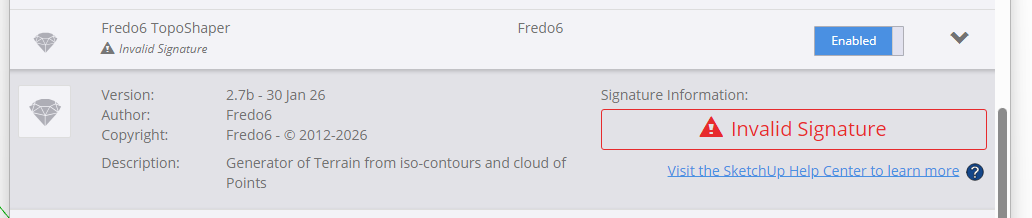
-
@TIG it shows as signed on my machine.
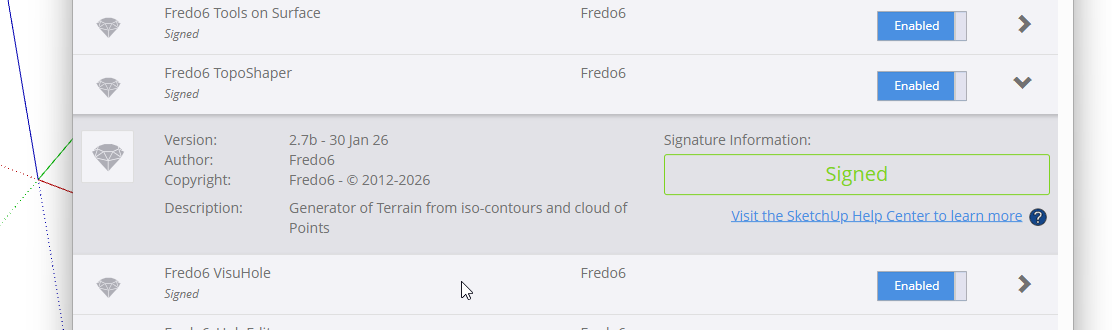
-
@Dave-R
This is even more weird ! -
I did a complete spring-clean removing everything TopoShaper and manually installed the RB & subfolder again from its RBZ.
On a restart it then reported as 'signed'.
This meant that something was different from the signed copy ?
Checking the previously installed set I found that all of the RBE files had RBS duplicates - dating back to the early versions 6 years ago - but because the RBE load in preference to the matching RBS files they should not break the checksum for the signing. And with those duplicates removed it would not raise an issue either.
BUT somewhere in the past [about two tears ago] a full copy of the subfolder had been created within itself.
Because its files aren't getting referred to or loaded by the 'real' files I wouldn't expect the problem.
BUT with the duplicated subfolder removed all is reported as signed and OK - and IF I add that subfolder back in the signing breaks again ! So it IS the culprit.
I don't know where the duplicate subfolder came from, it's not in the older RBZs I have but the copies I have probably don't go back far enough.In case @epix3d has a similar issue can I suggest the following house-keeping.
Close SketchUp.
Open your Plugins folder and find Fredo6_TopoShaper.rb and Fredo6_TopoShaper subfolder.
Move them out of Plugins.
In SketchUp use the ExtensionStore to install the latest version of TopoShaper.
Restart SketchUp and see if it loads and reports as signed in the Extension-Manager dialog,
Obviously if there are any error messages please let us know.
For completeness can you also check the old subfolder you set aside, to see if it contains any RBS files AND a duplicate subfolder copy of itself inside it... -
Hi guys, -funny part is I have an identical machine at the office and it works fine ; )
However I have more issues with my original laptop, - something with the computer cannot find the GPU hardware anymore (Geforce RTX4090) so I have to repair it.
I will look into it later when this is done.
Thank you so far.





Hello! It looks like you're interested in this conversation, but you don't have an account yet.
Getting fed up of having to scroll through the same posts each visit? When you register for an account, you'll always come back to exactly where you were before, and choose to be notified of new replies (either via email, or push notification). You'll also be able to save bookmarks and upvote posts to show your appreciation to other community members.
With your input, this post could be even better 💗
Register Login


Advertisement