Texture scaling
-
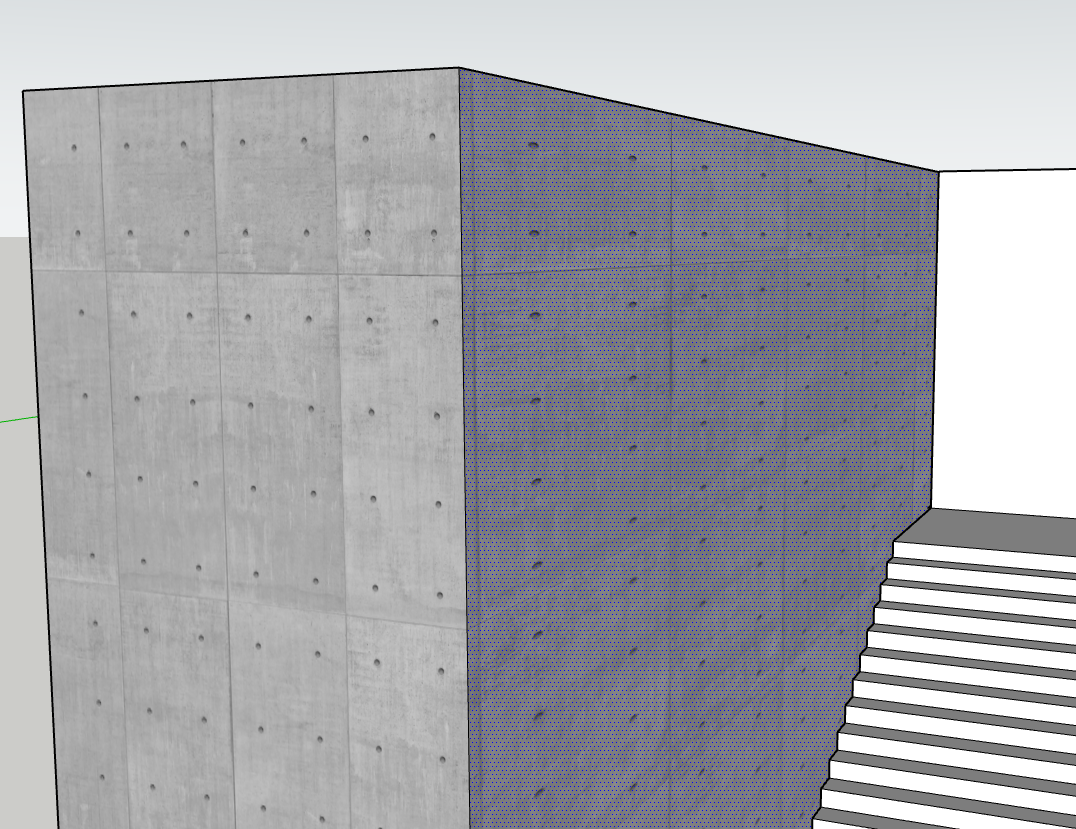
Hi, I am making a model ad as seen in the image I sampled the front face and applied the material (two textures to the left) when it was applied it was stretched on one axis. How do i get over this?
-
To me it looks like the dimensions of the texture for the material are not the same as the image.
I've encountered this when I create a material using a non-uniform texture dimension. Then I decide to switch the image texture for another non-uniform image.
You end up with a material that has its width and height skewed and resetting doesn't consider the image dimensions.
Did you try right clicking Texture > Reset
I believe the issues I'm seeing are extension related.
Try having the ruby console open while your painting to see if there's a clue.
-
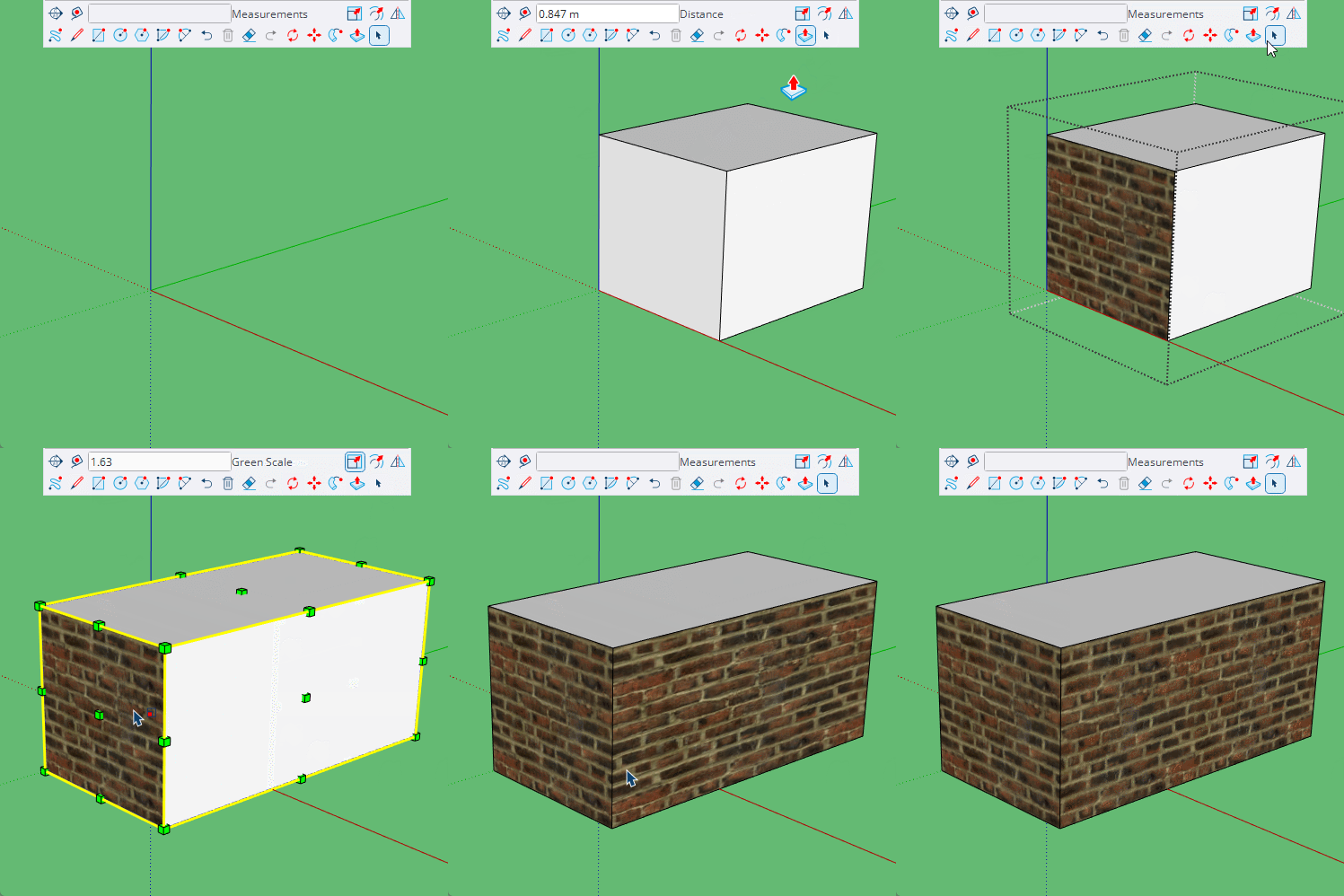
It could be that you have scaled a group or component, components have the option to Scale definition, which will correct the stretching.
With groups it is easiest explode and regroup.
-
Thanks Rich, Box, I would not know how to use ruby script I gor around it easily by getting one face correct by scaling in SU, I when copied the good face and then rotating it 90 deg and replacing that "Wrong" face with the one I copped then every thing worked as it should



Hello! It looks like you're interested in this conversation, but you don't have an account yet.
Getting fed up of having to scroll through the same posts each visit? When you register for an account, you'll always come back to exactly where you were before, and choose to be notified of new replies (either via email, or push notification). You'll also be able to save bookmarks and upvote posts to show your appreciation to other community members.
With your input, this post could be even better 💗
Register Login


Advertisement