Rayscaper New Releases
-
Simply this, WOW.
-
@Krass Impressive
-
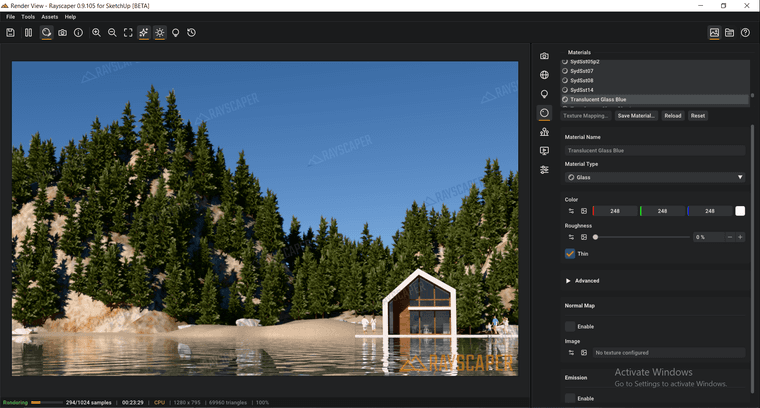
It would be best to create a drop-down menu for glass presets.
-
-
@Alattab Wow, very impressive result. Well done!
-
@Alattab I will add it to the feature list.
-
Nasty Jingle
-
Hey folks,
A new Mac beta is up: Rayscaper 0.9.106. Same link as before: Rayscaper for Mac
What's new since 0.9.105:
- No more crash next to other extensions: starting a render could crash SketchUp when an extension such as Unreal Datasmith was installed. Such an extension loads its own copies of libraries that Rayscaper uses too, and macOS handed those to Rayscaper. Rayscaper now ships its libraries under names of its own, so they can't get mixed up. Thanks to the tester who sent their logs!
- A calmer, more polished interface: clearer text hierarchy, quieter controls with their values lined up, dropdowns with readable lists, and a status bar that shows what Rayscaper is doing and, when a render fails, why.
- Faster value editing: drag a label to change its value, double-click a slider to type one, and type values with units (35 %, 2 ft, 90°). Right-click a setting in Post Processing or Render to reset it to its default.
- Feedback when you save: saving a render, preset or material shows a notification with Show in Folder, and errors tell you what to do next.
- Scene tabs set the sun: selecting a SketchUp scene tab now also sets the sky to that scene's time and date. Before, it kept the sun of the previous scene.
If you installed an earlier beta: install this one over it with the Extension Manager, then restart SketchUp.
Thanks to everyone testing, keep the feedback coming!
Cheers, Thomas
-
What about the Windows operating system community?
-
When I place a static image in front of the glass, its reflection does not appear. I imported the image using the "import image" function.
-
Hello,
yes, reflections in rayscaper are very low...
You need to increase IQR level in the advanced tab of your glass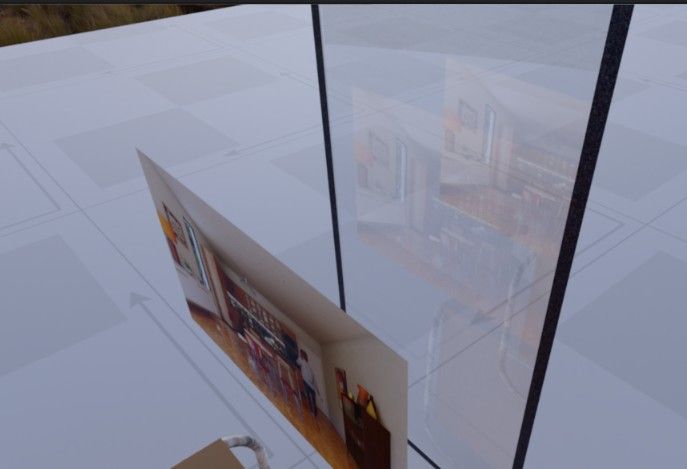
-
-
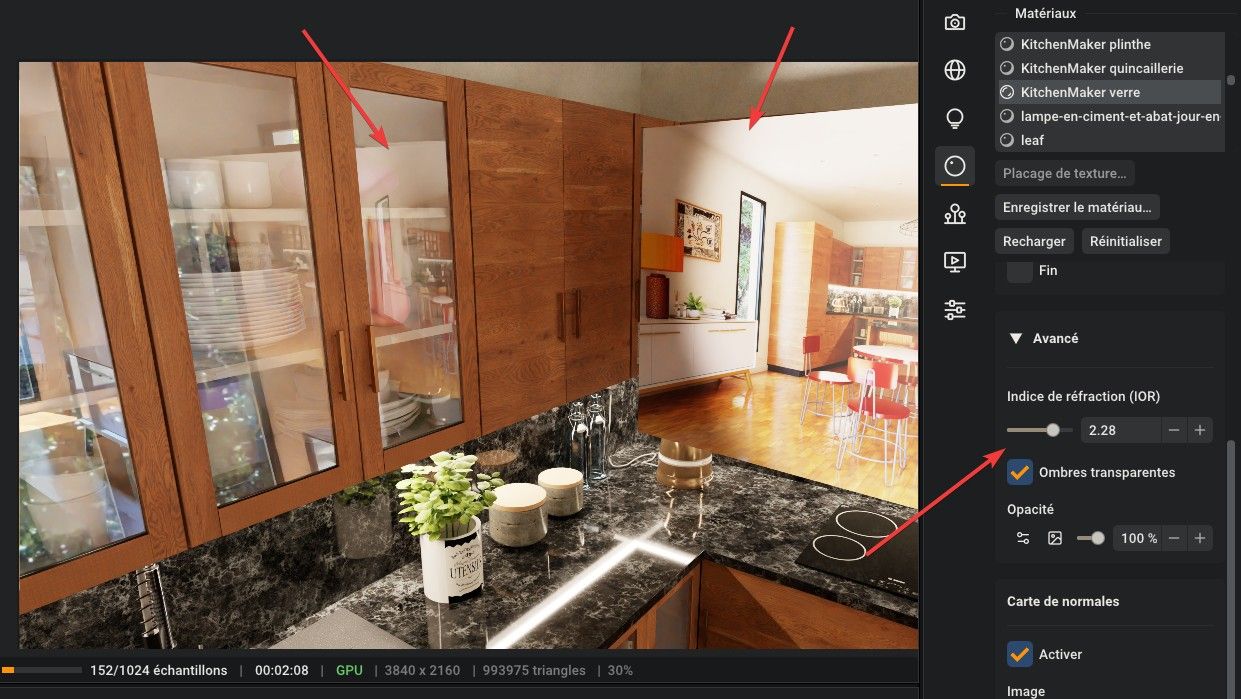
This is how real glass behaves, not a bug. Clear glass reflects only a small part of the light.
Your imported image is reflected; it's just faint. To make reflections stronger:
- Put something darker behind the glass, or view it at more of an angle.
- Raise the IOR in the glass's Advanced section a little, as @krass suggests. Very high values (above 2) make the glass bend whatever is behind it much more, so use them with care (like looking through a diamond).
Cheers,
Thomas -
In the materials name list, how can I select multiple materials at once so that I can apply the same type of settings to them?



Hello! It looks like you're interested in this conversation, but you don't have an account yet.
Getting fed up of having to scroll through the same posts each visit? When you register for an account, you'll always come back to exactly where you were before, and choose to be notified of new replies (either via email, or push notification). You'll also be able to save bookmarks and upvote posts to show your appreciation to other community members.
With your input, this post could be even better 💗
Register Login


Advertisement