Rayscaper New Releases
-
This post is deleted! -
@lightscape Are you a Chinese speaker? I noticed that on Chinese forums, users are hacking the Rayscaper binary to inject Chinese translations. But if there's interest from Chinese users, I might as well provide translations for the software in Chinese (and other languages). Would you be able to help me review it, because I would need to use AI to do the translation and have no clue if it's correct.
In fact that goes for other languages as well. If users are interested in this, I'm happy to provide translations, given that users can help me review, because I need to rely on AI here as well. And faulty translations might hurt the reputation of Rayscaper.
Cheers,
Thomas -
@Alattab Thanks for reporting this! I tried to reproduce it with a simple test pool in 0.9.104. The water material itself doesn't add any green: it only absorbs some red light with depth, which gives a slightly blue/cyan tint. What you see through the water is mostly the color of the pool floor and walls, and a light cyan tint over a beige or sand-colored floor ends up looking green:
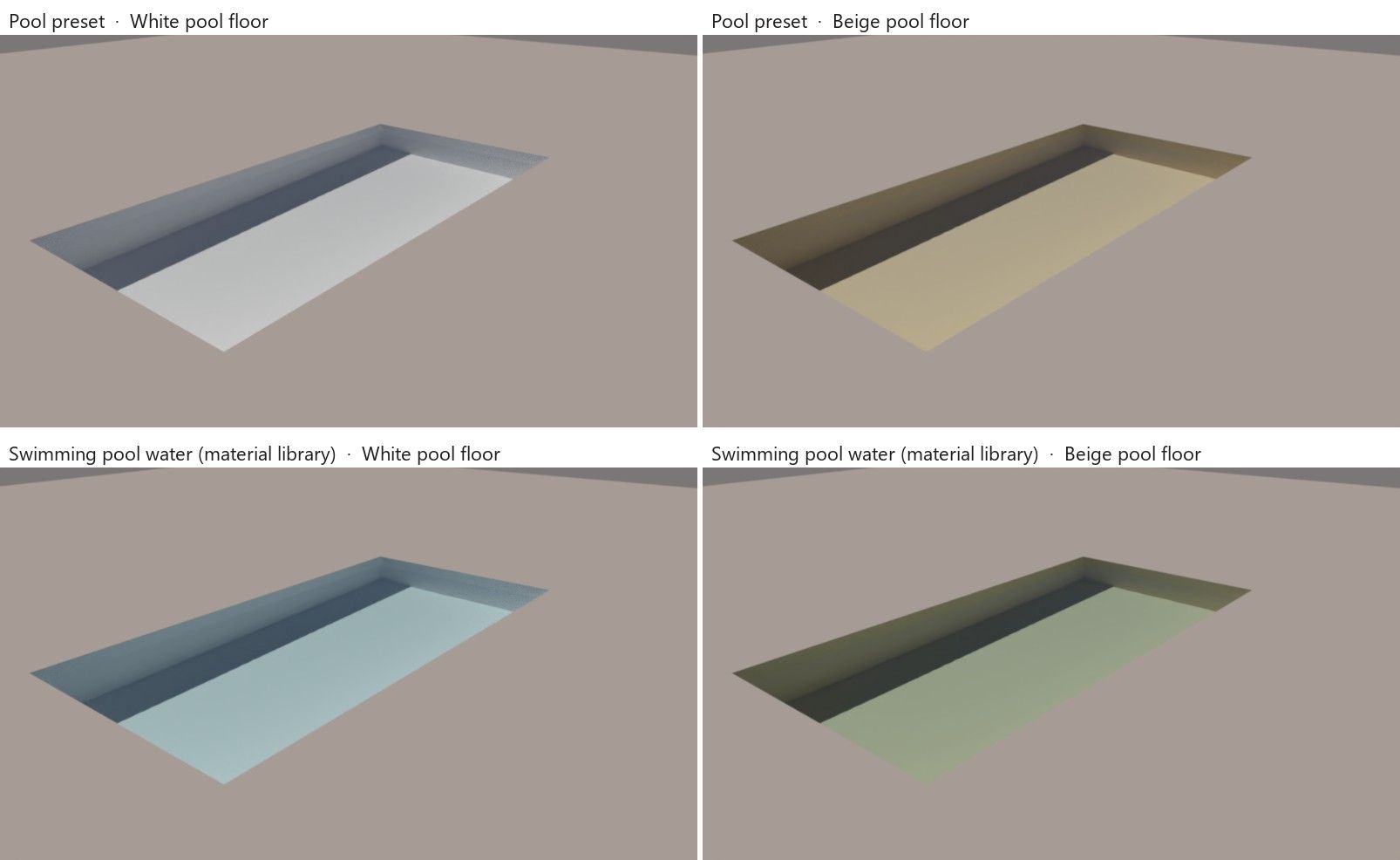
Top: the Pool preset of the Water material. Bottom: "Swimming pool water" from the material library, which tints a bit more. Left: a white pool floor. Right: a beige pool floor.
Real pools look blue for the same reason: they have white or blue tiles or plaster. Could you try giving the pool floor and walls a white or light blue material?
If that doesn't explain it, could you post a screenshot of the render next to the SketchUp view of the same pool, and tell me which preset or library material you picked? A small model with just the pool would help too.
-
Hey folks,
A new Mac beta is up: Rayscaper 0.9.104. Get it here: Rayscaper for Mac
It brings the Mac up to date with the latest Windows release. What's new since 0.9.103:
- Light presets with real brightness: bulbs, downlights, an LED panel, a window, the sun and more. You set a light's intensity in lumen, cd/m² or lux, and a new light starts as a real one, like a 60 W bulb.
- Lights are easier to place and aim: while a light is selected, SketchUp shows the cone of a spotlight, the radius of a point light and the spread of an area light. The new Aim Light tool turns a light towards the point you click, and right-clicking a light gives a Rayscaper submenu: Edit in Rayscaper, Turn Off/On, Aim and Change Type.
- More light controls: change the size of an area light in Rayscaper's light editor, and copies of a light in SketchUp keep its settings.
- Material ID and Object ID render methods, and render passes (Material ID, Albedo, AO, ...) in File > Render Scenes...
- Translucency in the Standard material, for curtains, lampshades and leaves lit from behind. Thin glass modelled as a single face now reflects too.
- Fixes: hidden nested tag folders stay hidden when their parent folder is made visible, plus fixes for crashes when removing lights, groups and components while rendering, and a notification instead of a crash when the GPU runs out of memory on a very large render.
If you installed an earlier beta: install this one over it, then restart SketchUp.
Thanks to everyone testing, keep the feedback coming!
Cheers,
ThomasI'm the developer of Rayscaper: https://rayscaper.com/ - Fast and easy rendering for SketchUp.
-
@pixelcruncher Sorry this plugin is not published at the moment. Probably under editing by the author. Please check later.
-
@pixelcruncher
My lights are backI’m having a bit of trouble getting back into Animator... I need to figure out how to hide the editing bar during a preview.
Still, I managed to put together this little animation. The orange in the logo isn’t rendering correctly—not sure why. Make sure to set the quality to 1080p in the YouTube settings!
And if you’d like an animation for your YouTube channel to showcase this feature, I’d be happy to create one based on your instructions. -
@krass Good to hear that the lights are back!
I think it's a cool concept video to show off the capabilities of Rayscaper and Fredo6 Animator! I'd definitely share it on my YouTube channel. One thing that's a bit off putting is the ugly fonts and the botched Rayscaper colors. But aside from that, I think it's pretty cool to see everything animated in this room. Also like the ambient music!
I'm the developer of Rayscaper: https://rayscaper.com/ - Fast and easy rendering for SketchUp.
-
I think it's a cool concept video to show off the capabilities of Rayscaper and Fredo6 Animator! I'd definitely share it on my YouTube channel. One thing that's a bit off putting is the ugly fonts and the botched Rayscaper colors. But aside from that, I think it's pretty cool to see everything animated in this room. Also like the ambient music!
yes, I was looking for an Animator logo and did not find aything... And the "Fredo6 plugin text" is terrible.
I should find the courage to redo this animation—I was in too much of a rush to release it back when I was testing out Animator. -
strange difference of the color in sketchup and after rendering
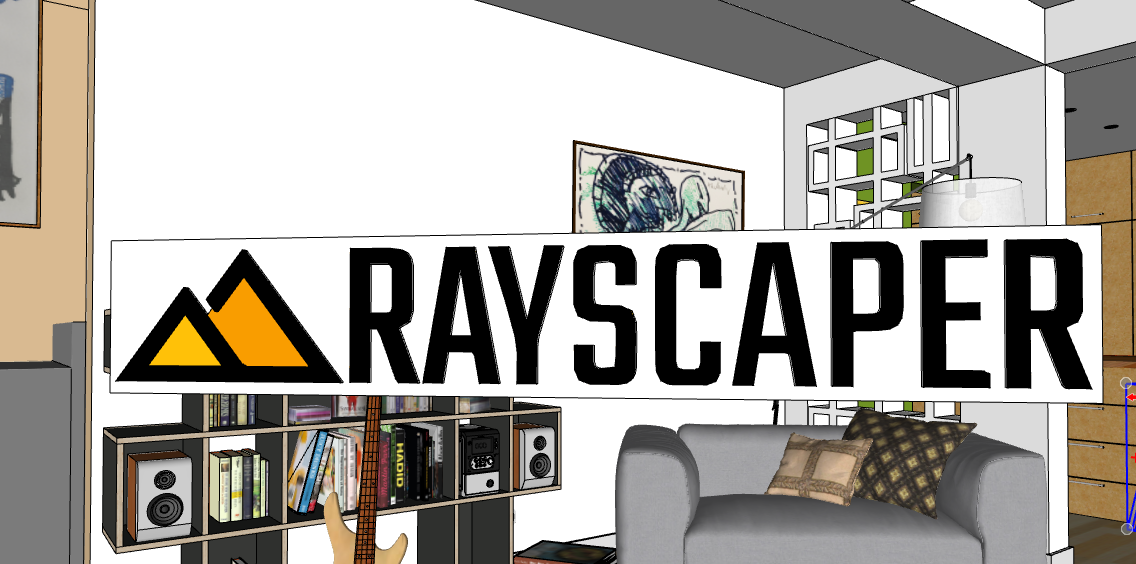
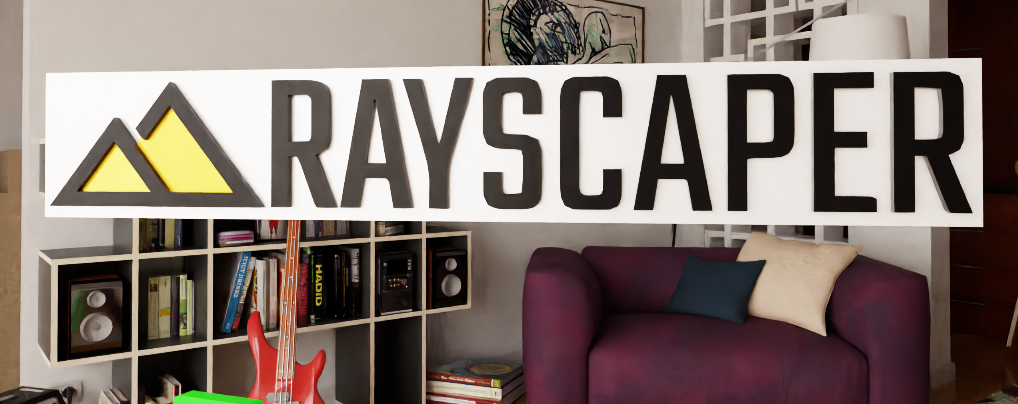
-
@Krass I suspect that the colors are fine, but that it's overexposed. The letters' black is grey as well. Can you try to turn down the light power, or fix the exposure in post-processing?
-
@Alattab There's an issue with uploading RBZ files to SketchUcation right now. You can download it here: https://releases.rayscaper.com/SketchUp/Windows/Rayscaper_Win_0.9.104_Beta.rbz
-
@pixelcruncher Even though the "Ground" option in the SketchUp style is set to "unchecked," I still see a green ground plane, and I cannot see the swimming pool basin.
pool water surface modeled as surface plan benath sketchup ground level , skimmer type
-
@alattab, can you provide screenshots or a scene? Now I'm just guessing.
-
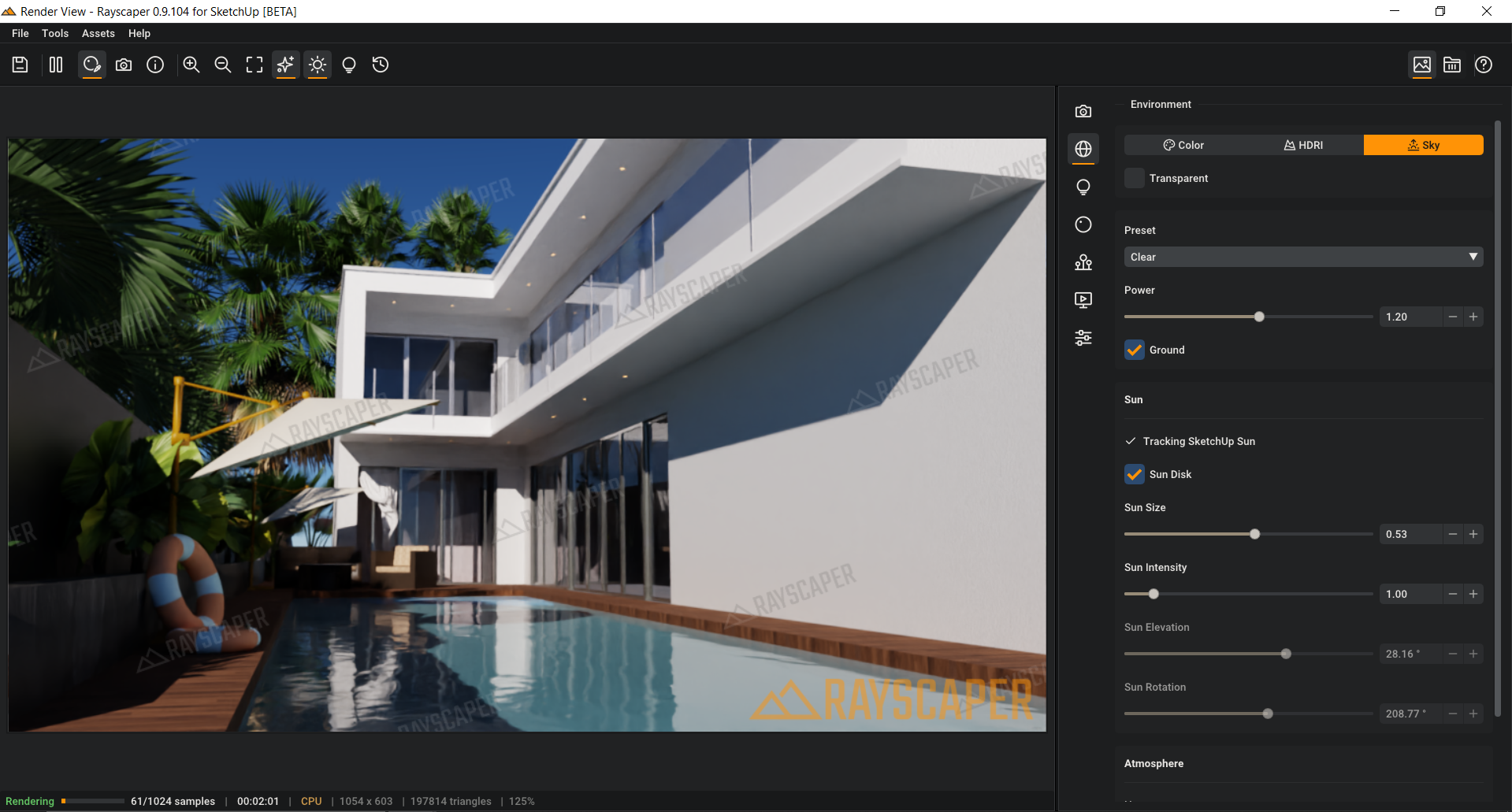
I apologize; there was an issue with the SketchUp model. I have two requests: could the watermark be made more transparent, or could the text be removed while keeping just the logo? I would prefer the text to be taken out, leaving only the logo/watermark in the corner of the screen—that would be sufficient. Also, could you create a detailed PDF document covering all the software's settings? I will continue to provide further feedback as we move forward.
One more thing: I would like a light theme option.
Attached is an image of a scene; I haven’t adjusted anything other than the water and a bit of the lighting.
-
-
Hello,
you. Can read official manual and help pages on Rayscaper site. Much better and easy to use than a pdf. -
@pixelcruncher
Yes, many people in China have already noticed Rayscaper, and some of my friends are also trying to translate it. Of course, we hope to release an official Chinese version as an official. And when naming materials, we mostly use Chinese characters. Currently, Rayscaper displays "??????" when naming materials with Chinese characters in reality. If this can solve the problem of Chinese operation interface and Chinese characters. I think this will be extremely beneficial for the promotion of Rayscaper in Chinese speaking regions. I can help you correct the Chinese translation results. -
@Alattab Glad the pool works now, the water looks great in that render!
Watermark: I can't make the watermark of the free version smaller or more transparent, for the reasons I gave earlier. But a license removes it completely, along with the 1280-pixel limit. Your renders come out clean at full resolution and you can use them commercially. You can buy one here: https://sketchucation.com/purchase-smart.php?plugin=rayscaper
- $99, or $74.99 if you're a SketchUcation Premium member
- A one-time payment for a perpetual license, no subscription
- One year of updates included
- Use it on up to 3 computers
- 14-day money-back guarantee
More details are in the licensing FAQ: https://rayscaper.com/faq/licensing/
PDF manual: As @Krass said, the manual at https://rayscaper.com/manual/ covers every setting, with images and videos, and it's always up to date with the latest release, which a PDF wouldn't be. If something is missing or unclear there, let me know and I'll add it.
Light theme: Noted, I've put it on the list.
Keep the feedback coming!
Cheers,
Thomas
-
@lightscape Thank you, that's great to hear, and thanks for offering to review the translation!
The "??????" in material names is a bug: the font Rayscaper uses doesn't include Chinese characters, so it can't draw them. I'll fix that first. It's needed for a Chinese interface anyway.
Then I'll prepare a Simplified Chinese translation of the interface and send it to you for review before it's released. I'll contact you when it's ready.
If others want Rayscaper in their language, reply here. I'll start with the languages that have someone who can review them.
Cheers,
Thomas
-
@lightscape Thanks for the tutorials, that would be a big help in China!
About the denoiser wiping out texture detail: I'd like to fix that rather than have you render without it. Could you post the same view with AI Denoise on and off, cropped to a spot where you see the detail disappear? Please also tell me your Rayscaper version and graphics card. I'll look into keeping more of the texture, or adding a way to set how strong the denoiser is.
Cheers,
Thomas



Hello! It looks like you're interested in this conversation, but you don't have an account yet.
Getting fed up of having to scroll through the same posts each visit? When you register for an account, you'll always come back to exactly where you were before, and choose to be notified of new replies (either via email, or push notification). You'll also be able to save bookmarks and upvote posts to show your appreciation to other community members.
With your input, this post could be even better 💗
Register Login


Advertisement