sketchucation logo sketchucation
    • Login
    Oops, your profile's looking a bit empty! To help us tailor your experience, please fill in key details like your SketchUp version, skill level, operating system, and more. Update and save your info on your profile page today!
    Mac User? | Join the Rayscaper Beta for Mac Learn More

    Rayscaper New Releases

    Scheduled Pinned Locked Moved Extensions & Applications Discussions
    rayscaperrender
    522 Posts 12 Posters 242.6k Views 13 Watching
    Loading More Posts
    • Oldest to Newest
    • Newest to Oldest
    • Most Votes
    Reply
    • Reply as topic
    Log in to reply
    This topic has been deleted. Only users with topic management privileges can see it.
    • KrassK
      Krass
      last edited by Krass

      if i hide the last scatter It's returning to normal.
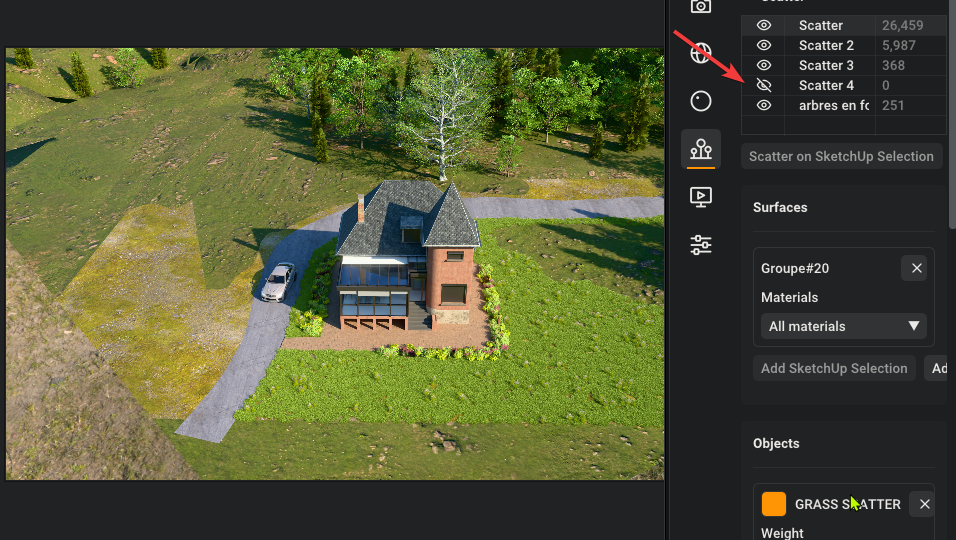
      SketchUp_HKDZsz4LgO.png

      1 Reply Last reply
      Reply Quote 0
      • KrassK
        Krass
        last edited by Krass

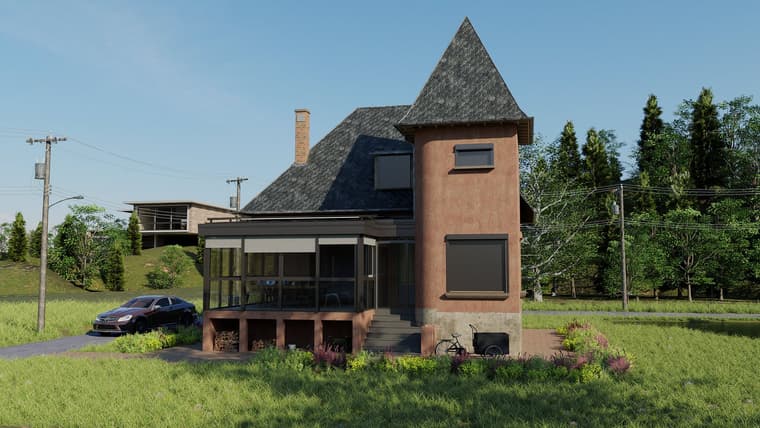
        It's really good. It would be interesting to see how many polygons a project can handle. D5 Render stops rendering scattered objects at a certain distance to ease the load on the graphics card; I wonder how it works here?
        I struggled a bit with the green saturation of my lawn—I hadn't actually touched the texture itself. I just applied some desaturation and sharpening in Photoshop. Still, I’m blown away and really impressed.
        Aside from having an endless array of mind-blowing features, V-Ray feels clunky by comparison...
        A used ACES Filmic tonemap
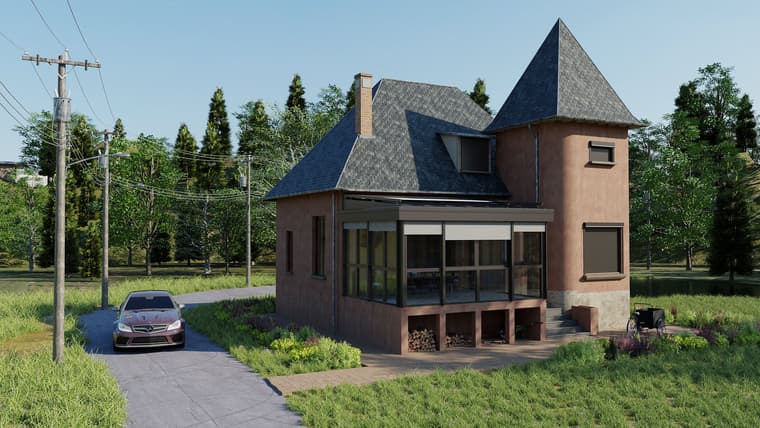
        scene-1-1080.jpg

        scene-2-1080.jpg

        A tip (I don't think there's a batch render function yet): to render my two scenes and go to bed, I set up an animation render with the minimum frame rate and minimum duration. I ended up with just my two images—it was perfect.

        1 Reply Last reply
        Reply Quote 0
        • pixelcruncherP
          pixelcruncher Extension Creator
          last edited by

          @Krass Thanks for the feedback! The final render looks very impressive.

          Scatter renders huge dark flat shapes over the terrain.

          Can you send me the scene so I can have a proper look?

          Texture edits made with "Edit in graphic editor" aren't picked up. I filed this as a bug.

          Will have a look, the other caching bug you reported should have been fixed.

          Scatter needs a SketchUp restart after moving groups or changing the hierarchy.

          Do you have something to reproduce this or a screen capture?

          Save and load presets of the settings.

          Planned

          Color variation for scattered instances.

          On the list.

          Polygon limits and distant instances.

          Rayscaper keeps every instance in the render and lets the GPU handle it, there's no distance cutoff or other tricks like in D5. Instances share their geometry, so the memory goes mostly to the components themselves, not the instance count. I'd like to hear where it breaks for you.

          Cheers,
          Thomas

          I'm the developer of Rayscaper: https://rayscaper.com/ - Fast and easy rendering for SketchUp.

          1 Reply Last reply
          Reply Quote 0
          • KrassK
            Krass
            last edited by

            Hello,
            I am not certain that the bug—with the artifacts that appeared consistently—stems from the graphics card memory, because I was subsequently able to add a large, fairly resource-intensive grassy area without any issues. I am going to try to recreate the flowerbed that caused the problem.

            1 Reply Last reply
            Reply Quote 0
            • KrassK
              Krass
              last edited by

              this time, in he morning opening fresh model, it worked!. Mystery.
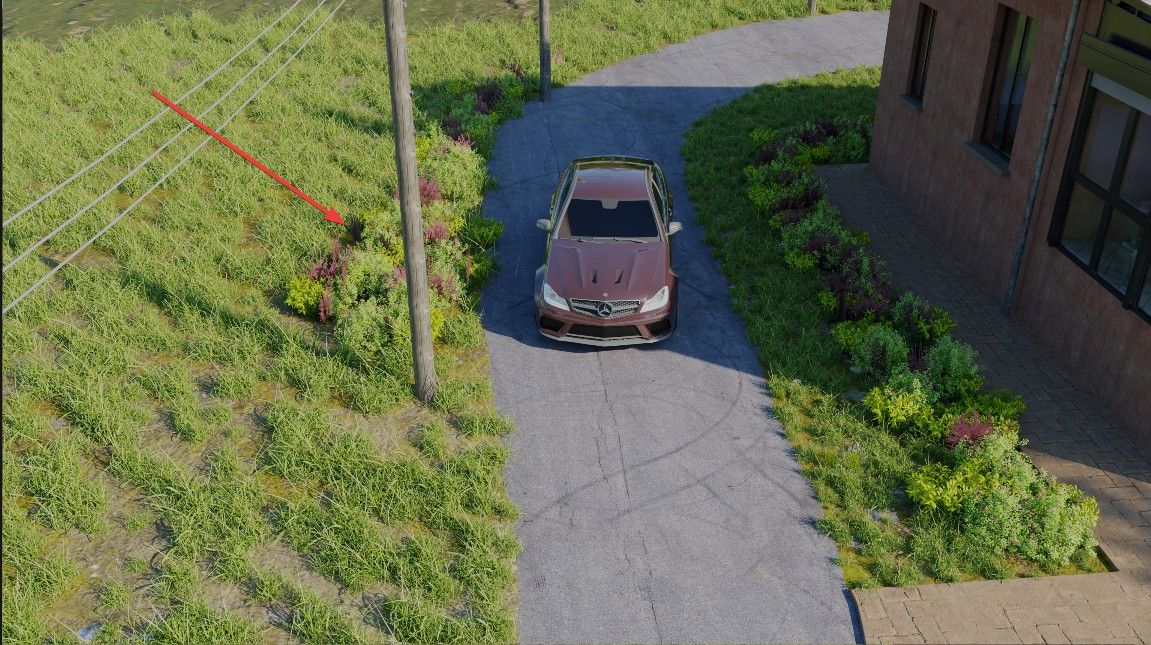
              image.jpeg

              1 Reply Last reply
              Reply Quote 0
              • KrassK
                Krass
                last edited by

                do you want the file anyway?

                1 Reply Last reply
                Reply Quote 0
                • KrassK
                  Krass
                  last edited by

                  Hello,
                  There’s something that bothers me: the material rotation setting: you can no longer simply enter a value in degrees (unless I’m mistaken)—the slider is active. I find it hard to enter a precise value, especially 180...

                  1 Reply Last reply
                  Reply Quote 0
                  • KrassK
                    Krass
                    last edited by

                    SketchUp_4qMPyRU000.mp4

                    pixelcruncherP 1 Reply Last reply
                    Reply Quote 1
                    • KrassK
                      Krass
                      last edited by Krass

                      This post is deleted!
                      1 Reply Last reply
                      Reply Quote 0
                      • KrassK
                        Krass
                        last edited by

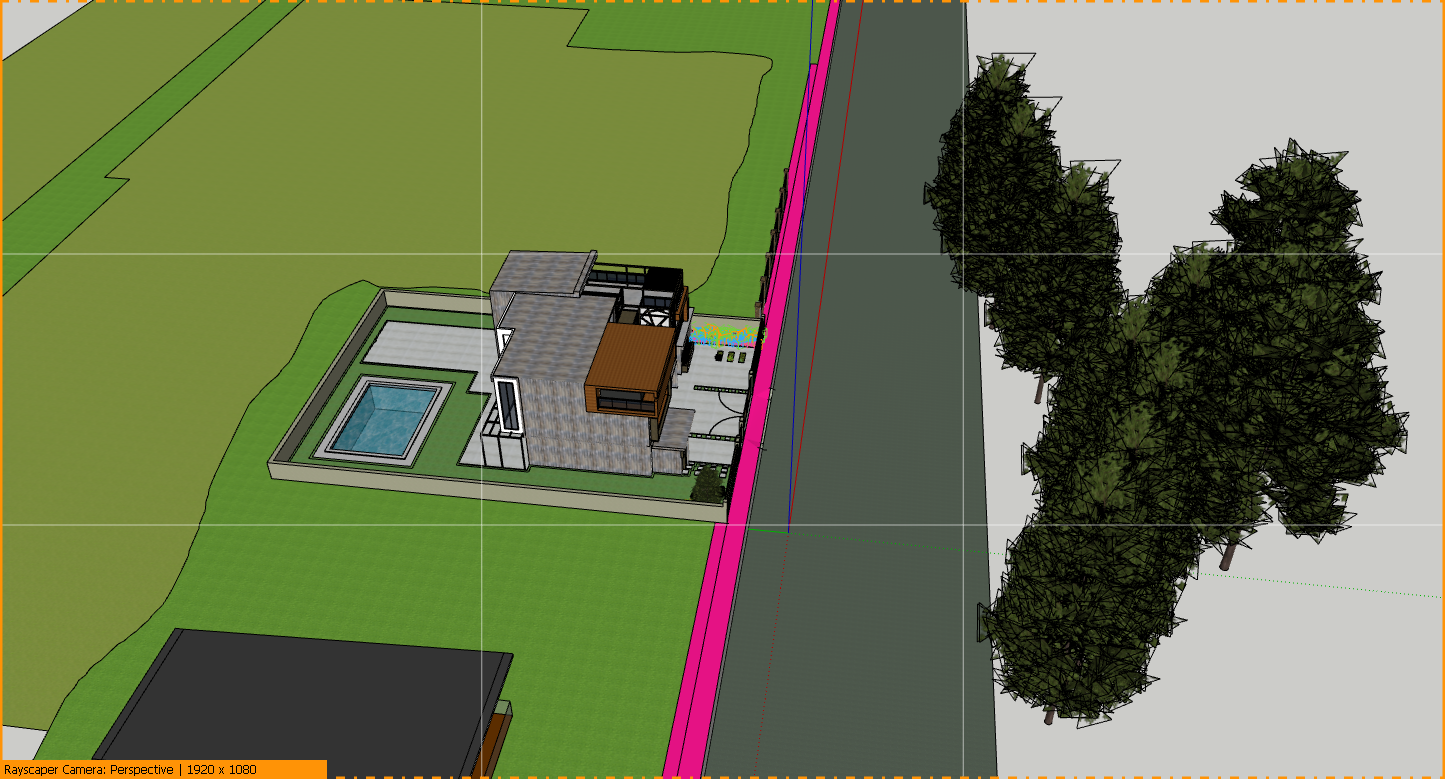
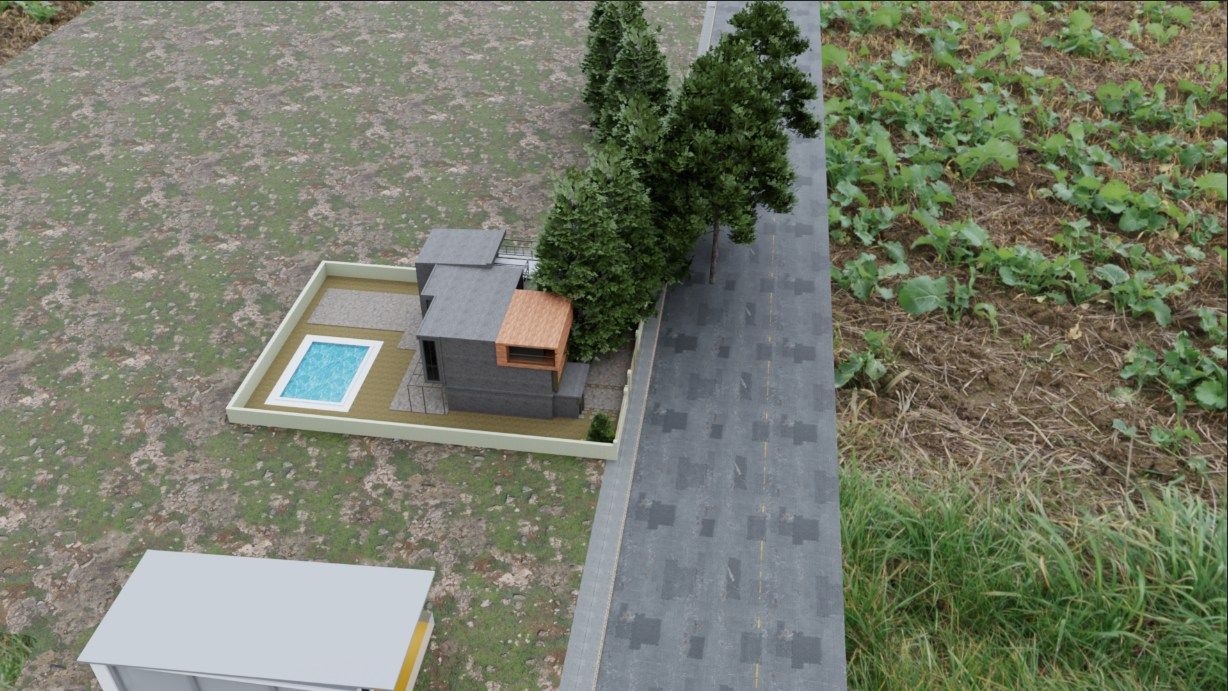
                        here, a strange behaviour : these trees are not scattered. Thir pivot point and they appear 10 meters further on.
                        SketchUp_RO9GzKgy36.png

                        SketchUp_PnW0RyxQDS.jpg

                        pixelcruncherP 1 Reply Last reply
                        Reply Quote 0
                        • KrassK
                          Krass
                          last edited by Krass

                          Thomas,
                          Rayscaper material presets library, glass, and metal are great, quality and time changer

                          1 Reply Last reply
                          Reply Quote 1
                          • pixelcruncherP
                            pixelcruncher Extension Creator @Krass
                            last edited by

                            @Krass Yup, that's a bug!

                            I'm the developer of Rayscaper: https://rayscaper.com/ - Fast and easy rendering for SketchUp.

                            1 Reply Last reply
                            Reply Quote 0
                            • pixelcruncherP
                              pixelcruncher Extension Creator @Krass
                              last edited by

                              @Krass Can you send me the scene?

                              I'm the developer of Rayscaper: https://rayscaper.com/ - Fast and easy rendering for SketchUp.

                              1 Reply Last reply
                              Reply Quote 0
                              • KrassK
                                Krass
                                last edited by

                                Sorry for the delay. I sent you the project via the Rayscaper site's messaging system.

                                1 Reply Last reply
                                Reply Quote 0
                                • KrassK
                                  Krass
                                  last edited by

                                  I'm sending you the two projects, including the one where the trees are offset.

                                  1 Reply Last reply
                                  Reply Quote 0
                                  • KrassK
                                    Krass
                                    last edited by

                                    I really need some help understanding the "mix material" feature; I'm completely lost. I've been reading the manual, but I've messed up my original texture... and I don't know how to undo it.
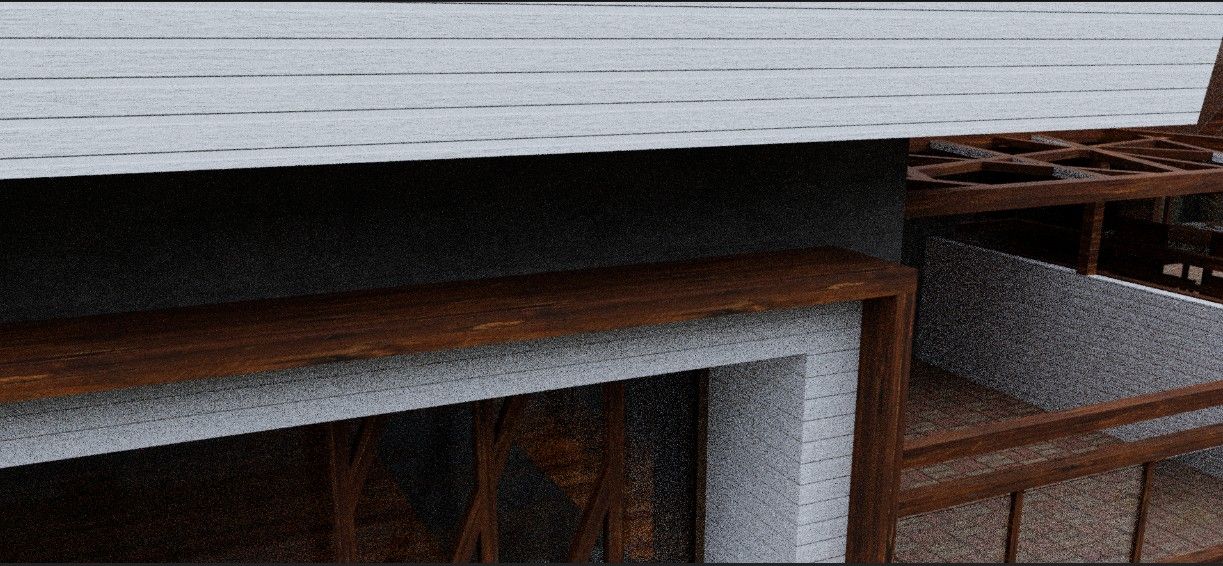
                                    image.jpeg

                                    1 Reply Last reply
                                    Reply Quote 0
                                    • KrassK
                                      Krass
                                      last edited by Krass

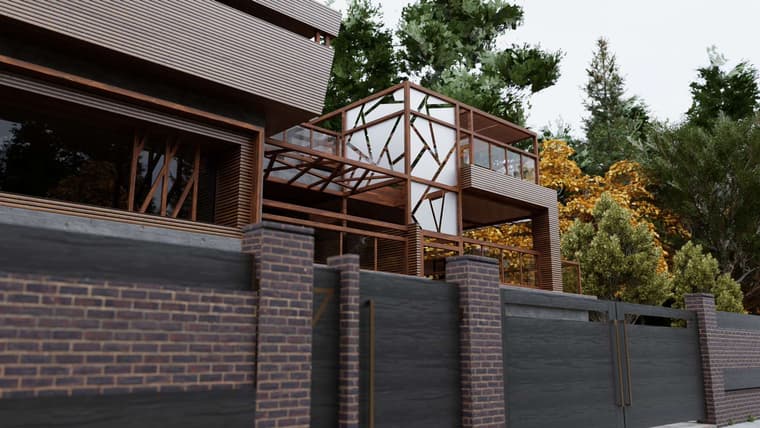
                                      other Rayscaper render Tone mapping ACES Filmic
                                      villa_aljaz_2.jpg

                                      villa_aljaz_1.jpg

                                      1 Reply Last reply
                                      Reply Quote 0
                                      • KrassK
                                        Krass
                                        last edited by Krass

                                        Thomas,
                                        "xport your model as glTF and open it in Blender. File > Export glTF saves a .glb or .gltf file that Blender, Unreal, Unity, Godot and three.js open. Groups and components, materials, textures and smooth edges come along, at the model’s real size. The user guide shows how to open your model in Blender. Open your model in Blender"

                                        This is new 0.16 realease. Great!
                                        For faster importing GLB into Sketchuup and keep Hierarchy, groups you will install this sketchup extension and directly import the Modlumi GLB.

                                        Link Preview Image
                                        SketchUp Extension Warehouse

                                        Your library of custom third-party extensions created to optimize your SketchUp workflow.

                                        favicon

                                        (extensions.sketchup.com)

                                        then we can convert several group identical copies to components with Component Replacer from Thom THOM
                                        https://extensions.sketchup.com/extension/fcd94c85-28b6-4b50-a4ef-fc83630349ff/component-replacer

                                        1 Reply Last reply
                                        Reply Quote 0
                                        • pixelcruncherP
                                          pixelcruncher Extension Creator
                                          last edited by

                                          Hey, Rayscaper users!

                                          Rayscaper 0.9.100 Beta is available. You can get it via:

                                          • The SketchUcation store.
                                          • Direct download: Rayscaper_Win_0.9.100_Beta.rbz.

                                          I recommend upgrading to the latest version.
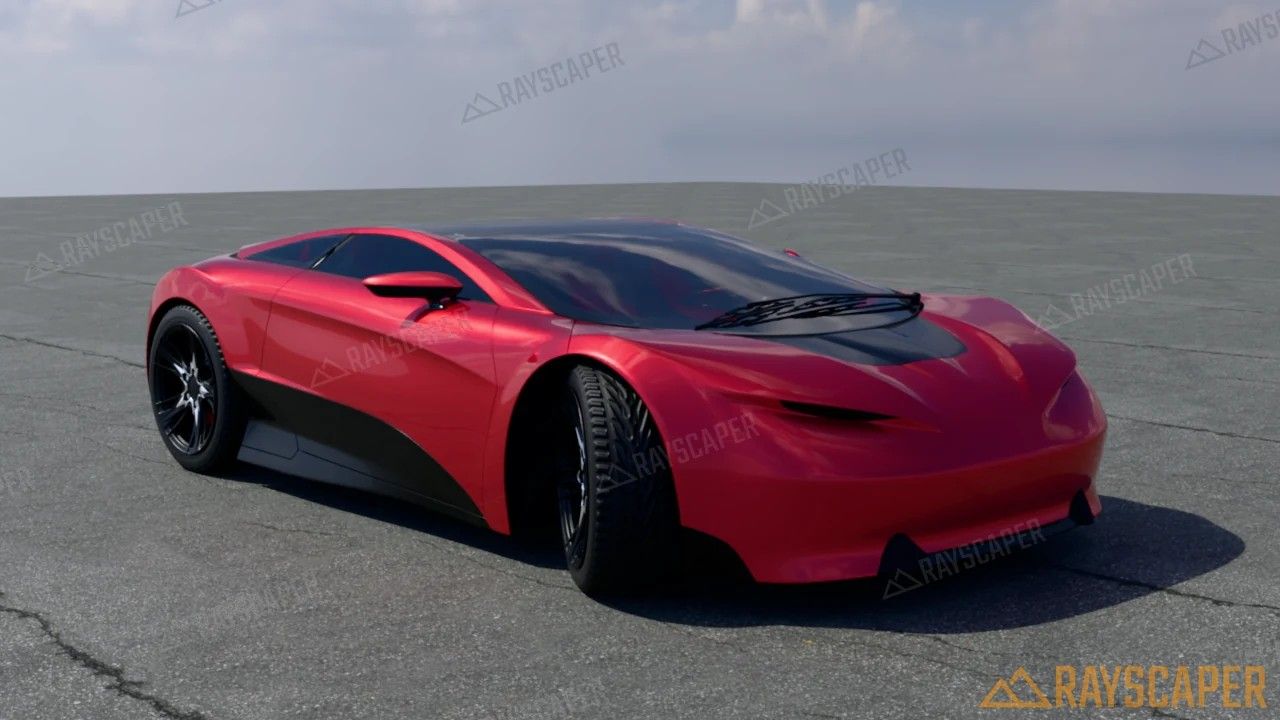
                                          Car Paint material on a concept car

                                          What Changed?

                                          • Support SketchUp 2027.
                                          • Add a Car Paint material type: a colored or metallic base coat with sparkling flakes under a clear coat.
                                          • Add 27 textured architecture materials to the Rayscaper library: tiles, wood, concrete, plaster, brick, stone, patterned metal, paving and roofing.
                                          • Add a Reset to Defaults button to the Camera, Environment and Render sections of the scene editor.
                                          • Bring back the material settings the simplification hid, in a collapsed Advanced section per material type, such as Transmission, Coating, Sheen, Specular Tint, IOR and Anisotropy for Standard and IOR, Transparent Shadows and Opacity for Glass.
                                          • Raise the render resolution limit from 4000 to 16384 pixels, enough for a 16384 x 8192 panorama. Above 8K the editor shows how much graphics memory the image needs.
                                          • Type an exact texture rotation in the material editor, with step buttons of 1° (10° with Shift).
                                          • Show an icon for each material type in the material list and the Material Type combo, and show the type in the asset manager's tooltips.
                                          • Add icons to the camera Projection and Environment Type buttons.
                                          • Keep Rayscaper responsive while it renders and while you edit large scenes: moving a component no longer rebuilds the whole scene, a material change only rebuilds the shaders that changed, texture thumbnails no longer freeze the UI after an import, and the denoiser no longer keeps every core busy during a render.
                                          • A model made on another computer no longer reports the image files of its SketchUp textures as missing: Rayscaper takes those textures from the model, as SketchUp does. This was the case for the Quick Start scene.
                                          • The Panoramic camera no longer switches back to Perspective when you orbit, pan or click a scene tab in SketchUp, so you can move between the positions of a virtual tour without choosing Panoramic again. See 360° Panoramas.
                                          • Switching a transparent material to Glass, Metal or Water makes it opaque, so the glass no longer renders faint without a setting to fix it.
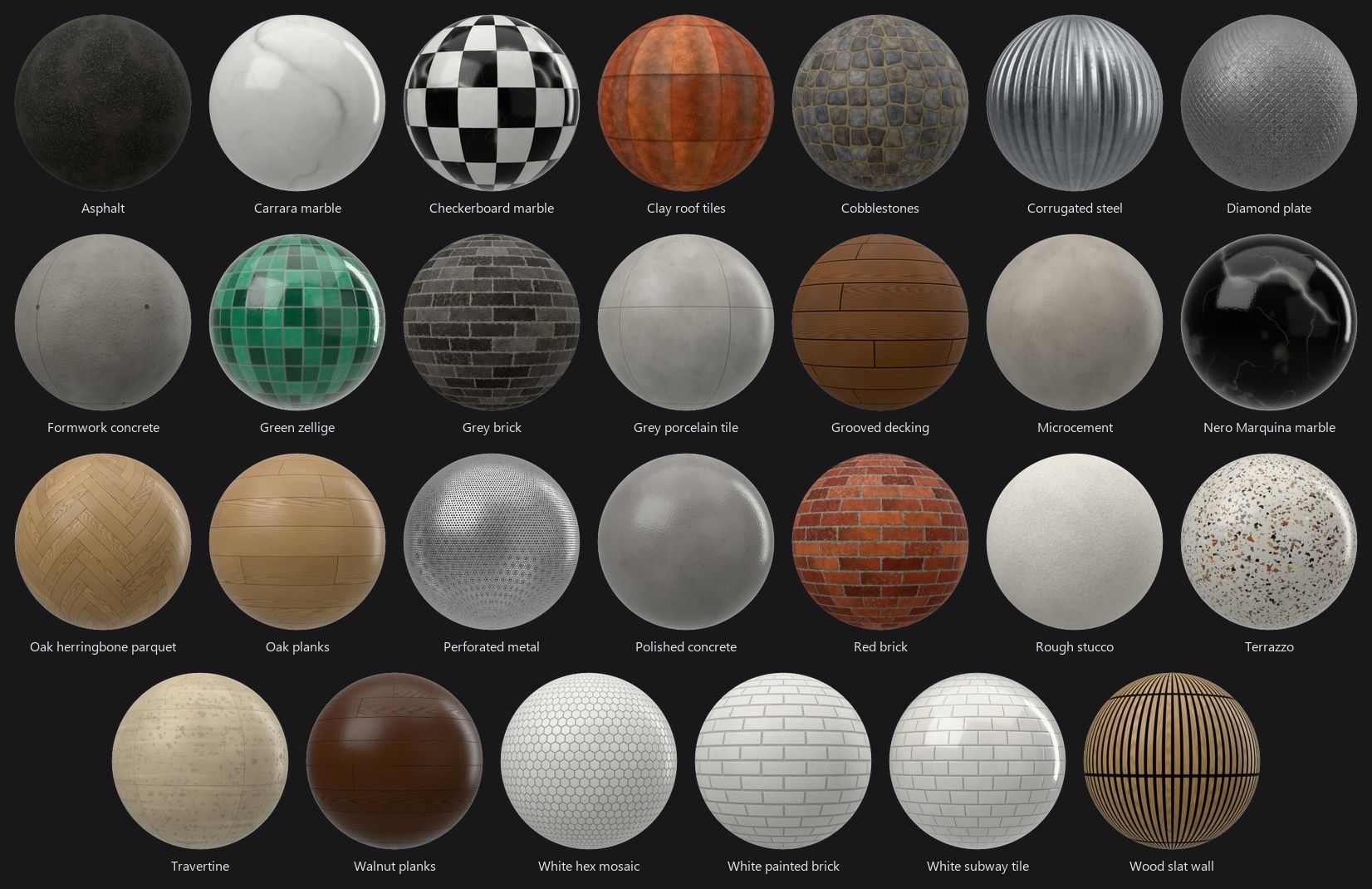
                                          The 27 new textured materials in the Rayscaper library

                                          Full release notes: rayscaper.com/manual/release-notes

                                          Help Me Build the Community 👍

                                          If you like Rayscaper, please share your renders (final or work-in-progress, it doesn't matter)! This is motivating
                                          and helps me showcase its capabilities to new users.

                                          Follow me on X.

                                          Happy Rendering!
                                          Thomas

                                          I'm the developer of Rayscaper: https://rayscaper.com/ - Fast and easy rendering for SketchUp.

                                          1 Reply Last reply
                                          Reply Quote 0
                                          • KrassK
                                            Krass
                                            last edited by

                                            Tahnks!=

                                            1 Reply Last reply
                                            Reply Quote 0

                                            Hello! It looks like you're interested in this conversation, but you don't have an account yet.

                                            Getting fed up of having to scroll through the same posts each visit? When you register for an account, you'll always come back to exactly where you were before, and choose to be notified of new replies (either via email, or push notification). You'll also be able to save bookmarks and upvote posts to show your appreciation to other community members.

                                            With your input, this post could be even better 💗

                                            Register Login
                                            • 1
                                            • 2
                                            • 23
                                            • 24
                                            • 25
                                            • 26
                                            • 27
                                            • 26 / 27
                                            • First post
                                              Last post
                                            Buy SketchPlus
                                            Buy SUbD
                                            Buy WrapR
                                            Buy eBook
                                            Buy Modelur
                                            Buy Vertex Tools
                                            Buy SketchCuisine
                                            Buy FormFonts

                                            Advertisement