How to use Fredo tools offline?
-
I have many licenses for Fredo tools installed. But every time I activate one, it tells me the license is invalid. So, I have to go get online, reactivate the license then I'm ok for a while.
I would like to activate the license once and for all without all this fuss.
Thanks for any advice
-
Please run the Window > Libfredo Settings > Fredo6 Plugins Information for Sketchucation Support command in SketchUp and copy/paste the output into your reply here. Thanks
-
@rich o brien said:
Please run the Window > Libfredo Settings > Fredo6 Plugins Information for Sketchucation Support command in SketchUp and copy/paste the output into your reply here. Thanks
here you go...
Fredo6 Plugins Information on 2023-06-29 17:11:45 -0700
- Platform: x86_64-darwin14 - Ruby: 2.2.4
- Sketchup: 17.3.116
- LibFredo6: v13.9a
- LibFredo6 Binary loaded
- Sketchucation ExtensionStore: 4.2.9
- SCFLicense: v5.7a - 50
- Fredo6 Plugins
TopoShaper v2.6a
ToolsOnSurface v2.5a
Curviloft v1.9a - licensed FULL
FredoTools v4.3a
FredoGuides v2.4a
FredoSketch v1.2a
JointPushPull v4.6a - licensed FULL
Curvizard v2.4b - licensed FULL
FredoScale v3.5a - licensed FULL
ThruPaint v2.2a
FredoPortrait v2.8a
RoundCorner v3.3a - licensed FULL
VisuHole v1.4b - licensed FULL
FredoGhost v2.0a
FredoCorner v2.6a - licensed FULL - SCFLicense directory present
Signature File: 2022-06-29 18:42:44 -0700
Curvizard: 2023-06-29 17:10:24 -0700
JointPushPull: 2023-06-29 17:10:12 -0700
ToolsOnSurface: 2023-06-29 17:09:41 -0700
VisuHole: 2023-06-29 17:11:12 -0700
Curviloft: 2023-06-29 17:09:58 -0700
RoundCorner: 2023-06-29 17:11:04 -0700
TopoShaper: 2023-06-29 17:09:16 -0700
FredoCorner: 2023-06-29 17:11:37 -0700
FredoScale: 2023-06-29 17:10:32 -0700
-
Your Sketchucation Tools is outdated.
Launch our ExtensionStore in SketchUp and update it. Click the Bell icon to get a list of extensions you need to update.
If there's no Bell icon click the Settings icon and the tool will scan for updates.
Restart SketchUp after updating and then try licensing again.
Sketchucation Tools 4.3.1 has a fix for the issue you are currently experiencing.
-
@rich o brien said:
Your Sketchucation Tools is outdated.
Launch our ExtensionStore in SketchUp and update it. Click the Bell icon to get a list of extensions you need to update.
If there's no Bell icon click the Settings icon and the tool will scan for updates.
Restart SketchUp after updating and then try licensing again.
Sketchucation Tools 4.3.1 has a fix for the issue you are currently experiencing.
Okay, lauching the extension store now I see this view...
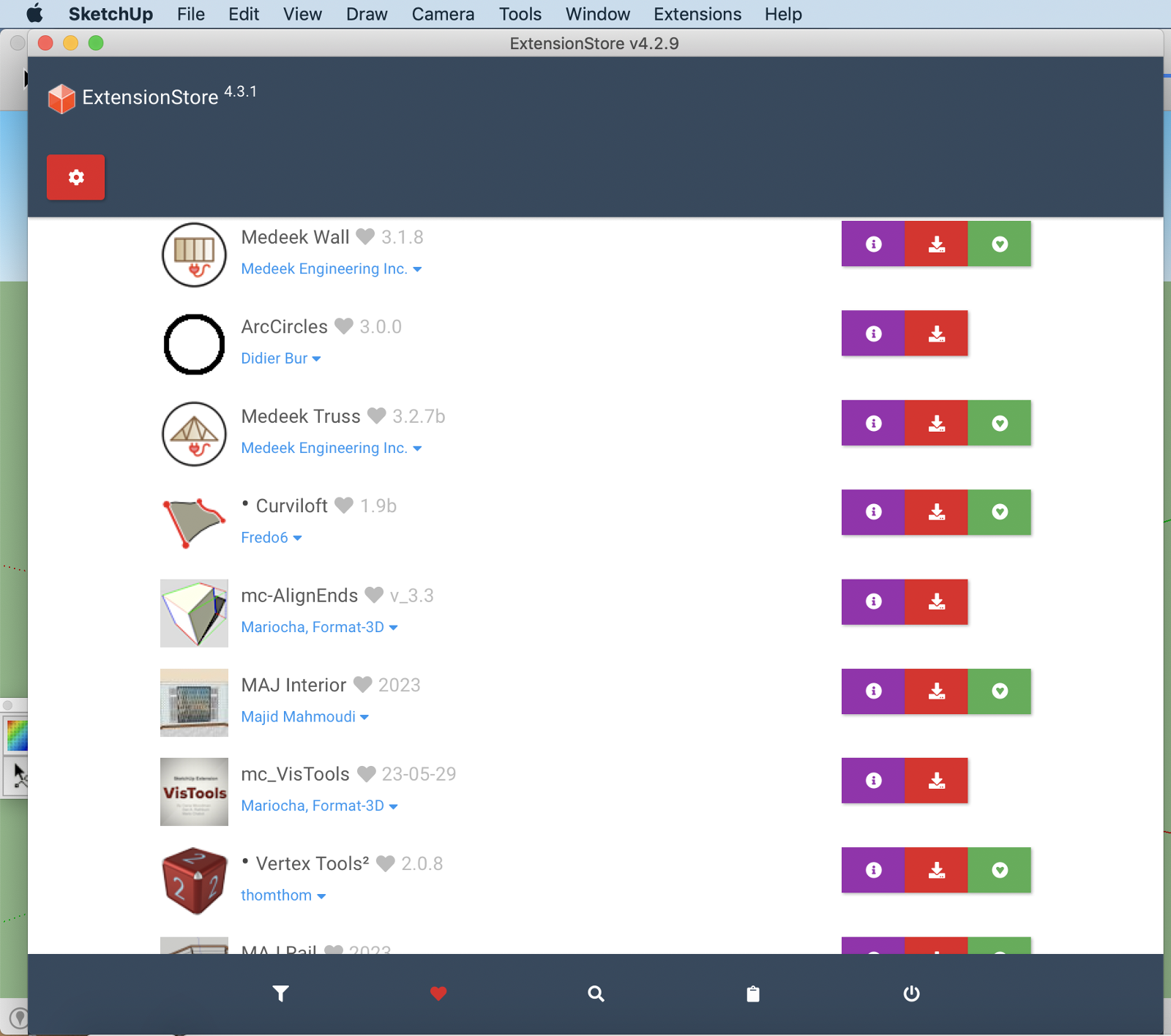
clicking the gear icon shos this:
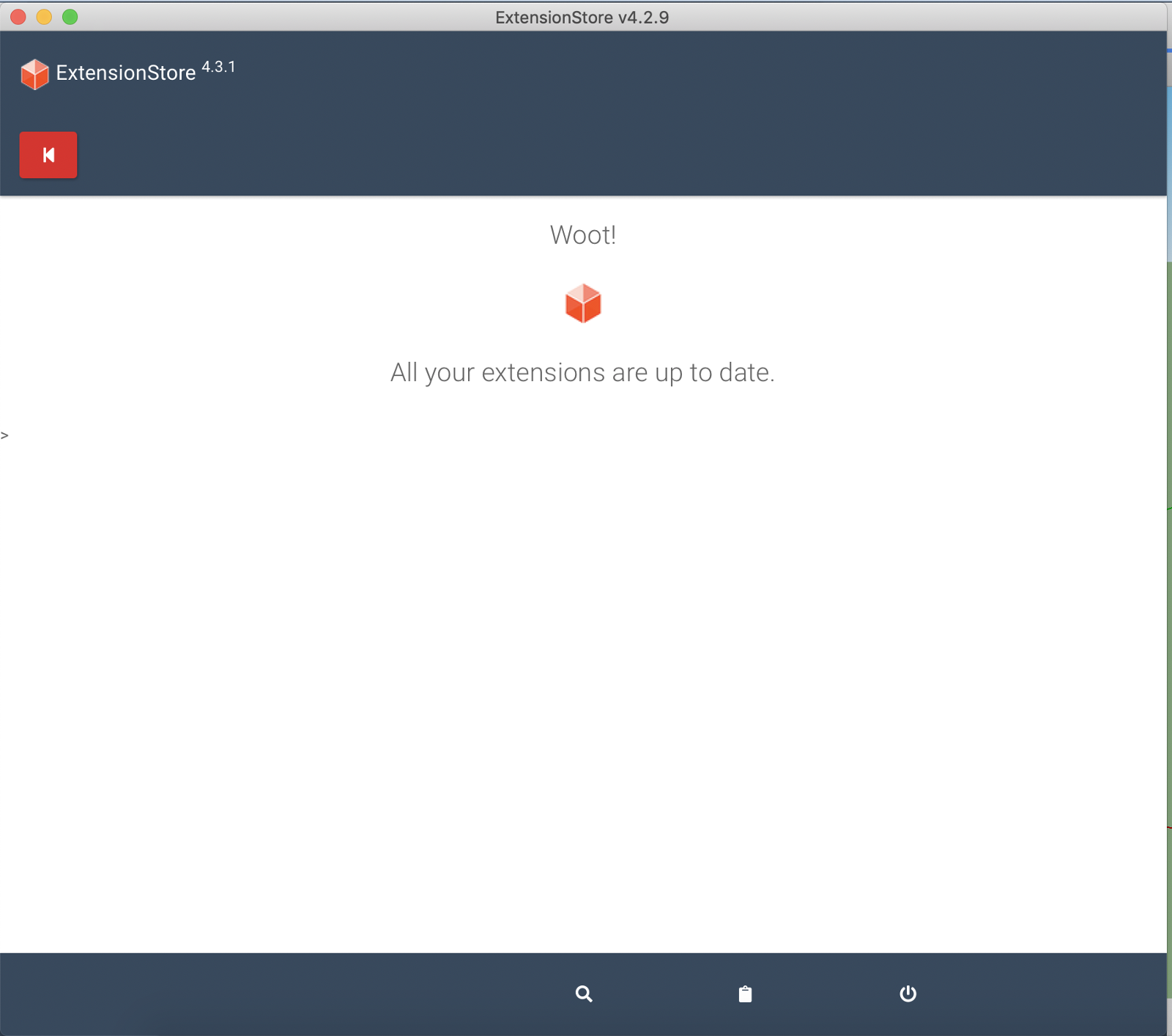
with wifi on....
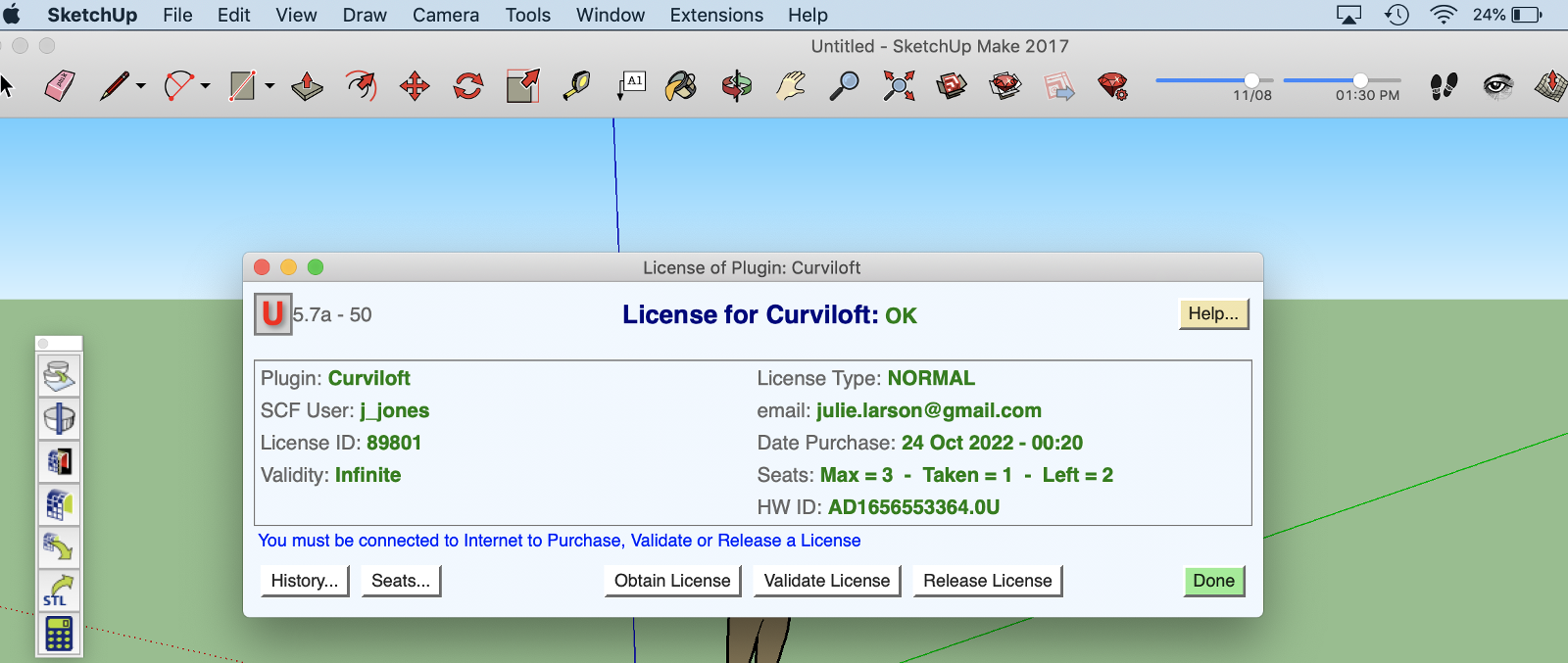
close Sketchup and turn off wifi, restart Sketchup, check license...
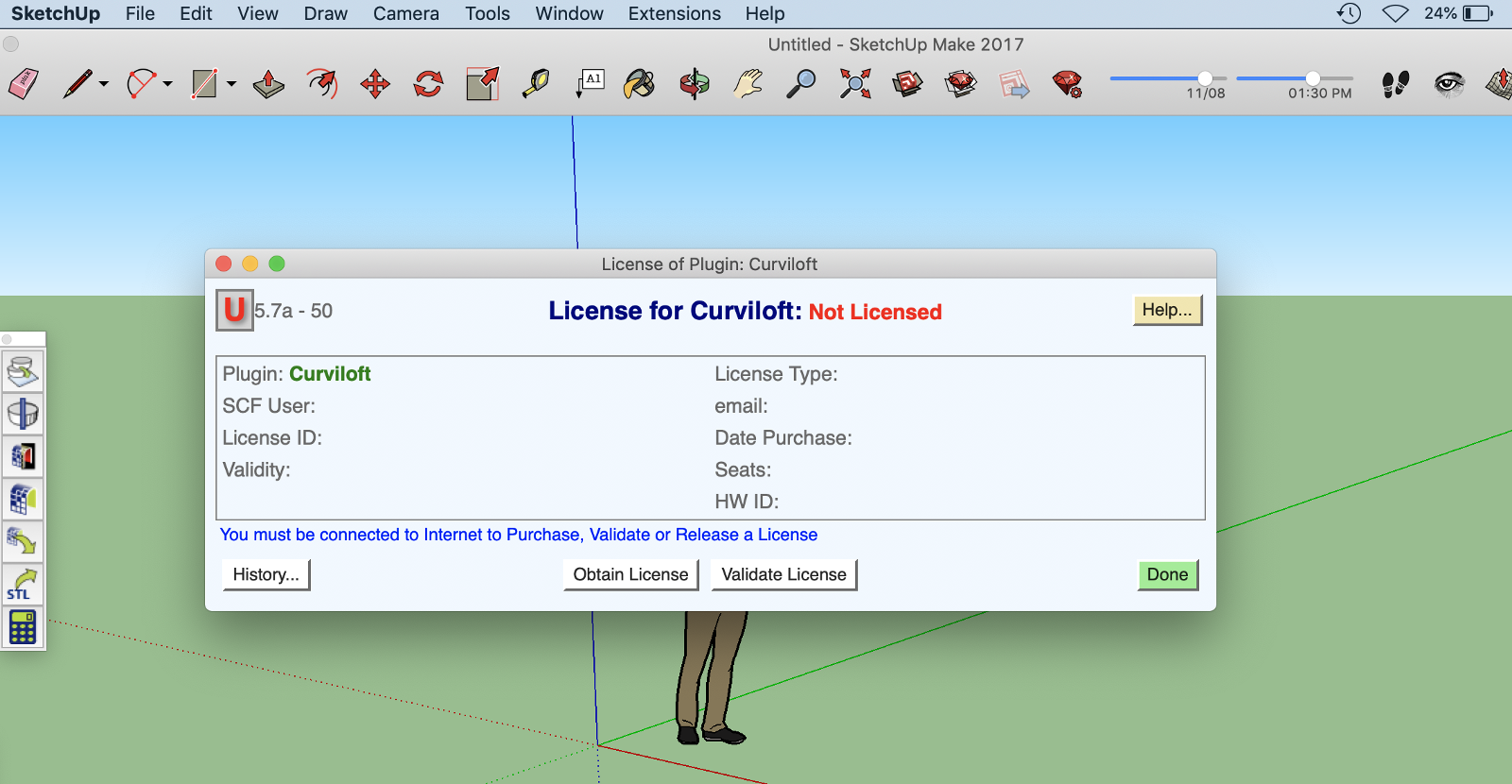
...sigh....
-
Update your https://sketchucation.com/plugin/696-sketchucationtools
Even though the inner dialog states 4.3.1 you are actually running 4.2.9
Grab the rbz file from here

Sketchucation Tools | SketchUcation
3D SketchUp Community for Design and Engineering Professionals.
(sketchucation.com)
Use Extensions > Extension Manager to install it and then restart SketchUp.
Now run the Window > Libfredo Settings > Fredo6 Plugins Information for Sketchucation Support command to see if it returns 4.3.1
If it does then activate your license restart SketchUp just to be sure all is as it should be. Then go offline and see if the license nag you have experienced is no longer there.
-
Everything is looking better now seems I can work offline. Thank you so much!
 ️
️ -
@j_jones said:
Everything is looking better now seems I can work offline. Thank you so much!
️Great, just try and keep on top of your extension updates and you should be ok.
If you https://sketchucation.com/webshop/my-licences.php page doesn't allow releasing then those devices are running the older license system.
Glad it's sorted.

-
To use Fredo Tools offline, you would need to have already installed the necessary software or plugins on your computer. Once the tools are installed, you can typically use them without an internet connection.
However, it's important to note that some functionalities or features may require occasional online connectivity, such as initial installation, updates, or license verification.
Therefore, it's recommended to check the specific documentation or user guides provided by Fredo Tools to understand the offline capabilities and any potential limitations of the tools you are using.
-
@rich o brien said:
@j_jones said:
Everything is looking better now seems I can work offline. Thank you so much!
️Great, just try and keep on top of your extension updates and you should be ok.
If you https://sketchucation.com/webshop/my-licences.php page doesn't allow releasing then those devices are running the older license system.
Glad it's sorted.
I'm sorry to report the problem has returned without any explanation...
Here's the output of Window->Libfredo Settings -> Fredo6 Plugins Information for Sketchucation Support
Fredo6 Plugins Information on 2023-07-30 19;43;17 -0700
--------------------------
- Platform; x86_64-darwin14 - Ruby; 2.2.4
- Sketchup; 17.3.116
- LibFredo6; v13.9a
- LibFredo6 Binary loaded
- Sketchucation ExtensionStore; 4.3.1
- SCFLicense; v6.1a - 72
- Fredo6 Plugins
    > TopoShaper v2.6a - licensed FULL
    > ToolsOnSurface v2.5a - licensed FULL
    > Curviloft v1.9a
    > FredoTools v4.3a
    > FredoGuides v2.4a
    > FredoSketch v1.2a
    > JointPushPull v4.6a - licensed FULL
    > Curvizard v2.4b - licensed FULL
    > FredoScale v3.5a - licensed FULL
    > ThruPaint v2.2a
    > FredoPortrait v2.8a
    > RoundCorner v3.3a - licensed FULL
    > VisuHole v1.4b - licensed FULL
    > FredoGhost v2.0a
    > FredoCorner v2.6a - licensed FULL
- SCFLicense directory present
    > Signature File; 2022-06-29 18;42;44 -0700
    > Curvizard; 2023-07-03 12;35;06 -0700
    > JointPushPull; 2023-07-03 12;34;56 -0700
    > ToolsOnSurface; 2023-07-03 12;34;29 -0700
    > VisuHole; 2023-07-03 12;35;58 -0700
    > RoundCorner; 2023-07-03 12;35;50 -0700
    > TopoShaper; 2023-07-03 12;34;17 -0700
    > FredoCorner; 2023-07-03 12;36;19 -0700
    > FredoScale; 2023-07-03 12;35;14 -0700
Launching the Extension Store, the window title shows 4.3.1
What is the problem now I wonder?
-
Update your Libfredo.

SketchUp Plugins | PluginStore | SketchUcation
SketchUp Plugin and Extension Store by SketchUcation provides free downloads of hundreds of SketchUp extensions and plugins
(sketchucation.com)
-
@rich o brien said:
Update your Libfredo.
SketchUp Plugins | PluginStore | SketchUcation
SketchUp Plugin and Extension Store by SketchUcation provides free downloads of hundreds of SketchUp extensions and plugins
(sketchucation.com)
Ah! Thank you sir! I'm updated to LibFredo6: v14.1a
Hope that'll do it, thanks again
-
It's happening again, this time I can't even use the tool even if I validate the license!
Everything was fine for a while but now it says I can't use Curviloft. So, I go online, reactivate the license, but as soon as I try to use it again, it says it's invalid....
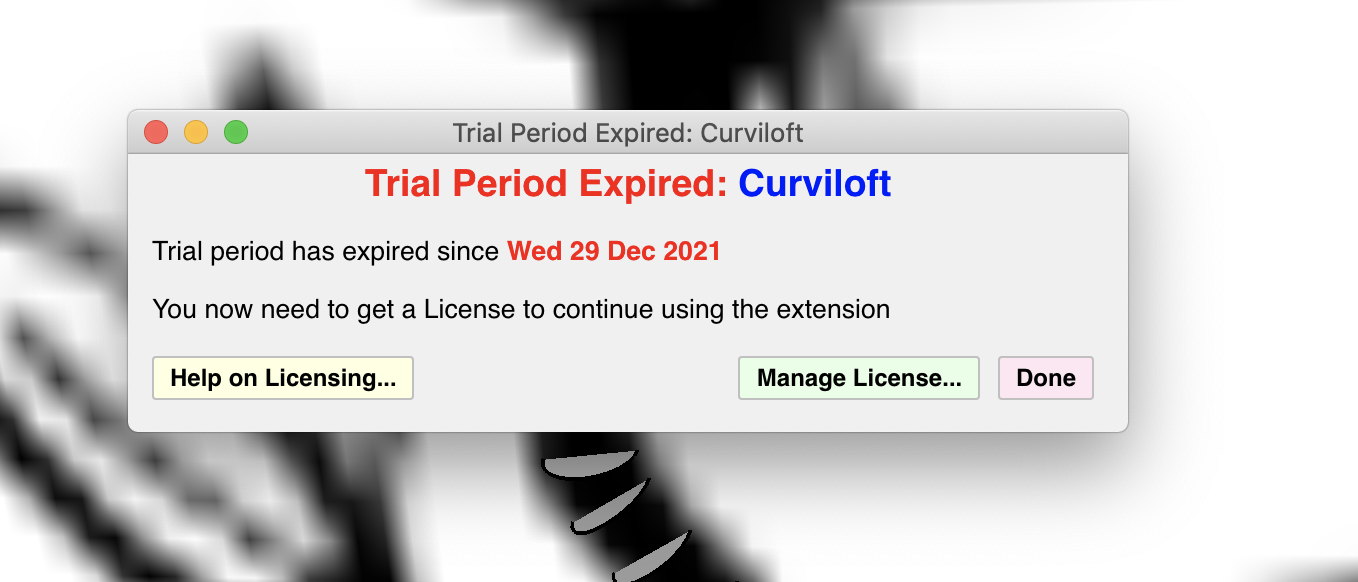
After validating the license through the web, I turn of the wifi off again
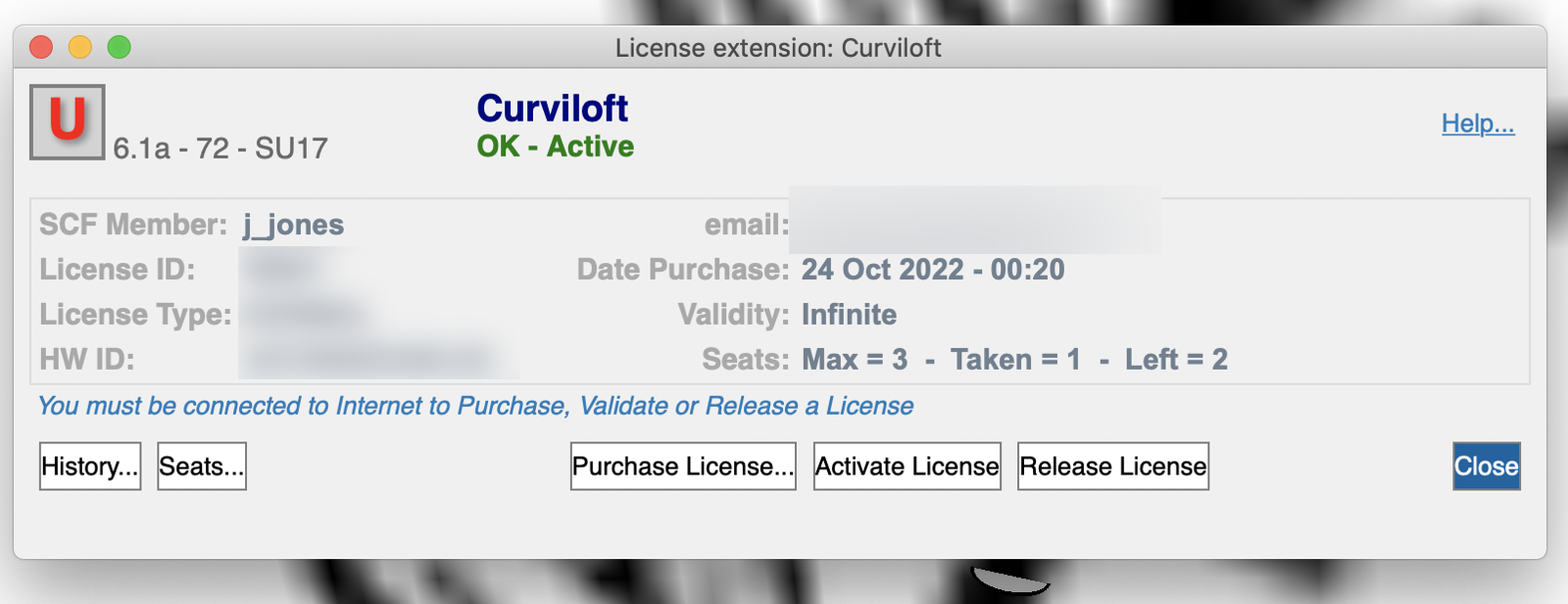
But as soon as I try to use the tool, again, the same error, as above....
I can't use the tool at all now...
Here is the output of the Fredo plugins information
Fredo6 Plugins Information on 2023-09-06 17:34:45 -0700
- Platform: x86_64-darwin14 - Ruby: 2.2.4
- Sketchup: 17.3.116
- LibFredo6: v14.1a
- LibFredo6 Binary loaded
- Sketchucation ExtensionStore: 4.3.1
- SCFLicense: v6.1a - 72
- Fredo6 Plugins
TopoShaper v2.6a - licensed FULL
ToolsOnSurface v2.5a - licensed FULL
Curviloft v1.9a - licensed FULL
FredoTools v4.3a
FredoSketch v1.2a
Animator v3.8a
JointPushPull v4.6a - licensed FULL
Curvizard v2.4b - licensed FULL
FredoScale v3.5a - licensed FULL
ThruPaint v2.2a
FredoPortrait v2.8a
RoundCorner v3.3a - licensed FULL
VisuHole v1.4b - licensed FULL
FredoGhost v2.0a
FredoCorner v2.6a - SCFLicense directory present
Signature File: 2022-06-29 18:42:44 -0700
Curvizard: 2023-07-30 19:53:00 -0700
JointPushPull: 2023-07-30 19:52:44 -0700
ToolsOnSurface: 2023-07-30 19:52:12 -0700
VisuHole: 2023-07-30 19:54:11 -0700
Curviloft: 2023-09-06 17:33:49 -0700
RoundCorner: 2023-07-30 19:53:54 -0700
TopoShaper: 2023-07-30 19:51:46 -0700
FredoScale: 2023-07-30 19:53:14 -0700
Thank you for any help
-j_jones -
now the crazy thing is appeased somehow, probably because I posted about it!
Don't know how long it will behave though...
-
It could be that your running Libfredo 14.1 and its recently updated to 14.2
I need to check with Fredo to see if something changed that could cause this to happen.
-
@rich o brien said:
It could be that your running Libfredo 14.1 and its recently updated to 14.2 ...
Thank you again! I updated LibFredo and hopefully no more issues...
-
@j_jones said:
Thank you again! I updated LibFredo and hopefully no more issues...
Until 14.3

We are working on a better prompt for helping users to update necessary extensions.
-
@rich o brien said:
@j_jones said:
Everything is looking better now seems I can work offline. Thank you so much!
️Great, just try and keep on top of your extension updates and you should be ok.
If you https://sketchucation.com/webshop/my-licences.php page doesn't allow releasing then those devices are running the older license system.
Glad it's sorted.
I'm having an issue releasing licenses on my 3 seats. I use a virtual desktop from VMware for work and I had assumed it was because the computer "wipes" itself every night. Is there any other way I can release these seats?
-
@rtrowski said:
I'm having an issue releasing licenses on my 3 seats. I use a virtual desktop from VMware for work and I had assumed it was because the computer "wipes" itself every night. Is there any other way I can release these seats?
I released your seats. Please make sure your devices are running Sketchucation Tools 4.3 and Libfredo 14+
Once you have those you can manage seats at https://sketchucation.com/webshop/my-licences.php

Hello! It looks like you're interested in this conversation, but you don't have an account yet.
Getting fed up of having to scroll through the same posts each visit? When you register for an account, you'll always come back to exactly where you were before, and choose to be notified of new replies (either via email, or push notification). You'll also be able to save bookmarks and upvote posts to show your appreciation to other community members.
With your input, this post could be even better 💗
Register Login


Advertisement