Fredo6 Animator update problem
-
The recent update for Fredo6's Animator seems to have disrupted the animations I created the day before. Please don't get me wrong, I really, really love this plugin. I work as a graphic artist and I use SU to create illustrations and animations so this is perfect.
I have created an animation with seven (7) tracks for movement plus a camera track. On Wednesday, 15 May it was working perfectly. On Thursday the plugin required an update to operate so I did that and now my complicated animation isn't working properly. All objects are starting from their end points and moving as though they have shifted along their intended path starting from the end point and ending far beyond where they did originally. The same thing is happening with rotations. All objects are now starting in their fully rotated end position as their starting point and rotation the same degree to a new and unintended position. Objects that were previously moving in parallel and now offset from one another and moving from their end points to new arbitrary positions. Some objects are now also moving in the reverse direction from end to start.
The other problem that I was having before the update is that if I adjusted any movement on the timeline, it would jump to another track and bump the starting/ending time of other movements. This was a little frustrating but I was getting used to what would happen and was able to anticipate what might need to be fixed as a result.
Fredo - In my mind the Animator plugin is possibly the greatest thing to every happen to SketchUp so I am a huge fan of it and the work you have done to create it. I'd like very much to continue using it. I'm curious to know if anyone else is experiencing similar problems and if there is some way to revert back to the plugin in it's previous state.
Thanks very much,
Clint
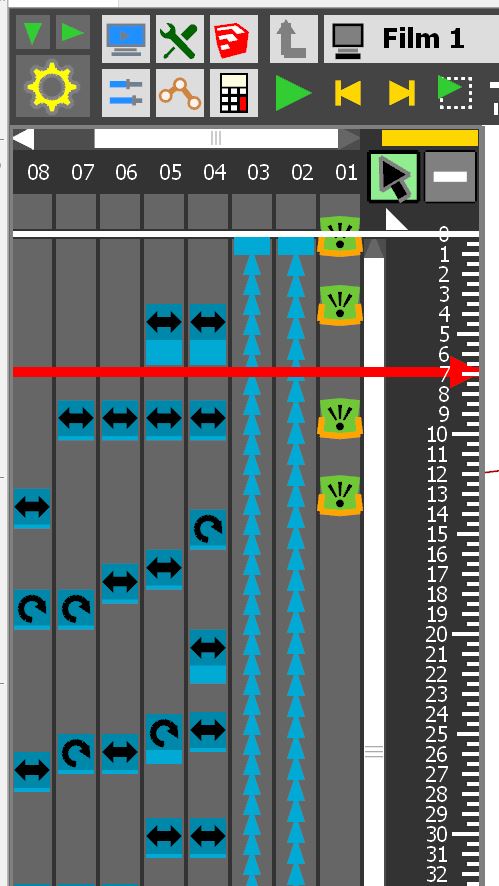
-
This is strange. None else signaled it so far. And I don't have this kind of problems on my own animations.
The best would be to post or PM the model so that I have a look.
Fredo
PS: Did you save object positions using the Position Manager?
-
Hi, I'm having this same problem now. The exact same as described. Has anyone else came across this of found a fix for it?
-
Did have the same problem, but i did find a way around that.
When exiting sketchup, dont save it with the player at the end of the animation, but reset it to the start, then save it.But just finding a new problem:
When i start sketchup, and wanting to make a new animation or opening an existing one, it says "this version of animator has expired" and sending me to the downloadpage, but there is the version i have installed already. Removing the existing one and reinstalling isnt working. Also reinstalled Libfredo to be sure, but still saying it everytime i try to start the extension.Is there a newer version at this moment then "V2.6c releasedate 19 mar 2020"?
-
Hello,
i have exactly the same problem than you Wibe1981 since today...
-
@borodine33 said:
Hello,
i have exactly the same problem than you Wibe1981 since today...
check this topic:
https://sketchucation.com/forums/viewtopic.php?f=401&t=72661
-
Fredo_ Love Animator but have two questions I cannot find an answer to:
-
Sometimes when I want to move a sub object in a group away from another, it will move both objects - the first one I selected goes where I want it to go but the other object (that I did not select to move) moves at 2x the distance and does not stay put. Do I need to get back into sketchup and ungroup all sub groups from each other to keep them from being sticky?
-
When I make a group explosion in my sketchup model and save - my timeline becomes red in Animator. What does that mean and how do I update it to become blue again?
-
-
One more question - How do you delete translations completely if you want to start all over. There seems to be a ghost list in the fly out even if I drag them off of the timeline.
-
Difficult to answer without seeing the model.
Note that
- never change the hierarchy of objects
- A red element in the timeline is precisely due to an object having been moved or deleted
- You can move several objects in the same translation
-
I cannot update my version of animator, also the same problem with fredo6lib.
When you clic "install" with the update, nothing happens.
In the extentionmanager you can see that the old versions are installed, but when you look "tool", only curviloft shows up. -
@augusteijn said:
I cannot update my version of animator, also the same problem with fredo6lib.
When you clic "install" with the update, nothing happens.
In the extentionmanager you can see that the old versions are installed, but when you look "tool", only curviloft shows up.You probably try to update Animator from the Sketchup Extension Manager...
This will not work, because Animator and LibFredo6 are not hosted on Extension WareHouse, but on Sketchucation.So,
- Either use the Sketchucation ExtensionStore to manage the installation and update of my plugins
- or download the rbz file and install it from the Sketchup Extension Manager.
-
Same problem.
 have anyone know how to fix this issue?
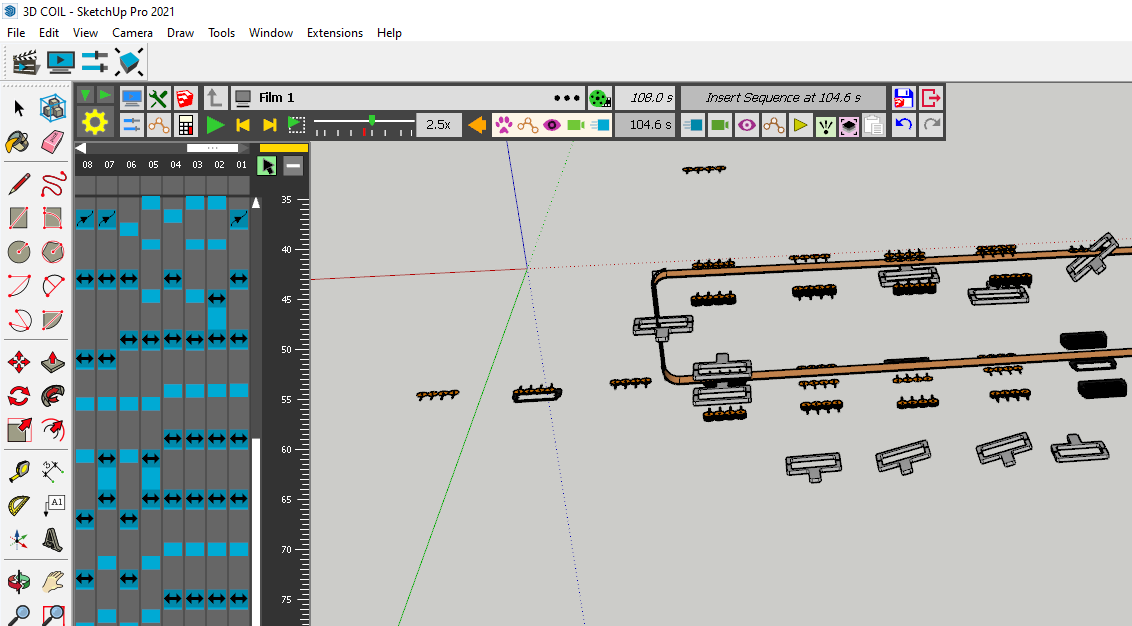
-
-
Pero encontré un nuevo problema:
cuando inicio Sketchup y quiero hacer una nueva animación o abrir una existente, dice "esta versión de animador ha caducado" y me envía a la página de descarga, pero está la versión que tengo instalada. ya. Quitar el existente y reinstalarlo no funciona. También reinstalé Libfredo para estar seguro, pero aún lo digo cada vez que intento iniciar la extensión. tanto para le version 2021 y 2022[mod=Translation:1ctxnpgw]But I found a new problem: when I start Sketchup and want to make a new animation or open an existing one, it says "this animator version has expired" and sends me to the download page, but it's the version I have installed. already. Removing the existing one and reinstalling it does not work. I also reinstalled Libfredo to be sure, but I still say that every time I try to launch the extension. both for the 2021 and 2022 versions[/mod:1ctxnpgw]
-
Strange. Version 3.7a is still valid.
Can you check the version of Animator, via menu "Tools > Fredo6 Collection > Animator > About...."
-
I've just picked up on this thread as I am having similar issues to the other posts.
I am very new to the extension and the attached file is my first attempt at an animation.I created the file and animation and all was ok, mp4 file exported great.
2 days later I opened the file again, went straight to the animation and played it, but now all the rotation and stop start points have changed.I've since created another file with far more movements and cameras, but again the following day when I open the file all the rotations and movements are now wrong.
In the attached screen shots I have tried to show the before and after to help understand the issue
Is there something I am not doing right when closing the file down?
Is it important to exit the extension before closing SketchUp
Is there anything I can do to recover a days workSketchUp Version 22.0.354
Fredo6 Animator Ver 3.8a
Fredo6 LibFredo6 Ver 13.7bThanks
Martin
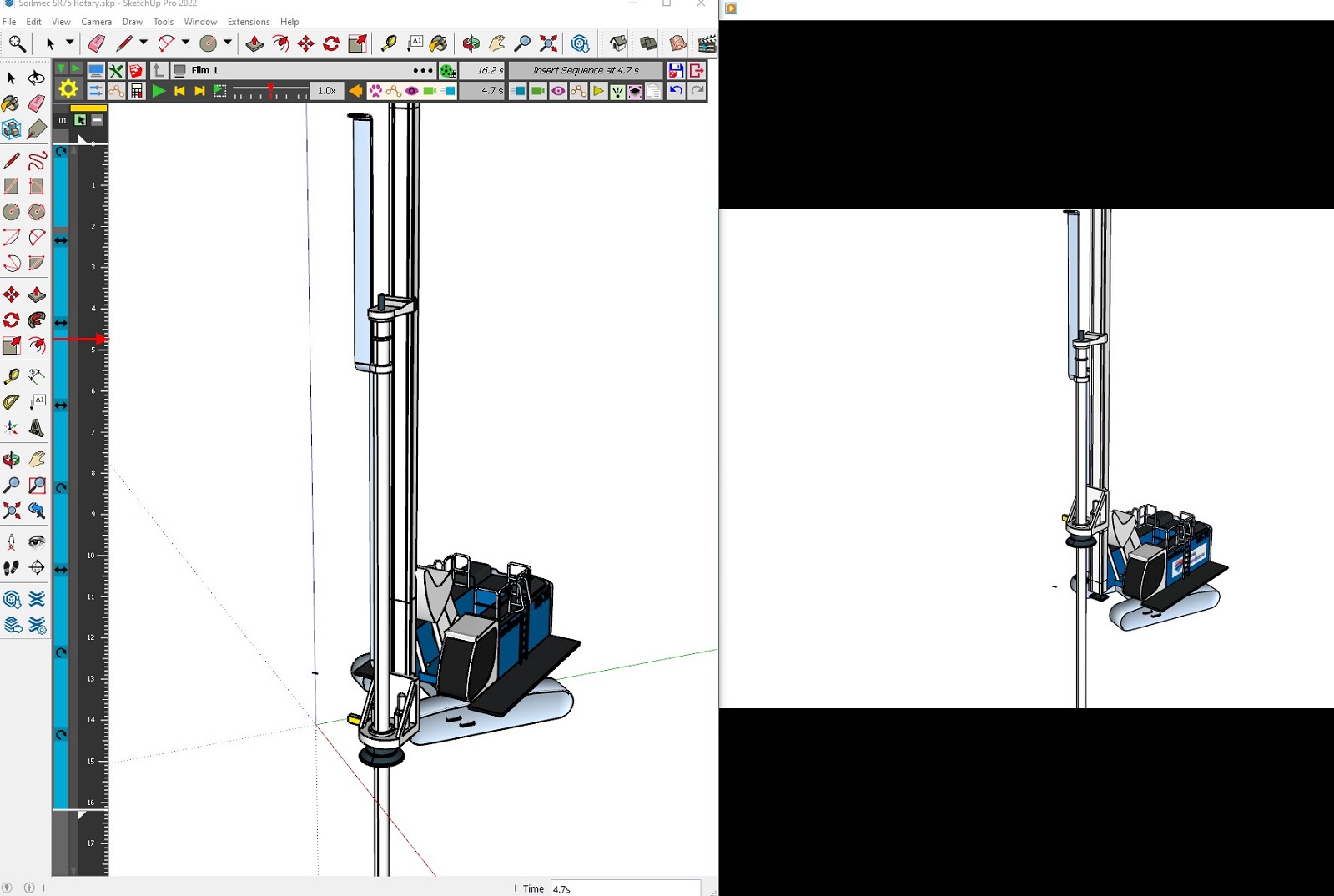
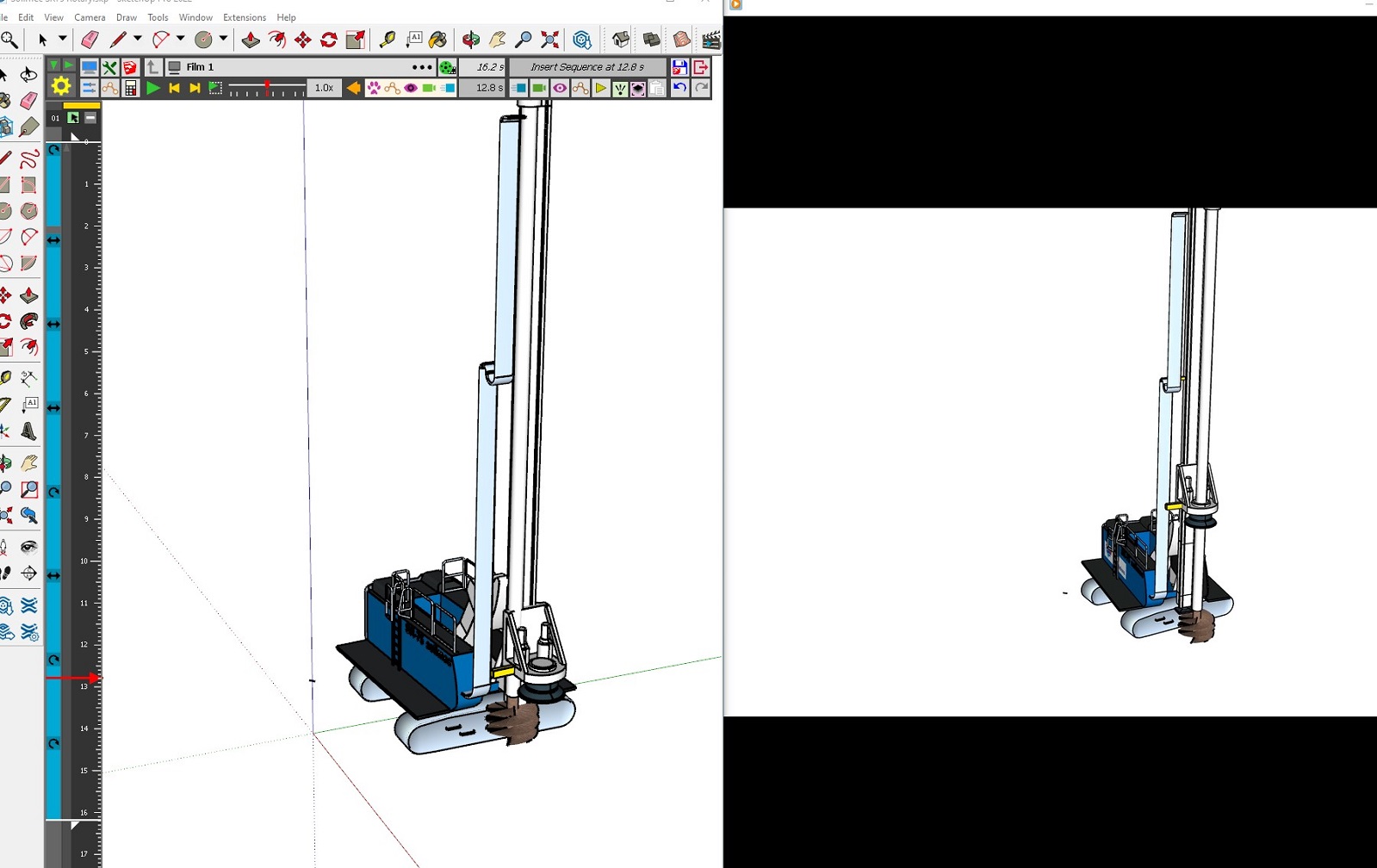
-
I'm having what sounds like the same exact problem. New to using the plugin, but as far as I can tell I've followed the instructions. Clearly organized all the objects into hierarchical groups which were not edited or altered once animation process begun. Get maybe 15 separate animation movements into a project, with maybe 10 camera moves, and suddenly everything goes wrong. Objects suddenly start at what should have been their end positions, and then move way past where they're supposed to. Items that were moved via two separate movements are now suddenly on the same movement, so even if I wanted to manually go through and re-adjust everything back to their correct positions, some things are now magically only able to be moved together, as if I had originally moved them together with one "Unit Movement". Objects that were rotated, say from 0 degrees to 90 degrees, now are suddenly at say, 34 degrees and the rotation movement rotates them 65 degrees. There is no rhyme or reason to it. I spent all day making one animation, only to reopen it the next day and everything had gone wrong. I figured it was a weird bug, and luckily decided I wanted to change the animation anyway, so I spent the whole next day making a new animation from scratch. All was working fine (after more than 8 hours of my time spent) until suddenly an object I was trying to move just straight up disappeared after saving its unit movement. Tried to press "undo" and most of the objects disappeared. Closed without saving, but of course auto-save is on, so apparently the damage was done. Reopened the file and the objects had reappeared, but EVERYTHING was in the wrong position and rotated incorrectly. I don't expect any solution but I have to say something to avoid putting my fist through my monitor.
-
@gtaircooledvw hola encpontraste una solucion ?
-
Hello! I have the same problem. I created an animation with Animator (v4.5a) two days ago, it worked fine. Today when I opened the file to make adjustments, parts of my model (the roof) had moved up, and the animation no longer works. When I move the objects down where they should be (the roof should be on top of the structure like so), and then go back in Animator, it seems the position changes I just made are cancelled. I’m uploading the file as well as a screenshot of the desired shape. I should say that I’m using the trial version of SketchUp Pro 2025, which seems pretty unstable, on macOS Sonoma 14.4.1 (23E224), Apple M1 Max, 64 Go. I would be grateful to anyone who can offer a solution! Thanks
250728-Sceno animation.skp
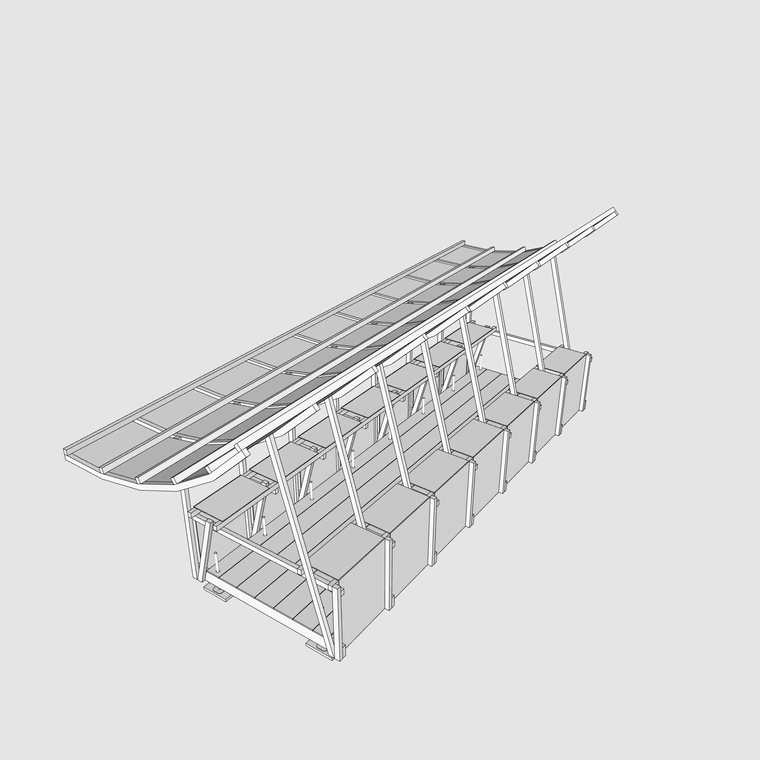
-
Object positions may change for a lot of reasons, sometimes depending on when and how you save the model.
The best is to use the Positioner (4th icon in the toolbar) to record the initial position of all objects of your animation film. Then, you can recall this position at any time.




Advertisement