Fredo6 Animator update problem
-
-
Pero encontré un nuevo problema:
cuando inicio Sketchup y quiero hacer una nueva animación o abrir una existente, dice "esta versión de animador ha caducado" y me envía a la página de descarga, pero está la versión que tengo instalada. ya. Quitar el existente y reinstalarlo no funciona. También reinstalé Libfredo para estar seguro, pero aún lo digo cada vez que intento iniciar la extensión. tanto para le version 2021 y 2022[mod=Translation:1ctxnpgw]But I found a new problem: when I start Sketchup and want to make a new animation or open an existing one, it says "this animator version has expired" and sends me to the download page, but it's the version I have installed. already. Removing the existing one and reinstalling it does not work. I also reinstalled Libfredo to be sure, but I still say that every time I try to launch the extension. both for the 2021 and 2022 versions[/mod:1ctxnpgw]
-
Strange. Version 3.7a is still valid.
Can you check the version of Animator, via menu "Tools > Fredo6 Collection > Animator > About...."
-
I've just picked up on this thread as I am having similar issues to the other posts.
I am very new to the extension and the attached file is my first attempt at an animation.I created the file and animation and all was ok, mp4 file exported great.
2 days later I opened the file again, went straight to the animation and played it, but now all the rotation and stop start points have changed.I've since created another file with far more movements and cameras, but again the following day when I open the file all the rotations and movements are now wrong.
In the attached screen shots I have tried to show the before and after to help understand the issue
Is there something I am not doing right when closing the file down?
Is it important to exit the extension before closing SketchUp
Is there anything I can do to recover a days work
SketchUp Version 22.0.354
Fredo6 Animator Ver 3.8a
Fredo6 LibFredo6 Ver 13.7bThanks
Martin
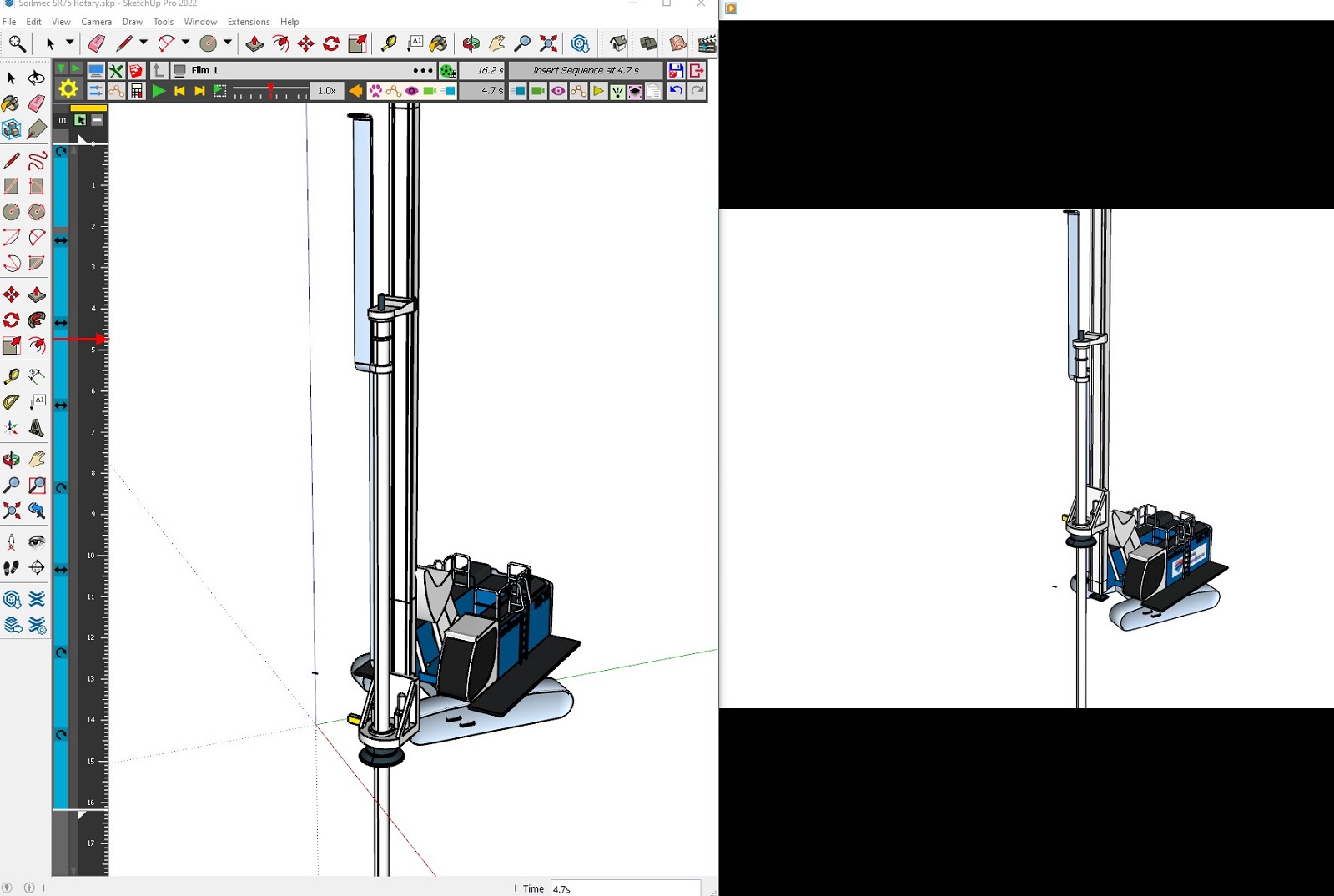
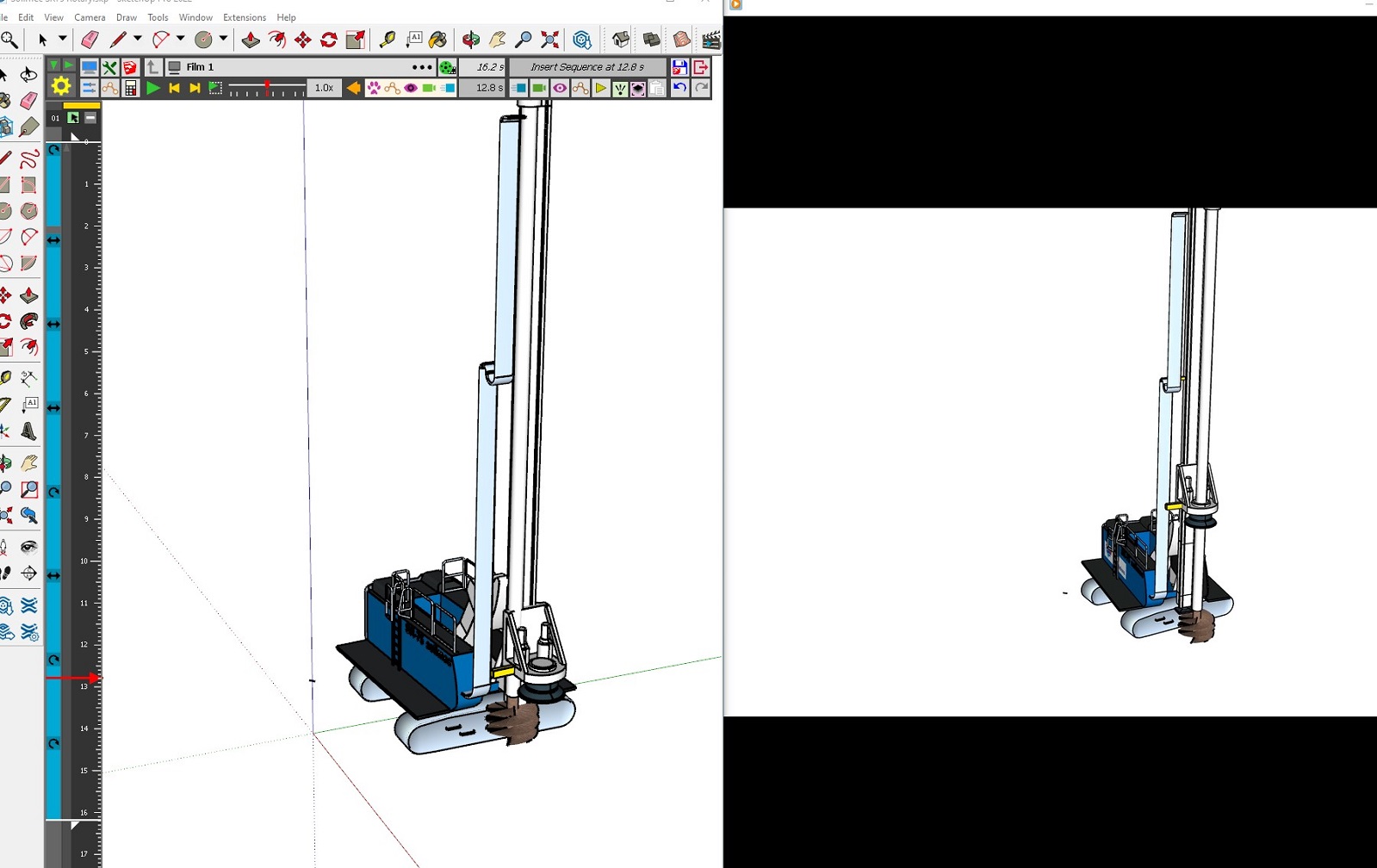
-
I'm having what sounds like the same exact problem. New to using the plugin, but as far as I can tell I've followed the instructions. Clearly organized all the objects into hierarchical groups which were not edited or altered once animation process begun. Get maybe 15 separate animation movements into a project, with maybe 10 camera moves, and suddenly everything goes wrong. Objects suddenly start at what should have been their end positions, and then move way past where they're supposed to. Items that were moved via two separate movements are now suddenly on the same movement, so even if I wanted to manually go through and re-adjust everything back to their correct positions, some things are now magically only able to be moved together, as if I had originally moved them together with one "Unit Movement". Objects that were rotated, say from 0 degrees to 90 degrees, now are suddenly at say, 34 degrees and the rotation movement rotates them 65 degrees. There is no rhyme or reason to it. I spent all day making one animation, only to reopen it the next day and everything had gone wrong. I figured it was a weird bug, and luckily decided I wanted to change the animation anyway, so I spent the whole next day making a new animation from scratch. All was working fine (after more than 8 hours of my time spent) until suddenly an object I was trying to move just straight up disappeared after saving its unit movement. Tried to press "undo" and most of the objects disappeared. Closed without saving, but of course auto-save is on, so apparently the damage was done. Reopened the file and the objects had reappeared, but EVERYTHING was in the wrong position and rotated incorrectly. I don't expect any solution but I have to say something to avoid putting my fist through my monitor.
-
@gtaircooledvw hola encpontraste una solucion ?
-
Hello! I have the same problem. I created an animation with Animator (v4.5a) two days ago, it worked fine. Today when I opened the file to make adjustments, parts of my model (the roof) had moved up, and the animation no longer works. When I move the objects down where they should be (the roof should be on top of the structure like so), and then go back in Animator, it seems the position changes I just made are cancelled. I’m uploading the file as well as a screenshot of the desired shape. I should say that I’m using the trial version of SketchUp Pro 2025, which seems pretty unstable, on macOS Sonoma 14.4.1 (23E224), Apple M1 Max, 64 Go. I would be grateful to anyone who can offer a solution! Thanks
250728-Sceno animation.skp
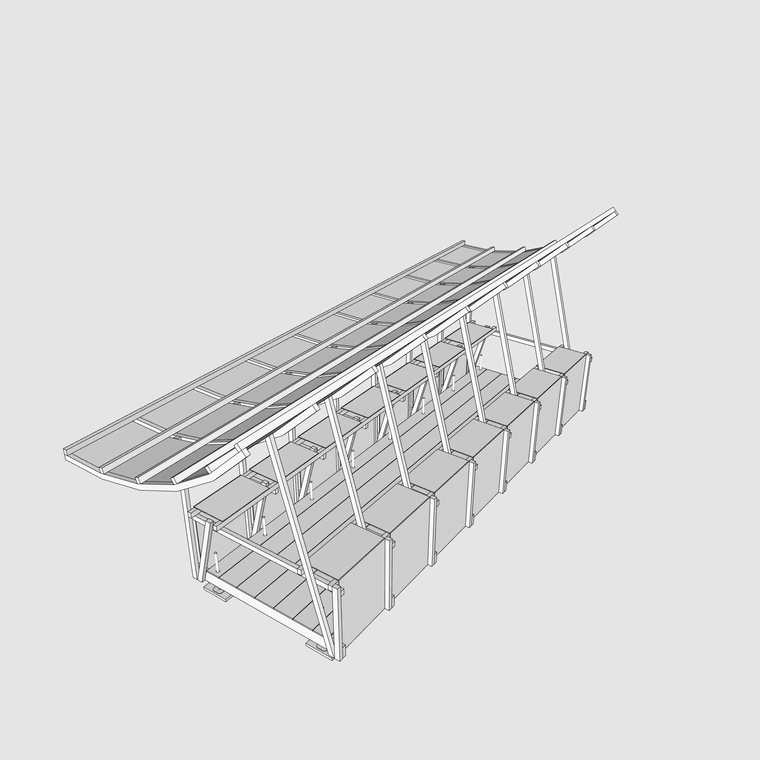
-
Object positions may change for a lot of reasons, sometimes depending on when and how you save the model.
The best is to use the Positioner (4th icon in the toolbar) to record the initial position of all objects of your animation film. Then, you can recall this position at any time.
-
Thanks for the quick reply! I did use Positioner to record the initial position of the whole structure, but as soon as I opened Animator the roof got up above again.
-
You can assign a positioner to a film.
Just double-click on the film name to get this dialog.
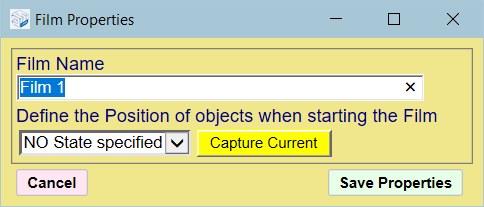
-
Animator stopped working and no longer loads into LOTTT? I've updated to the latest version 4.5a and also the current lib fiile. PErhaps it's a licensing issue as there has never been a paid version until now? if so how do I purchase that? cant seem to see that option on the sketchucation site
-
I need to understand more about "Animator stopped working".
Does Animator shows in the toolbars and in menu (Tool > Fredo6 Collection)?
If so, do you get a message when you start Animator? Open the Ruby console before launching Animator, in order to catch possible errors.
Could you post the output of the menu command Window > LibFredo6 Settings > Fredo6 Plugin Information for Sketchucation Support.
-
I got it working again with the latest Library, which was a later version than the animator plugin page linked to. Thanks for getting in touch.....keep up the good work, and glad to see you are charging money for your work.....finally!



Advertisement