sketchucation logo sketchucation
    • 登入
    Oops, your profile's looking a bit empty! To help us tailor your experience, please fill in key details like your SketchUp version, skill level, operating system, and more. Update and save your info on your profile page today!
    🔌 Smart Spline | Fluid way to handle splines for furniture design and complex structures. Download

    Medeek Electrical

    已排程 已置頂 已鎖定 已移動 Plugins
    205 貼文 6 Posters 226.2k 瀏覽 5 Watching
    正在載入更多貼文
    • 從舊到新
    • 從新到舊
    • 最多點贊
    回覆
    • 在新貼文中回覆
    登入後回覆
    此主題已被刪除。只有擁有主題管理權限的使用者可以查看。
    • medeekM 離線
      medeek
      最後由 編輯

      Tutorial #1 - Extension Overview:

      Footnote: The bug encountered at the 16:00 min. mark has been identified and corrected.

      Nathaniel P. Wilkerson PE
      Medeek Engineering Inc
      design.medeek.com

      1 條回覆 最後回覆 回覆 引用 0
      • medeekM 離線
        medeek
        最後由 編輯

        There is always more that can be done. Just remember though I am juggling four different extensions now, single handed and each one is very deep (and broad). So my time to devote to any one plugin or request is becoming much more selective.

        If you would like to have a feature added I need more details:

        1.) Most common configuration and manufacturer.
        2.) Some indication of how much this feature would be used (does it fit the 90% rule).
        3.) Commercial or Residential application.

        Nathaniel P. Wilkerson PE
        Medeek Engineering Inc
        design.medeek.com

        1 條回覆 最後回覆 回覆 引用 0
        • medeekM 離線
          medeek
          最後由 編輯

          Version 0.9.1b - 02.19.2019

          • Enabled the ability to draw outlets with any wall geometry (removed the dependency on the Medeek Wall extension).

          Nathaniel P. Wilkerson PE
          Medeek Engineering Inc
          design.medeek.com

          1 條回覆 最後回覆 回覆 引用 0
          • medeekM 離線
            medeek
            最後由 編輯

            Version 0.9.1c - 02.19.2019

            • Enabled the ability to draw low voltage outlets, load centers and light fixtures with any wall geometry (removed the dependency on the Medeek Wall extension).

            The plugin is now fully independent of the Medeek Wall extension and can function as a standalone extension.

            Nathaniel P. Wilkerson PE
            Medeek Engineering Inc
            design.medeek.com

            1 條回覆 最後回覆 回覆 引用 0
            • medeekM 離線
              medeek
              最後由 編輯

              Its funny how some of my best thinking is done when I am doing totally unrelated tasks. While I was cleaning out my garage and mini-van on Sunday afternoon I slowly started working out how to handle ceiling mounted light fixtures, almost unconsciously before I was aware that I was working on the problem.

              After giving this topic a rest for a few days and then revisiting it again this evening it is now clear to me that in order for this to work properly I really need a "Story" or "Levels" module or plugin that actually works across all of the plugins. This Levels module is also needed for the other plugins in the mdkBIM suite, especially in relation to estimating.

              This becomes critical for the electrical plugin because when you start placing fixtures into a ceiling you need to know where the floor is in relation to that ceiling. Or to be more precise you need to know which floor to assign the light fixtures to so that the 2D symbols are drawn at the appropriate Z height and hopefully are at the same level as the rest of the electrical symbols for that level (ie. wall mounted electrical fixtures), regardless of the ceiling height.

              If the absolute Z height of the Level is changed then the 2D symbols assigned to it will need to move up or down to make the adjustment. The easiest way to do this is to place all of the 2D symbols (ceiling light fixtures only) in an over arching group that is separated from the separate light fixture groups themselves. When the Level Z height changes you only need to move this main group and not each 2D symbol.

              The potential downside with this particular system is that if you manually move one of the light fixtures in the X-Y plane or laterally then the 2D symbol does not follow it and is out of sync (out of position). The way around this problem is to possibly setup an observer so that if a ceiling fixture is moved the 2D symbol is simply deleted and redrawn. When a ceiling fixture is deleted a similar situation occurs, however the symbol will always belong to the appropriate main group and have a tag (instance name) that matches the ceiling fixtures so that it can be easily purged from the main group.

              The draw tool will not only be looking at the group (ceiling group) but also at the face when placing the fixture. The exact point selected on the face will determine the actual placement of the fixture. The height parameter (fixture to floor distance) as it is currently defined has no meaning and will be greyed out however for certain suspended fixtures it can be used at the "suspended height" thereby determining the height above the fixture to place the junction box within the suspended ceiling.

              There is quite a bit to consider when it comes to ceiling mounted fixtures, I'm sure I haven't considered every possibility yet and there may even be a fatal flaw in some of the organization explained above but at least I wanted to get some of my thoughts down in writing before they evaporated away like a morning mist under the noon-day sun.

              Nathaniel P. Wilkerson PE
              Medeek Engineering Inc
              design.medeek.com

              1 條回覆 最後回覆 回覆 引用 0
              • medeekM 離線
                medeek
                最後由 編輯

                I will no longer be posting updates to this thread.

                If you are interested in new developments or the continuation of this thread please visit:

                403 - Forbidden: Access is denied.

                favicon

                (design.medeek.com)

                Nathaniel P. Wilkerson PE
                Medeek Engineering Inc
                design.medeek.com

                1 條回覆 最後回覆 回覆 引用 0
                • jujuJ 離線
                  juju
                  最後由 編輯

                  dang

                  registered, how long does approval take?

                  Save the Earth, it's the only planet with chocolate.

                  1 條回覆 最後回覆 回覆 引用 0
                  • M 離線
                    MtnArch
                    最後由 編輯

                    It took a couple of hours for me .. hopefully Nathan's gotten yours out to you too by now.

                    Highest Regards,

                    Alan T. Hendry, RA
                    Architect

                    1 條回覆 最後回覆 回覆 引用 0
                    • medeekM 離線
                      medeek
                      最後由 編輯

                      Version 0.9.6 - 03.09.2019

                      • Fixed bugs related to compatibility with SketchUp 2015.

                      Nathaniel P. Wilkerson PE
                      Medeek Engineering Inc
                      design.medeek.com

                      1 條回覆 最後回覆 回覆 引用 0
                      • medeekM 離線
                        medeek
                        最後由 編輯

                        Update available - 03.19.2019

                        Medeek Design Inc. - Medeek Electrical Plugin Changelog

                        Medeek Design Inc. - Medeek Electrical Plugin Changelog

                        favicon

                        (design.medeek.com)

                        Nathaniel P. Wilkerson PE
                        Medeek Engineering Inc
                        design.medeek.com

                        1 條回覆 最後回覆 回覆 引用 0
                        • medeekM 離線
                          medeek
                          最後由 編輯

                          Update available - 03.21.2019

                          Medeek Design Inc. - Medeek Electrical Plugin Changelog

                          Medeek Design Inc. - Medeek Electrical Plugin Changelog

                          favicon

                          (design.medeek.com)

                          Nathaniel P. Wilkerson PE
                          Medeek Engineering Inc
                          design.medeek.com

                          1 條回覆 最後回覆 回覆 引用 0
                          • medeekM 離線
                            medeek
                            最後由 編輯

                            Version 1.0.0 - 03.23.2019
                            - The Medeek Electrical extension moved from BETA status to initial full release.

                            • Created the HTML edit panel menu and enabled editing for load centers (service panels).
                            • Created the HTML edit safety device menu and enabled editing for wall and ceiling mounted safety devices (exit signs, smoke detectors, CO detectors, horn/strobes).
                            • Created the HTML edit light fixture menu and enabled editing for wall and ceiling mounted light fixtures.

                            Nathaniel P. Wilkerson PE
                            Medeek Engineering Inc
                            design.medeek.com

                            1 條回覆 最後回覆 回覆 引用 0
                            • medeekM 離線
                              medeek
                              最後由 編輯

                              Tutorial 2 - Light Fixtures (17:50 min.):

                              Nathaniel P. Wilkerson PE
                              Medeek Engineering Inc
                              design.medeek.com

                              1 條回覆 最後回覆 回覆 引用 0
                              • medeekM 離線
                                medeek
                                最後由 編輯

                                Justin Geis with SketchUp Essentials just posted a review of the plugin:

                                Overall I think the video is excellent however the demo was of version 0.9.6 so he was not able to demonstrate the parametric ability of the plugin.

                                Nathaniel P. Wilkerson PE
                                Medeek Engineering Inc
                                design.medeek.com

                                1 條回覆 最後回覆 回覆 引用 0
                                • medeekM 離線
                                  medeek
                                  最後由 編輯

                                  Version 1.0.1 - 03.28.2019

                                  • Parameter hightlight (input) color added to General tab of global settings.
                                  • Fixed a bug with the safety devices module.
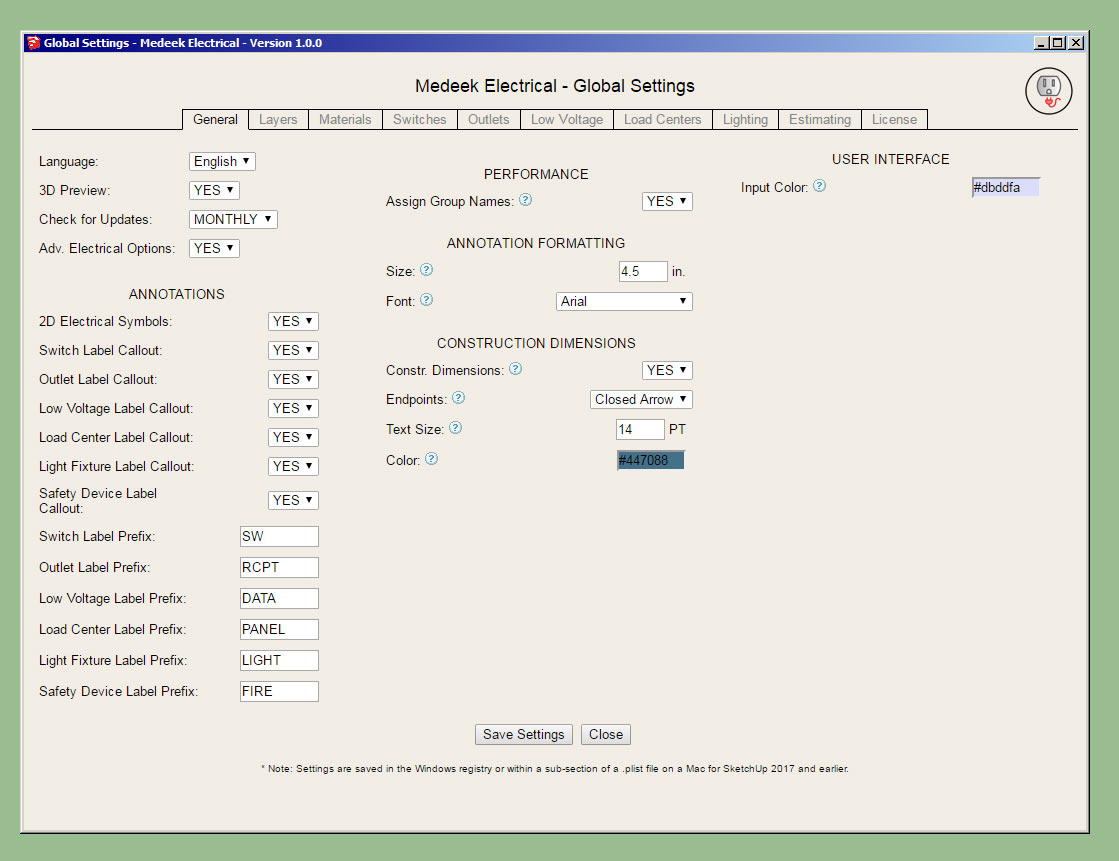
                                  http://design.medeek.com/resources/images/electrical_su38_800.jpg

                                  Nathaniel P. Wilkerson PE
                                  Medeek Engineering Inc
                                  design.medeek.com

                                  1 條回覆 最後回覆 回覆 引用 0
                                  • medeekM 離線
                                    medeek
                                    最後由 編輯

                                    The light fixture module actually needs to be more like the safety device module where you have a custom library for certain classes of lights and the corresponding symbol.

                                    I need to add in the following light types and symbol:

                                    • Vanity

                                    • Fluorescent (surface, suspended, recessed)

                                    • Ceiling Fan

                                    • Ceiling Fan w/ Light

                                    • Canister (Can Light)

                                    • Surface

                                    • Suspended

                                    I'm also debating whether to add in something for enclosed vents/fans for (bathrooms, laundry rooms, kitchens). Technically this is part of the HVAC or mechanical system but usually gets tucked into the electrical plan, thoughts?

                                    Nathaniel P. Wilkerson PE
                                    Medeek Engineering Inc
                                    design.medeek.com

                                    1 條回覆 最後回覆 回覆 引用 0
                                    • medeekM 離線
                                      medeek
                                      最後由 編輯

                                      I will be adding in an additional toolbar "Medeek Electrical II":
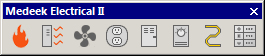
                                      http://design.medeek.com/resources/images/electrical_ii_su_menu_active.jpg

                                      This toolbar will be for misc. electrical devices that do not fit neatly into the categories already provided (switches, outlets, low voltage, load centers, safety, light fixtures).

                                      The first two items that will be added are: Heaters, Vent (fans)

                                      Link Preview Image
                                      3D Warehouse

                                      3D Warehouse is a website of searchable, pre-made 3D models that works seamlessly with SketchUp.

                                      favicon

                                      (3dwarehouse.sketchup.com)

                                      Heaters will include items such as cadet wall heaters, shop/garage ceiling mount heaters etc...

                                      Vents will include typical ceiling mount vent fans for bathrooms, laundry and kitchens. Regular ceiling fans and ceiling fans with lights will actually be included with the light fixtures module.

                                      Nathaniel P. Wilkerson PE
                                      Medeek Engineering Inc
                                      design.medeek.com

                                      1 條回覆 最後回覆 回覆 引用 0
                                      • medeekM 離線
                                        medeek
                                        最後由 編輯

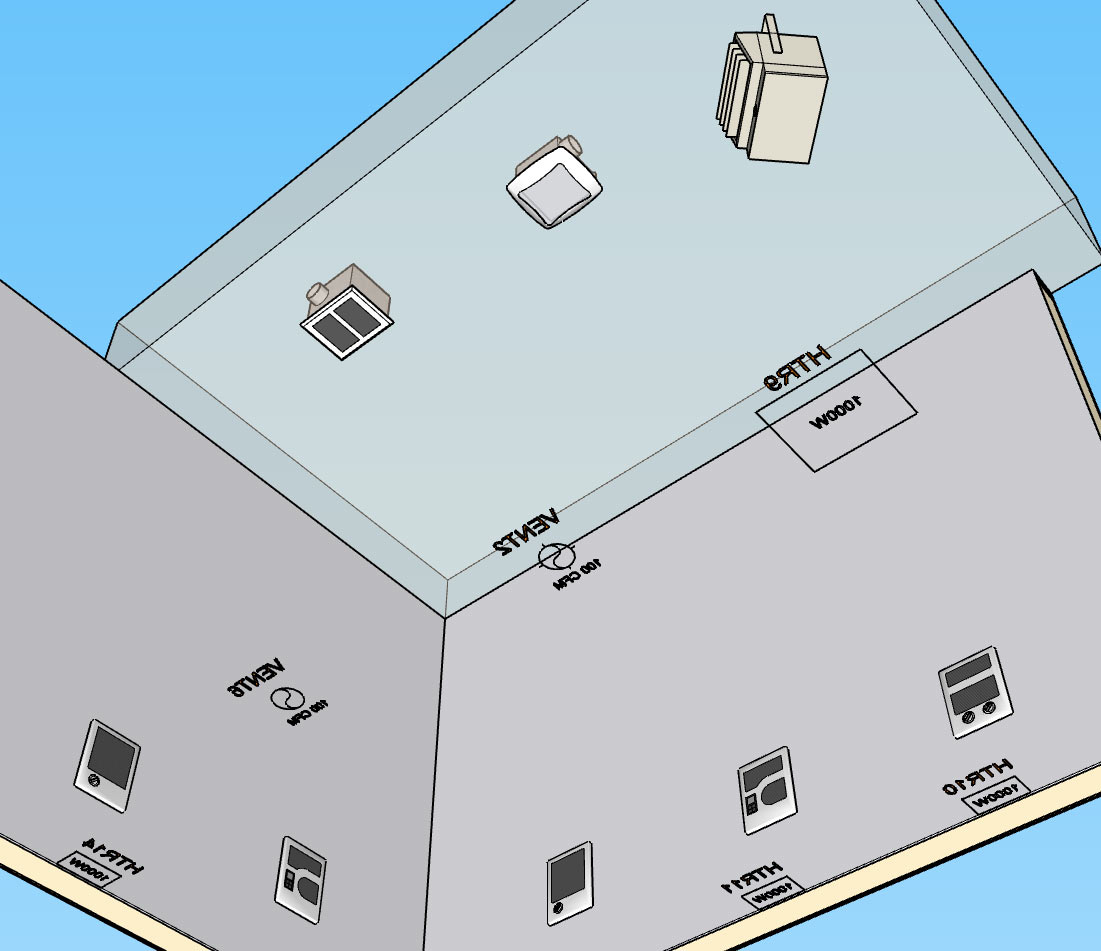
                                        Version 1.0.2 - 04.01.2019

                                        • Created the Medeek Electrical secondary toolbar, with two additional functions/tools: Draw Heater, Draw Vent.
                                        • Enabled the ability to draw ceiling (garage/shop) and wall mount heaters.
                                        • Enabled the ability to draw ceiling mount exhaust fans, with or without light.
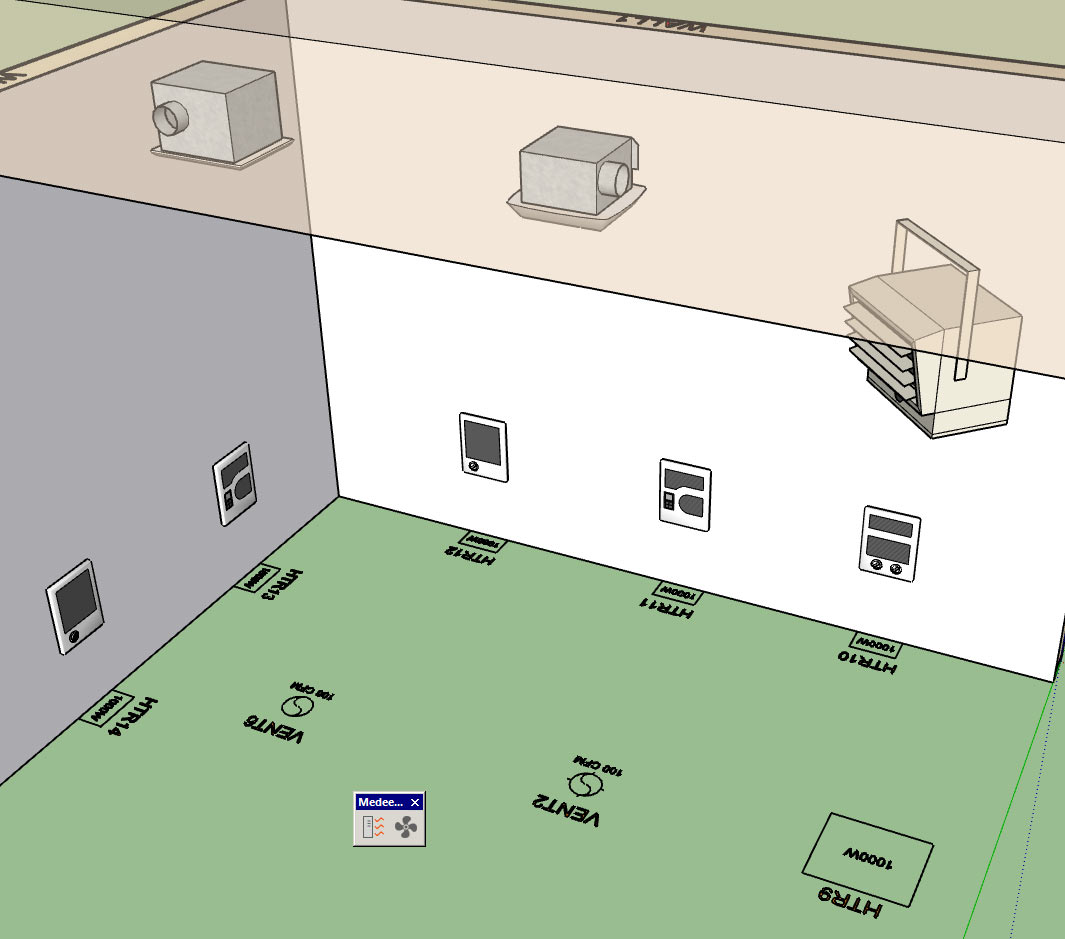
                                        http://design.medeek.com/resources/images/electrical_su39_800.jpg

                                        If you would like to see a specific piece of electrical hardware or device added to the plugin please let me know, I am very open to suggestions on how to make this plugin more useful.

                                        I've had numerous requests for extending the plugin to encompass the British electrical standards however no one has sent me any literature (or links to literature, manufacturers etc...) or low poly models. I am interested in making this plugin more universal and extending its coverage to other electrical standards however I don't have enough experience with these others standards yet and I will need more guidance if I am to do this correctly.

                                        Nathaniel P. Wilkerson PE
                                        Medeek Engineering Inc
                                        design.medeek.com

                                        1 條回覆 最後回覆 回覆 引用 0
                                        • medeekM 離線
                                          medeek
                                          最後由 編輯

                                          electrical_su40_800.jpg

                                          Nathaniel P. Wilkerson PE
                                          Medeek Engineering Inc
                                          design.medeek.com

                                          1 條回覆 最後回覆 回覆 引用 0
                                          • medeekM 離線
                                            medeek
                                            最後由 編輯

                                            I need to add in the option for ceiling fans and ceiling fans with lights.

                                            What would be the suggested 2D symbol for these two light fixture options, I would like to keep it fairly simple but appealing.


                                            Nathaniel P. Wilkerson PE
                                            Medeek Engineering Inc
                                            design.medeek.com

                                            1 條回覆 最後回覆 回覆 引用 0
                                            • 1
                                            • 2
                                            • 3
                                            • 4
                                            • 5
                                            • 6
                                            • 10
                                            • 11
                                            • 4 / 11
                                            • 第一個貼文
                                              最後的貼文
                                            Buy SketchPlus
                                            Buy SUbD
                                            Buy WrapR
                                            Buy eBook
                                            Buy Modelur
                                            Buy Vertex Tools
                                            Buy SketchCuisine
                                            Buy FormFonts

                                            Advertisement