[Plugin] Physically-Based Rendering - v1.5.9 - 19 Apr. 2020
-
Will do...
-
@filibis said:
Hi Samuel, interesting plugin, nice to see PBR and Gltf related extensions

Hi Filibis
 Thanks for your interest in this plugin.
@filibis said:
But i couldn't operate normal map.
Normal map must be set in PBR Material Editor. Does this info helps you enough?
@filibis said:
And didn't understand where you put those 2 'base color' textures you provided.
Reef demo model is made of two faces, two materials and three textures:
Sea normal map texture is set on Sea material in PBR Material Editor.
Sea base color texture is set on Sea material in Materials Tray.
Sea material is applied to Sea face.Undersea base color texture is set on Undersea material in Materials Tray.
Undersea material is applied to Undersea face.@filibis said:
Also that would be great if you let normal map strength to be adjusted and option to add metallic & roughness maps as well if possible.
I see no problem about adding Normal map scale (strength) in PBR Material Editor.Update: Since PBR plugin v1.2.5, normal map strength is editable and rendered

Metallic and roughness maps must be packed in one map. So it's not easy for user...Update: Since PBR plugin v1.2.4, metallic-roughness (packed) map is supported
-
I'm very happy
to announce release of v1.2.5.Features:
-
Control camera with a standard gamepad in Viewport.
Plug. Move with left stick/pad. Look around with right stick.
It works with Microsoft Xbox One controller. Tell me if it works with other controllers
-
Normal map scale (strength) renders in Viewport.
Bugfixes:
- Fix zoom (wheel) bug in Viewport impacting only Firefox.
 As part of an update, remember to disable plugin before uninstalling-reinstalling it.
 -
-
@jql said:
The problem is that a sketchup material hasn't got a direct link to textures residing on disk. So, if I change a texture like color, normal or metal-roughness map, it won't refresh. Or, will it?
No. Texture is embedded. You must update manually SketchUp material if you change texture on disk.
Linking textures can produce late errors like "missing file".
 I will think on this.
 -
Hi,
I did what you suggested. Erased the pbr plugin and folder from my appdata's plugins folder, restarted everything and installed, following all your suggestions.
Still no good with 1.2.5:
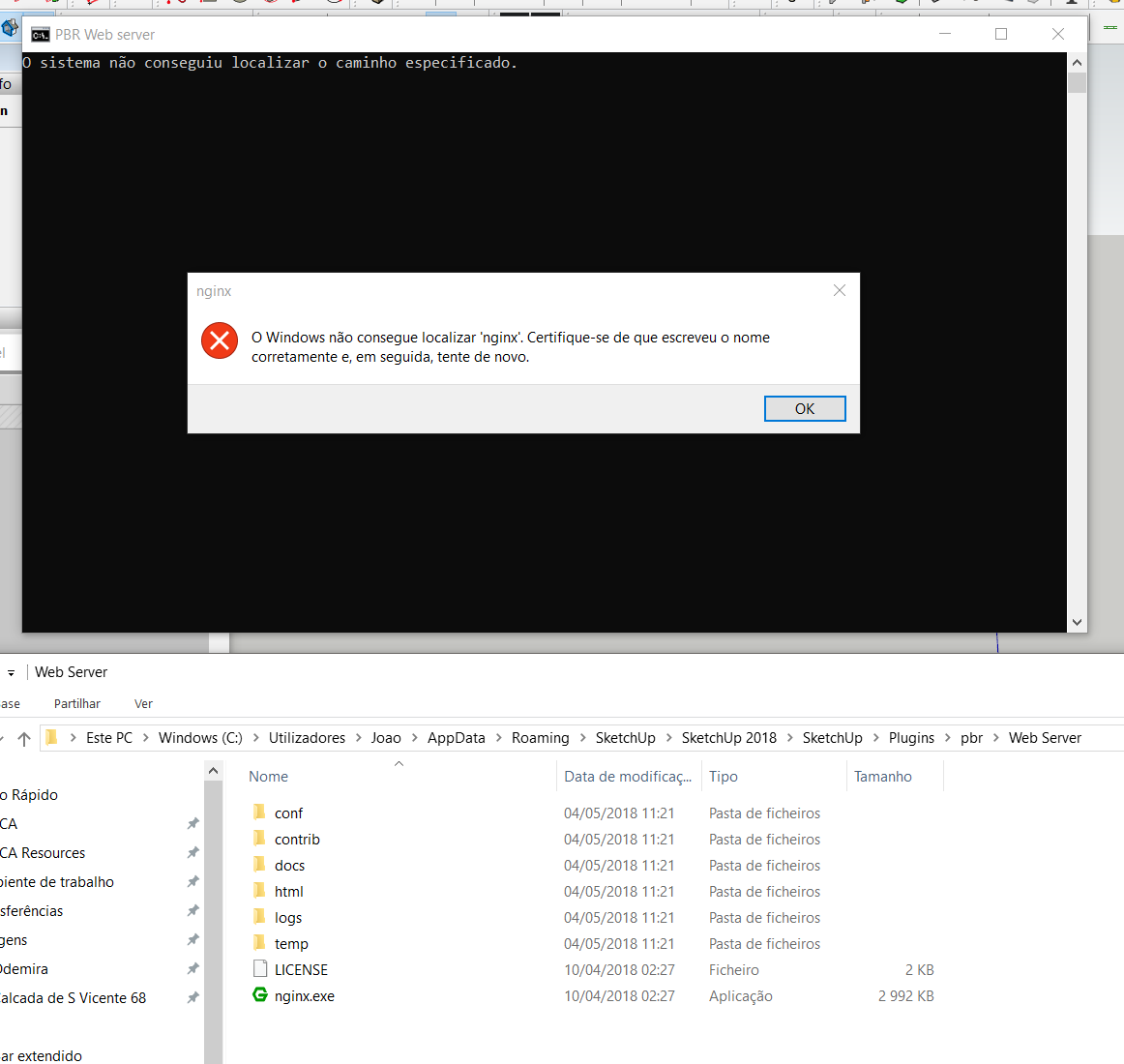
-
@jql said:
Hi,
I did what you suggested. Erased the pbr plugin and folder from my appdata's plugins folder, restarted everything and installed, following all your suggestions.
Still no good with 1.2.5:
Hi JQL, please follow these new instructions:
- Close SketchUp if it's open.
- Open Windows's File Explorer.
- Go to %APPDATA%\SketchUp\SketchUp 2018\SketchUp\Plugins\pbr
- Right click on web_server.cmd file. Choose "Edit" in contextual menu.
- Replace this line:
cd %~dp0 && cd Web Serverby this line:
cd /d "%~dp0%Web Server"- "File" > "Save".
- "File" > "Exit".
- Open SketchUp.
- "Extensions" > "Physically-Based Rendering" > "Open Viewport".
- Do you see SketchUp model in PBR Viewport?
-
@jql said:
Also, I found you removed support for emissive materials, which would be a shame, as I use them for all my lighting applications in Thea for Sketchup and would find them cool to test on this pbr plugin.
Today, I think it's better to implement glTF KHR_lights extension. So PBR plugin users could:
- Add and place lights in SketchUp (Maybe as hidden geometry? I'm looking for solutions.),
- Set light type (point, spot, etc.) and properties (color, intensity, etc.) again in SketchUp,
- Export lights (embedded in glTF file) to PBR Viewport and possibly to other platforms...
-
@jql said:
It's easier for most users to have a separated roughness and metallic maps as they are very common, instead of the metallic-roughness map required by the plugin. [...] is there any chance the separated maps could be implemeted?
~~I agree it's easier but it's not so much long to pack metallic and roughness maps in third-party software. For example, it takes less than one minute in Photoshop following these instructions:
- Open roughness map in Photoshop.
- Convert Grayscale to RGB Color.
- Unlock (roughness) layer.
- Select (roughness) layer. Open Blending options.
- Uncheck all Channels except G(reen).
- Place Embedded... metallic map.
- Select metallic layer. Open Blending options.
- Uncheck all Channels except B(lue).
- Save as... metallic-roughness map.~~
Update: Since PBR plugin v1.3.0, Metallic and Roughness maps are separated in PBR Material Editor.
-
@samuel_t said:
[*]Metallic & Roughness maps are separated in Material Editor.
Good news indeed. Will try it again.
-
Good news! PBR plugin becomes really handy with the new version (1.3.0).
Features
- Change environment map from SketchUp "Extensions" menu.
Tip : Changing environment map changes ambient light map. - Metallic & Roughness maps are separated in Material Editor.
- Access online help document translated in FR from Viewport.
Bugfixes
- Fixes pan (middle button) control issue in Viewport on Firefox.
- Fixes a little gamepad control bug. Improves maybe performance.
As part of an update, remember to disable plugin before uninstalling-reinstalling it. - Change environment map from SketchUp "Extensions" menu.
-
Next PBR plugin version will include a (micro) library of royalty-free PBR materials.
These will be available in "Materials" tray. Render-example with "Wooden Palisade 01":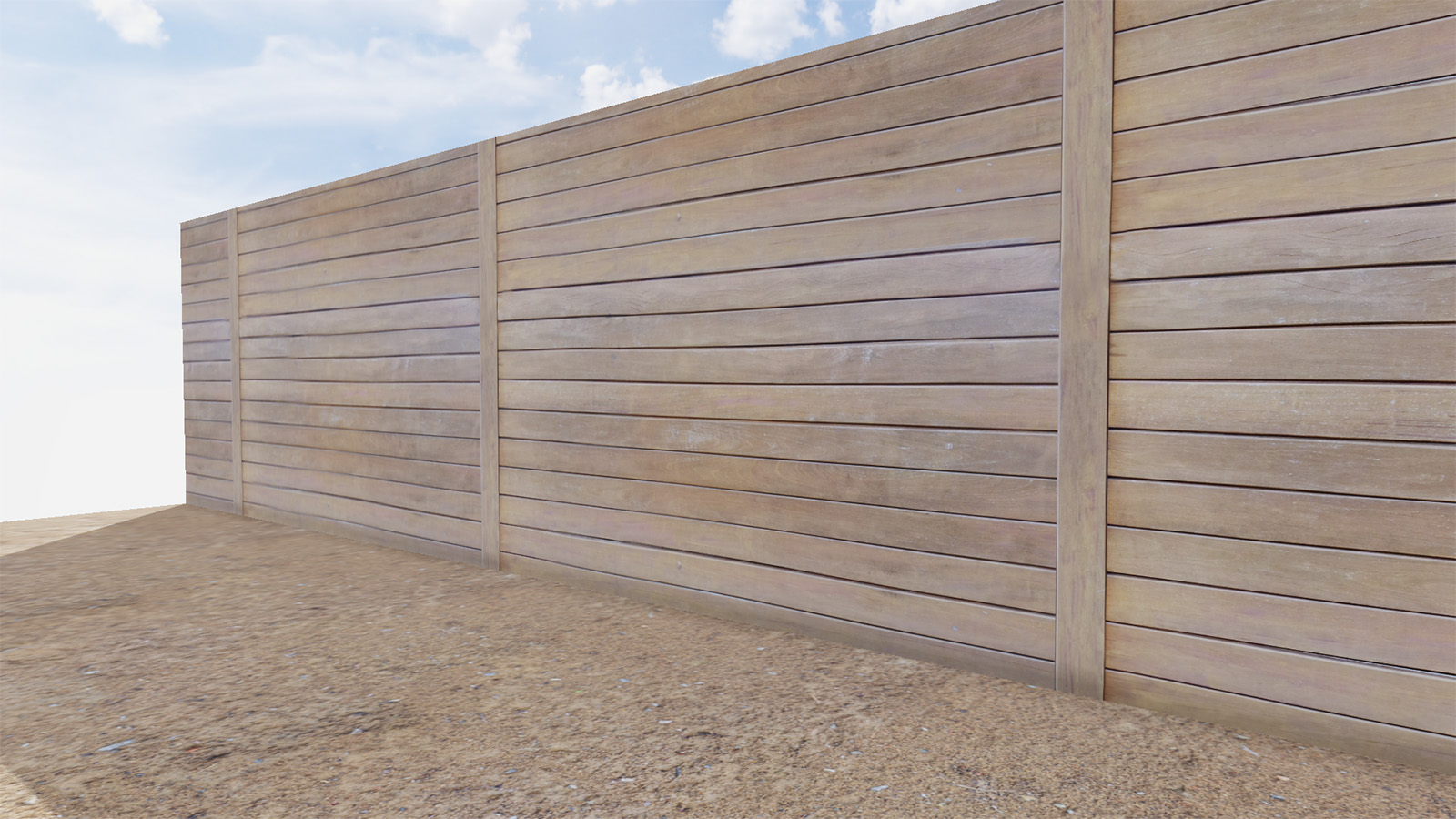
This should allow new users of plugin to become familiar with PBR materials.
-
Hi, I have one question.
What is stopping you in developing this plugin as synced rendering plugin for Sketchup (or maybe as an overlay to SU window)? Is this far-fetched for me to think like this? -
@nlipovac said:
Hi, I have one question.
What is stopping you in developing this plugin as synced rendering plugin for Sketchup (or maybe as an overlay to SU window)? Is this far-fetched for me to think like this?At dev. beginning, I've thinked about a PBR Viewport synced with SketchUp...
That implies using internal browser but external browser is more up-to-date. -
Thea has viewport rendering which, for single monitors brings sketchup to life. Your plugin, as it is realtime, would be amazing with viewport rendering.
-
Right like that JQL, I am quite impressed by this plugin and like to Blender is Eevee this would be a great plugin for SU if it would be implemented as an overlay to SU.
-
@nlipovac said:
Right like that JQL, I am quite impressed by this plugin and like to Blender is Eevee this would be a great plugin for SU if it would be implemented as an overlay to SU.
By "overlay", you mean a top window a bit like PBR Material Editor? Fullscreen or splitscreen?
-
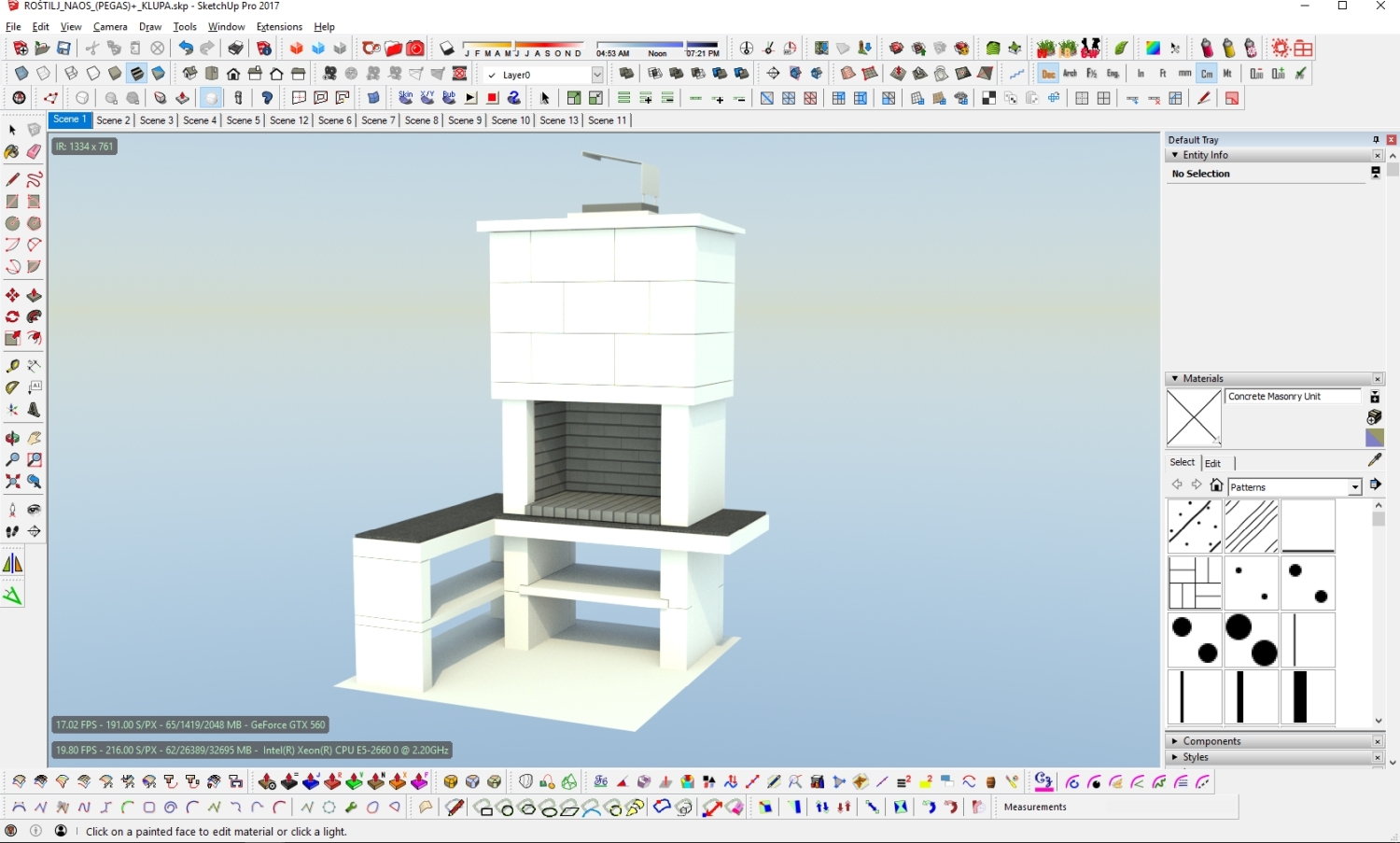
This is Thea rendering in SU window, the same thing Vray have also.
-
-
It was just an idea, thank you for this that you already accomplished with this plugin.
-
Overlay feature request is out of my skills for now. Maybe another dev can, since code is open-source.




Advertisement