U Place Text Tool on a Line And Get the Dreaded 'Enter text'
-
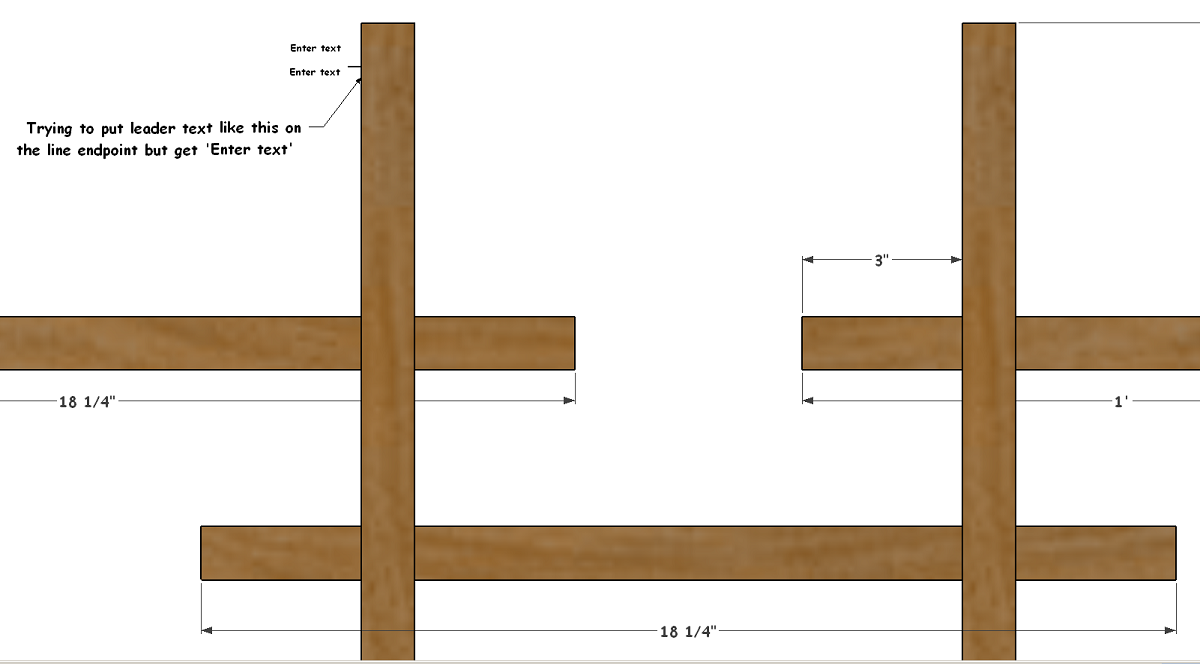
I have a scene set up, I'm putting notes on a structure, sometimes I draw a short line and place the text tool on it, and get the dreaded 'Enter text' .. instead of placing a text leader!
this bothers me so often! Usually I need to zoom in real close, place the Txt Tool just so on the line endpoint and back out what a hassle, but sometimes it seems I can 'squeeze' the mouse just so and it will give me a leader instead of 'Enter text', is that so, squeeze it just so or am I imagining it? Is there another trick for this or is this just a software or hardware issue?
-
Try changing the camera to perspective and see if it works better.
-
I still can't figure this out, if someone can recommend a free screen recorder I can show you what's going on.
-
You need to get the inference dot and move the cursor in until it turns green before you click.
For the first text, I clicked after the dot turned green. On the second one, the dot isn't green when I clicked.
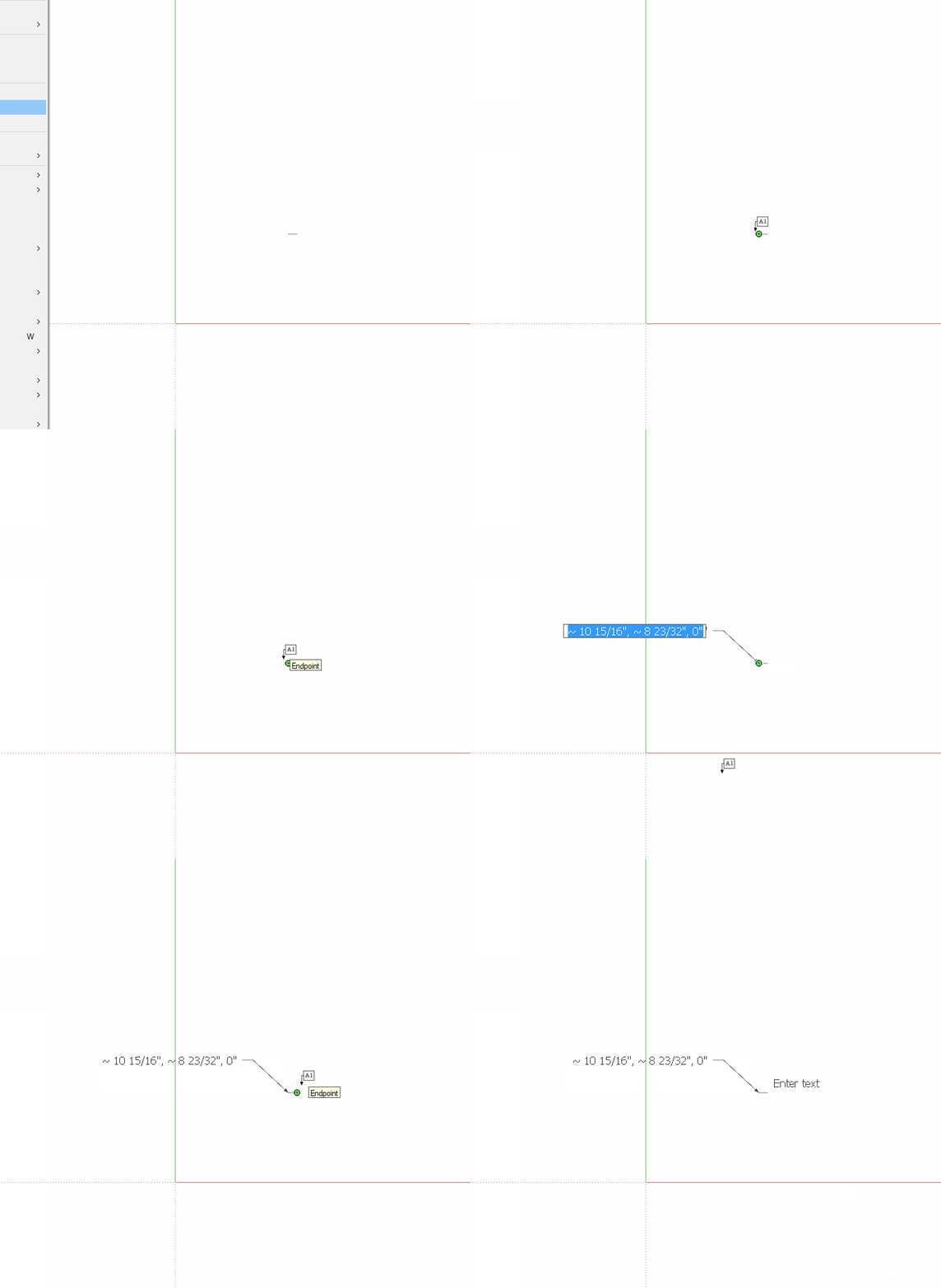
I still haven't understood why you aren't doing your labels in LayOut. This sort of thing won't happen there.
-
I never thought about that Dave, but I just tried it and I still get the dreaded message even though the endpoint is green.
I tried Layout but didn't want to put the time in to learning it, I'm quite happy with the way I make Plans, except for this one issue ..
-
The trick is to click on the green endpoint marker. If the tip of the text tool is off that point, even though it is showing, it will say enter text.
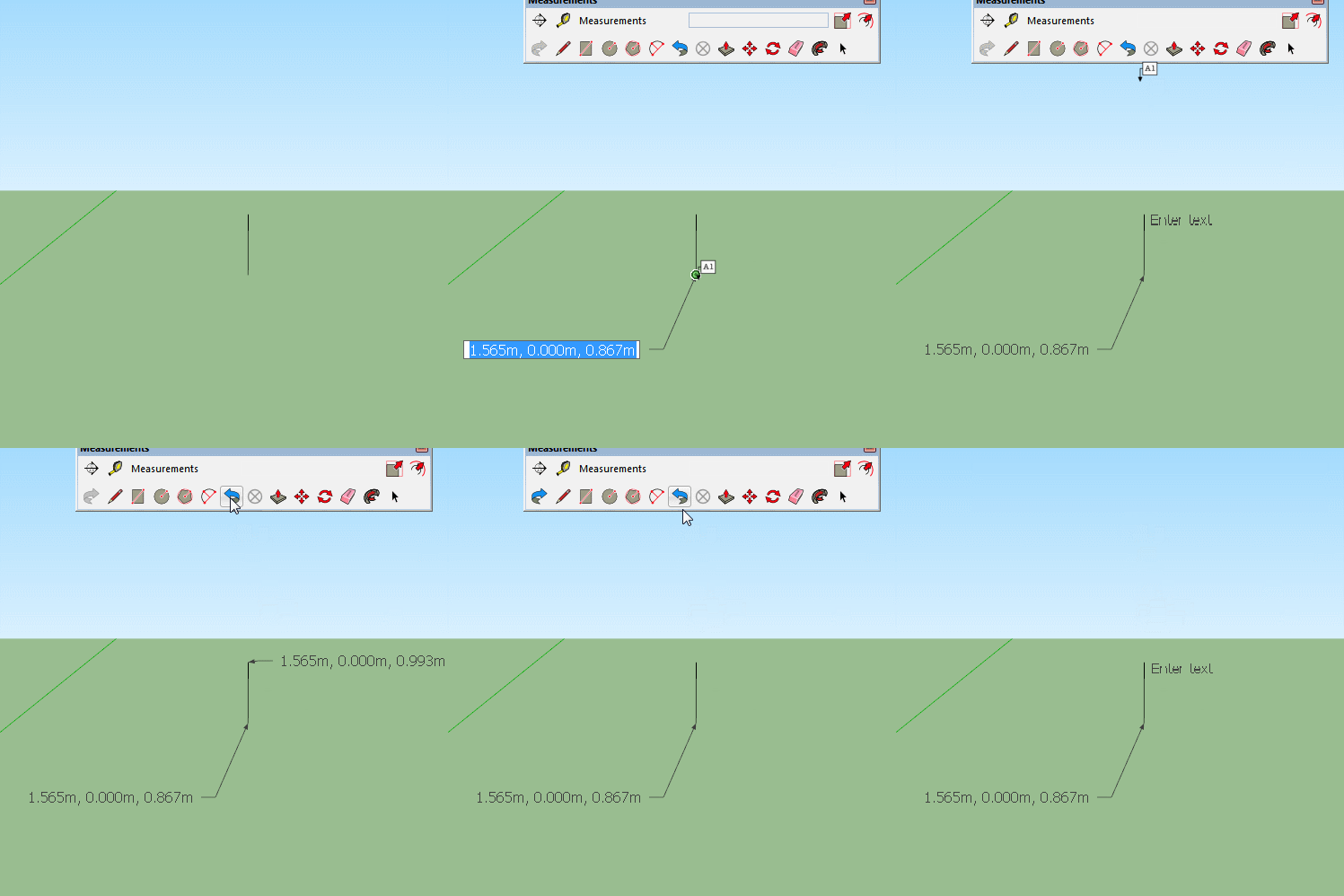
-
ah Ha Box, that might be the trick, I'll give it a try tomorrow

EDIT
nope, I put the arrow part right on the green endpoint and no joy. If I zoom in it might work sometimes, other times it seems like if I do a slow click it'll work.how are you recording your screen Box?
-
Many people use Licecap, I use gifcam but wouldn't recommend it generally as it is very unstable.
-
It's a subtle aspect of the text label tool, arguably a bug. The inference engine detects an endpoint near the cursor and highlights it green with tooltip, telling you that point is being used for inference. But the text label tool doesn't actually anchor to that endpoint unless it is within the invisible "capture aperture" of the cursor! This can indeed be a frustrating and seemingly erratic behavior!
-
Yeah I can't figure it out, I couldn't make that Licecap work so can't show you.
where is this 'capture aperture', can someone show it to me?
-
The display screen is a raster made up of pixels. Likewise, the cursor is displayed as a raster icon made up of pixels. One of the pixels in the cursor (typically lower left) is designated as its "hot spot". You select by placing the cursor over a target in the model and then clicking the mouse.
But that selection action takes place on the user's display, where the continuous model contents are rendered as finite pixels each of which, depending on zoom, can represent a variable amount of model space. So, SketchUp needs a way to decide whether something in the model was meant to be under the hot-spot when you clicked. To allow for human ability to place the cursor exactly and also for the finite pixels of the display, SketchUp has a small window or aperture around the cursor's hot-spot in which it looks for something you might have meant to select. When it finds such content, the pick "snaps" to its location. There is no way to view or modify this aperture via the GUI.
In many tools, the green highlight on an inference point means that is where the pick point will snap when you click. On the text tool, this is not the case and since you can't see the aperture you have to be extra careful where you click.
-
What a great explanation Slb! But I still don't understand where that point is. Could you draw that little pointer and show where the magic point is?
-
The location of the hot-spot can vary from cursor to cursor, though it is most often at the lower left. In the specific case of the text tool, it is at the tip of the little arrow from the box labelled "A1" in the cursor. You need to place that arrow tip right over the dot in the middle of an endpoint inference marker to be sure that you will get a "leader text" anchored to that point (and automatically filled with its coordinates) rather than a "screen text" anchored to the display (initially saying "user text"). Yes, it can be fussy to hit that spot accurately, and all of us sometimes have to try again to get leader text instead of screen text.
-
yeah I'm really trying to figure it out now, but at least knowing I'm not the only one helps some
-
I figured it out I hope!
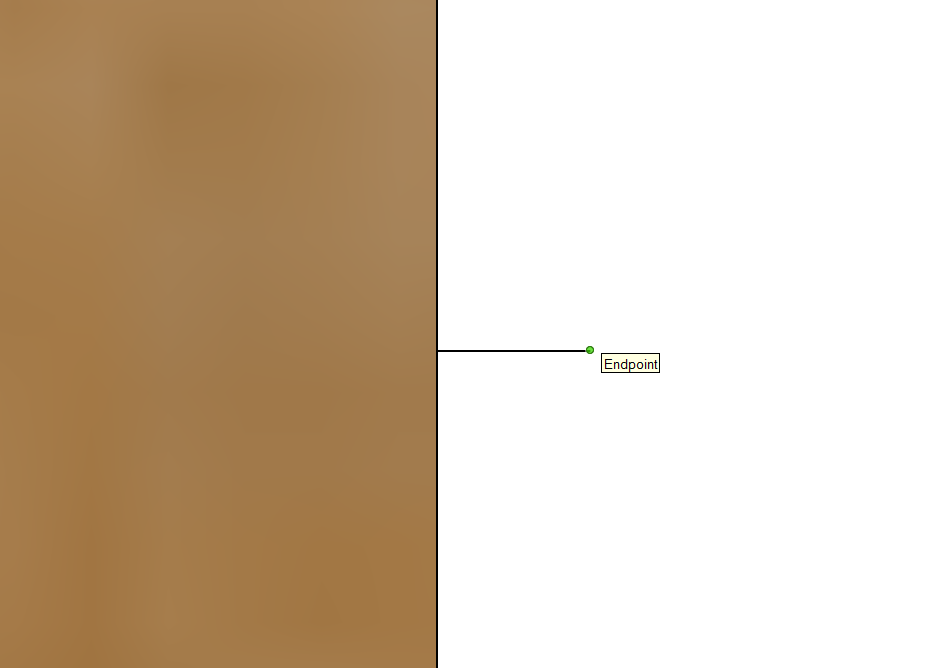
when I put the little hooked pointer right on the endpoint I get the 'Enter Text',
but when I move the little pointer to the right of the endpoit just a bit it works as it should
you can't see the little pointer in this s shot but it's just to the right.



Hello! It looks like you're interested in this conversation, but you don't have an account yet.
Getting fed up of having to scroll through the same posts each visit? When you register for an account, you'll always come back to exactly where you were before, and choose to be notified of new replies (either via email, or push notification). You'll also be able to save bookmarks and upvote posts to show your appreciation to other community members.
With your input, this post could be even better 💗
Register Login


Advertisement