sketchucation logo sketchucation
    • Login
    Oops, your profile's looking a bit empty! To help us tailor your experience, please fill in key details like your SketchUp version, skill level, operating system, and more. Update and save your info on your profile page today!
    ⚠️ Update | Sketchucation Tools 5.0.8 released with licensing improvements and bugfixes Download

    Ctrl S Deletes Text?

    Scheduled Pinned Locked Moved SketchUp Discussions
    sketchup
    9 Posts 2 Posters 1.2k Views 2 Watching
    Loading More Posts
    • Oldest to Newest
    • Newest to Oldest
    • Most Votes
    Reply
    • Reply as topic
    Log in to reply
    This topic has been deleted. Only users with topic management privileges can see it.
    • Joe WoodJ
      Joe Wood
      last edited by

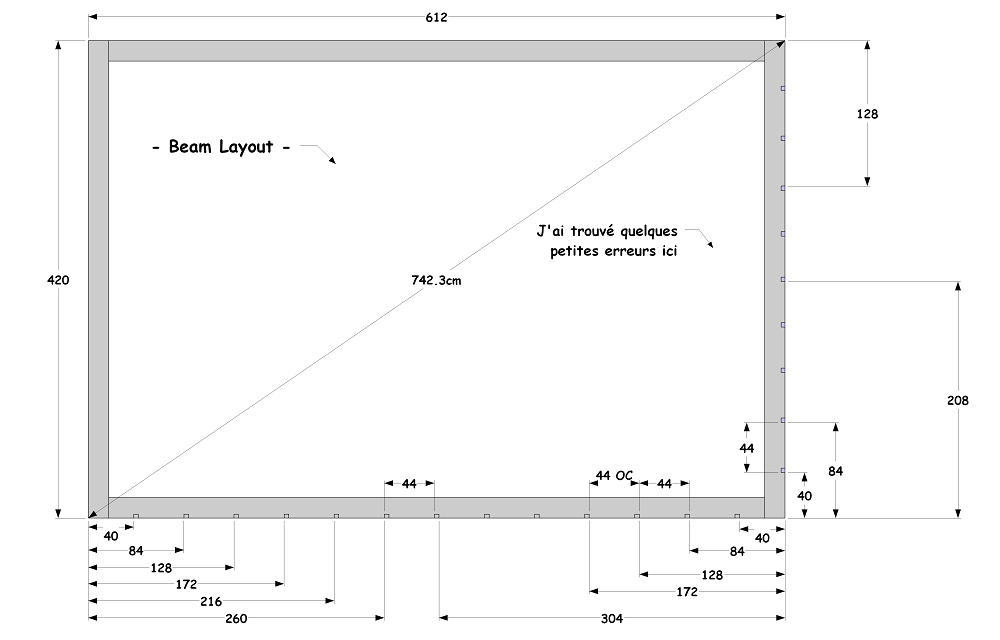
      This is weird, when I do a Crtl + S, it deletes some of the text on the right?
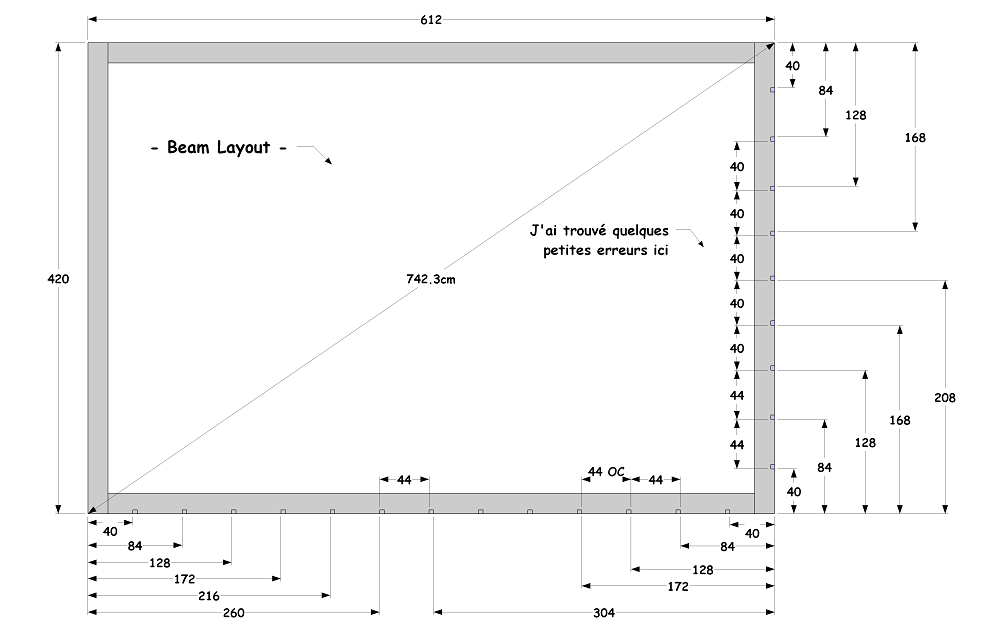
      1.png

      2.png

      using SUp 2015

      Joe Wood
      woodsshop.com/

      1 Reply Last reply
      Reply Quote 0
      • TIGT
        TIG Moderator
        last edited by

        Could you try to reinstall SketchUp v2015 ?
        If you have the original installer's exe file in your Downloads folder, then try this...
        Close SketchUp [v2015] and find the v2015 installer's exe file.
        Select it and Right-click > Context-menu > "Run as administrator..."
        When prompted choose "Repair"
        Restart SketchUp any improvement ?

        This is an off the wall idea, but incorrect installations are well known to result in all sorts of unexpected and weird issues............

        TIG

        1 Reply Last reply
        Reply Quote 0
        • Joe WoodJ
          Joe Wood
          last edited by

          I've been having other weird things going on too. Darn don't have the installation file ..

          Joe Wood
          woodsshop.com/

          1 Reply Last reply
          Reply Quote 0
          • TIGT
            TIG Moderator
            last edited by

            Perhaps one of these installer-links here ?
            https://help.sketchup.com/en/article/60107

            TIG

            1 Reply Last reply
            Reply Quote 0
            • Joe WoodJ
              Joe Wood
              last edited by

              seems so drastic, re installing!

              you know what, I ran Wise Care https://www.wisecleaner.com/wise-care-365.html two days ago, for the first time, could that have messed something up because I'm also seeing image exports take way too long?

              Joe Wood
              woodsshop.com/

              1 Reply Last reply
              Reply Quote 0
              • TIGT
                TIG Moderator
                last edited by

                If you to 'run the installer as admin', then choose 'Repair', it simply sets up SketchUp properly.
                All of your shortcuts, installed Plugins etc should NOT be affected...
                Trust me πŸ˜‰

                TIG

                1 Reply Last reply
                Reply Quote 0
                • Joe WoodJ
                  Joe Wood
                  last edited by

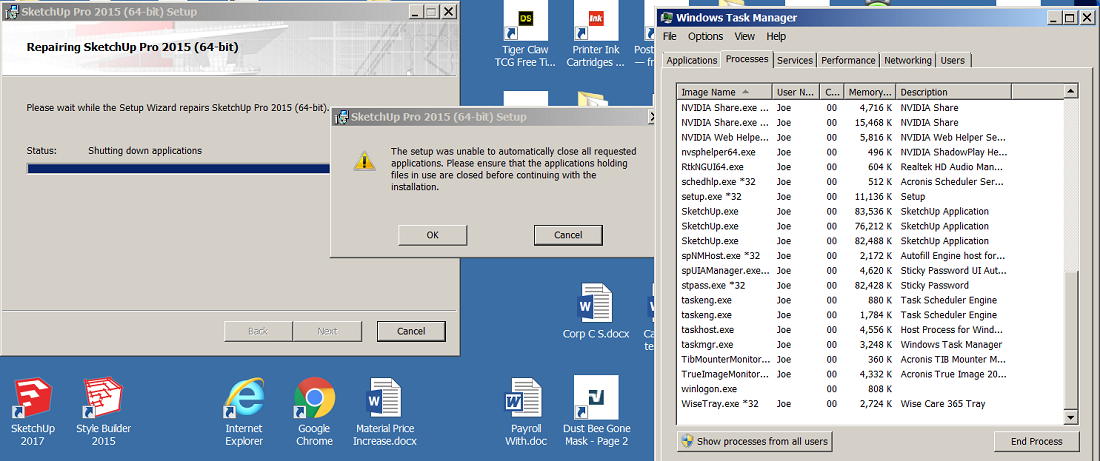
                  I should probably end task for those three SUp processes in task manager?
                  1x Untitled.png

                  Joe Wood
                  woodsshop.com/

                  1 Reply Last reply
                  Reply Quote 0
                  • TIGT
                    TIG Moderator
                    last edited by

                    I recommend that you have NO 'SketchUp' related processes running when you try a re-install...

                    TIG

                    1 Reply Last reply
                    Reply Quote 0
                    • Joe WoodJ
                      Joe Wood
                      last edited by

                      Thanks for the hand holding Tig πŸ™‚ Repair sounded a lot better then re install!

                      Looks like it helped, exporting is back to how it should be but those measurements are gone, but the problem is probably fixed!


                      Joe Wood
                      woodsshop.com/

                      1 Reply Last reply
                      Reply Quote 0

                      Hello! It looks like you're interested in this conversation, but you don't have an account yet.

                      Getting fed up of having to scroll through the same posts each visit? When you register for an account, you'll always come back to exactly where you were before, and choose to be notified of new replies (either via email, or push notification). You'll also be able to save bookmarks and upvote posts to show your appreciation to other community members.

                      With your input, this post could be even better πŸ’—

                      Register Login
                      • 1 / 1
                      • First post
                        Last post
                      Buy SketchPlus
                      Buy SUbD
                      Buy WrapR
                      Buy eBook
                      Buy Modelur
                      Buy Vertex Tools
                      Buy SketchCuisine
                      Buy FormFonts

                      Advertisement