[REQ] Tool to reset AND align group/component axes
-
Hi everyone,
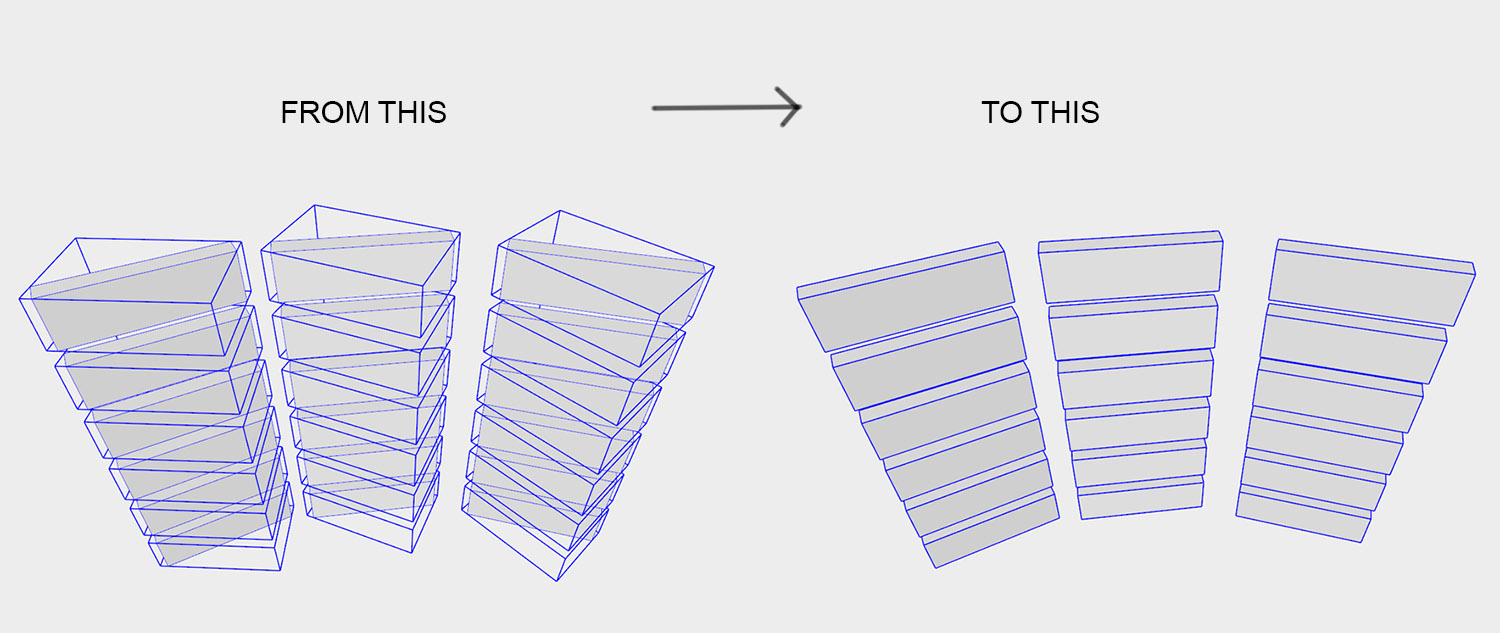
Working more and more with complex BIM models export, imported into sketchup, I'm regularly facing the same issue : All the build elements are groups (sometimes components), which are fine to work with, but their axes are always set relatively to the world axes, and not along there respective most logical direction, which make them really hard to use (textures projection is not right, scaling is impossible...)
So, my question is the following : could there be a plugin allowing an automatic axes reorientation, of a selected amount of object, along their most logical axes ?
Working regularly with the great FredoTool box scaling, I noticed that this tool was able to orient itself automatically really well, along what i called previously "the most logical axes".
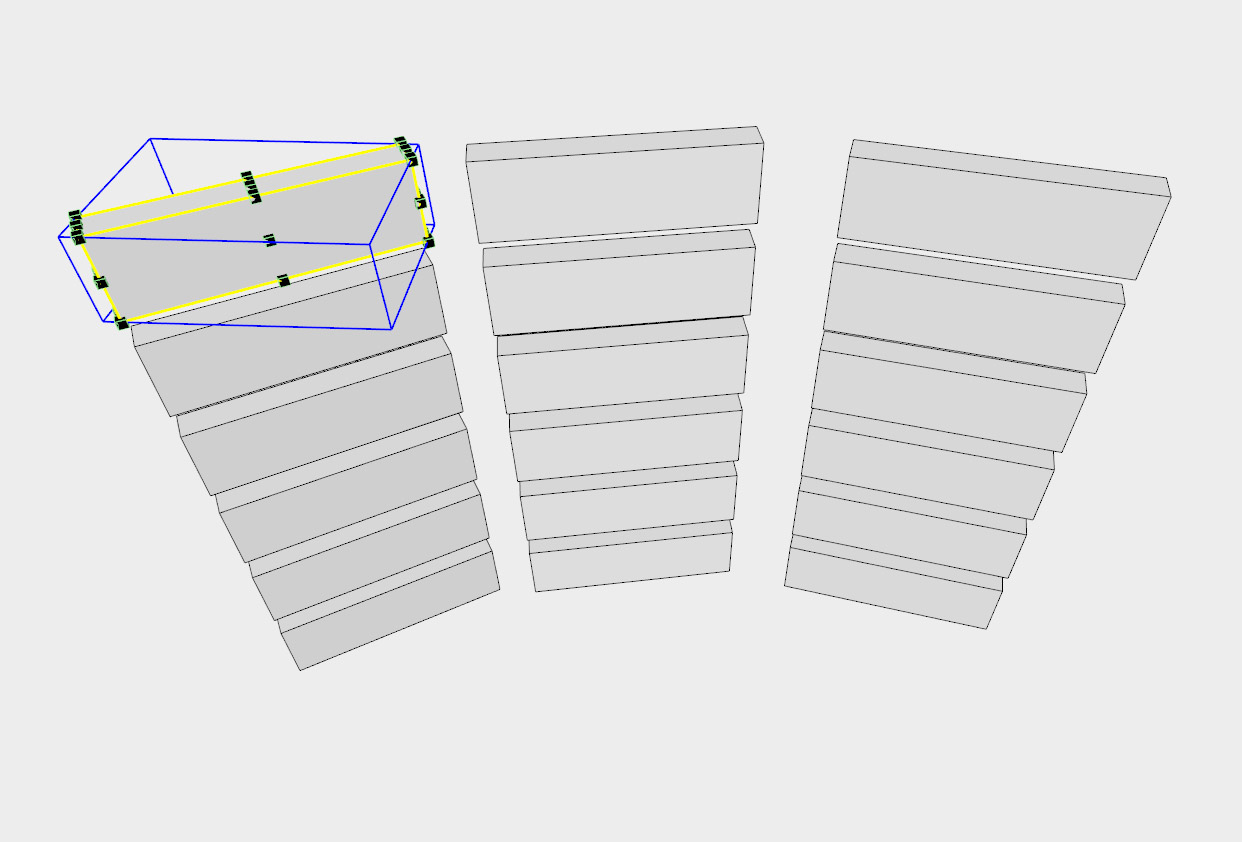
So, could it be possible to use a similar method to reorient each group axes ?
... In fact there is maybe a plugin allowing that already, but I couldn't find it. The closest thing was ThomThom axes tool, but it's not reorienting the axes, just reseting their origin...
Thanks in advance.
-
Rest to best fit bounding box. There was something that did that Maybe it was on the Ruby Depot?
I do remember it though.
-
Thanks Rich, never saw it before. But I can't find this tool after inserting into Plugins folder though.

http://rhin.crai.archi.fr/rld/plugin_details.php?id=335 -
Looking at the code it doesn't seem to have a UI or menu.
Try typing resetAxis in the ruby console.
Maybe someone can make a menu for it?Edit: Nope that didn't work. I get a:
Error; #<ArgumentError; wrong number of arguments (0 for 1)> C;/Users/31jsa/AppData/Roaming/SketchUp/SketchUp 2017/SketchUp/Plugins/reset_axes_to_bounding_box_center.rb;2;in `resetAxis' <main>;in `<main>' SketchUp;1;in `eval' -
Interesting, whether it treated multiple items (before get broken). It'd be awesome to get it back.
-
can any one upload the script "reset_axes_to_bounding_box_center.rb" .
http://rhin.crai.archi.fr/rld/plugin_details.php?id=335 web site is dead
thanks -
Hi,
I was the webmaster of the former 'Ruby Depot' and found what you are after on a (very) old external disk. I've enhanced it a bit (selection control, command in the 'Tools' menu, bugs fixed).
It works for groups and components, but be aware that it will NOT re-orient the bounding box.Regards,
(Put it in your Plugins folder):
resetaxisofcomponent.rbDB
-
SU4U > Reset Axis
-
yes check it work selected group or component axes move to center but not fit bounding to geometry.
but thank you so much . . . .
-
Yes, i think this plugin rest axes and fit bounding to geometry
Thanks . . . -
Hi,
It doesn't work on my side, I get this:Error: #<NameError: uninitialized constant S4U::S4u_License
Did you mean? SCFLicense>
..../sketchup/plugins/s4u_reset_axis/s4u_reset_axis_code.rbe:374:in `main'..../sketchup/plugins/s4u_reset_axis/s4u_reset_axis_loader.rbe:26:in `block (2 levels) in module:S4u_reset_axis'
Any hint ?
-
@Didier-Bur wild guess- the trial is over and you need to purchase?
-
Hi,
the script is supposed to be free...
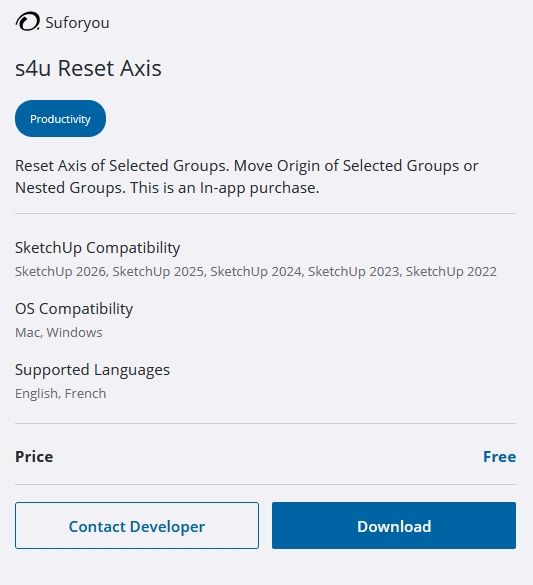
-
Yep, I hate this part - they are too shy to indicate it's commercial, they ALL are FrEe. Here on sketchucation they do show $ sign





Hello! It looks like you're interested in this conversation, but you don't have an account yet.
Getting fed up of having to scroll through the same posts each visit? When you register for an account, you'll always come back to exactly where you were before, and choose to be notified of new replies (either via email, or push notification). You'll also be able to save bookmarks and upvote posts to show your appreciation to other community members.
With your input, this post could be even better 💗
Register Login


Advertisement