sketchucation logo sketchucation
    • 登入
    Oops, your profile's looking a bit empty! To help us tailor your experience, please fill in key details like your SketchUp version, skill level, operating system, and more. Update and save your info on your profile page today!
    🔌 Smart Spline | Fluid way to handle splines for furniture design and complex structures. Download

    Version 2 is out!

    已排程 已置頂 已鎖定 已移動 SUbD
    renderpluginsextensions
    69 貼文 16 Posters 41.5k 瀏覽 16 Watching
    正在載入更多貼文
    • 從舊到新
    • 從新到舊
    • 最多點贊
    回覆
    • 在新貼文中回覆
    登入後回覆
    此主題已被刪除。只有擁有主題管理權限的使用者可以查看。
    • thomthomT 離線
      thomthom
      最後由 編輯

      @pilou said:

      Edit : Problem Solved! That was direct download first time! 🤓

      I've never seen icon issues like that. What version of SU did you use? And what do you mean by "direct download"?

      @pilou said:

      Just a little thing : no Number of Version on title ?

      No... how come?

      Thomas Thomassen — SketchUp Monkey & Coding addict
      List of my plugins and link to the CookieWare fund

      1 條回覆 最後回覆 回覆 引用 0
      • pilouP 離線
        pilou
        最後由 編輯

        @unknownuser said:

        I've never seen icon issues like that. What version of SU did you use? And what do you mean by "direct download"?

        Version is SU 2016 Make (as shown by the personnage of the young lady! 😉

        Direct download = is Menu Preference / Extension/ Install Extension... without close SU and restart!

        @unknownuser said:

        No... how come?

        Can be useful for see in a glance what is the version used! 😉
        (when you have a previous one installed and see if you have well installed the new)
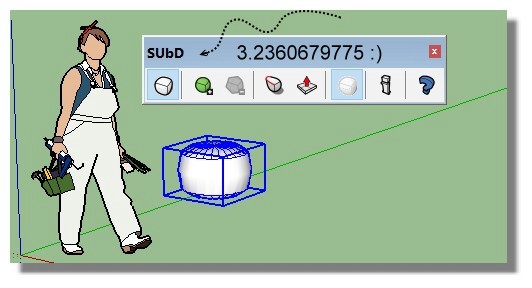
        gold_number.jpg

        Frenchy Pilou
        Is beautiful that please without concept!
        My Little site :)

        1 條回覆 最後回覆 回覆 引用 0
        • N 離線
          numerobis
          最後由 編輯

          Very nice update!

          One question about the licensing... I just purchased v2 and installed it over v1. Without applying the v2 license key it appears to be licensed already. Is the v1 key also working for v2 or will it expire in 30 days? It only says "Licensed" without any other info.

          And then i noticed a massive performance problem when the "SUbD Entity Info" window is opened. While toggeling subdivision "on" (again for an already subdivided object) without the window is almost instant it takes MUCH longer, maybe 10x-100x for the same action when the window is open. The first time i thought it had crashed.
          Changing the UV interpolation setting is also incredibly slow.

          Should i try a clean install? And if yes, is there more than the "TT_SUbD.rb" and the "TT_SUbD" folder that has to be removed?

          SketchUp v2015, Win 7
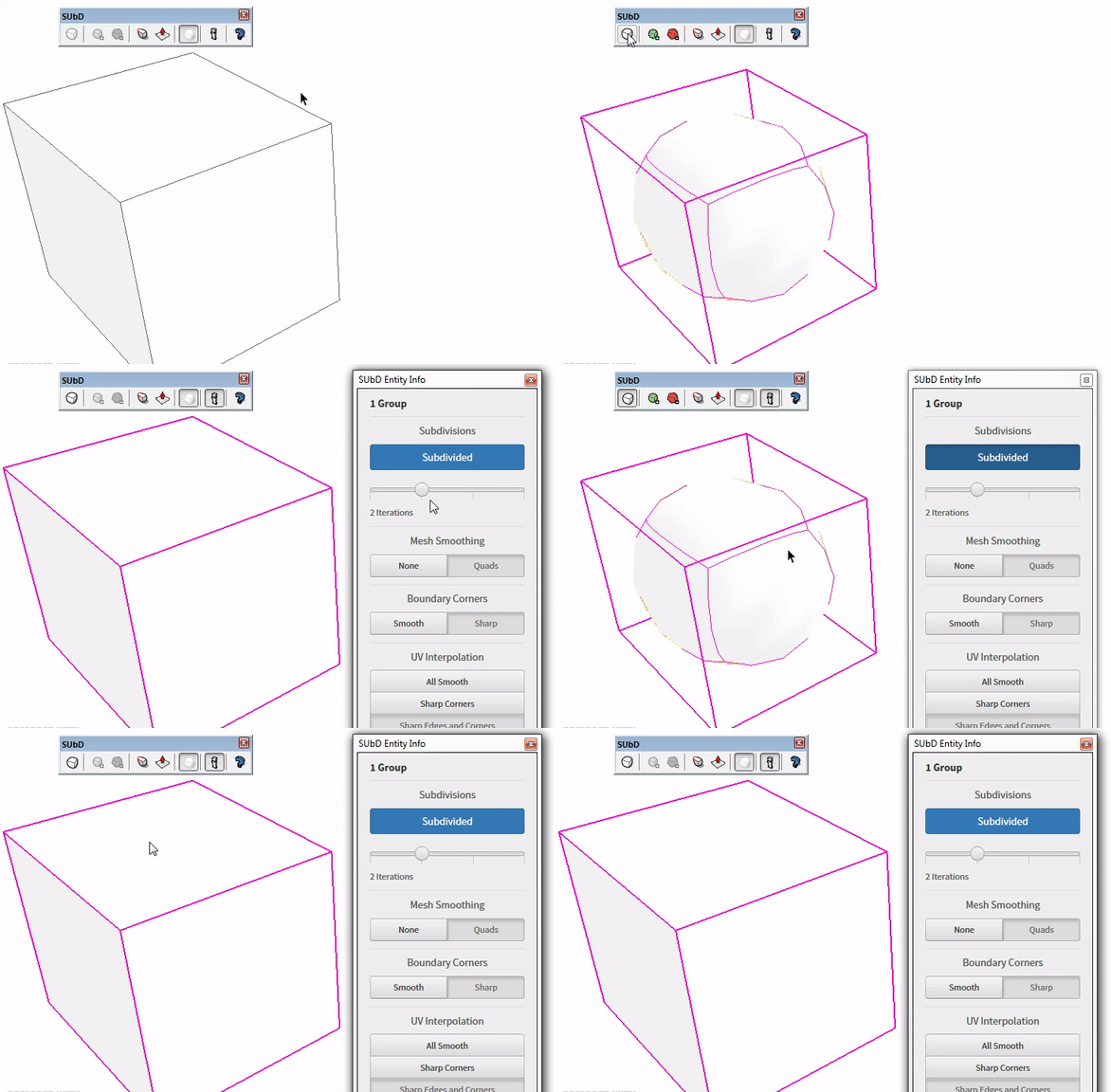
          https://abload.de/img/subd_performancehms2h.gif

          1 條回覆 最後回覆 回覆 引用 0
          • thomthomT 離線
            thomthom
            最後由 編輯

            I'm not a fan of version numbers in menus and toolbars. The version number is listed in the Extension Manager (Or under Preferences > Extensions if you have pre-SU2017).

            Thomas Thomassen — SketchUp Monkey & Coding addict
            List of my plugins and link to the CookieWare fund

            1 條回覆 最後回覆 回覆 引用 0
            • C 離線
              cuttingedge
              最後由 編輯

              Thanks for this update thomthom. Im having more fun playing with quads. I was just wondering if you would consider including in future releases:

              -Joint push pull (now that you have push pull)
              -relax tool (may come inside vertex tool though)
              -chamfer tool (may come inside QFT)

              but hey, really thanks for making SU more fun and more functional.

              1 條回覆 最後回覆 回覆 引用 0
              • thomthomT 離線
                thomthom
                最後由 編輯

                Yea, I have a relax prototype in the works. Not sure where it will manifest. VT is a likely candidate.
                And I have many ideas for QFT.

                JPP - would this be different from Fredo's JPP in any way?
                (I really need to fix a number of issues with my current custom PP tool)

                Thomas Thomassen — SketchUp Monkey & Coding addict
                List of my plugins and link to the CookieWare fund

                1 條回覆 最後回覆 回覆 引用 0
                • BoxB 離線
                  Box
                  最後由 編輯

                  One thing I miss is the internal face removal, I found it very handy.
                  Am I missing it and it is still there somewhere?

                  1 條回覆 最後回覆 回覆 引用 0
                  • thomthomT 離線
                    thomthom
                    最後由 編輯

                    @box said:

                    One thing I miss is the internal face removal, I found it very handy.
                    Am I missing it and it is still there somewhere?

                    Version 2 can handle internal faces - so it doesn't prompt you any more.
                    While working on localising I realised the code is still in there - just never used any more. I was wondering if it would be useful. So your comment is timely. Could expose it as a separate menu.

                    Though, I wonder if there is a strong enough use-case for a preference to force SUbD to ensure a mesh never have inner faces or forks...

                    Thomas Thomassen — SketchUp Monkey & Coding addict
                    List of my plugins and link to the CookieWare fund

                    1 條回覆 最後回覆 回覆 引用 0
                    • BoxB 離線
                      Box
                      最後由 編輯

                      You could add it as an option, I for one would use it all the time.

                      1 條回覆 最後回覆 回覆 引用 0
                      • thomthomT 離線
                        thomthom
                        最後由 編輯

                        I'll make note of that. Thanks for the feedback.

                        Thomas Thomassen — SketchUp Monkey & Coding addict
                        List of my plugins and link to the CookieWare fund

                        1 條回覆 最後回覆 回覆 引用 0
                        • BoxB 離線
                          Box
                          最後由 編輯

                          You're welcome, thanks for the great tools.

                          1 條回覆 最後回覆 回覆 引用 0
                          • L 離線
                            lgrahm
                            最後由 編輯

                            I second what Box says. I'd use the remove internal faces all the time. I miss it a lot.
                            /Lars

                            1 條回覆 最後回覆 回覆 引用 0
                            • thomthomT 離線
                              thomthom
                              最後由 編輯

                              It's officially on the board for next update. 😄

                              Thomas Thomassen — SketchUp Monkey & Coding addict
                              List of my plugins and link to the CookieWare fund

                              1 條回覆 最後回覆 回覆 引用 0
                              • BoxB 離線
                                Box
                                最後由 編輯

                                Something else that bothers me a bit is that you now need to have the group closed to subd the first time. It did work before while in edit mode. Having to step out to subdivide and then open for edit again is slightly annoying. It is only the initial subd so it's not a deal breaker.

                                1 條回覆 最後回覆 回覆 引用 0
                                • thomthomT 離線
                                  thomthom
                                  最後由 編輯

                                  Ah - I had not noticed that. I'm not sure that was deliberate. I had to refactor the logic in order to support multiple selected instance.

                                  I logged this as a bug.

                                  Thomas Thomassen — SketchUp Monkey & Coding addict
                                  List of my plugins and link to the CookieWare fund

                                  1 條回覆 最後回覆 回覆 引用 0
                                  • C 離線
                                    cuttingedge
                                    最後由 編輯

                                    @thomthom said:

                                    JPP - would this be different from Fredo's JPP in any way?
                                    (I really need to fix a number of issues with my current custom PP tool)

                                    Proper thickening tool is required while keeping the quads. I find Fredo's JPP not working well-gives me undesirable result.

                                    Thom thom, I really like in the future to be able to edit inside SubD mode, so you get a realtime feedback of your shape.. if possible for your QFT and VT to work inside Subd. that will be best! so we never have to toggle SubD on and off and guess.

                                    1 條回覆 最後回覆 回覆 引用 0
                                    • thomthomT 離線
                                      thomthom
                                      最後由 編輯

                                      @cuttingedge said:

                                      Proper thickening tool is required while keeping the quads. I find Fredo's JPP not working well-gives me undesirable result.

                                      Maybe we could ask Fredo if he can add support? Might be the better solution instead of reinventing what he already created.

                                      @cuttingedge said:

                                      Thom thom, I really like in the future to be able to edit inside SubD mode, so you get a realtime feedback of your shape.. if possible for your QFT and VT to work inside Subd. that will be best! so we never have to toggle SubD on and off and guess.

                                      Yea, been pondering about that. I wanted to first look into if I could create a "preview" window that syncs with SU's viewport. If I can get that working I can look into overlaying it eventually.

                                      Thomas Thomassen — SketchUp Monkey & Coding addict
                                      List of my plugins and link to the CookieWare fund

                                      1 條回覆 最後回覆 回覆 引用 0
                                      • thomthomT 離線
                                        thomthom
                                        最後由 編輯

                                        On this topic; maybe not revert entirely to v1 behaviour? I can see the case when a mesh have all edges connected to two or more faces - then one can assume you want a manifold.

                                        But, in the scenario of non-manifolds, think for instance t-shapes.

                                        Thoughts?

                                        Thomas Thomassen — SketchUp Monkey & Coding addict
                                        List of my plugins and link to the CookieWare fund

                                        1 條回覆 最後回覆 回覆 引用 0
                                        • BoxB 離線
                                          Box
                                          最後由 編輯

                                          Yeah that's kinda what I meant by saying, perhaps it could be an option.
                                          Maybe a tic box for Ver 1 or ver 2, so a toggle for Outer shell or As modelled.

                                          I've noticed another small bug, sometimes it reverses all faces. I'll try and catch it doing it next time.

                                          1 條回覆 最後回覆 回覆 引用 0
                                          • thomthomT 離線
                                            thomthom
                                            最後由 編輯

                                            @box said:

                                            Yeah that's kinda what I meant by saying, perhaps it could be an option.
                                            Maybe a tic box for Ver 1 or ver 2, so a toggle for Outer shell or As modelled.

                                            I'll add this to my internal ticket.

                                            @box said:

                                            I've noticed another small bug, sometimes it reverses all faces. I'll try and catch it doing it next time.

                                            hmm... yes please. If you find a way to reproduce I'll look into it. (Could it be related to open instances? Toggling while editing instances?)

                                            Thomas Thomassen — SketchUp Monkey & Coding addict
                                            List of my plugins and link to the CookieWare fund

                                            1 條回覆 最後回覆 回覆 引用 0
                                            • 1
                                            • 2
                                            • 3
                                            • 4
                                            • 2 / 4
                                            • 第一個貼文
                                              最後的貼文
                                            Buy SketchPlus
                                            Buy SUbD
                                            Buy WrapR
                                            Buy eBook
                                            Buy Modelur
                                            Buy Vertex Tools
                                            Buy SketchCuisine
                                            Buy FormFonts

                                            Advertisement
