Why does all material get displacement?
-
HellO
I wanted to test displacement to make the grass lock more real and I was glad with the result even if it's probably possible to make it much better but what bothers me is the other material.Here is my first image without displacement
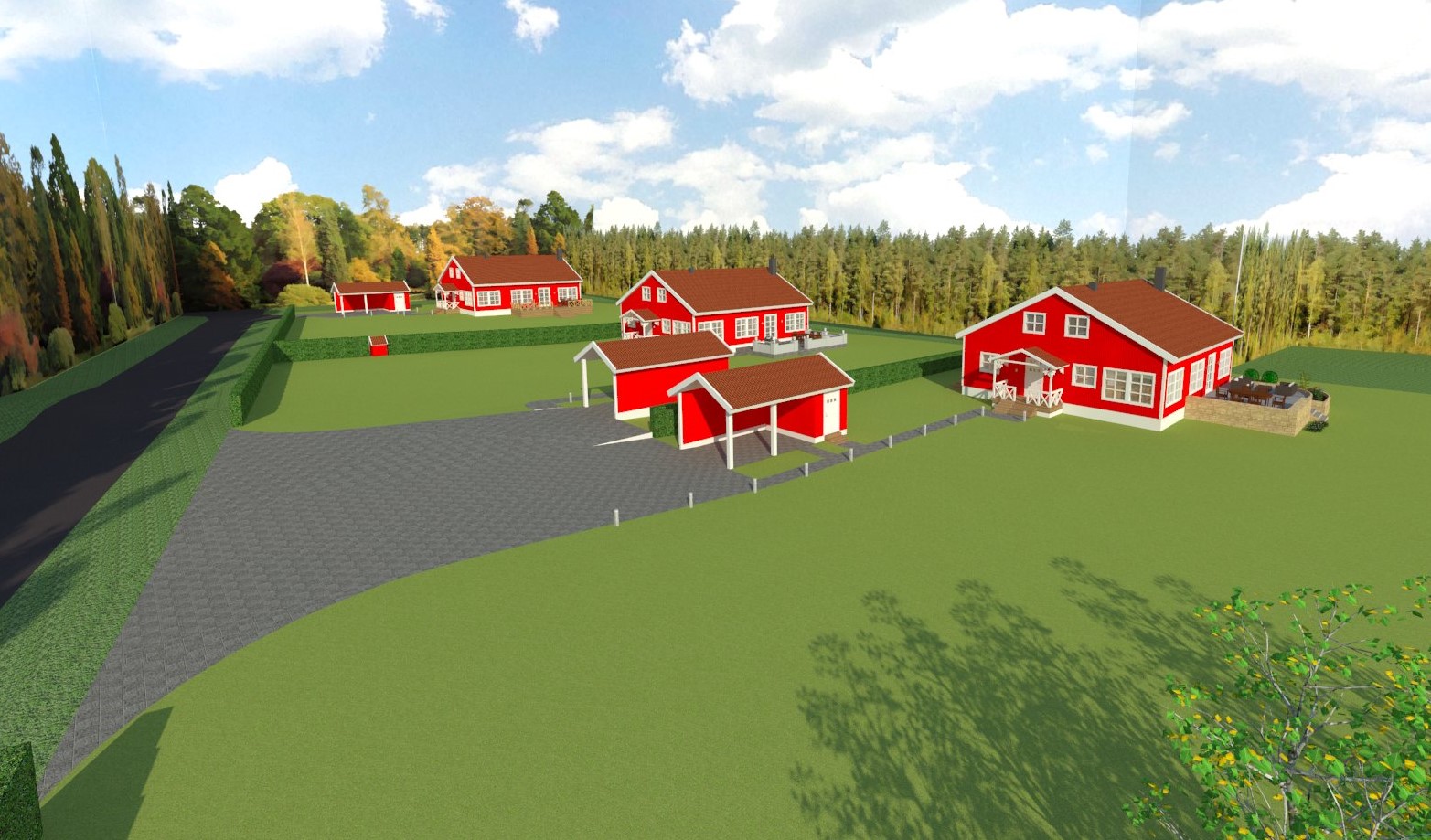
Here is my second image with displacement.
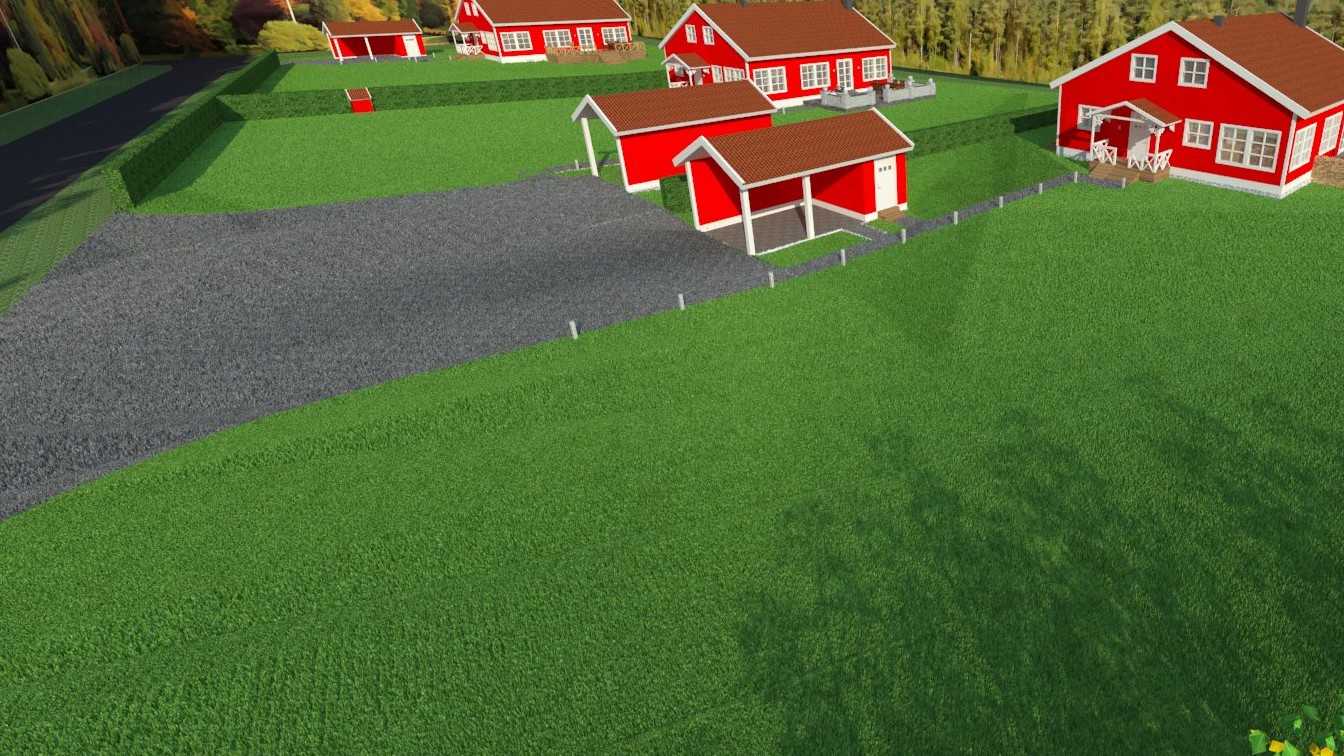
The grass locks mush better but of some reason the driveway also got displacement and I can't find the settings to remove it. Any idea about what could have gone wrong? If i copy the driveway with the same material inside another model the displacement disappear so it most have something to do with the model but I can't find the settings.
-
Is the driveway in the same group as the grass? If so, you probably assigned the grass material to the group that includes the driveway. Cut the driveway out of the grass group and make it it's own. Make sure to assign the driveway material to this new group to make sure that the grass one is gone.
Hope this helps.Peter
-
@peerman said:
Is the driveway in the same group as the grass? If so, you probably assigned the grass material to the group that includes the driveway. Cut the driveway out of the grass group and make it it's own. Make sure to assign the driveway material to this new group to make sure that the grass one is gone.
Hope this helps.Peter
Not the same group but the same component, will test to explode the component and see if it solves the problem.
-
That Solveig the problem, thansk for the tip.
Hello! It looks like you're interested in this conversation, but you don't have an account yet.
Getting fed up of having to scroll through the same posts each visit? When you register for an account, you'll always come back to exactly where you were before, and choose to be notified of new replies (either via email, or push notification). You'll also be able to save bookmarks and upvote posts to show your appreciation to other community members.
With your input, this post could be even better 💗
Register Login


Advertisement