sketchucation logo sketchucation
    • 登入
    Oops, your profile's looking a bit empty! To help us tailor your experience, please fill in key details like your SketchUp version, skill level, operating system, and more. Update and save your info on your profile page today!
    ⚠️ Important | Libfredo 15.6b introduces important bugfixes for Fredo's Extensions Update

    Explode and regroup script?

    已排程 已置頂 已鎖定 已移動 Extensions & Applications Discussions
    extensions
    26 貼文 3 Posters 4.7k 瀏覽 3 Watching
    正在載入更多貼文
    • 從舊到新
    • 從新到舊
    • 最多點贊
    回覆
    • 在新貼文中回覆
    登入後回覆
    此主題已被刪除。只有擁有主題管理權限的使用者可以查看。
    • sdmitchS 離線
      sdmitch
      最後由 編輯

      @gregswk said:

      @sdmitch said:

      Why? Is there a point to this exercise?

      Hi! The reason is that I can't use "drop to terrain" plugins like DropGC and Raytracer. I select the groups and click the plugin but nothing happens.
      BUT if I explode and regroup them (one by one), everything works normally. I really dont know why...

      I'm with you, I can't figure out why this is so. But, since these are buildings, you wouldn't want them to conform to the surface like Pilou's SmartDrop demo. So something as simple as

      mod = Sketchup.active_model
      sel = mod.selection
      sel.grep(Sketchup;;Group){|g|
       t=mod.raytest([g.bounds.min,[0,0,-1]])[0]
       g.transform!(Geom;;Transformation.new(t-g.bounds.min)) if t
      }


      This works on your groups whether they are exploded and regrouped or not.

      Select group(s), paste code into Ruby Console, press Enter.

      Nothing is worthless, it can always be used as a bad example.

      http://sdmitch.blogspot.com/

      1 條回覆 最後回覆 回覆 引用 0
      • pilouP 離線
        pilou
        最後由 編輯

        Sdmitch to the rescue! 😉

        But that resolve not the little mystery of the 2 groups states! 😄
        What are special on them ?
        How do you create that ?

        Frenchy Pilou
        Is beautiful that please without concept!
        My Little site :)

        1 條回覆 最後回覆 回覆 引用 0
        • G 離線
          gregswk
          最後由 編輯

          @sdmitch said:

          @gregswk said:

          @sdmitch said:

          Why? Is there a point to this exercise?

          Hi! The reason is that I can't use "drop to terrain" plugins like DropGC and Raytracer. I select the groups and click the plugin but nothing happens.
          BUT if I explode and regroup them (one by one), everything works normally. I really dont know why...

          I'm with you, I can't figure out why this is so. But, since these are buildings, you wouldn't want them to conform to the surface like Pilou's SmartDrop demo. So something as simple as

          mod = Sketchup.active_model
          > sel = mod.selection
          > sel.grep(Sketchup;;Group){|g|
          >  t=mod.raytest([g.bounds.min,[0,0,-1]])[0]
          >  g.transform!(Geom;;Transformation.new(t-g.bounds.min)) if t
          > }
          > 
          

          This works on your groups whether they are exploded and regrouped or not.

          Select group(s), paste code into Ruby Console, press Enter.

          Hi, Sdmitch!
          Thaaaank you so muchh!! That's all what I needed!!
          😄 👍 👍

          1 條回覆 最後回覆 回覆 引用 0
          • G 離線
            gregswk
            最後由 編輯

            @pilou said:

            Sdmitch to the rescue! 😉

            But that resolve not the little mystery of the 2 groups states! 😄
            What are special on them ?
            How do you create that ?

            Hi, Pilou!
            First of all, thank you so much for all support you are giving to me. 😄
            Yes, the groups states remain. Mystery!
            I've used Autocad Map 3d to generate those buildings with their proper heights attaching a shapefile. Before I export, I converted polygons to solids using -convtosolid command.
            Then I saved as .dwg to export those buildings to Sketchup.

            1 條回覆 最後回覆 回覆 引用 0
            • pilouP 離線
              pilou
              最後由 編輯

              Even genious Sdmitch has find a solution for your problem 👍
              taka a look to these architect tools by Thomthom!

              A suite of tools to help with imported DWG files aimed at Architecture
              Maybe there there are some tricky things nside!

              Frenchy Pilou
              Is beautiful that please without concept!
              My Little site :)

              1 條回覆 最後回覆 回覆 引用 0
              • sdmitchS 離線
                sdmitch
                最後由 編輯

                @pilou said:

                But that resolve not the little mystery of the 2 groups states! 😄
                What are special on them ?
                How do you create that ?

                My new project for the weekend!!!!!!!!

                Nothing is worthless, it can always be used as a bad example.

                http://sdmitch.blogspot.com/

                1 條回覆 最後回覆 回覆 引用 0
                • pilouP 離線
                  pilou
                  最後由 編輯

                  I believe that the problem comes from the export DXF from external program! 😄
                  (double vertices ?...)

                  Frenchy Pilou
                  Is beautiful that please without concept!
                  My Little site :)

                  1 條回覆 最後回覆 回覆 引用 0
                  • sdmitchS 離線
                    sdmitch
                    最後由 編輯

                    @pilou said:

                    I believe that the problem comes from the export DXF from external program! 😄
                    (double vertices ?...)

                    No the problem is that the transformation.origin is not over the "surface"
                    ` name = Group#445
                    origin = (-420.075838m, -663.573913m, 8.06m)
                    x axis = [1.0,0.0,0.0]
                    y axis = [0.0,1.0,0.0]
                    z axis = [0.0,0.0,1.0]
                    x,y,z = [-16538.41882347539,-26124.9572089176,317.32283464566945]

                    name = Group#468
                    origin = (-420.075838m, -663.573913m, 8.06m)
                    x axis = [1.0,0.0,0.0]
                    y axis = [0.0,1.0,0.0]
                    z axis = [0.0,0.0,1.0]
                    x,y,z = [-16538.41882347539,-26124.9572089176,317.32283464566945]` which is why the "Drop" fails. By exploding and regrouping the group, the transformation.orig is reset to bounds.min which is over the "surface".

                    Nothing is worthless, it can always be used as a bad example.

                    http://sdmitch.blogspot.com/

                    1 條回覆 最後回覆 回覆 引用 0
                    • G 離線
                      gregswk
                      最後由 編輯

                      @sdmitch said:

                      @pilou said:

                      I believe that the problem comes from the export DXF from external program! 😄
                      (double vertices ?...)

                      No the problem is that the transformation.origin is not over the "surface"
                      ` name = Group#445
                      origin = (-420.075838m, -663.573913m, 8.06m)
                      x axis = [1.0,0.0,0.0]
                      y axis = [0.0,1.0,0.0]
                      z axis = [0.0,0.0,1.0]
                      x,y,z = [-16538.41882347539,-26124.9572089176,317.32283464566945]

                      name = Group#468
                      origin = (-420.075838m, -663.573913m, 8.06m)
                      x axis = [1.0,0.0,0.0]
                      y axis = [0.0,1.0,0.0]
                      z axis = [0.0,0.0,1.0]
                      x,y,z = [-16538.41882347539,-26124.9572089176,317.32283464566945]` which is why the "Drop" fails. By exploding and regrouping the group, the transformation.orig is reset to bounds.min which is over the "surface".

                      -So that means I need to explode and regroup to reset them? Or there is another way to change their transformation.orig to bounds? Sorry, I didnt understand very well..
                      -I'm using your script to drop the groups down to terrain, but I'm having some problem... Many groups arent dropping well, they fly. 😕
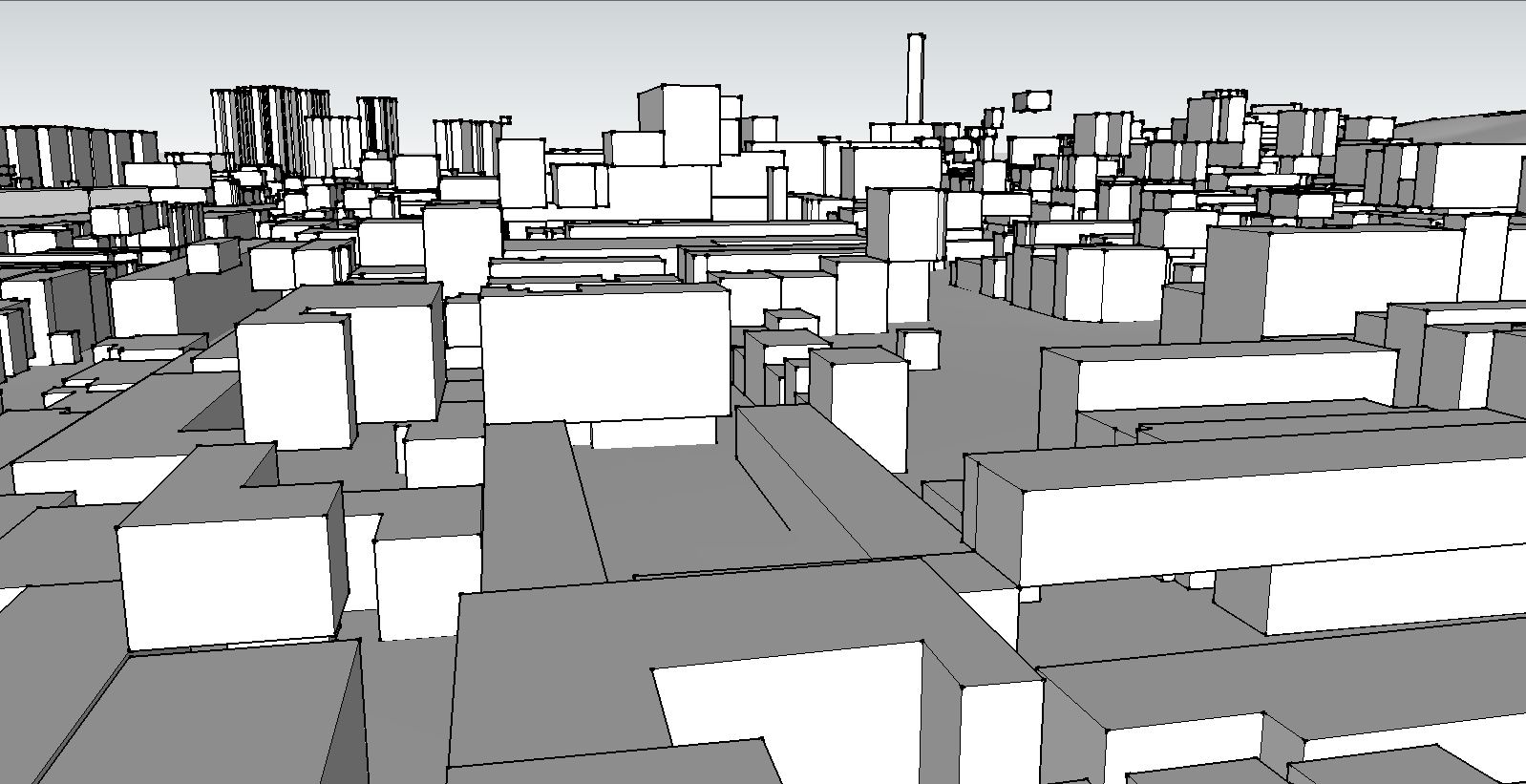
                      flying.JPG

                      1 條回覆 最後回覆 回覆 引用 0
                      • sdmitchS 離線
                        sdmitch
                        最後由 編輯

                        @gregswk said:

                        -I'm using your script to drop the groups down to terrain, but I'm having some problem... Many groups arent dropping well, they fly. 😕
                        [attachment=0:373faxky]<!-- ia0 -->flying.JPG<!-- ia0 -->[/attachment:373faxky]

                        Could you post a sample of the one's that "fly".

                        Nothing is worthless, it can always be used as a bad example.

                        http://sdmitch.blogspot.com/

                        1 條回覆 最後回覆 回覆 引用 0
                        • G 離線
                          gregswk
                          最後由 編輯

                          @sdmitch said:

                          @gregswk said:

                          -I'm using your script to drop the groups down to terrain, but I'm having some problem... Many groups arent dropping well, they fly. 😕
                          [attachment=1:2366zu5c]<!-- ia1 -->flying.JPG<!-- ia1 -->[/attachment:2366zu5c]

                          Could you post a sample of the one's that "fly".


                          badra 5 skp 8.skp

                          1 條回覆 最後回覆 回覆 引用 0
                          • sdmitchS 離線
                            sdmitch
                            最後由 編輯

                            The problem is some groups being dropped on "top" of others already moved to the surface.

                            So to avoid that conflict, I have modified the previous code I posted.

                            mod = Sketchup.active_model
                            sel = mod.selection
                            gat = []
                            sel.grep(Sketchup;;Group){|g|
                             o = [g.bounds.center.x,g.bounds.center.y,g.bounds.min.z]
                             p = mod.raytest([o,[0,0,-1]])[0];
                             gat<<[g,Geom;;Transformation.new(p-g.bounds.min)] if p
                            }
                            gat.each{|g| g[0].transform!(g[1])}


                            badra 5 skp 8.skp

                            Nothing is worthless, it can always be used as a bad example.

                            http://sdmitch.blogspot.com/

                            1 條回覆 最後回覆 回覆 引用 0
                            • G 離線
                              gregswk
                              最後由 編輯

                              @sdmitch said:

                              The problem is some groups being dropped on "top" of others already moved to the surface.

                              So to avoid that conflict, I have modified the previous code I posted.

                              mod = Sketchup.active_model
                              > sel = mod.selection
                              > gat = []
                              > sel.grep(Sketchup;;Group){|g|
                              >  o = [g.bounds.center.x,g.bounds.center.y,g.bounds.min.z]
                              >  p = mod.raytest([o,[0,0,-1]])[0];
                              >  gat<<[g,Geom;;Transformation.new(p-g.bounds.min)] if p
                              > }
                              > gat.each{|g| g[0].transform!(g[1])}
                              > 
                              

                              Oh my God, thank you so much, sdmitch!!
                              It is working perfectly!! 😄 👍 👍 🎉

                              1 條回覆 最後回覆 回覆 引用 0
                              • pilouP 離線
                                pilou
                                最後由 編輯

                                Always amazazed that few line can make! Bravo! 😎

                                Frenchy Pilou
                                Is beautiful that please without concept!
                                My Little site :)

                                1 條回覆 最後回覆 回覆 引用 0
                                • G 離線
                                  gregswk
                                  最後由 編輯

                                  @sdmitch said:

                                  The problem is some groups being dropped on "top" of others already moved to the surface.

                                  So to avoid that conflict, I have modified the previous code I posted.

                                  mod = Sketchup.active_model
                                  > sel = mod.selection
                                  > gat = []
                                  > sel.grep(Sketchup;;Group){|g|
                                  >  o = [g.bounds.center.x,g.bounds.center.y,g.bounds.min.z]
                                  >  p = mod.raytest([o,[0,0,-1]])[0];
                                  >  gat<<[g,Geom;;Transformation.new(p-g.bounds.min)] if p
                                  > }
                                  > gat.each{|g| g[0].transform!(g[1])}
                                  > 
                                  

                                  I'm sorry, Sdmitch... There is still one problem.. 😕
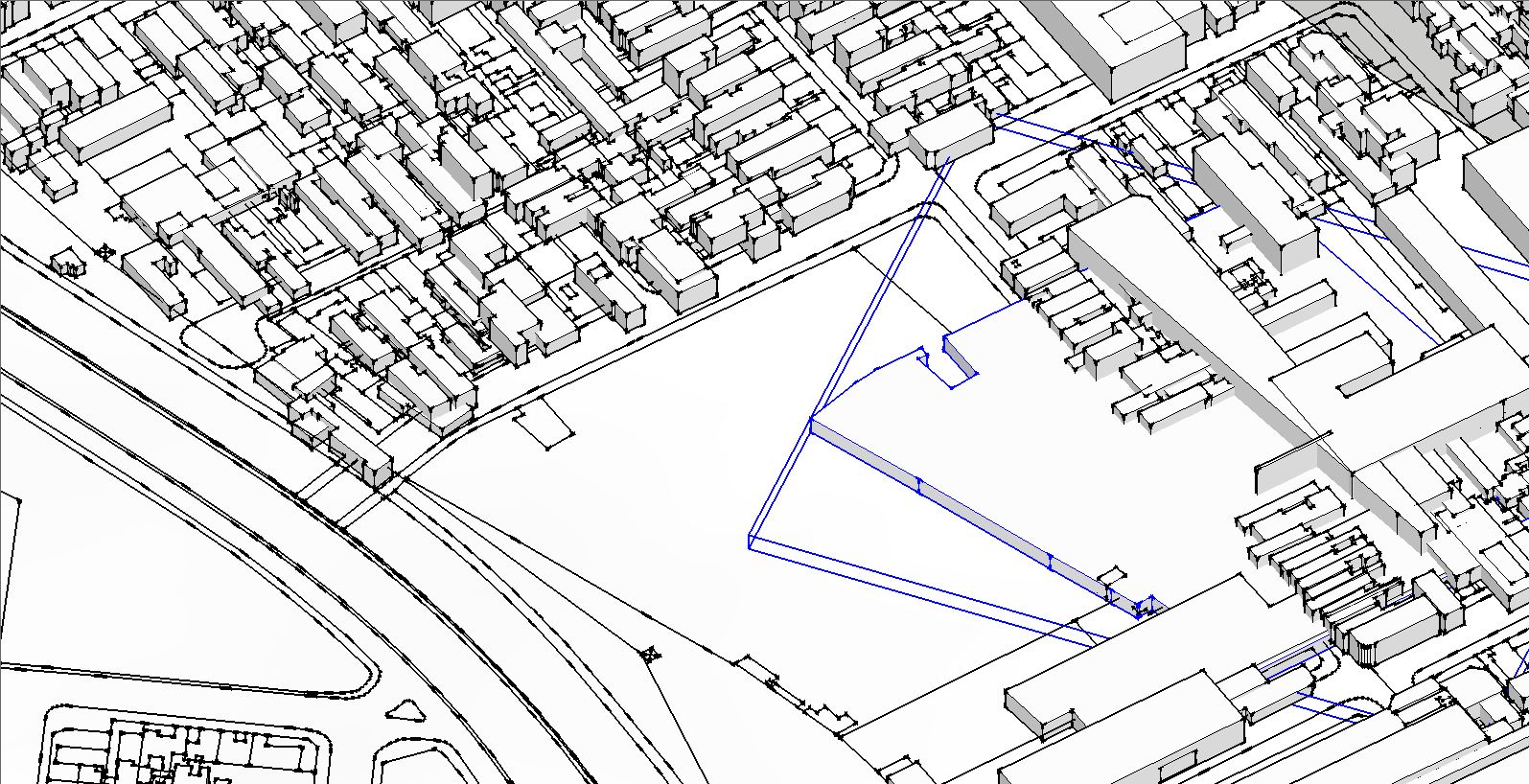
                                  Capture2.JPG
                                  Capture3.JPG
                                  The groups are moving by Z axis perfectly, but when it goes down to terrain, they are changing their X and Y positions. They are messing with each other.. 😕
                                  Why is it happening?

                                  1 條回覆 最後回覆 回覆 引用 0
                                  • sdmitchS 離線
                                    sdmitch
                                    最後由 編輯

                                    @gregswk said:

                                    @sdmitch said:

                                    The problem is some groups being dropped on "top" of others already moved to the surface.

                                    So to avoid that conflict, I have modified the previous code I posted.

                                    mod = Sketchup.active_model
                                    > > sel = mod.selection
                                    > > gat = []
                                    > > sel.grep(Sketchup;;Group){|g|
                                    > >  o = [g.bounds.center.x,g.bounds.center.y,g.bounds.min.z]
                                    > >  p = mod.raytest([o,[0,0,-1]])[0];
                                    > >  gat<<[g,Geom;;Transformation.new(p-o)] if p
                                    > > }
                                    > > gat.each{|g| g[0].transform!(g[1])}
                                    > > 
                                    

                                    I'm sorry, Sdmitch... There is still one problem.. 😕
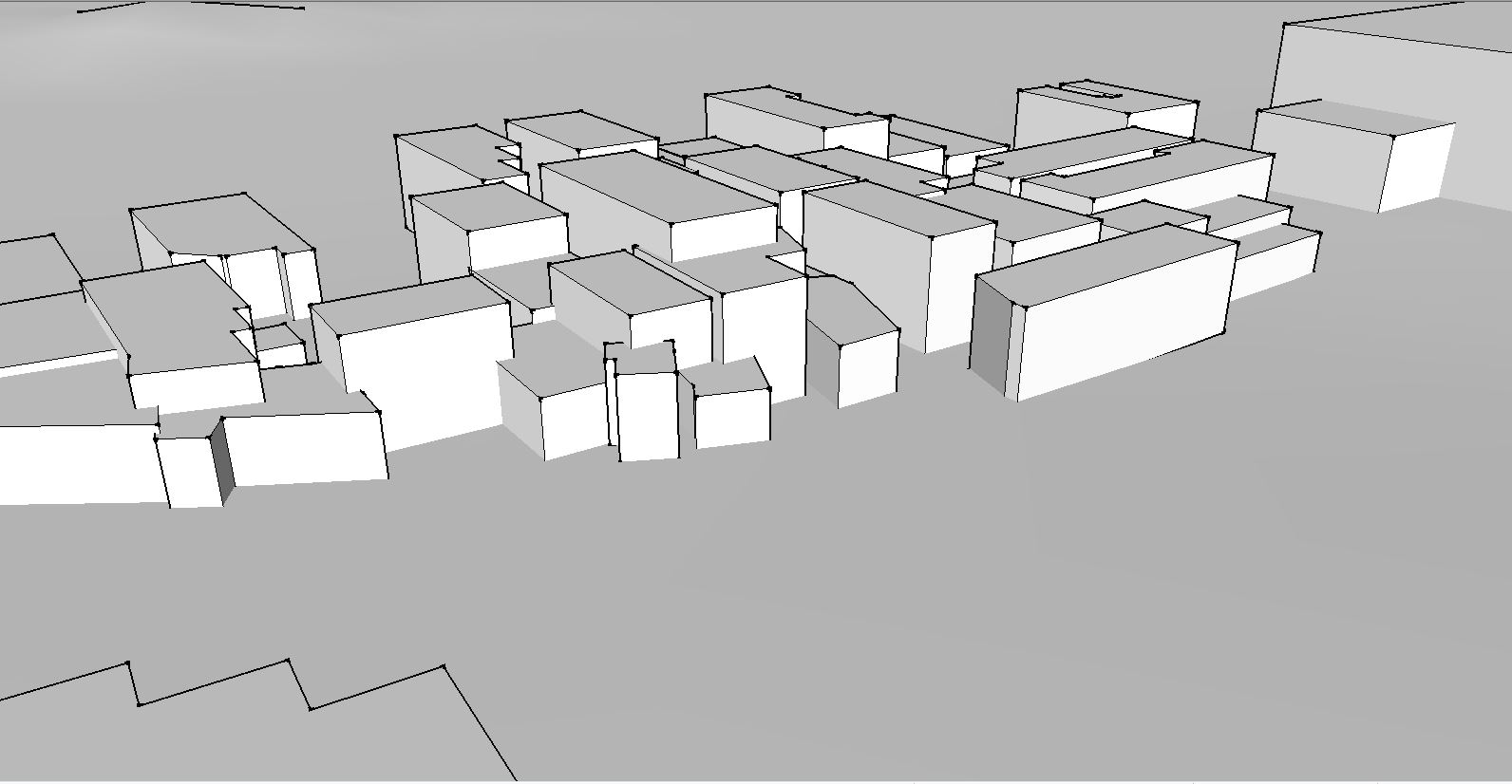
                                    [attachment=2:kcc5danh]<!-- ia2 -->Capture2.JPG<!-- ia2 -->[/attachment:kcc5danh]
                                    [attachment=1:kcc5danh]<!-- ia1 -->Capture3.JPG<!-- ia1 -->[/attachment:kcc5danh]
                                    The groups are moving by Z axis perfectly, but when it goes down to terrain, they are changing their X and Y positions. They are messing with each other.. 😕
                                    Why is it happening?

                                    Oops. My bad. I forgot to change the "origin" in the transformation. Code has been fixed.


                                    badra 5 skp 8.skp

                                    Nothing is worthless, it can always be used as a bad example.

                                    http://sdmitch.blogspot.com/

                                    1 條回覆 最後回覆 回覆 引用 0
                                    • G 離線
                                      gregswk
                                      最後由 編輯

                                      @sdmitch said:

                                      Oops. My bad. I forgot to change the "origin" in the transformation. Code has been fixed.

                                      Wonderful, Sdmitch!
                                      Now it is perfect!!! 🎉 🎉
                                      Thank you so much!!! 😄

                                      1 條回覆 最後回覆 回覆 引用 0
                                      • 1
                                      • 2
                                      • 2 / 2
                                      • 第一個貼文
                                        最後的貼文
                                      Buy SketchPlus
                                      Buy SUbD
                                      Buy WrapR
                                      Buy eBook
                                      Buy Modelur
                                      Buy Vertex Tools
                                      Buy SketchCuisine
                                      Buy FormFonts

                                      Advertisement
