Section cut Face rbz
-
Unable to get SectionCut Face rbi to install.
Sketchup Pro 2016 on iMac 27"
I've Downloaded the Section Cut Face ruby and installed it in my Plugins folder. Rebooted Sketchup and can't seem to get it to work. It doesn't show up when I context click a new section.
Does anyone have a solution?
-
The obvious question is How did you install it?
An RBZ installs via Windows/Preferences/Extensions and the install extension button.
If you have installed some other way it won't be working. -
Is it switched on in the Preferences > Extensions ?
A glitch in v2016 means that all Extensions install un-activated...
Activate it and it will be remembered thereafter... -
Does anyone know why this plugin and other became unable (grey color) in sub-menus in my SU 8 version?
I have 2014 and is working fine.
Thanks for comments. -
It works fine in v8.
See this simple GIF made in v8... [click on it to play it...]
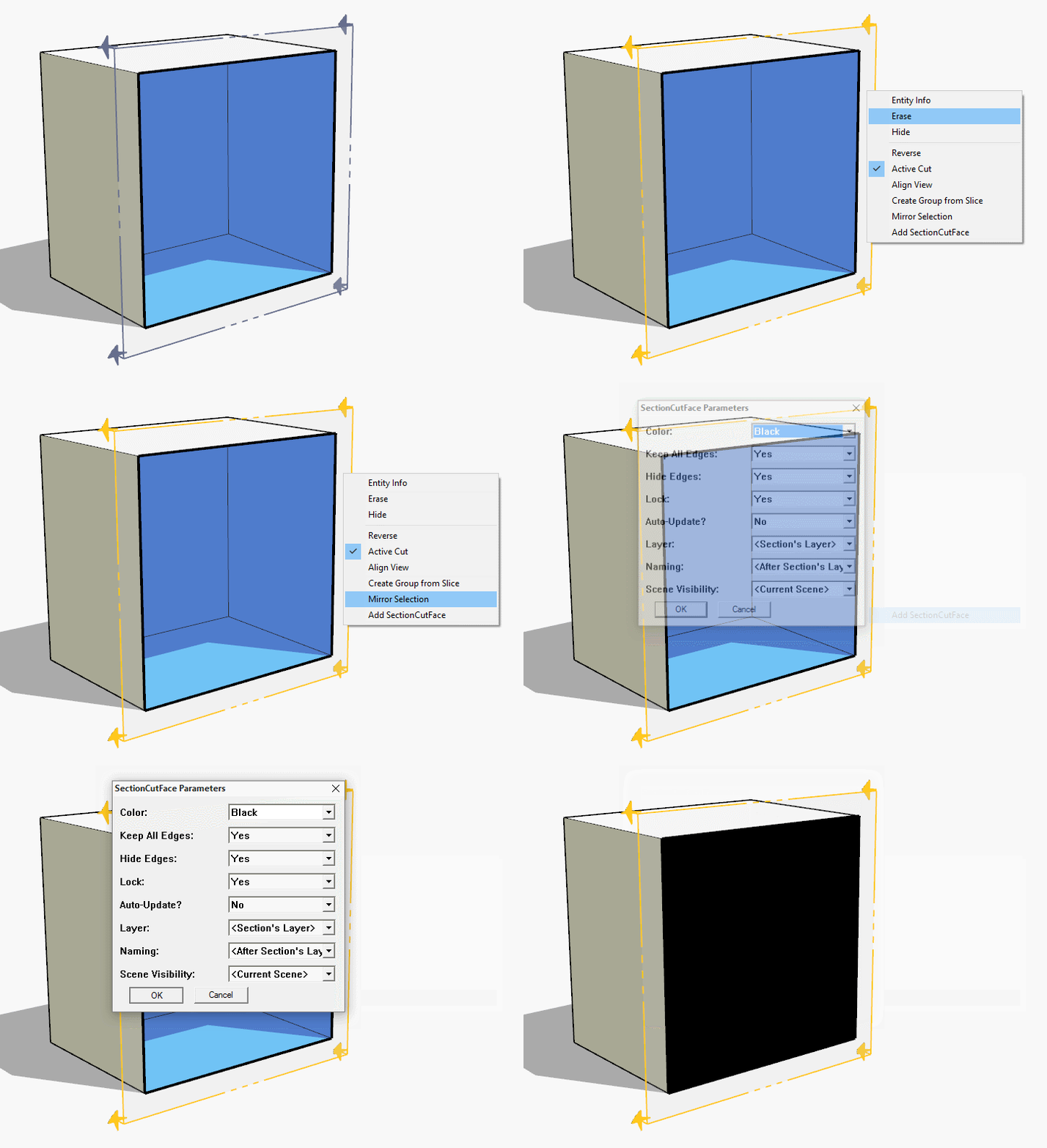
Something must be wrong with your installation.
Try reinstalling SketchUp v8.
What other tools are showing disabled [grayed] menu items ?


Hello! It looks like you're interested in this conversation, but you don't have an account yet.
Getting fed up of having to scroll through the same posts each visit? When you register for an account, you'll always come back to exactly where you were before, and choose to be notified of new replies (either via email, or push notification). You'll also be able to save bookmarks and upvote posts to show your appreciation to other community members.
With your input, this post could be even better 💗
Register Login


Advertisement