Animator: Parametric Animation plugin - Discussion
-
@jql said:
Fredo and what about animating stuff by cycling through scenes as usual, is it also possible?
I mean it's so advanced in it's own that I can't understand if that is a possibility as it's what a basic animation plugin for SU does...
If it is, can we do it without showing UI? In fullscreen mode, to present stuff live to an audience?
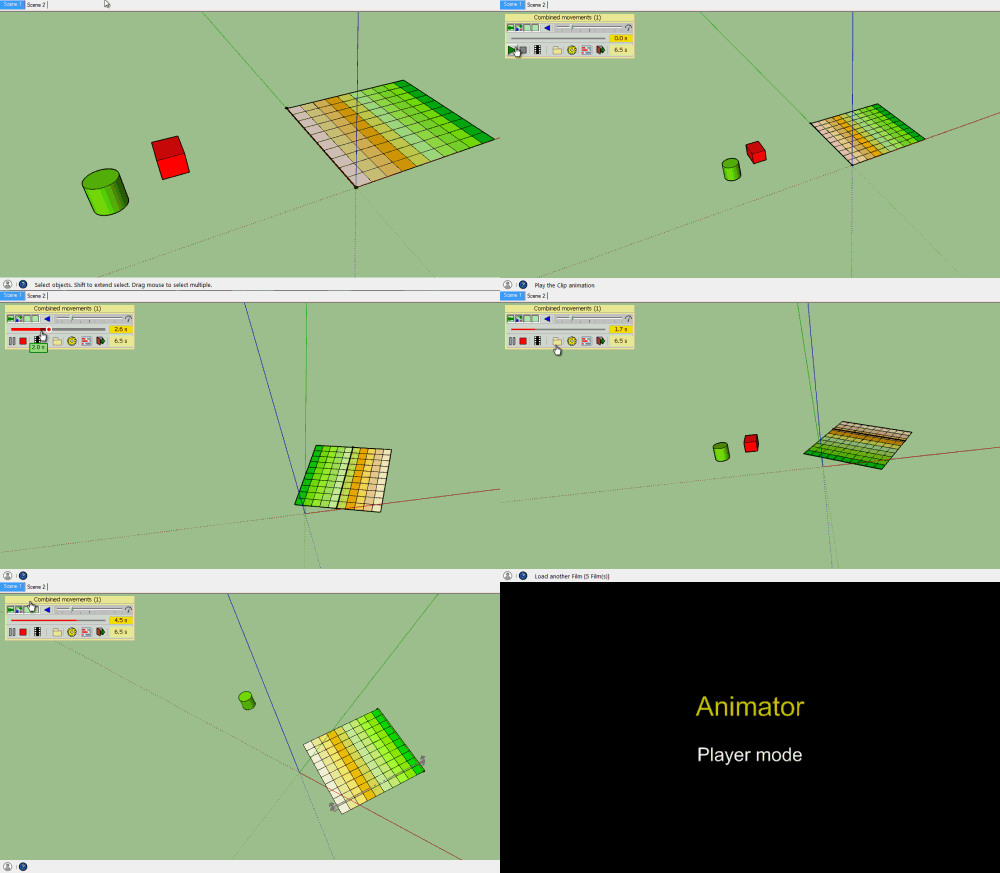
Animator is not based on the native Scene animation mechanism of Sketchup. You can actually position the animation at any given time. Indeed, it is possible to develop a small GUI to make short cuts to specified time.
Also, there is a Player mode, with a much smaller palette. I plan to make the option to hide it when playing animation.
Fredo
-
Seems very promising!

-
We will find something you didn't think of!

-
-
What about how hierarchies are created?
Can that be made separate from how objects are grouped?
And what about inverse kinematic?I'm also very interested in ways to fine tune camera animation paths and speed.
-
@pixero said:
What about how hierarchies are created?
Can that be made separate from how objects are grouped?
And what about inverse kinematic?I am not clear about what is "Reverse kinematic" and "hierarchies".
Could you illustrate ?
Fredo
-
Forward kinematics. You rotate a shoulder and the arm and hand follows.
Inverse kinematics. You move the hand and the arm and shoulder rotates to match the hands movement.I think it would be great to have a way of creating the hierarchy independent of how objects are grouped.
Something like bones in other software where you create a structure that you bind geometry to.
How you model and group geometry doesn't always match how you want to animate them. -
How do you control the motion of an object over time? Is it linear interpolation?
If an object moves along X at 2m/s can you control the acceleration from 0 to 2m/s in some way?
Sent from my iPhone using Tapatalk
-
@rich o brien said:
How do you control the motion of an object over time? Is it linear interpolation?
If an object moves along X at 2m/s can you control the acceleration from 0 to 2m/s in some way?
This should be addressed with Easing, which is supported in the Animator engine (in the initial video, you can see that the explosion of Homer is accelerated).
But I still need to build the GUI for custom easing.
By the way, I don't know if the appropriate term in English would be 'Easing' or 'Pacing'.
Fredo
-
@fredo6 said:
By the way, I don't know if the appropriate term in English would be 'Easing' or 'Pacing'.
Easing.
-
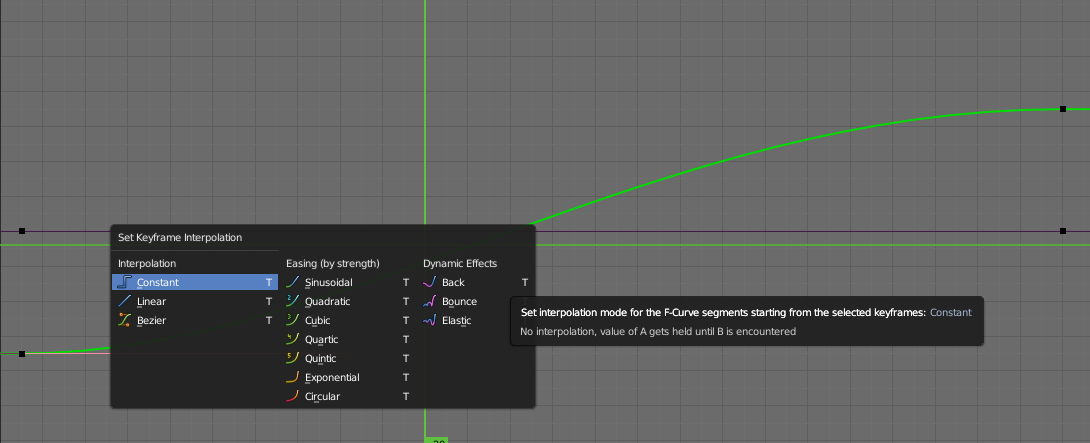
Will the easing have types?
-
Will be cool for animate gears!
(a new gear plugin by Caermalo) -
@rich o brien said:
Will the easing have types?
[attachment=0:1tzh4w5t]<!-- ia0 -->anim-fredo.png<!-- ia0 -->[/attachment:1tzh4w5t]
Mover plugin had some easing as I remember
Great plugin as always!
-
There is a nice lib on GitHub for easing in Ruby:
https://github.com/munshkr/easing-rubyAnd nice visualisations here:
http://easings.net/ -
@thomthom and Majid,
Animator should support predefined easing and custom easing. Simply, I need to build the GUI for custom easing.
Animator also supports oscillations (i.e. cyclic movement back and forth), either libnear or smooth as sinusoidal curves.
Fredo
-
Time to start another donation round for Fredo!
-
Nice work fredo!
-
What about exporting the animation to movie formats? Would that be left to the native SU export options or would there be other means for MP#, Avi, etc., formats?
-
@jclements said:
What about exporting the animation to movie formats? Would that be left to the native SU export options or would there be other means for MP4, Avi, etc., formats?
Unfortunately, the Sketchup API does not expose a method for generating videos, even if there seems to be an embedded video module in Sketchup for Scene animation.
So I test with an external tool, so that Animator can generate videos at a specified frame rate and dimension. My current tests are with MP4 (as the animation of Car Wash posted by ntxdave), but I think it can generate other formats like AVI or animated GIF. I'll check when I have time. I'll need a Mac user to validate it also works on OSX.
I also hope that rendering software have a way to generate videos.
Anyway, this is an area where more exploration is needed. By default, Animator can generate a sequence of images.
Fredo
-
@unknownuser said:
Anyway, this is an area where more exploration is needed. By default, Animator can generate a sequence of images.
IMO the best way to do animation










Advertisement