sketchucation logo sketchucation
    • 登入
    Oops, your profile's looking a bit empty! To help us tailor your experience, please fill in key details like your SketchUp version, skill level, operating system, and more. Update and save your info on your profile page today!
    ⚠️ Important | Libfredo 15.6b introduces important bugfixes for Fredo's Extensions Update

    [Solved] Move along Normal

    已排程 已置頂 已鎖定 已移動 Plugins
    24 貼文 6 Posters 1.7k 瀏覽 6 Watching
    正在載入更多貼文
    • 從舊到新
    • 從新到舊
    • 最多點贊
    回覆
    • 在新貼文中回覆
    登入後回覆
    此主題已被刪除。只有擁有主題管理權限的使用者可以查看。
    • D 離線
      driven
      最後由 編輯

      select all windows needed, select move, click on the bottom of the perpendicular wall, move along that line, click to end?

      Why do you need a Plugin for that?

      john

      learn from the mistakes of others, you may not live long enough to make them all yourself...

      1 條回覆 最後回覆 回覆 引用 0
      • JQLJ 離線
        JQL
        最後由 編輯

        Move Along is capable of Move Along Normals...

        You can find it in Fredo Tools and it's great!

        www.casca.pt
        Visit us on facebook!

        1 條回覆 最後回覆 回覆 引用 0
        • D 離線
          driven
          最後由 編輯

          do you want to Move them or Thicken them?

          are they all the same material or layer or group?

          i.e. what do they have in common?

          learn from the mistakes of others, you may not live long enough to make them all yourself...

          1 條回覆 最後回覆 回覆 引用 0
          • deaneauD 離線
            deaneau
            最後由 編輯

            isnt so easy.

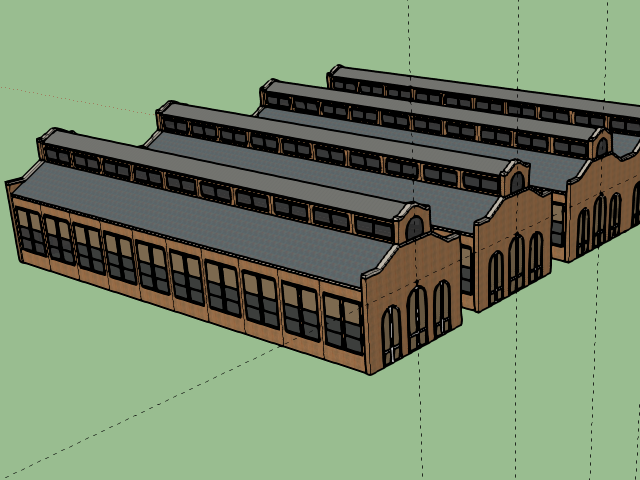
            i have windows in all directions N/S/W/E

            some other buildings have more than 100 windows in different directions.

            EDIT:
            @JQL could you explane this? i have try move along.

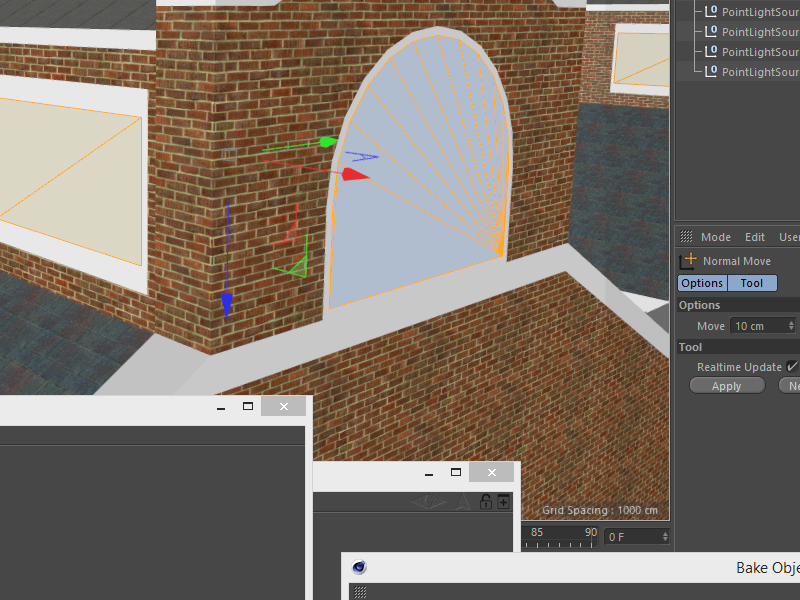
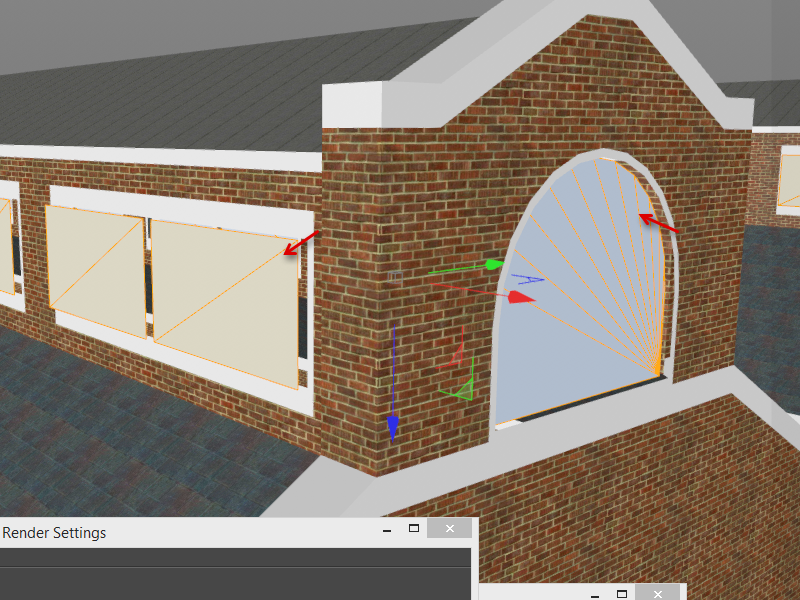
            here in an other 3d program (before and after)
            you can see, if the face is reversed, normal move go to inside
            Snap_2015.10.29_01h09m55s_010_.png
            Snap_2015.10.29_01h10m19s_011_.png

            Snap_2015.10.29_00h48m01s_007_.pngSnap_2015.10.29_00h49m03s_008_.pngSnap_2015.10.29_00h50m02s_009_.png

            MADE, BORN AND LIVING IN BERLIN
            Big Thank You to all Programmers
            Some German words are so long that they have a perspective. M.Twain

            1 條回覆 最後回覆 回覆 引用 0
            • deaneauD 離線
              deaneau
              最後由 編輯

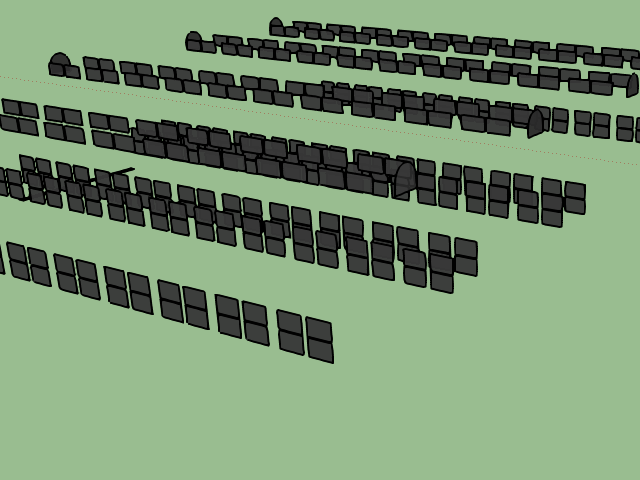
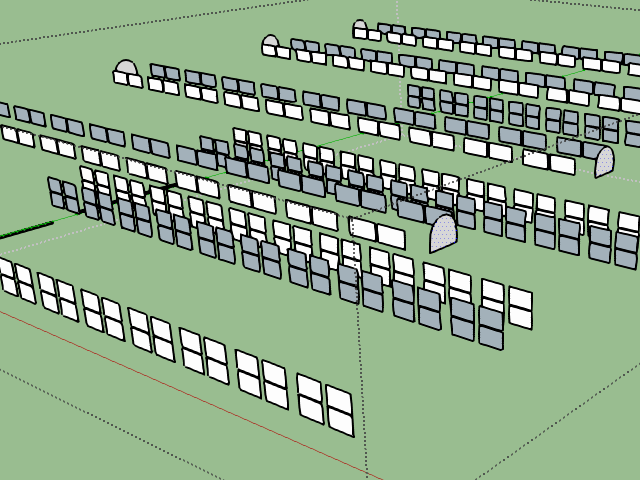
              no not really. i must move the faces..for night mesh. the polygons have the same place, so this will flicker. i need a movement for all faces to the outside. less than 1mm

              Here an result of what i want do.

              all the windows at night is separated of the main object.

              and will fade out at the day.

              http://archiv.trainzdepot.net/forum/attachments/nightmode.jpg

              MADE, BORN AND LIVING IN BERLIN
              Big Thank You to all Programmers
              Some German words are so long that they have a perspective. M.Twain

              1 條回覆 最後回覆 回覆 引用 0
              • JQLJ 離線
                JQL
                最後由 編輯

                Try Fredo Tools wich has a plugin called "move along" check it...

                Or Joint Push Pull also From Fredo.

                www.casca.pt
                Visit us on facebook!

                1 條回覆 最後回覆 回覆 引用 0
                • D 離線
                  driven
                  最後由 編輯

                  the reason I ask about commonalty...

                  I have a plugin that finds a material and push/pulls any face that uses it...

                  maybe it could be adapted, but I'd need to see a sample skp with at least a couple of different walls with windows...

                  if you PM me one, I'll have a look, without promise of success or time frame...

                  it may be easy, maybe not...

                  john

                  learn from the mistakes of others, you may not live long enough to make them all yourself...

                  1 條回覆 最後回覆 回覆 引用 0
                  • deaneauD 離線
                    deaneau
                    最後由 編輯

                    JQL i can move the faces together in X+/X- and Y+/Y- ?

                    Tom have had the same problem in the year 2009

                    look here

                    http://sketchucation.com/forums/viewtopic.php?f=323%26amp;t=63305#p579661

                    i dont know the name of the plugin, if Tom have make this.

                    @driven is not important what object you use.

                    you could download on at the 3d warehouse. actually all pullman buildings

                    all faces what will be glass

                    Link Preview Image
                    3D Warehouse

                    3D Warehouse is a website of searchable, pre-made 3D models that works seamlessly with SketchUp.

                    favicon

                    (3dwarehouse.sketchup.com)

                    MADE, BORN AND LIVING IN BERLIN
                    Big Thank You to all Programmers
                    Some German words are so long that they have a perspective. M.Twain

                    1 條回覆 最後回覆 回覆 引用 0
                    • fredo6F 離線
                      fredo6
                      最後由 編輯

                      What Dean is looking for is a multi_comp Move tool with local direction (normal being just a case of this).

                      It could only apply to a selection of several groups and components, because only comps have a local set of axes.

                      So MoveAlong won't do the job and JointPushPull won't do it either, because it operates on faces, not on comps.

                      This would deserve a specific plugin, say MoveLocal.

                      Fredo

                      1 條回覆 最後回覆 回覆 引用 0
                      • JQLJ 離線
                        JQL
                        最後由 編輯

                        @deaneau said:

                        no not really. i must move the faces..for night mesh. the polygons have the same place, so this will flicker. i need a movement for all faces to the outside. less than 1mm

                        Are you sure Fredo?

                        www.casca.pt
                        Visit us on facebook!

                        1 條回覆 最後回覆 回覆 引用 0
                        • deaneauD 離線
                          deaneau
                          最後由 編輯

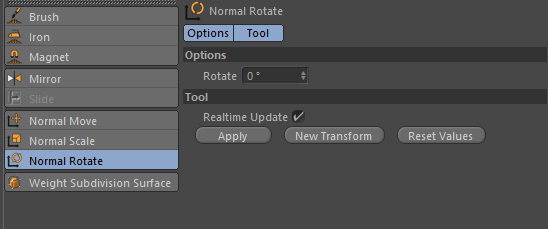
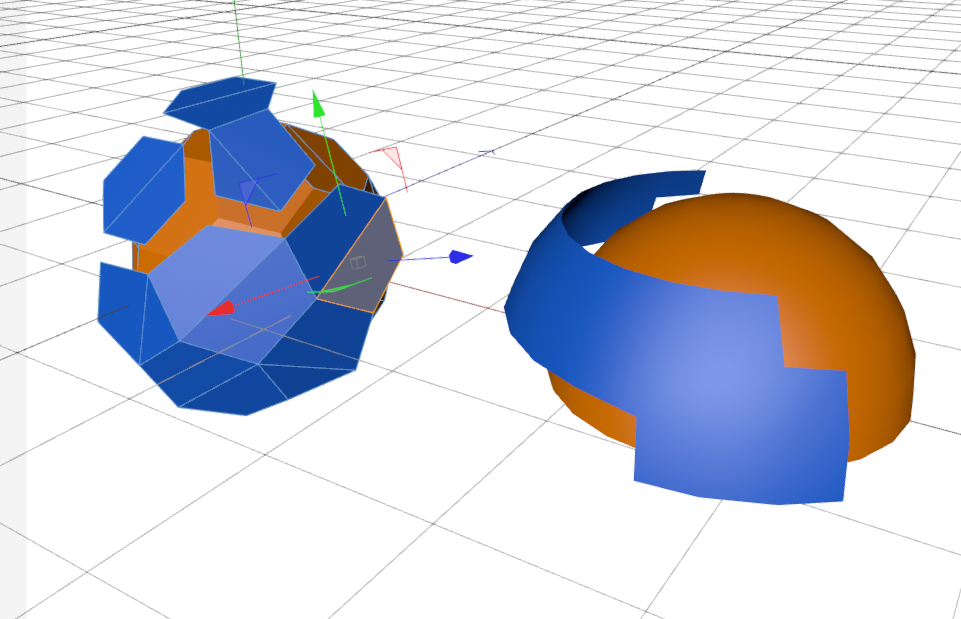
                          OK Sketchup is Sketchup and comparing with other 3d software could work.

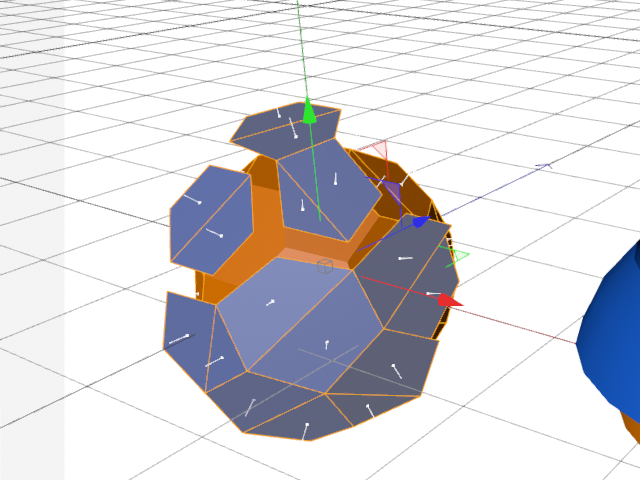
                          here an inspiration

                          before i can do normal move i must disconnect the polygons from the main object.
                          when i use negative value this work,too.

                          a multi_comp move isnt the right word.
                          all polygons have a normal. could be in sketchup,too.
                          Snap_2015.10.29_14h37m02s_018_.png

                          Snap_2015.10.29_14h17m13s_017_.png

                          Snap_2015.10.29_14h16m18s_016_.pngSnap_2015.10.29_14h15m27s_015_.pngSnap_2015.10.29_14h15m08s_014_.png

                          MADE, BORN AND LIVING IN BERLIN
                          Big Thank You to all Programmers
                          Some German words are so long that they have a perspective. M.Twain

                          1 條回覆 最後回覆 回覆 引用 0
                          • D 離線
                            driven
                            最後由 編輯

                            Dean, I downloaded Pullman+Dispensary.skp
                            changing window materials with ruby

                            once done, you can select by material, make group, add the group to it's own layer and edit as needed...
                            but, I'm not sure I understand your needs...
                            john

                            learn from the mistakes of others, you may not live long enough to make them all yourself...

                            1 條回覆 最後回覆 回覆 引用 0
                            • deaneauD 離線
                              deaneau
                              最後由 編輯

                              @driven you have a PM

                              MADE, BORN AND LIVING IN BERLIN
                              Big Thank You to all Programmers
                              Some German words are so long that they have a perspective. M.Twain

                              1 條回覆 最後回覆 回覆 引用 0
                              • fredo6F 離線
                                fredo6
                                最後由 編輯

                                @deaneau said:

                                a multi_comp move isnt the right word.
                                all polygons have a normal. could be in sketchup,too.
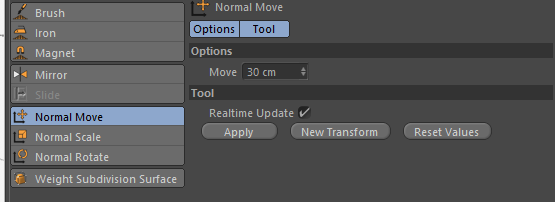
                                Indeed, this can be done of faces too, as they have a normal.

                                The only problem is that when faces are connected, a Move would also extend its neighbour. But this can be overcome by a Copy / erase original.

                                I thought this could be done with JPP, with the option PushPul and NO-Border, but apparently there is a bug in JPP (it erases adjacent faces).

                                Fredo

                                1 條回覆 最後回覆 回覆 引用 0
                                • fredo6F 離線
                                  fredo6
                                  最後由 編輯

                                  @fredo6 said:

                                  @deaneau said:

                                  a multi_comp move isnt the right word.
                                  all polygons have a normal. could be in sketchup,too.
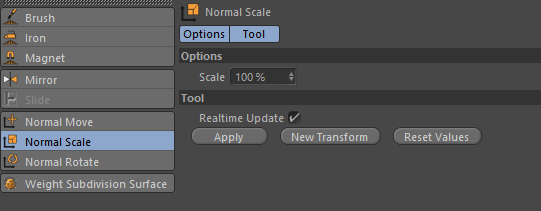
                                  Indeed, this can be done of faces too, as they have a normal.

                                  The only problem is that when faces are connected, a Move would also extend its neighbour. But this can be overcome by a Copy / erase original.

                                  I thought this could be done with JPP, with the option PushPul and NO-Border, but apparently there is a bug in JPP (it erases adjacent faces). Note that it works if you keep the original faces and copy them at the given offset (options Thickening + NO-Border)

                                  Fredo

                                  1 條回覆 最後回覆 回覆 引用 0
                                  • HornOxxH 離線
                                    HornOxx
                                    最後由 編輯

                                    Hi Dean
                                    yes I know, that's not really what you are looking for and I probably embarrass myself
                                    suggesting the following. If you have placed your windows on the walls, perhaps you can use
                                    SkUp´s component's propertys in order to achieve your desired result - at least until there is
                                    the technical solution you are looking for.

                                    By the way, I like the look and feel of your nightly church windows - somehow Christmas like.

                                    0001.jpg

                                    never trust a skinny cook

                                    1 條回覆 最後回覆 回覆 引用 0
                                    • D 離線
                                      driven
                                      最後由 編輯

                                      Dean, I've been thinking about your 'problem' rather than your 'sought solution' [moving faces]...

                                      to STOP the flickering caused by having two faces in the same space, just don't have two faces...

                                      only use the original face and change the Material on a toggle...

                                      I made a little script called night_n_day, it toggle the window material from 0.4 to 0.95 opacity...

                                      here's a test on the UNMODIFIED model...

                                      to run I open the model fresh, open Materials and 'eyedrop' on any window, load the script into 'Ruby Console' and type night_n_day to toggle opacity...

                                      it could be set to darken all the bricks, tile, stuco, etc... at the same time, or be trigger by a scene change...

                                      I think moving geometry just over complicates a solution for your stated problem...

                                      but, I've been wrong before...
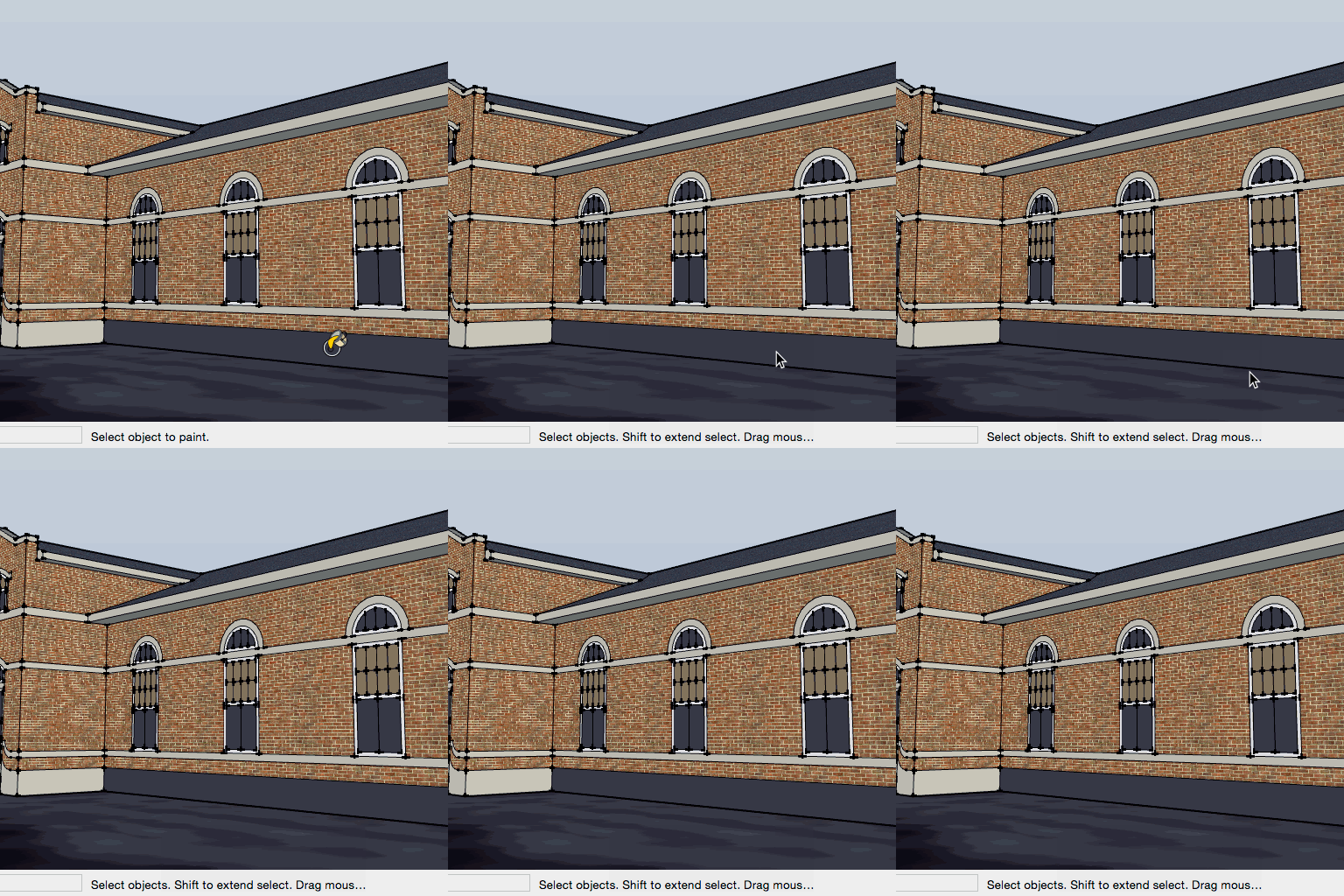
                                      simple test...
                                      john

                                      learn from the mistakes of others, you may not live long enough to make them all yourself...

                                      1 條回覆 最後回覆 回覆 引用 0
                                      • deaneauD 離線
                                        deaneau
                                        最後由 編輯

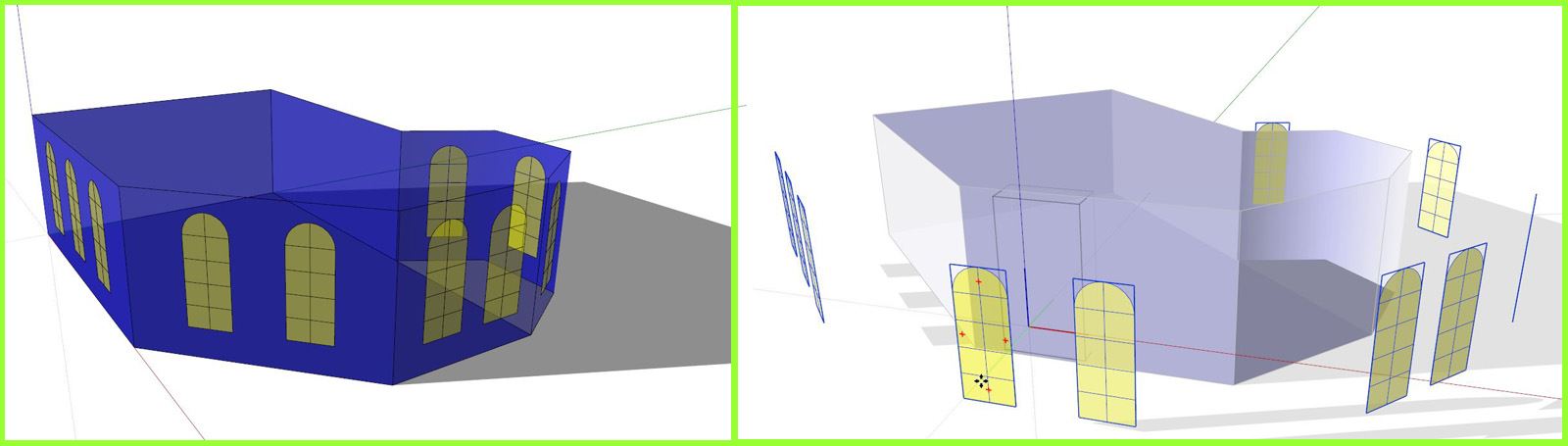
                                        ok what i have do?

                                        1. select the windows glass
                                        2. select all with the same material
                                        3. group
                                          4.copy & past in place

                                        now i have two groups with the same place of the parts.

                                        what i need is this like in the attachement

                                        @Fredo you´re right. i must discconnect the polys from the main model before i can move along normal.

                                        @HornOxx hm your idea is only a crompromise. however thank you for your idea.

                                        @driven i the attachement i have explain the result.. the distance i have set to 20cm for a better visualization.

                                        the churches in the picture above have two windows glasses per windows. on for day and one for night.
                                        the day mesh will fade to dark and the night mesh will fade lighter.
                                        this simulate light behind the windows.

                                        .


                                        Move along Normal.skp

                                        MADE, BORN AND LIVING IN BERLIN
                                        Big Thank You to all Programmers
                                        Some German words are so long that they have a perspective. M.Twain

                                        1 條回覆 最後回覆 回覆 引用 0
                                        • D 離線
                                          driven
                                          最後由 編輯

                                          but HOW are you switching them, you have no Layers, only a single Group and the same Material with both?

                                          are you doing that outside of SU after this is done?

                                          learn from the mistakes of others, you may not live long enough to make them all yourself...

                                          1 條回覆 最後回覆 回覆 引用 0
                                          • deaneauD 離線
                                            deaneau
                                            最後由 編輯

                                            @driven

                                            the game switch this.

                                            in sketchup i build the day and night mesh insert this in a game and the game doing this..

                                            this look like the churches

                                            MADE, BORN AND LIVING IN BERLIN
                                            Big Thank You to all Programmers
                                            Some German words are so long that they have a perspective. M.Twain

                                            1 條回覆 最後回覆 回覆 引用 0
                                            • 1
                                            • 2
                                            • 1 / 2
                                            • 第一個貼文
                                              最後的貼文
                                            Buy SketchPlus
                                            Buy SUbD
                                            Buy WrapR
                                            Buy eBook
                                            Buy Modelur
                                            Buy Vertex Tools
                                            Buy SketchCuisine
                                            Buy FormFonts

                                            Advertisement