sketchucation logo sketchucation
    • 登入
    Oops, your profile's looking a bit empty! To help us tailor your experience, please fill in key details like your SketchUp version, skill level, operating system, and more. Update and save your info on your profile page today!
    🔌 Smart Spline | Fluid way to handle splines for furniture design and complex structures. Download

    [Plugin] GKWare Cabinet Maker

    已排程 已置頂 已鎖定 已移動 Plugins
    627 貼文 69 Posters 459.3k 瀏覽 70 Watching
    正在載入更多貼文
    • 從舊到新
    • 從新到舊
    • 最多點贊
    回覆
    • 在新貼文中回覆
    登入後回覆
    此主題已被刪除。只有擁有主題管理權限的使用者可以查看。
    • G 離線
      Garry K
      最後由 編輯

      Thanks to Keith on finding bugs and making feature recommendations.
      Keith I will extend your trial by a month for your participation in the beta program.

      Version 1.0.13 is now available. License purchase options are now on my web site.

      1. We now have CabMakerPro and CabMakerGold. You will automatically get a 7 day trial for Gold even if you have purchased a Pro license. At the end of the trial you will automatically down grade to the Pro version. If you are licensed then it will show as licensed.
      2. No longer overwriting config.txt file.
      1 條回覆 最後回覆 回覆 引用 0
      • G 離線
        Garry K
        最後由 編輯

        Version 1.0.14 is now available

        1. Mostly internal changes.
        1 條回覆 最後回覆 回覆 引用 0
        • G 離線
          Garry K
          最後由 編輯

          Version 1.0.15 next week.

          1. I've changed the Edit Configuration to have true false drop downs
          2. Adding drop downs for material color / textures
          3. Now if you want to pare down the colors and or textures - you can edit the colors.txt file and store it in the config folder. You can also organize it any way you want.
          4. I'm also now working on a manual for cabmaker.
          1 條回覆 最後回覆 回覆 引用 0
          • G 離線
            Garry K
            最後由 編輯

            There are 140 internet colors so I would edit the colors.txt file.
            It also contains the wood textures.

            The internet colors change the labels background color. So far choosing a texture does not.
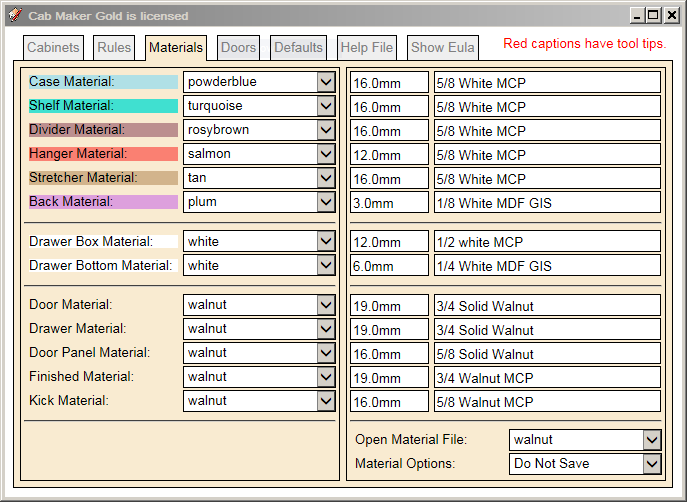
            Materials Tab.PNG

            1 條回覆 最後回覆 回覆 引用 0
            • FrederikF 離線
              Frederik
              最後由 編輯

              Excellent, Garry...! 👍

              This sure is one of the more advanced plugins for SU...!
              A great and a "must have" extension for anyone working with cabinets for kitchens and wardrobes...

              Cheers
              Kim Frederik

              1 條回覆 最後回覆 回覆 引用 0
              • FrederikF 離線
                Frederik
                最後由 編輯

                This makes a lot more sense... 👍

                BTW... Do you plan to make sliding doors...?
                It would be ideal for wardrobes...

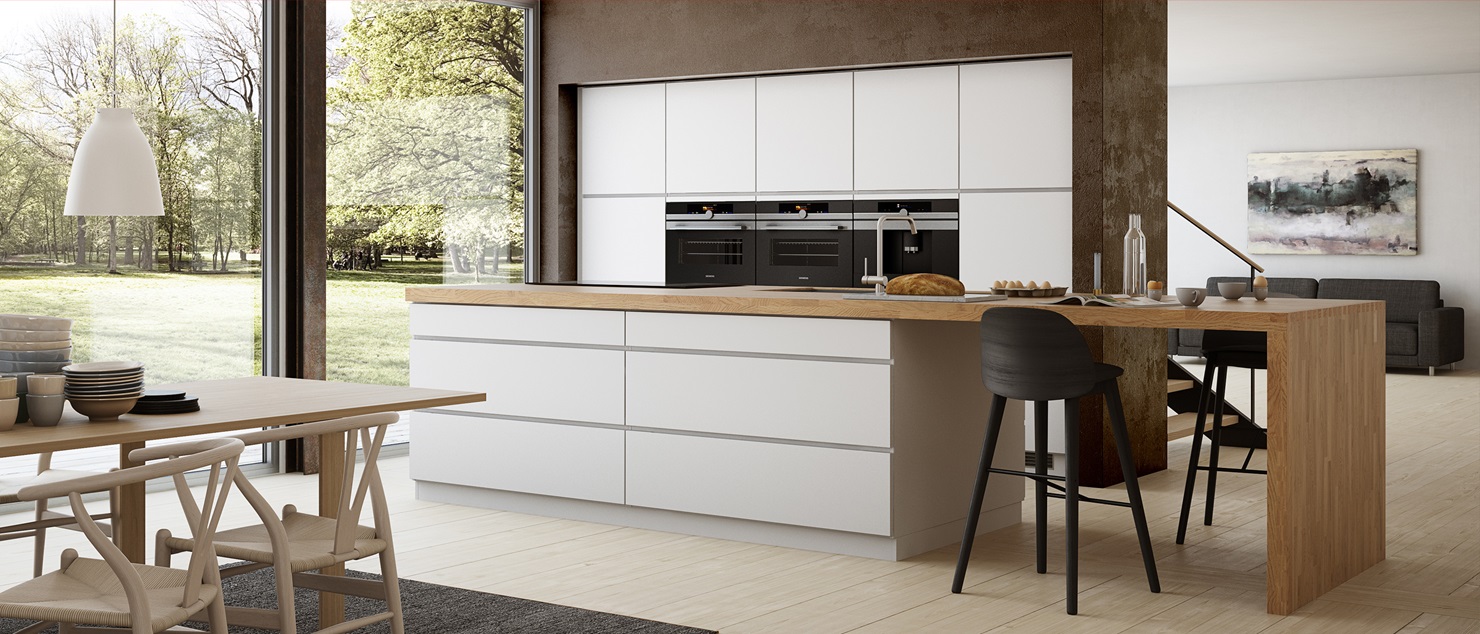
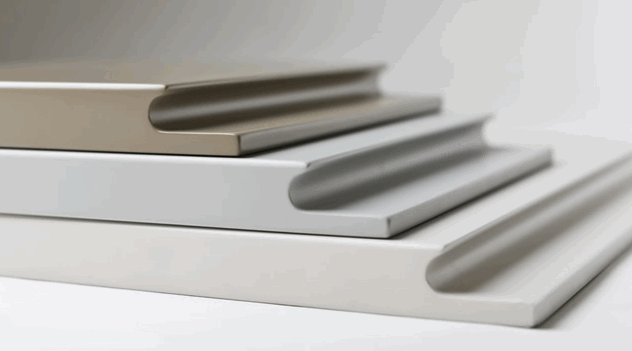
                And how can I make drawers without handles, but where there's a small slant to open the drawers, like in the attached images...?
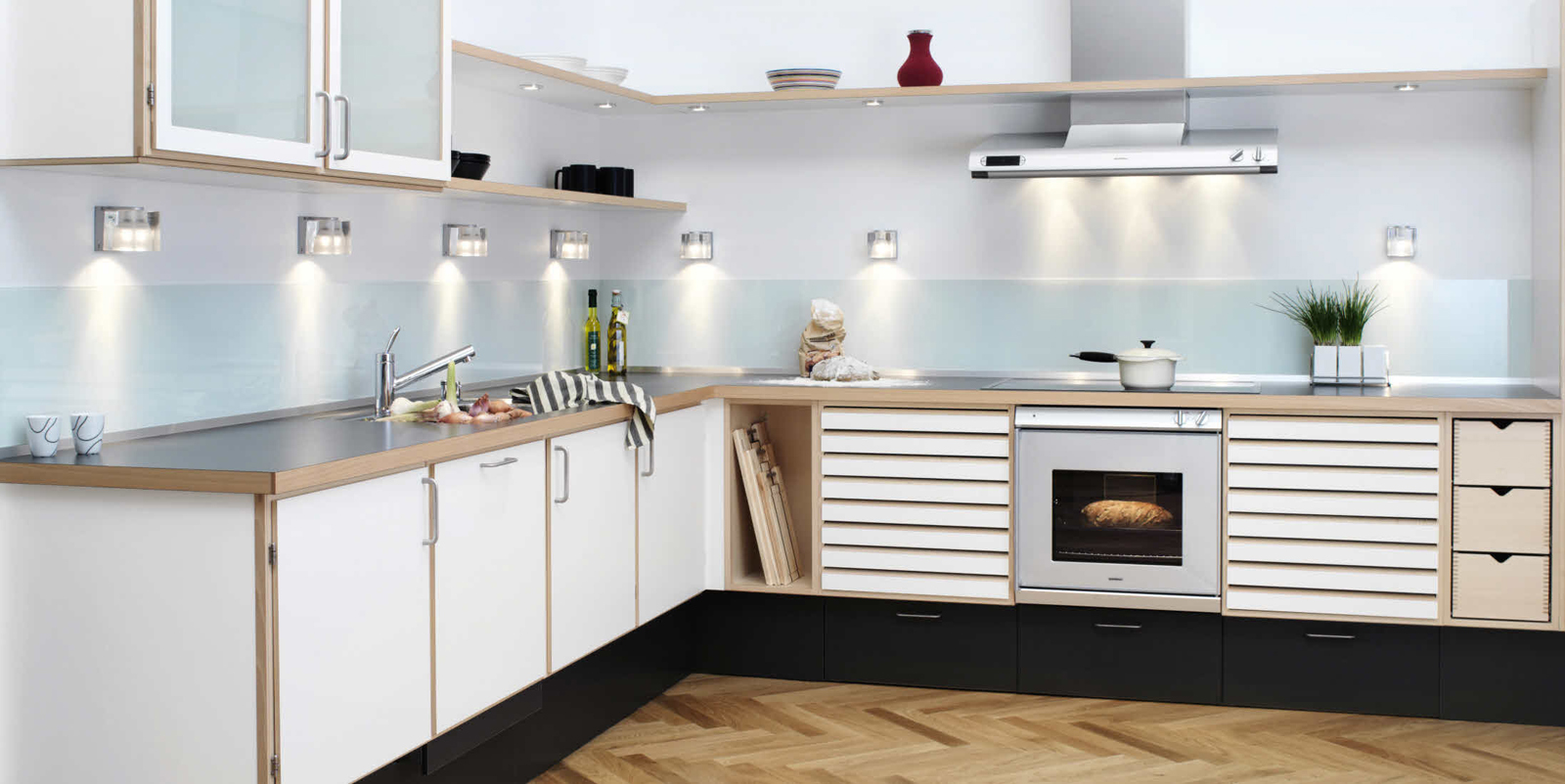
                C-Series_Beech_2.jpg


                mano-hero-main.jpg

                Cheers
                Kim Frederik

                1 條回覆 最後回覆 回覆 引用 0
                • G 離線
                  Garry K
                  最後由 編輯

                  Sliding doors are on my radar. Also for Door Maker a sliding door would be good for pocket doors and good for closet doors instead of just bifolds.

                  1 條回覆 最後回覆 回覆 引用 0
                  • G 離線
                    Garry K
                    最後由 編輯

                    I've added a new rule which allows you to choose either the front or back left hand corner as an insertion point. Uppers insertion point is the top of the cabinet and Base cabinets is at the bottom.

                    1 條回覆 最後回覆 回覆 引用 0
                    • FrederikF 離線
                      Frederik
                      最後由 編輯

                      Garry,

                      You haven't answered my second quenstion...

                      @frederik said:

                      ...how can I make drawers without handles, but where there's a small slant to open the drawers, like in the attached images...?

                      Cheers
                      Kim Frederik

                      1 條回覆 最後回覆 回覆 引用 0
                      • G 離線
                        Garry K
                        最後由 編輯

                        I can put it on the wish list. If other people are interested in a feature like this then it is possible - but it is not currently on my todo list.

                        1 條回覆 最後回覆 回覆 引用 0
                        • FrederikF 離線
                          Frederik
                          最後由 編輯

                          @garry k said:

                          I can put it on the wish list. If other people are interested in a feature like this then it is possible - but it is not currently on my todo list.

                          Thanks...

                          Cheers
                          Kim Frederik

                          1 條回覆 最後回覆 回覆 引用 0
                          • G 離線
                            Garry K
                            最後由 編輯

                            I've found a bad bug - don't press escape or use the x to exit the form - it can cause sketchup to freeze. I will fix this shortly.

                            Here is the context help that I am considering. Anyone have an opinion?

                            Shelf Width Adjustment currently has the focus.
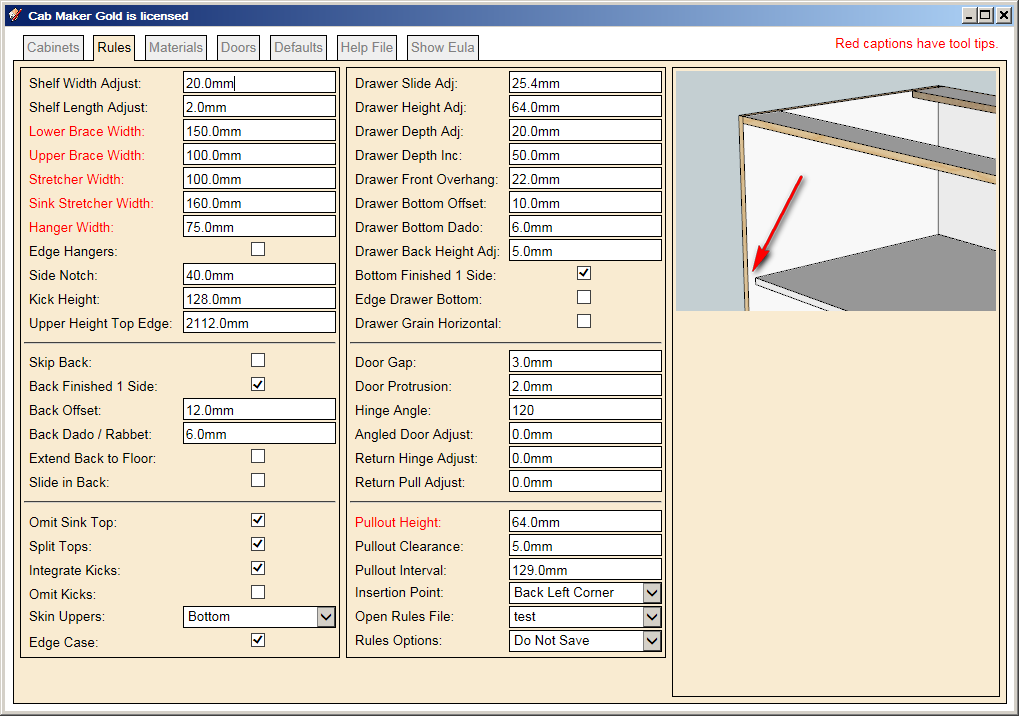
                            shelf_width_adjust_screen.PNG

                            1 條回覆 最後回覆 回覆 引用 0
                            • G 離線
                              Garry K
                              最後由 編輯

                              Version 1.0.15 is ready.

                              The help is not complete and so far I've only put 15 of the context graphics together.
                              I just wanted to get it out there because of that bug.

                              1 條回覆 最後回覆 回覆 引用 0
                              • FrederikF 離線
                                Frederik
                                最後由 編輯

                                @garry k said:

                                Here is the context help that I am considering. Anyone have an opinion?

                                It looks great...
                                Does it mean that when you select something, the image in the right corner will change and the arrow will point at the object selected - or is it a more "interactive" preview, where you see the arrow changing position...?

                                Cheers
                                Kim Frederik

                                1 條回覆 最後回覆 回覆 引用 0
                                • G 離線
                                  Garry K
                                  最後由 編輯

                                  1 - png file for each parameter. It is already starting to slow down more than I had hoped for.

                                  This in itself will be over 100 graphic files and will take the better part of a week to do. I'm not going any farther at this point.

                                  No English text on the graphic images. Better this way for different languages. Also I will paste these all into the manual. A bit more technical information will be available in the manual.

                                  1 條回覆 最後回覆 回覆 引用 0
                                  • G 離線
                                    Garry K
                                    最後由 編輯

                                    I am now over 100 graphic images for context help. I will try to wrap this up tomorrow and push out another version. I also found and fixed a bug with the applied finished panels.

                                    1 條回覆 最後回覆 回覆 引用 0
                                    • G 離線
                                      Garry K
                                      最後由 編輯

                                      Version 1.0.16 is now available

                                      1. Fixed issues with finished panels
                                      2. Added 150 + graphics for context sensitive help. Still need more.

                                      1 條回覆 最後回覆 回覆 引用 0
                                      • G 離線
                                        Garry K
                                        最後由 編輯

                                        I've now been asked by a number of people for various types of "handleless cabinet doors" as well as for extruded handles. So it appears this will be on my radar.

                                        I believe the best way to work with these is to add them into a folder called "handle profiles" and then to provide an optional handle texture.

                                        Handless - no handle texture. The handle will become part of the door and take on the door texture.
                                        handless cabinet.png

                                        Extruded - has handle texture. The handle is added as a separate part such as an aluminum extrusion.
                                        extruded handle.png

                                        1 條回覆 最後回覆 回覆 引用 0
                                        • G 離線
                                          Garry K
                                          最後由 編輯

                                          Well I'm 70 pages into writing the documentation for cabmaker.
                                          I'll be real happy to get back into programming.

                                          1. My next task will be to add inset doors. All you do is set the protrusion in the rules to a negative value which equals the thickness of your doors.

                                          2. Then I'm going to add in face frame construction. I would like a bit of feedback. What I am thinking is to add a frame material to the material tab so we can independently specify thickness. I'm thinking we almost need a "Frame" tab where we can specify the various options. Stile Width, Rail Width, Bottom Rail Width, Stiles between door pairs, Rails between drawers. Double drawers above double doors and Stile overhang.

                                          Anyone have any thoughts on this?

                                          1 條回覆 最後回覆 回覆 引用 0
                                          • G 離線
                                            Garry K
                                            最後由 編輯

                                            Version 1.0.17 is now ready for download.

                                            Documentation is finished - 83 pages
                                            Fixed a couple of bugs

                                            1 條回覆 最後回覆 回覆 引用 0
                                            • 1
                                            • 2
                                            • 3
                                            • 4
                                            • 5
                                            • 31
                                            • 32
                                            • 2 / 32
                                            • 第一個貼文
                                              最後的貼文
                                            Buy SketchPlus
                                            Buy SUbD
                                            Buy WrapR
                                            Buy eBook
                                            Buy Modelur
                                            Buy Vertex Tools
                                            Buy SketchCuisine
                                            Buy FormFonts

                                            Advertisement