sketchucation logo sketchucation
    • Login
    Oops, your profile's looking a bit empty! To help us tailor your experience, please fill in key details like your SketchUp version, skill level, operating system, and more. Update and save your info on your profile page today!
    ⚠️ Update | Sketchucation Tools 5.0.8 released with licensing improvements and bugfixes Download

    Shape Bender issue

    Scheduled Pinned Locked Moved Newbie Forum
    sketchup
    17 Posts 6 Posters 5.3k Views 6 Watching
    Loading More Posts
    • Oldest to Newest
    • Newest to Oldest
    • Most Votes
    Reply
    • Reply as topic
    Log in to reply
    This topic has been deleted. Only users with topic management privileges can see it.
    • hykenfreakH
      hykenfreak
      last edited by

      Turns out I had installed it improperly. Thanks for helping me narrow down the problem. It's working great now.

      Failure is the fertilizer of success.

      1 Reply Last reply
      Reply Quote 0
      • W
        wilkes704
        last edited by

        I'm having some of the same issues. I've reinstalled the newest version of shape bender. I have a straight line on the red axis, but it won't let me click on it. I've had the plugin work yesterday for me, so I am not sure what the issue is here.

        Here is the error that the Ruby console threw when I double clicked on the straight line:
        Error: #<NoMethodError: undefined method all_connected' for nil:NilClass> C:/Users/charles/AppData/Roaming/SketchUp/SketchUp 2015/SketchUp/Plugins/clf_shape_bender/clf_shape_bender_data.rb:255:in line_picker'
        C:/Users/charles/AppData/Roaming/SketchUp/SketchUp 2015/SketchUp/Plugins/clf_shape_bender/clf_shape_bender_data.rb:187:in `onLButtonUp'


        model.skp

        1 Reply Last reply
        Reply Quote 0
        • TIGT
          TIG Moderator
          last edited by

          @charles

          At some point you have reset the model's axes.
          That will break tools like Shape-Bender.
          Hover over an axis away from other stuff.
          Context-menu > Reset.
          The original axis appear and the line etc are NOT parallel to the Red/X axis...
          Rotate those to suit and then Shape-Bender WILL work as advertised...
          πŸ˜’

          TIG

          1 Reply Last reply
          Reply Quote 0
          • pbacotP
            pbacot
            last edited by

            Where else to get such exact and immediate help? Kudos TIG!

            MacOSX MojaveSketchUp Pro v19 Twilight v2 Thea v3 PowerCADD

            1 Reply Last reply
            Reply Quote 0
            • TIGT
              TIG Moderator
              last edited by

              @charles

              Additional advice...
              Place the group/line/curve on the +ve quadrant of the axes...
              And reverse the face in the group for tidiness...
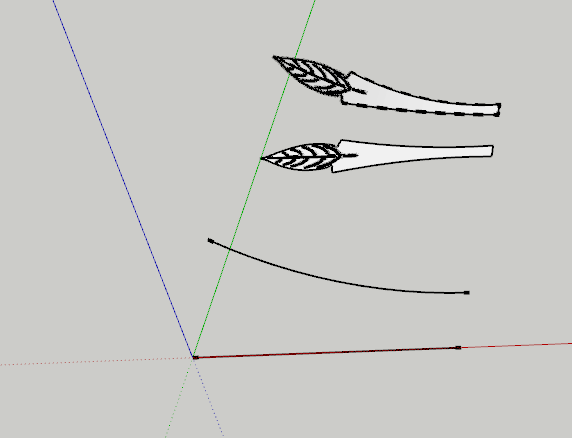

              Capture.PNG

              TIG

              1 Reply Last reply
              Reply Quote 0
              • K
                keerthanadevi
                last edited by

                I am having the same issue here
                i have downloaded shape bender
                but when i use the plugin to bend the model i am having trouble
                when i select the line it doesn't turn blue even though i drew the line along red axis
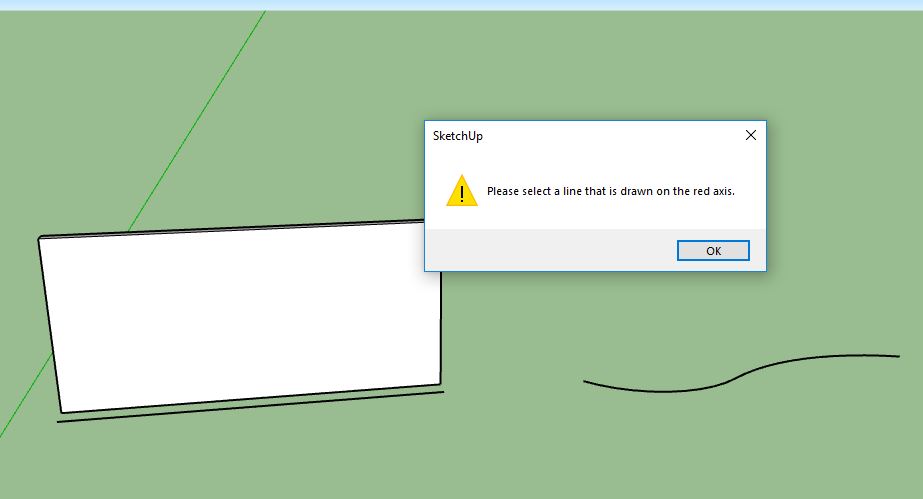
                it says " please select the line that is drawn on red axis"
                i have been trying from yesterday
                And the downloaded version is unsigned version
                I am pulling my hair here, please help me!!!!

                1 Reply Last reply
                Reply Quote 0
                • K
                  keerthanadevi
                  last edited by

                  Capture.JPGesfr.JPG
                  i have the very same issue
                  i recently downloaded shape bender unsigned version
                  after installing in sketchup it doesnt work properly
                  wen i select the straight line of the model it says "please select the line drawn on red axis"
                  i did draw the line along red axis
                  i am having this trouble since yesterday
                  plese help me out

                  1 Reply Last reply
                  Reply Quote 0
                  • BoxB
                    Box
                    last edited by

                    It's fairly clear in your screenshot that the edge under the shape and the shape itself are not aligned along the red axis.

                    1 Reply Last reply
                    Reply Quote 0
                    • K
                      keerthanadevi
                      last edited by

                      dfg.JPG

                      No it still happens the same
                      i have been working on this New model today
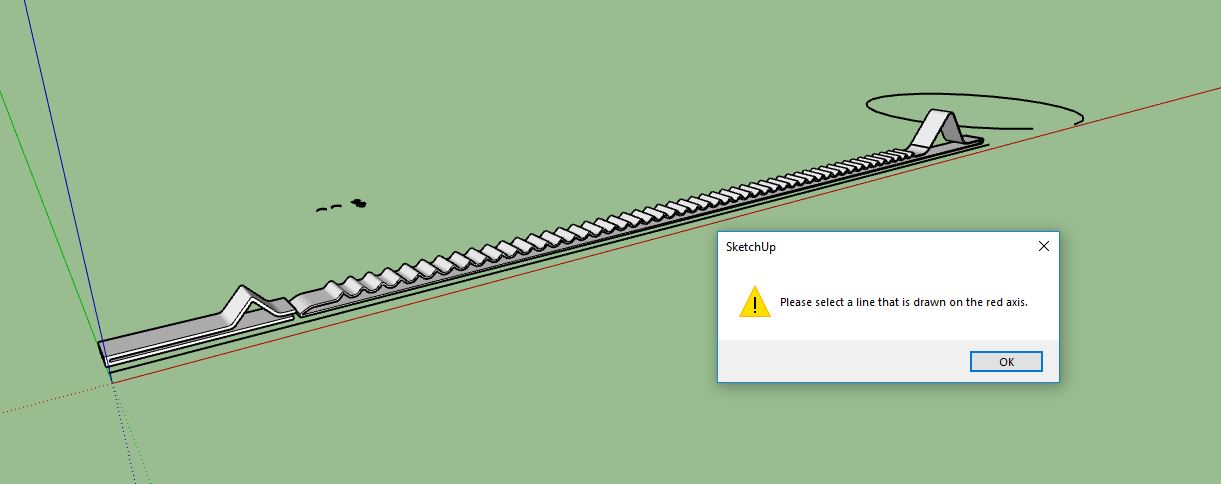
                      i have grouped the model, now i want to turn that in to half circle that i have drawn nearby.
                      Again it says the same "please select the line drawn on red axis"
                      the line is not turning blue wen i select it
                      here is the model of the image
                      please help me figure out
                      thank you.

                      1 Reply Last reply
                      Reply Quote 0
                      • TIGT
                        TIG Moderator
                        last edited by

                        Have you changed the axes ?
                        If so reset them.
                        Then draw a line along the X [red] axis...
                        Try to preselect it, before running the tool ?

                        TIG

                        1 Reply Last reply
                        Reply Quote 0
                        • BoxB
                          Box
                          last edited by

                          Attach the model so we can check it rather than guessing.

                          1 Reply Last reply
                          Reply Quote 0

                          Hello! It looks like you're interested in this conversation, but you don't have an account yet.

                          Getting fed up of having to scroll through the same posts each visit? When you register for an account, you'll always come back to exactly where you were before, and choose to be notified of new replies (either via email, or push notification). You'll also be able to save bookmarks and upvote posts to show your appreciation to other community members.

                          With your input, this post could be even better πŸ’—

                          Register Login
                          • 1 / 1
                          • First post
                            Last post
                          Buy SketchPlus
                          Buy SUbD
                          Buy WrapR
                          Buy eBook
                          Buy Modelur
                          Buy Vertex Tools
                          Buy SketchCuisine
                          Buy FormFonts

                          Advertisement