Paging all Wacom Users
-
Hi Mike --
I have almost exactly the set-up you've recently acquired: Space Navigator along with an Intuos Pen & Touch (small). I think this two-handed approach is a fantastic way to work with both faster/more subtle navigation and much less wear & tear on your wrist/elbow than a mouse.
This is my 3rd Wacom — which I originally bought to relieve an RSI probably 15 years ago — so I'm pretty acclimatized to using it. They've gotten much better and I love the compactness and feel of my current one.
Depends on what you're doing with it, but I've never found I've needed the extra sensitivity of the Pro model. Plus, as you say - they're huge, especially compared to the actual sensing area of the tablet. My first Intros was a medium, but my last two have been smalls, which I prefer because I can navigate the full screen / menus and such with little or no re-positioning of my hand/wrist.
As for settings... obviously it's personal and these might not all work well for someone unaccustomed to a pen tablet, but here are mine:
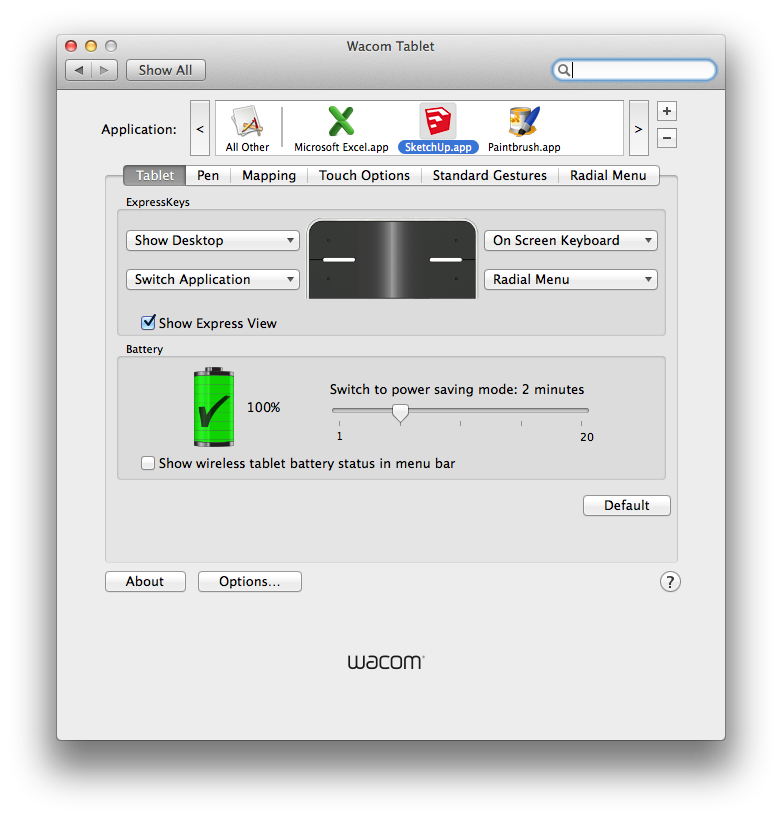
I've set up express keys to be consistent across all the applications:
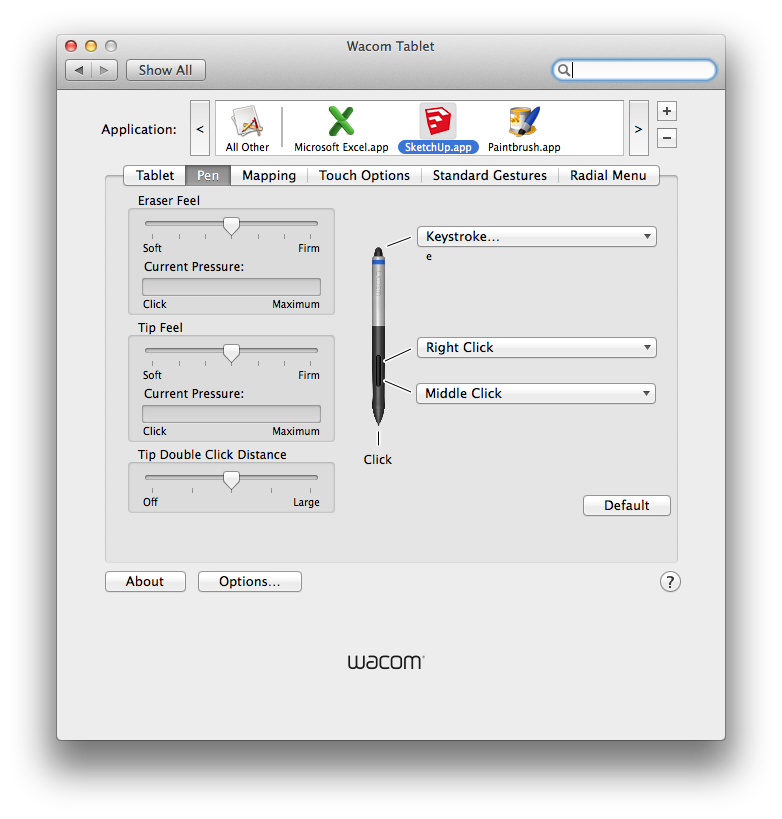
I've played a lot with the pen settings but have ended up right down the middle as the best balance of properties, with the lower button setting for middle click (works well for Orbit) and the upper one for right click :
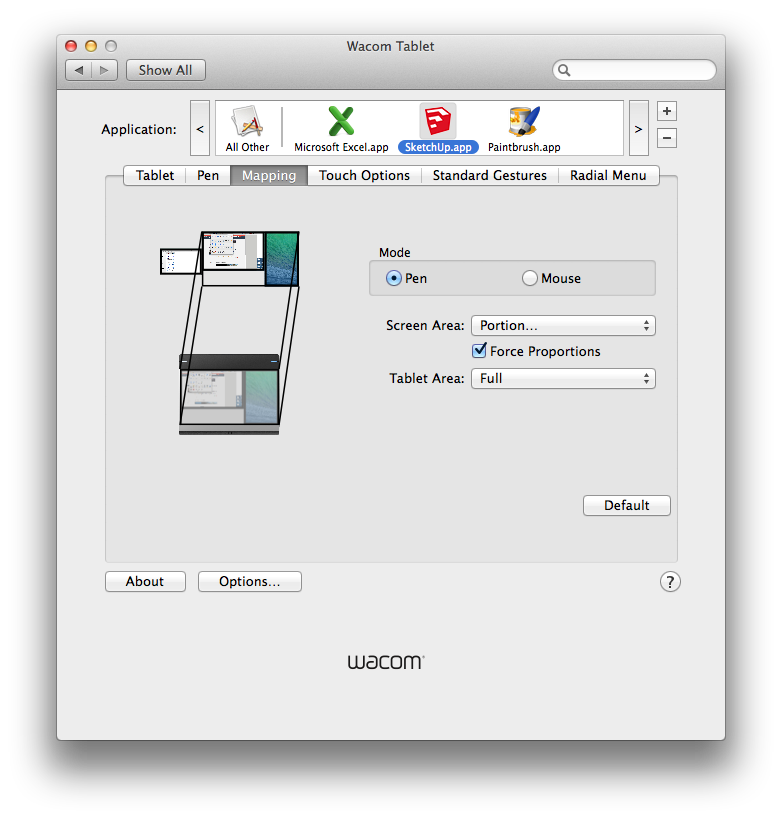
Ironically I rarely use the tablet in Pen mode —too slow— but when I do the mapping used is this (mapped to my two external screens —24" landscape / 20" portrait and excluding my 13" laptop screen):
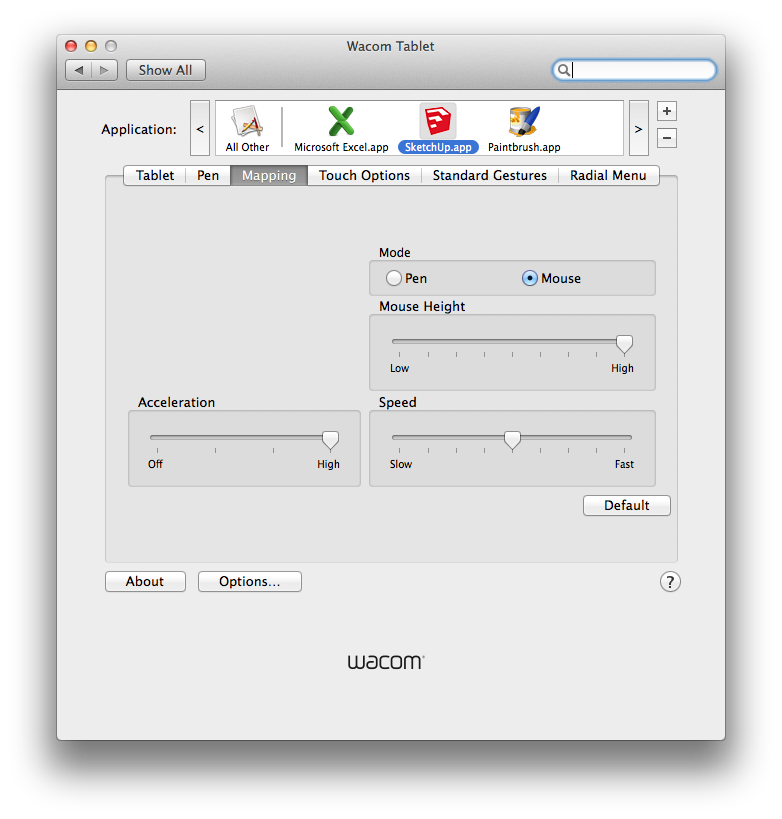
Mouse mode settings are these: I find that very high acceleration with medium speed hits the right balance for me in both navigating quickly and being able to control finer movements when zoomed in:
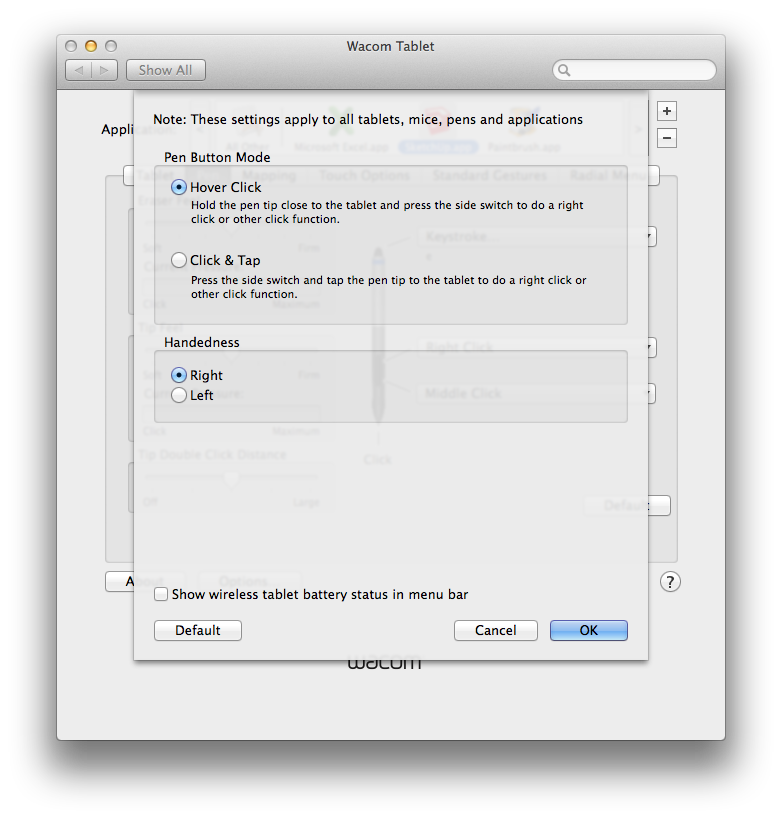
I much prefer the hover click mode for middle / right-clicking:
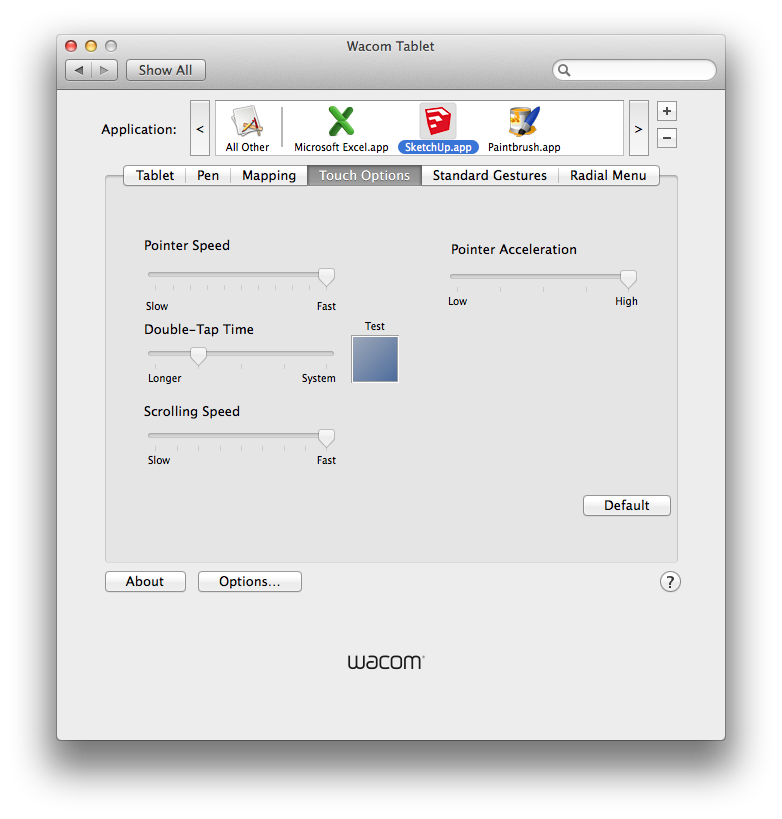
In touch mode I have speeds maxed, with the exception of Double Tap:
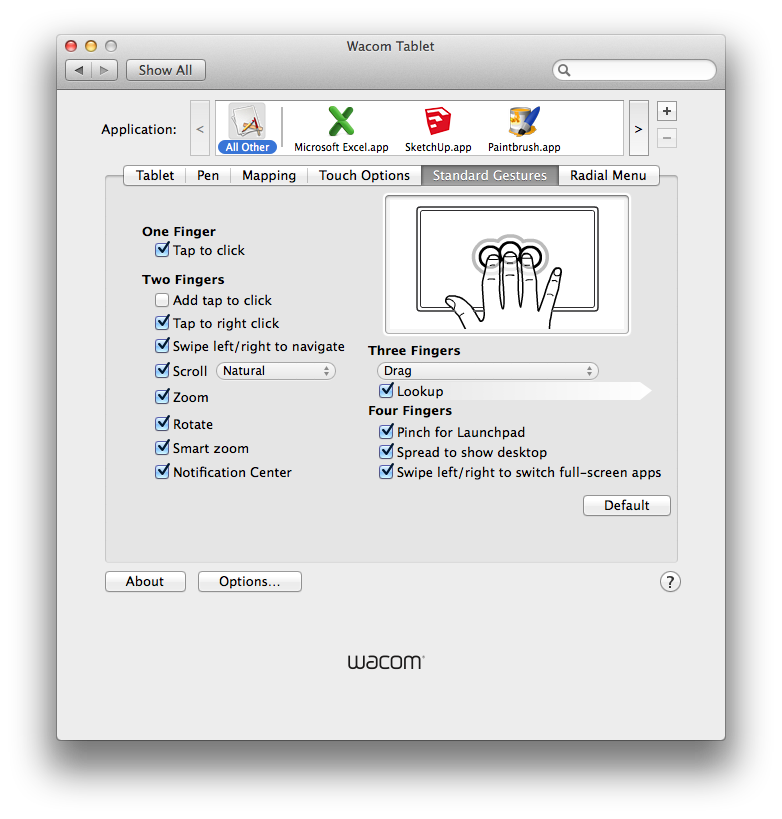
I have all the touch gestures enabled for when I'm not in SU — great for surfing / Apple TV with the on-screen keyboard — which map pretty much the same as the Mac OSX touch gestures:
Haven't set up the radial menu, since I never use the express keys in SU mode — they're too far away to hit without moving your hand. Though I suppose you could map it to one of the button settings on the pen, if you're using the 3D mouse exclusively for navigation. I've left it this way, since I often throw the Wacom in with my laptop when I'm out of the office, and it makes for decent navigation when the Space Navigator isn't in the mix.
Hope it helps, and let me know if you have any questions.
-
Thanks. Exchanged the Medium for the Small today, just using the basic Intuous Pen and Touch version. Not sure if it will make its way into the SU workflow, but when I don't have a deadline I'll be looking at adding it into the mix.
-
Mike, I have a 21" Wacom Cintiq which I love for image editing. I tried it with SketchUp and disliked it very much. When I'm not using it for editing images, it is my secondary display
-
@bmike said:
Exchanged the Medium for the Small today, just using the basic Intuous Pen and Touch version.
Good move - same model I have. Once you get the settings for speed and acceleration dialed you can flick with your wrist and land anywhere on the screen - makes it really fast for choosing menus / changing tools using the toolbar for example. (one of the reasons I never bothered with the radial menu).
I had bought the wireless kit for the previous model I owned, and luckily it is fully compatible with the new one. I use it wired when I'm at my desk, but wireless for surfing/TV.
I know a lot of people feel like Dave does, re: using it in SU. I think that's definitely true when using a larger tablet - it makes cursor movement and navigation really painful because of how much re-positioning you have to do.
And there are a few things it doesn't do as well as a mouse, but for me the trade-off is more than worth it. These days I find it interminably slow and tiring using a mouse. It takes some time to groove new instincts, and whether that training period is worth it is a personal thing. (Plus there's the risk that you'll invest that time and still hate it.)
But since that seems to be the majority opinion around here, I thought it would worth hearing the minority report!
-
-
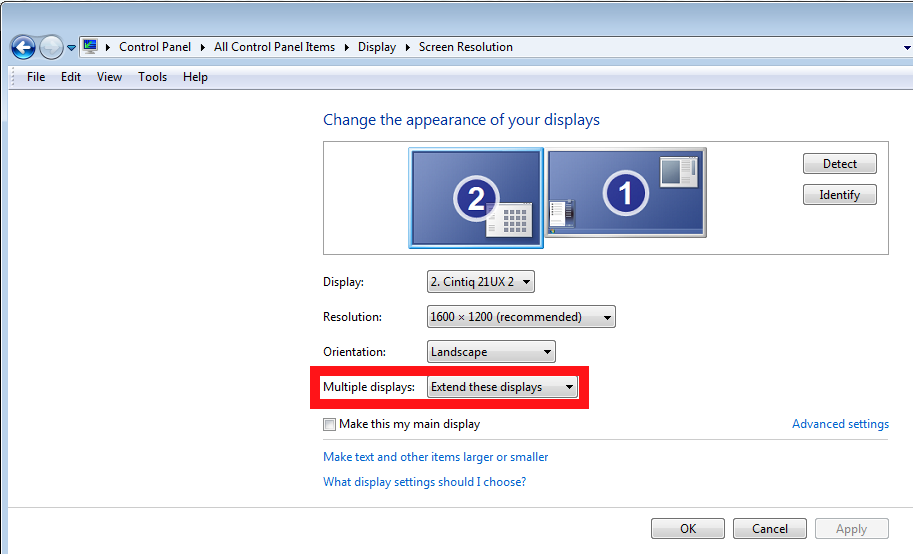
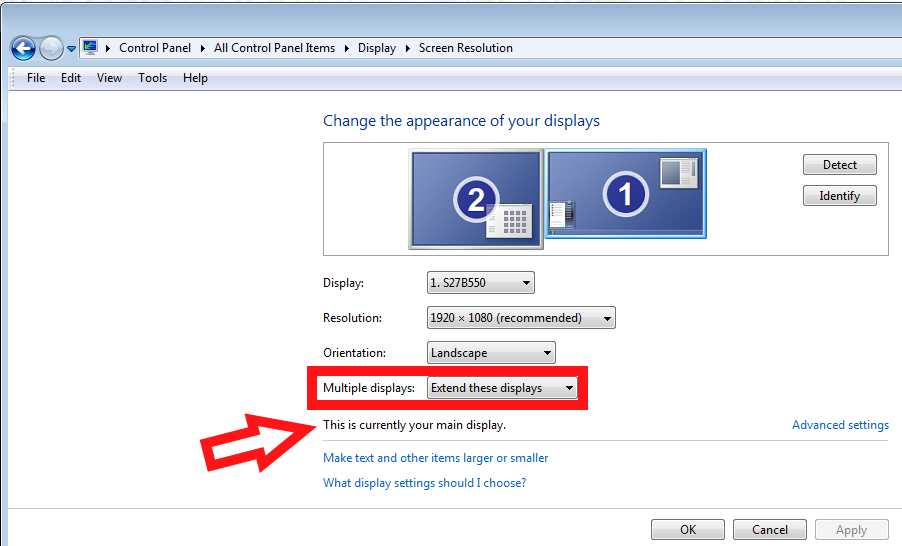
It's under Display settings in the Control Panel. Choose "Extend these displays." I have my 27" monitor set up as the primary one so it gets the Windows taskbar, desktop icons, and stuff. The Samsung monitor sits directly in front of me and because I'm lefthanded, the Cintiq is off on the left side. I put the Cintiq on an articulated arm that clamps on the side of the desk which holds the display up next to my primary screen most of the time but allows me to pull it down into my lap when I'm working on it with the stylus

-
So, not really going to work for me in SketchUp without retraining my hands and brain, but I started fooling around with ArtRage, the Wacom, and several pages of exports from LayOut.
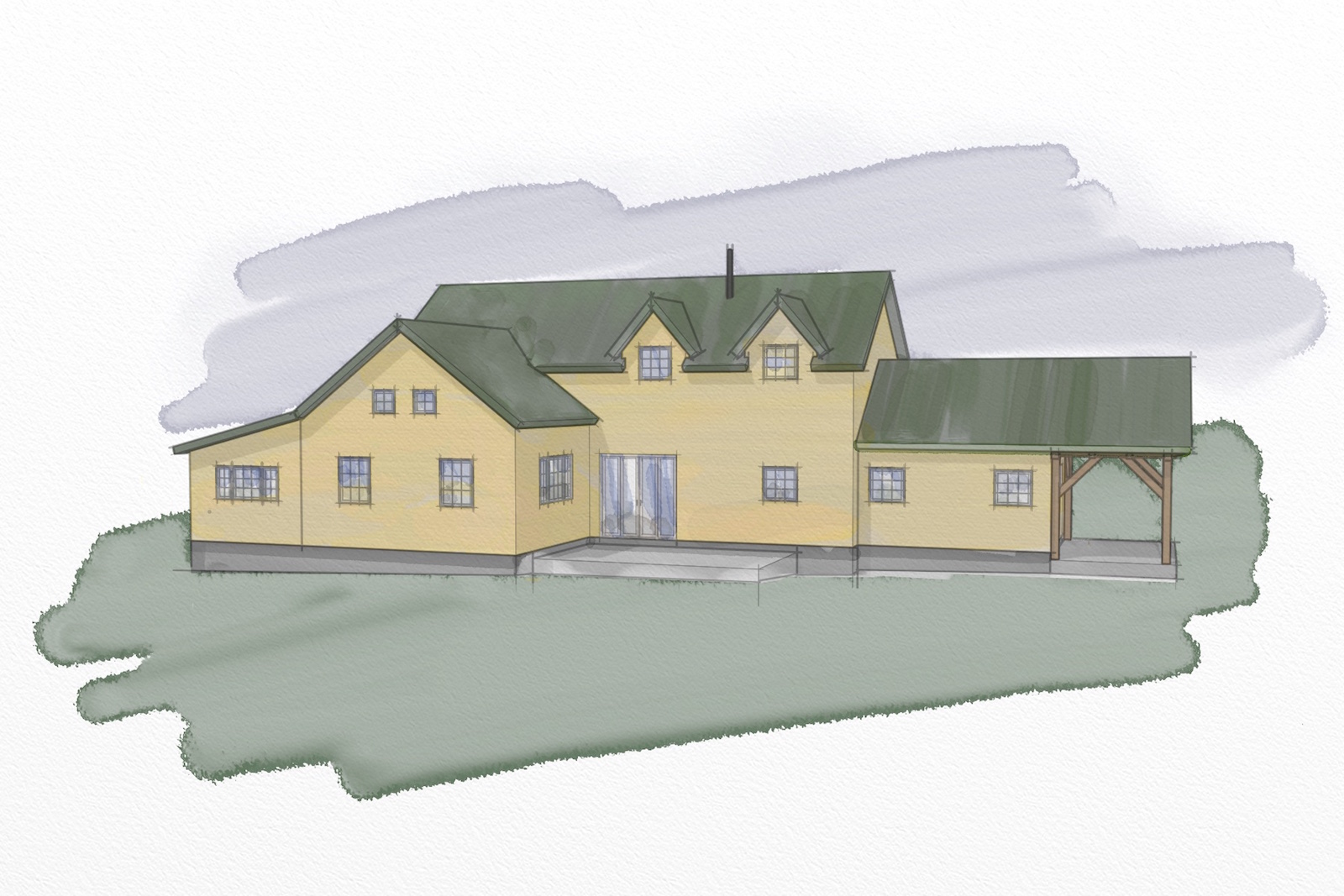
It needs refinement (and the model is pretty early on, still missing alot of little details that makes models represented like that 'sing'.
Pretty happy thus far, and ArtRage is pretty cool for 'real' effects with digital painting.
-
Good start, Mike,
One of the things I find really handy with the Cintiq is being able to edit out some lines and artifacts from Sketchy style exports. Lots easier than using the mouse.
-
@dave r said:
Good start, Mike,
One of the things I find really handy with the Cintiq is being able to edit out some lines and artifacts from Sketchy style exports. Lots easier than using the mouse.
Thanks Dave.
I've done the watercolor / paint app thing on my old PC laptop. Haven't found suitable replacement yet on the Mac (although I haven't really looked...)
Want to get good enough to do this by hand with some LayOut exports from my models.
The 3d is sort of tough, I can see mocking up elevations though like this with some washes of color.Sent that to clients, they liked it... who knew!
-
I've got Corel Painter something on my PC and I think they have a mac version although I haven't installed it on my Mac. I think it's a pretty good option for digital painting effects.
-
@dave r said:
I've got Corel Painter something on my PC and I think they have a mac version although I haven't installed it on my Mac. I think it's a pretty good option for digital painting effects.
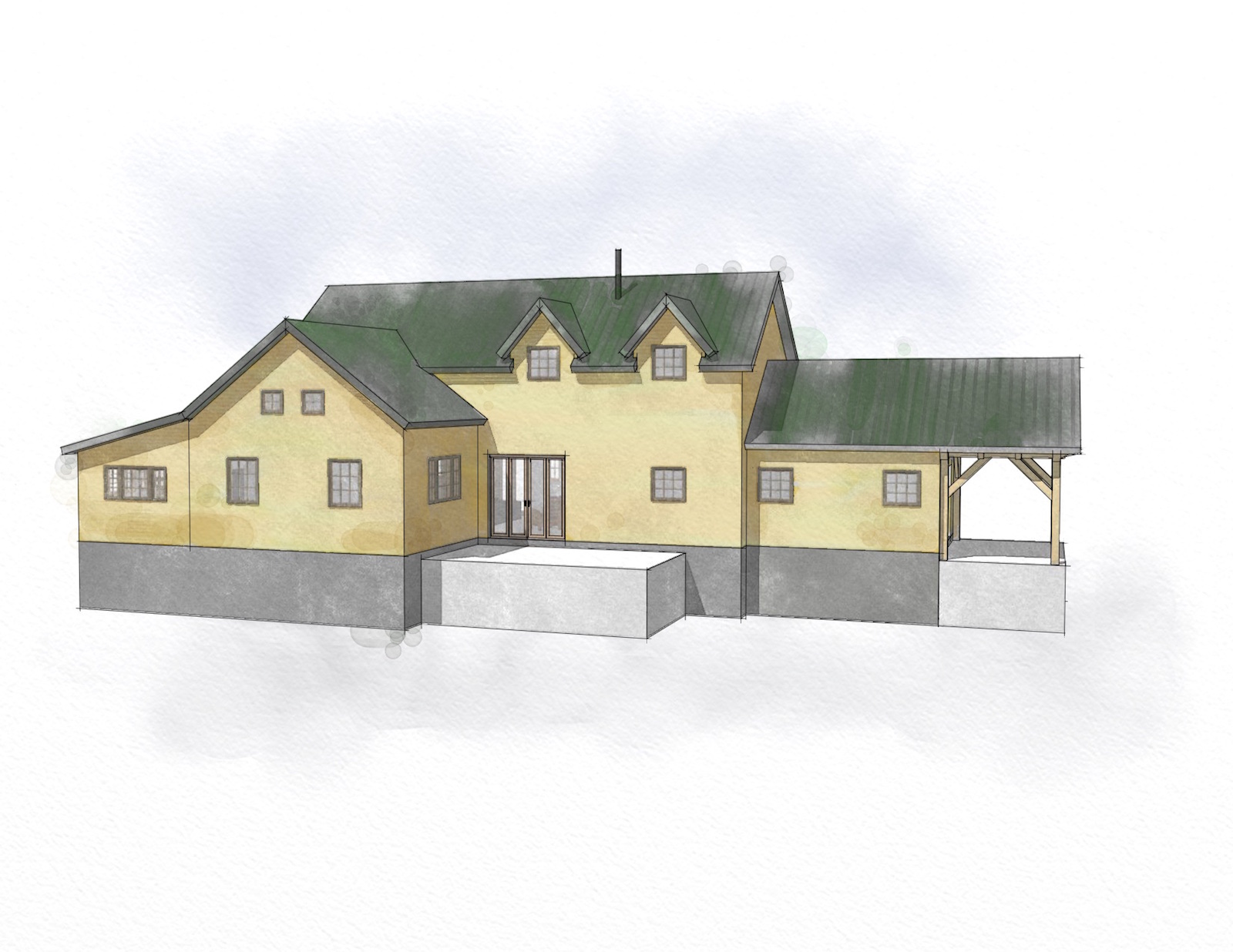
ArtRage is pretty cool. Has a physics engine in it that mimics real world media... pretty insane, really to be pushing around water color or oils on the screen with the pen.
Here's another:
-
Looks great Mike. I looked it up and ArtRage is available for Mac but OS 10.4.5?
-
@pbacot said:
Looks great Mike. I looked it up and ArtRage is available for Mac but OS 10.4.5?
I'm running V4.5 in Yosemite:
http://www.artrage.com/artrage-4/free-update/
Scroll to the bottom:
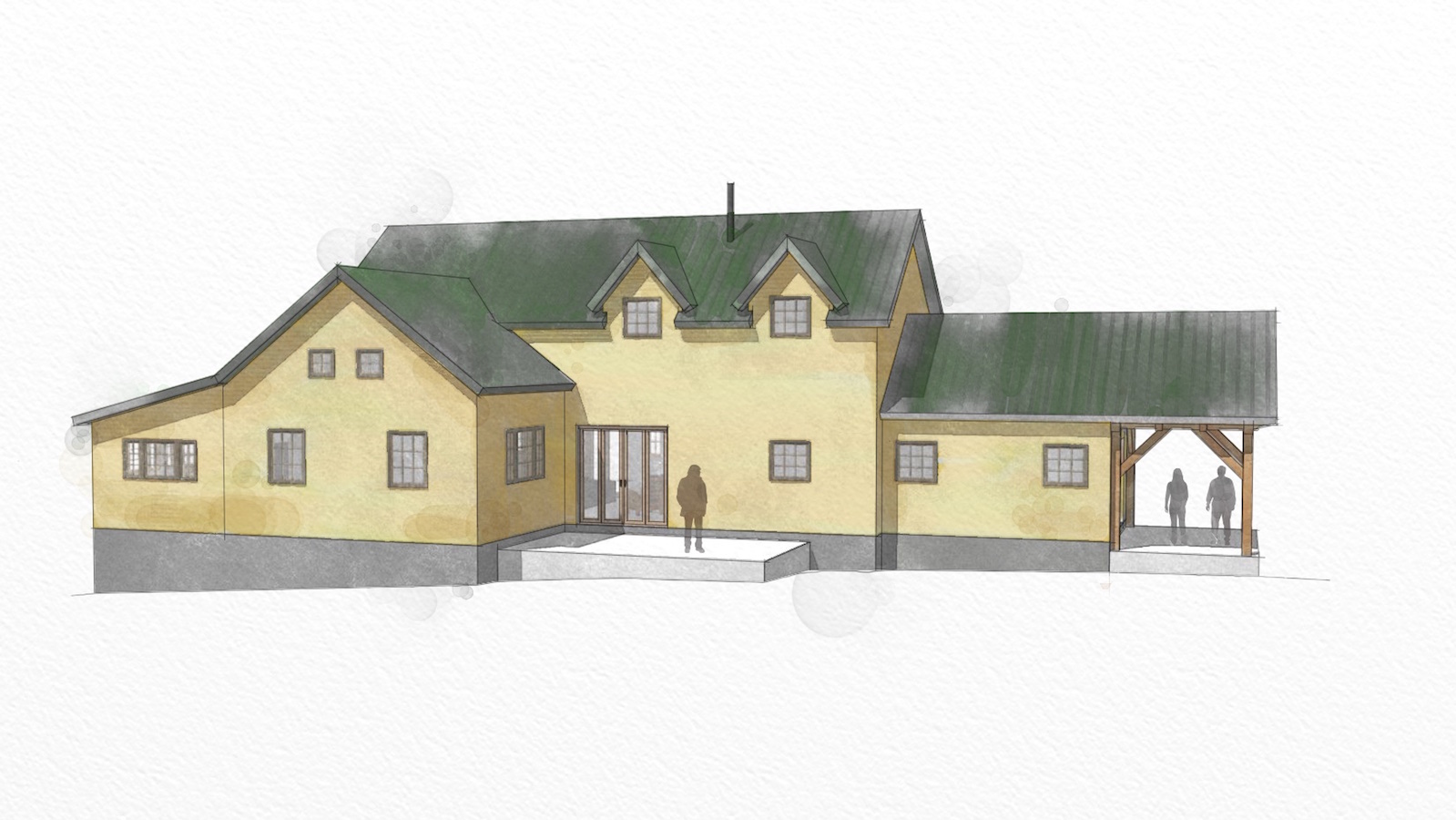
Mac OS X: 10.6 or later, Intel Mac required. 32 or 64 bitI really like combining LayOut and ArtRage or Pixelmator... of course, I could spend all day doing this... which is bad for other work I need to be doing.




Hello! It looks like you're interested in this conversation, but you don't have an account yet.
Getting fed up of having to scroll through the same posts each visit? When you register for an account, you'll always come back to exactly where you were before, and choose to be notified of new replies (either via email, or push notification). You'll also be able to save bookmarks and upvote posts to show your appreciation to other community members.
With your input, this post could be even better 💗
Register Login


Advertisement