sketchucation logo sketchucation
    • Login
    Oops, your profile's looking a bit empty! To help us tailor your experience, please fill in key details like your SketchUp version, skill level, operating system, and more. Update and save your info on your profile page today!
    Mac User? | Join the Rayscaper Beta for Mac Learn More

    [REQUEST] Simple bone structure

    Scheduled Pinned Locked Moved Plugins
    17 Posts 10 Posters 2.6k Views 10 Watching
    Loading More Posts
    • Oldest to Newest
    • Newest to Oldest
    • Most Votes
    Reply
    • Reply as topic
    Log in to reply
    This topic has been deleted. Only users with topic management privileges can see it.
    • silvershadowS
      silvershadow
      last edited by

      Oh wow thanks for the interest. Will get back to you soon πŸ˜ƒ

      1 Reply Last reply
      Reply Quote 0
      • D
        driven
        last edited by

        @sam,

        you should have a look at upgrading this one...
        http://sketchucation.com/forums/viewtopic.php?p=304379#p304379
        john

        learn from the mistakes of others, you may not live long enough to make them all yourself...

        1 Reply Last reply
        Reply Quote 0
        • silvershadowS
          silvershadow
          last edited by

          okay this is sort of what i was thinking of, just an idea
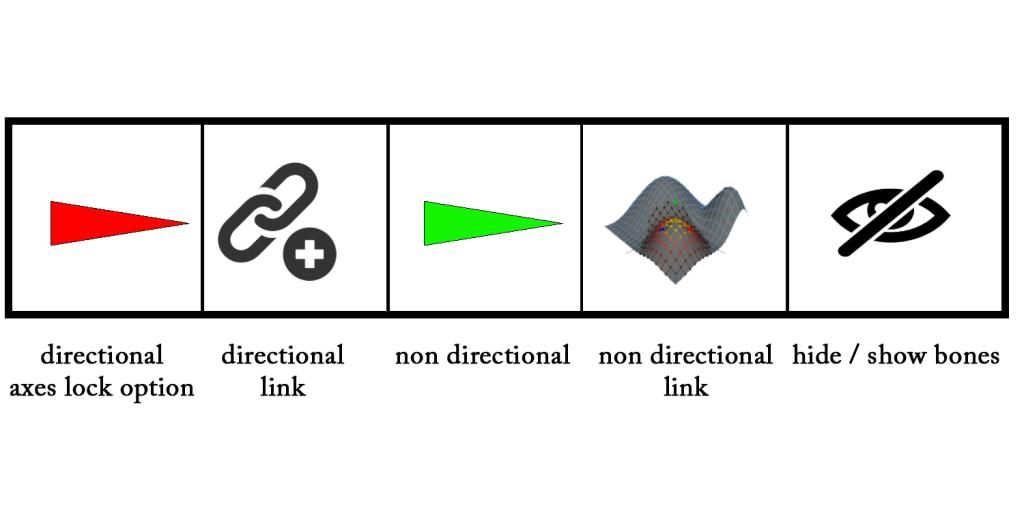
          the initial menu toolbar would be something like this.
          http://i189.photobucket.com/albums/z316/free_shadow/09_1.jpg

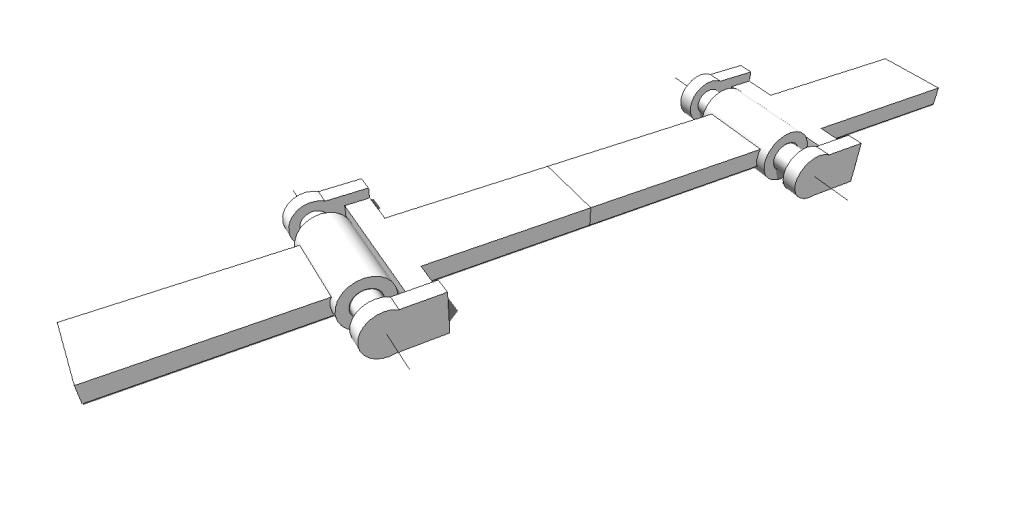
          Situation no 01 - Directional items
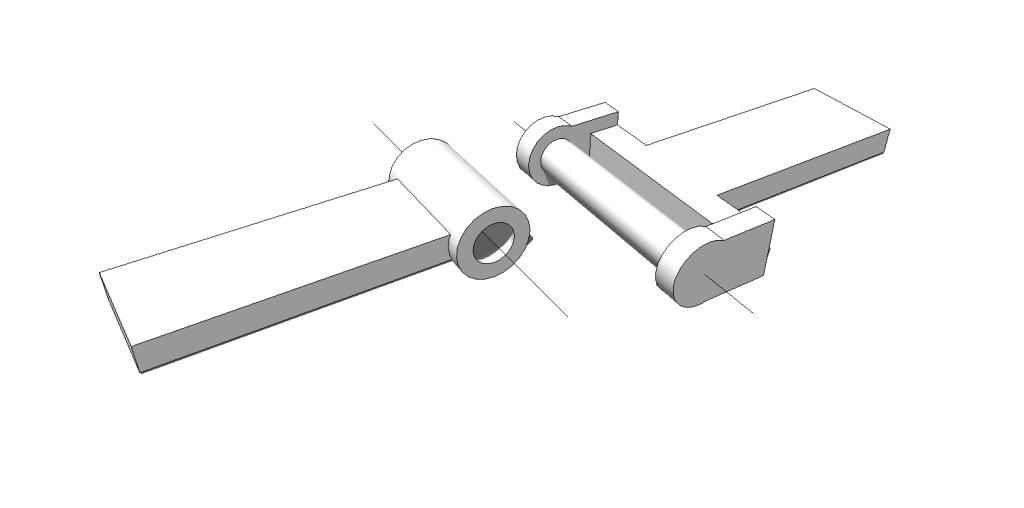
          you have a couple of objects you want to connect to each other so when ever you move one point it will be glued to each other and only moving in a certain direction.
          http://i189.photobucket.com/albums/z316/free_shadow/01_1.jpg


          http://i189.photobucket.com/albums/z316/free_shadow/02_2.jpg

          so we use the directional bone tool, and lock the x/y axes, leaving the z to move up and down only.
          these bones should be placed in the direction of the object, preferably connecting to each other.
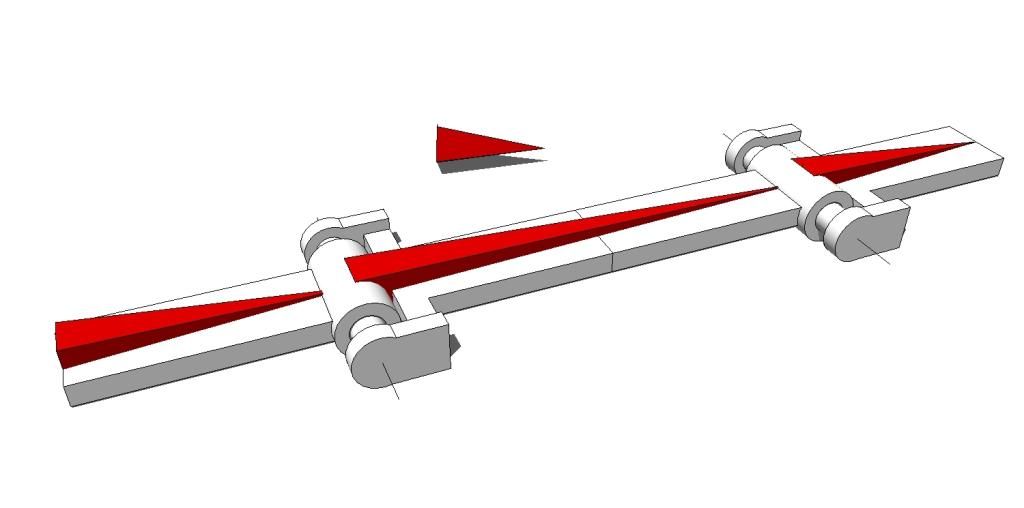
          http://i189.photobucket.com/albums/z316/free_shadow/03_2.jpg

          now we use the second icon, called directional link, and link the bones to the objects,one bone per movable object. once done, whenever you move the bone now.. the object moves also in this direction.
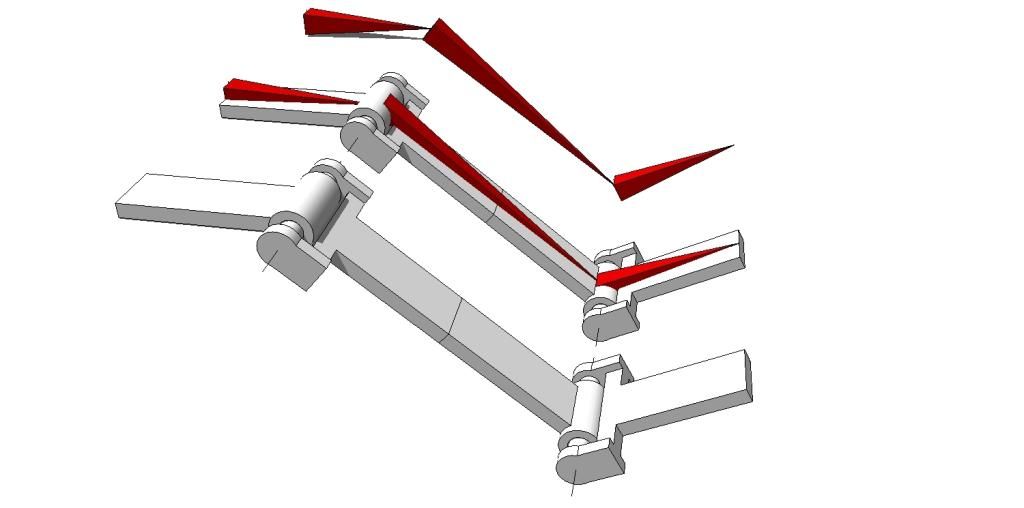
          http://i189.photobucket.com/albums/z316/free_shadow/04_1.jpg

          you can hide the bones structure by clicking the last icon or just maybe have it also in a layer that you can delete in a later stage freezing your model in its position.

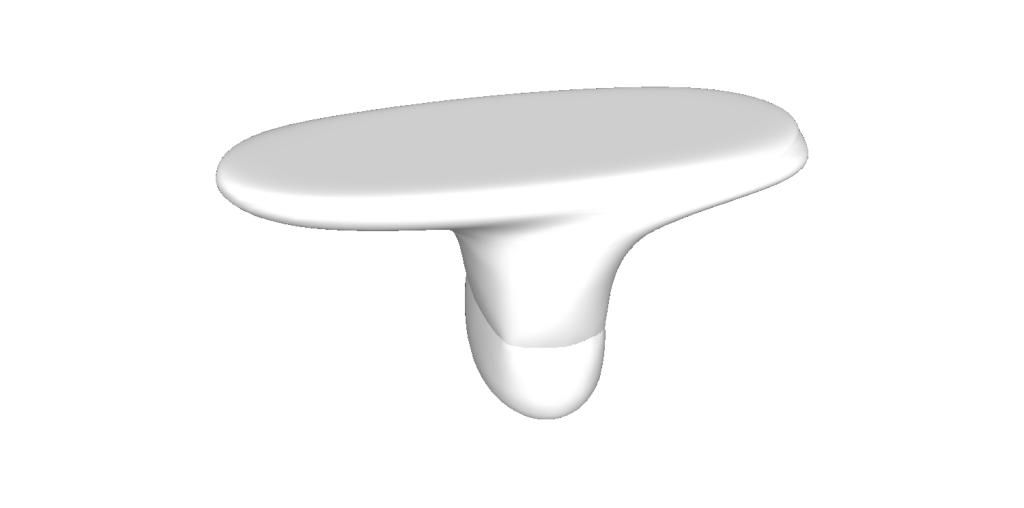
          Second situation is organic stuff.
          simple example may be something like this..
          http://i189.photobucket.com/albums/z316/free_shadow/05_1.jpg

          use the non directional bones that can move any direction.
          build a simple bone structure
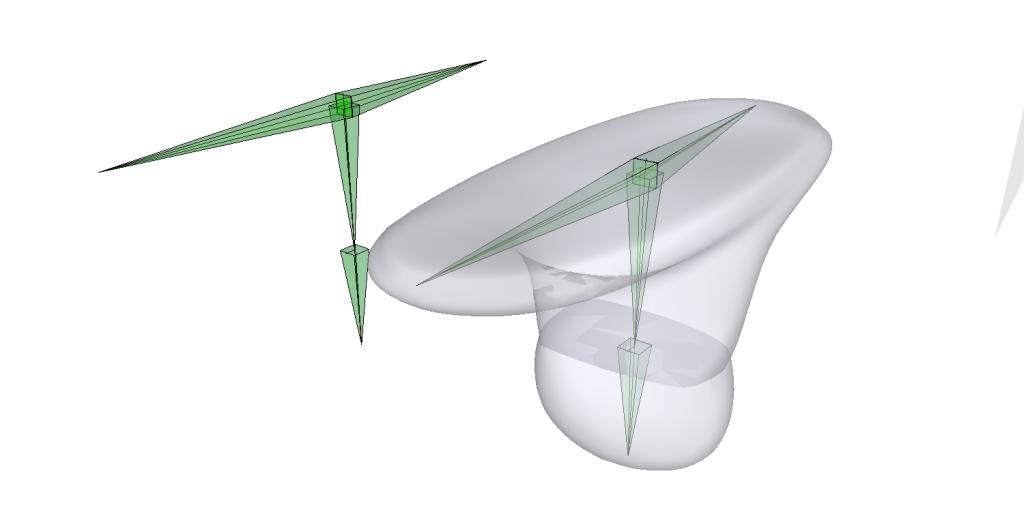
          http://i189.photobucket.com/albums/z316/free_shadow/06_2.jpg

          now use the non directional link button.
          Maybe have a vertex selection tool like atrisan indicated like this, and link soft selection groups to a bone.
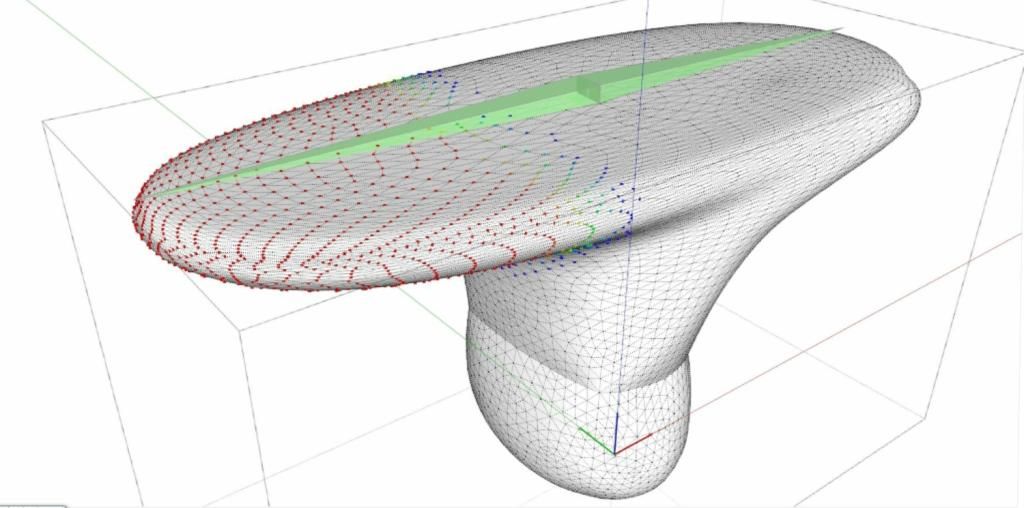
          http://i189.photobucket.com/albums/z316/free_shadow/07_1.jpg

          once done, moving the bones will move the mesh
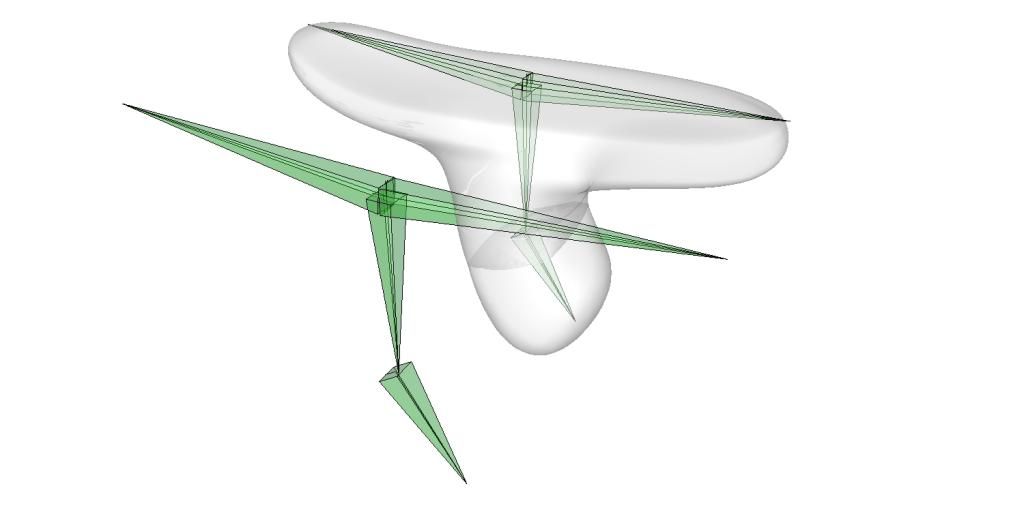
          http://i189.photobucket.com/albums/z316/free_shadow/08_1.jpg

          this is just an initial idea but it think this can work or even be a plugin that can be sold on the market.

          1 Reply Last reply
          Reply Quote 0
          • tt_suT
            tt_su
            last edited by

            Ohh... this is an interesting thread!

            1 Reply Last reply
            Reply Quote 0
            • sdmitchS
              sdmitch
              last edited by

              Well that is certainly a lot to think about. I recently did simple hinged components on the xy plane but this is a whole different animal. Will give it some thought but don't hold your breath.

              Nothing is worthless, it can always be used as a bad example.

              http://sdmitch.blogspot.com/

              1 Reply Last reply
              Reply Quote 0
              • silvershadowS
                silvershadow
                last edited by

                πŸ˜ƒ its just some food for thought for future development πŸ˜ƒ

                1 Reply Last reply
                Reply Quote 0
                • ely862meE
                  ely862me
                  last edited by

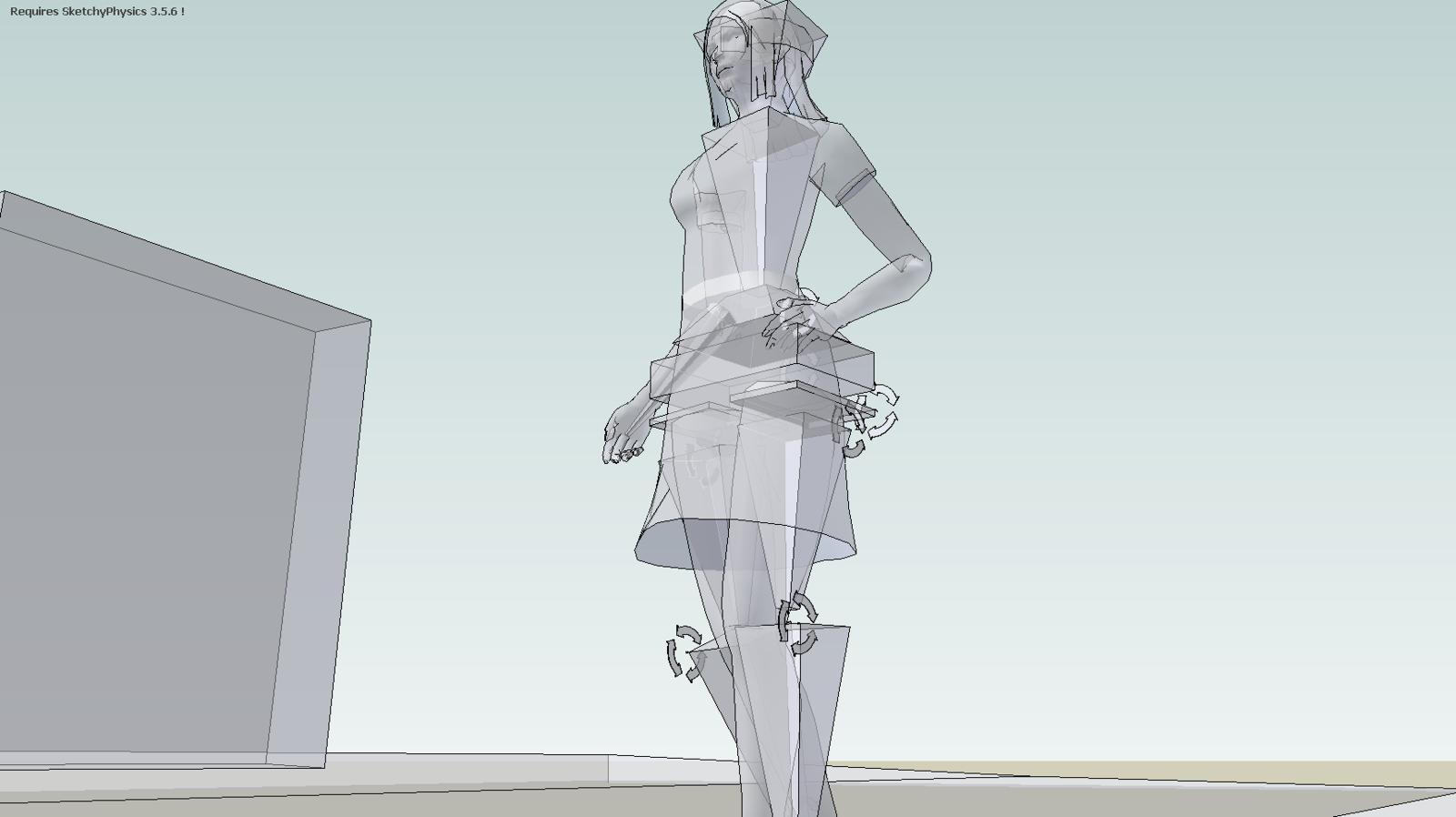
                  Can't SketchyPhysics be hacked to support this? For example moving an arm or so. You do it with the move and rotate tools, but you need the hinges to retain the structure in one piece. Of course everything without gravity so it won't just hang there.

                  Elisei (sketchupper)


                  Before no life was done on Earth it was THE LIFE ITSELF...GOD
                  Come and See EliseiDesign

                  1 Reply Last reply
                  Reply Quote 0
                  • PixeroP
                    Pixero
                    last edited by

                    Interesting.
                    There is a chapter in Automatic SketchUp that touches this.
                    Page 288 and forward.
                    http://rhin.crai.archi.fr/rld/pdf/Automatic_SketchUp.pdf

                    1 Reply Last reply
                    Reply Quote 0
                    • duanekempD
                      duanekemp
                      last edited by

                      I have a current project that desired keyframe animation with finger movement of a hand on a product design. After research, I purchased the Leap Motion Capture USB device and soft to record the .bvh data. Unfortunately, I couldn't get a response from Leap about technical issues in time, so abandoned the idea for a keyframe animation without the finger manipulation (simple fixed hand animation from one point to another as a consolation).

                      However, I was dreaming during this whole experience that there was a way to import into SU the Zbrush bone structure or something similar to help manipulate a high poly SU model. Since, I've been curious if SU being 64 bit now has others pondering or working on solutions for bone structure, .bvh data recording and model animations.

                      This thread is more than interesting for this reason... Silvershadow, thanks for introducing this subject. I'm following with anticipation.

                      Duane Kemp

                      Kemp Productions
                      Puidoux, Switzerland
                      Gallery:
                      https://duanekemp.artstation.com/

                      1 Reply Last reply
                      Reply Quote 0
                      • pilouP
                        pilou
                        last edited by

                        http://code.google.com/p/sketchup-skel/ πŸ˜‰

                        Frenchy Pilou
                        Is beautiful that please without concept!
                        My Little site :)

                        1 Reply Last reply
                        Reply Quote 0
                        • F
                          faust07
                          last edited by

                          bones ... πŸ˜‰
                          Sketchy Physics models from 3D-warehouse


                          "Physics-bones" from 3D-warehouse


                          walking model

                          1 Reply Last reply
                          Reply Quote 0
                          • duanekempD
                            duanekemp
                            last edited by

                            Pilou and Faust, thank you for responding.

                            I was hoping to get more time with Brekel Kinect with .bvh support with Leap Motion Capture and use Simfonia animation tools to import the .bvh data into SU. But... dang.... fairly expensive tool, that last one and didn't seem like it would be easy to work with a high poly model.

                            Are there ANY other options than what I've just mentioned than the stop motion animation process described in the videos above?

                            The Keyframe Animation Plugin seemed like it was going to take about the same amount of time with much more control of the model than the path I had originally chosen.

                            http://www.simfonia.fr/SAT/index.php?page=compare%26amp;PHPSESSID=a6odgrvpk88nu6ghbt1oohrn37

                            Duane Kemp

                            Kemp Productions
                            Puidoux, Switzerland
                            Gallery:
                            https://duanekemp.artstation.com/

                            1 Reply Last reply
                            Reply Quote 0
                            • D
                              driven
                              last edited by

                              @Daune
                              Chris Glasiers version/update of the same code is possibly a better starting point...

                              I linked to it earlier in this thread, third or fourth post...

                              john

                              learn from the mistakes of others, you may not live long enough to make them all yourself...

                              1 Reply Last reply
                              Reply Quote 0
                              • BoxB
                                Box
                                last edited by

                                The Snap Connector tool from Cadman might be of some use in all this.
                                https://extensions.sketchup.com/en/content/snap-connector

                                1 Reply Last reply
                                Reply Quote 0
                                • duanekempD
                                  duanekemp
                                  last edited by

                                  Pilou, I will have to try this and see how this works... and if I can get it to work as I hope it might. Again... thank you for the link.
                                  https://code.google.com/p/sketchup-skel/

                                  Duane Kemp

                                  Kemp Productions
                                  Puidoux, Switzerland
                                  Gallery:
                                  https://duanekemp.artstation.com/

                                  1 Reply Last reply
                                  Reply Quote 0

                                  Hello! It looks like you're interested in this conversation, but you don't have an account yet.

                                  Getting fed up of having to scroll through the same posts each visit? When you register for an account, you'll always come back to exactly where you were before, and choose to be notified of new replies (either via email, or push notification). You'll also be able to save bookmarks and upvote posts to show your appreciation to other community members.

                                  With your input, this post could be even better πŸ’—

                                  Register Login
                                  • 1 / 1
                                  • First post
                                    Last post
                                  Buy SketchPlus
                                  Buy SUbD
                                  Buy WrapR
                                  Buy eBook
                                  Buy Modelur
                                  Buy Vertex Tools
                                  Buy SketchCuisine
                                  Buy FormFonts

                                  Advertisement