[proto] 2d stencil - real line hatches
-
Real line hatches was a feature that I was really missing in Sketchup. In between assignments I started working on a plugin. The video is showing the current prototype. It still needs bug fixes, additional features, mac support etc etc.
edit 2 feb: plugin development stopped for the time being.
edit 2015-01-05: features added
- stencil plane detection at every pick
- custom scaling of patterns
- custom rotation of patterns
- inner island detection (for instance: windows in facades)
-
Looking very good!
I'm not sure I'd really use it as I got used to raster hatches by now, but if I had this when starting on sketchup, it would made me jump immediately into sketchup.
Having this:
- Vector hatches;
- Vector symbols;
- Vector lines.
Inside Sketchup is IMHO opinion, much better than having them inside Layout.
My doubts are only related to model/scene organization so we can get proper 2D Layout output and about complexity of model faces that this could handle, even after your above mentioned modifications/re writing and eventual optimizations of the code. I mean it looks really fast when you use it on those simple models, have you tried it on Big ones?
Those two questions apart, congratulations! Very very impressive!
-
Hi JQL, thanks for your nice reply!
I changed the original video and added some footage about all the features of the current prototype.
Concerning your doubts:
The hatches are grouped per 'material' and again grouped altogether. Normally I have one main group per section. By doing so you can control the visibility in Sketchup and Layout by putting the hatches on a separate layer and separate page.You still have to use some common sense of course regarding the amount of detail you want to put into the patterns. Sketchup's Ruby gets slow if you try to create too many entities at one time. Going above 50k to 100k edges to be created at one click tends to take a minute or more. Going even higher could freeze Sketchup so I try to avoid that.
I'm using it for all my remodeling projects and haven't run into any problems. Thise aren't really big projects but 'BIG' can mean different things. If you can post / pm me a SU file with a sectioncutface and some suggestions about the hatches you would like to see, I could give it a go and post / pm you the result back. That way you can find out yourself if it's something that could make you happy.
-
Looking good..
Are you still using 2dboolean for the intersection part ?
Looks a bit faster now, although I couldent estimate edgecount by a video.
-
It is really good!
The hatching itself is pretty impressive, but what I really loved about it was the block insertions.
Do you think this could turn out to become a database for 2D details? That would be something I'd love to have. Would it be easy to have those 2D details created/inserted from and into any model?
If so, I totally see this as the missing 2D tool for SU.
I can send you a model with my sectionCutFaces showing this kind of details though they're not shareable.
-
@unknownuser said:
Do you think this could turn out to become a database for 2D details? That would be something I'd love to have. Would it be easy to have those 2D details created/inserted from and into any model?
I wonder but for these kind of detail 'blocks' you could also use the native component library functionality or am I mistaken?
The libraries for the plugin can be filled with whatever 2d patterns you like so it should be possible. Although, after they are inserted from the plugin they loose any internal hierarchy they had (all edges will be put on layer 0, all non-edges will be removed).
At the moment, adding a new pattern works like this: Just start Sketchup, draw some 2d lines, start the plugin, choose or create a sub-library, pick the '+' sign and add a name for the pattern. Also, add what kind of pattern it should be in default(single stencil, line, 2d array). All the edges in that file will be added to the new pattern file. You have to re-start Sketchup or open a new file to be able to use the new pattern.
@unknownuser said:
I can send you a model with my sectionCutFaces showing this kind of details though they're not shareable.
PM me if you like me to have a look at it. Of course I won't share anything that should remain non-sharable.
-
Hi Jolran,
In earlier versions of the plugin I did manually use your 2dBoolean afterwards because the plugin only did the hatching. In the newer versions, I added code to do the intersections immediately after the copy-ing process so 2dBoolean isn't needed anymore. The workflow got more streamlined by doing so.
It's quite fast until you copy/array more than 50k to 100k edges in one go. At that moment Ruby slows down fast.
edit: you can see how many copies & edges are generated at each pattern-fill by reading the messages on the status bar (bottom left)
edit2: but your 2dBoolean code was better. This one needs extra code to handle 'surfaces with islands' (a wall with a window + brick pattern = bad results at the moment).
-
@unknownuser said:
In earlier versions of the plugin I did manually use your 2dBoolean afterwards because the plugin only did the hatching. In the newer versions, I added code to do the intersections immediately after the copy-ing process so 2dBoolean isn't needed anymore. The workflow got more streamlined by doing so.
Ah, I see.
Your code seems to be working fine though.
I don't get same timings on my computer. 25k is already taking over a minute to intersect. So in my computer in order to achieve a "smooth" workflow as a stamptool I would estimate components shouldn't rise above 10K.

50K -100K really sounds a lot. But I'm getting the impression my computer is getting old..Like I said in another topic, it would be interesting to see what kind of response time different workstations get from intersections like this. And using edge-patterns in LO.
Although that line patterns would never really become dense(?) and cause a problem, but does indeed look very useful.
-
Hi and a happy new year,
It is possible to offer your plugin as a free download because I look for centuries to find a good insulation hatch, the others seems fine too, please?
-
@julyyen said:
..It is possible to offer your plugin as a free download because I look for centuries to find a good insulation hatch...
If you're just looking for the hatch, I attached the skp file.
-
Thank you very much, I don't know how to make a texture from the file and the most important thing is that I want the texture to automatically fit on a surface, when applied.
That's the reason why I (and possible, others like me) hope to kindly share this plugin with us maybe in the future, if not, we're out of luck.(even with that nasty bugs)
bugs) -
@julyyen said:
...and the most important thing is that I want the texture to automatically fit on a surface, when applied...
the thing is: this is a plugin that doesn't use textures but uses real edges(lines) instead. If you want a solution that uses textures you have to look elsewhere (Skalp for instance)
-
update: added some features. See new video in first post.
-
Nice Kaas... I'll be watching.
-
Nice going there, a few questions:
- are the hatches editable once applied?
- can one "explode" the hatch/fill to the surface to have it intersect the surface (thinking of quick flagstone, and the like, creation)?
-
- the hatches are just grouped lines / edges. They have no special properties so you can do with them whatever you like.
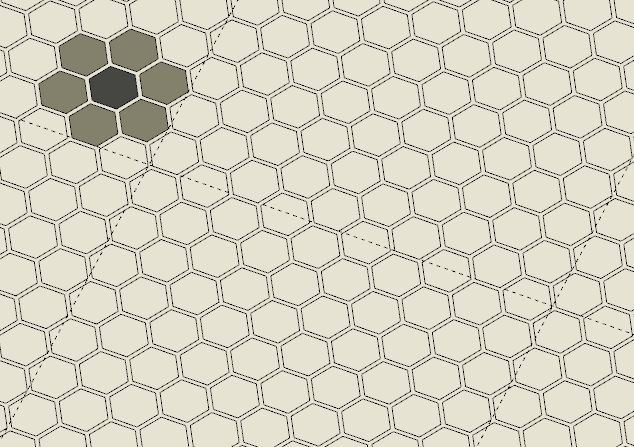
- yes, you can explode them and use them as a cookie-cutter to cut a face. Although, if the pattern is very complex, it doesn't always go right and Sketchup needs some re-tracing some of the edges but I did use it to cut and color a mosaic floor for instance (see image).
-
This is becoming an almost must have tool! Also looking forward to it
-
Following with interest! Great addon!
-
looking forward to hatch blasting with this one

-
Hi Kaas, Great plugin, really, really useful - I really hope you're able to make a SU 8 version.




Hello! It looks like you're interested in this conversation, but you don't have an account yet.
Getting fed up of having to scroll through the same posts each visit? When you register for an account, you'll always come back to exactly where you were before, and choose to be notified of new replies (either via email, or push notification). You'll also be able to save bookmarks and upvote posts to show your appreciation to other community members.
With your input, this post could be even better 💗
Register Login


Advertisement