ToolsOnSurface error
-
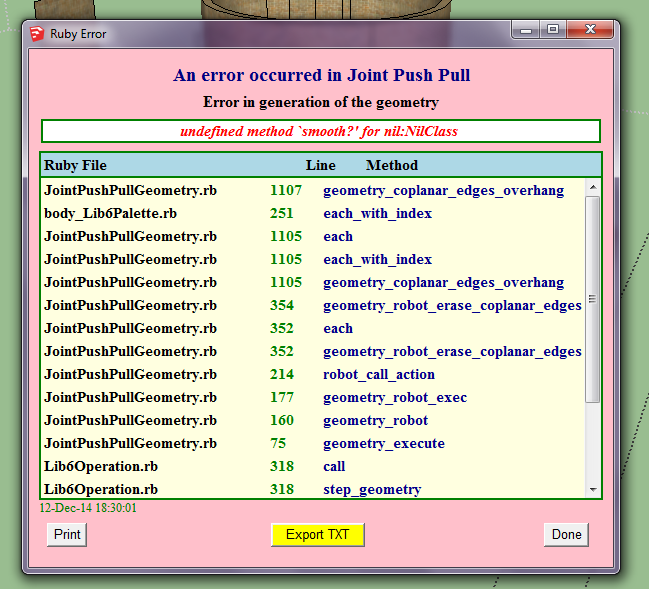
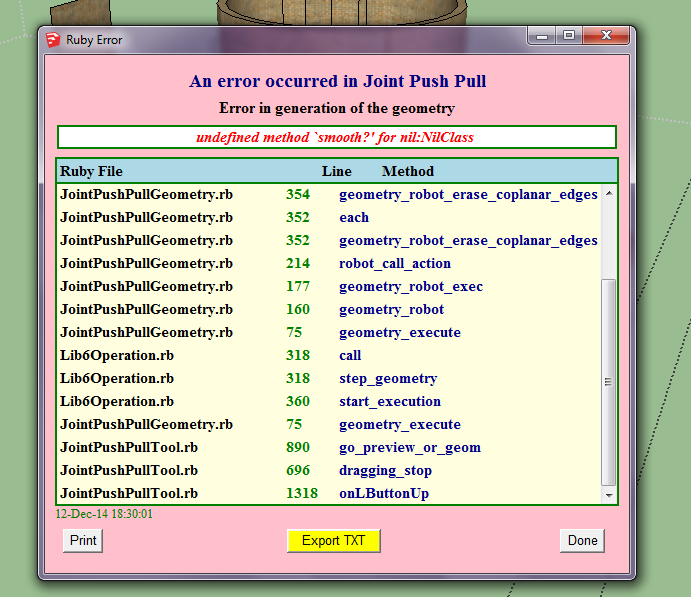
So I'm using the joint push/pull button to make hole in my cylindrical room. It worked great for most of the openings but for some I get the attached error message. What to do?
-
Why the subject is "ToolsOnSurface error"? Souldn't it be "JointPushPull" error?
-
@massimo why would you stop by to write that and not even answer the question?

-
For the same reason I will, if you want good answers, start with the right question.
Fredo will have to answer this one when he gets to it.
-
@box Okay, if there's an error with a specific function of a plugin, would you say the function has an error or the plugin itself? Of course the way I understand how plugins work may be wrong though
Also, it seemed better to say ToolsOnSurface instead of JointPushPull in the title because I'm not sure how many people here are that familiar with specific functions in plugins. It just made more sense to use the plugin itself's name.
And that's the long and short of it. Hope it satisfied you guys? -
@hanaehab said:
@box Okay, if there's an error with a specific function of a plugin, would you say the function has an error or the plugin itself? Of course the way I understand how plugins work may be wrong though
Also, it seemed better to say ToolsOnSurface instead of JointPushPull in the title because I'm not sure how many people here are that familiar with specific functions in plugins. It just made more sense to use the plugin itself's name.
And that's the long and short of it. Hope it satisfied you guys?tools on surface and joint push pull are two completely different plugins both with their own subset of functions..
(tools on surface allows you to draw geometry on surfaces.. jpp allows you to push pull curved surfaces)just sayin.. (but really, i don't care about the misnaming or whatever)
regardless, can you post the .skp or the portion of the .skp that you're having the problem with as well as explain the results you're after.
-
ohhh wow okay now I understand why I got that question
my bad box and massimo, I haven't been sleeping well for two weeks now 
@jeff hammond okay some of the opening are drawn on the cylinder, however when i try to push them into the cylinder (to later intersect faces and then make both sides of the opening windows) I get that error message.
-
You've got a bunch of bad geometry on the bottom. Turn off the materials so they aren't masking the bad stuff. Clean it up and I bet it'll work better.
-
You're right @DaveR I checked out the bottom of that room and it was horrible. However on fixing it I still get the same error message

-
@hanaehab said:
ohhh wow okay now I understand why I got that question
my bad box and massimo, I haven't been sleeping well for two weeks now @jeff hammond okay some of the opening are drawn on the cylinder, however when i try to push them into the cylinder (to later intersect faces and then make both sides of the opening windows) I get that error message.
hey hanaehab.
you have some bad geometry in there.. lines that are really close together, stuff not in proper alignment, etc..
for example, this is zoomed way in on one part: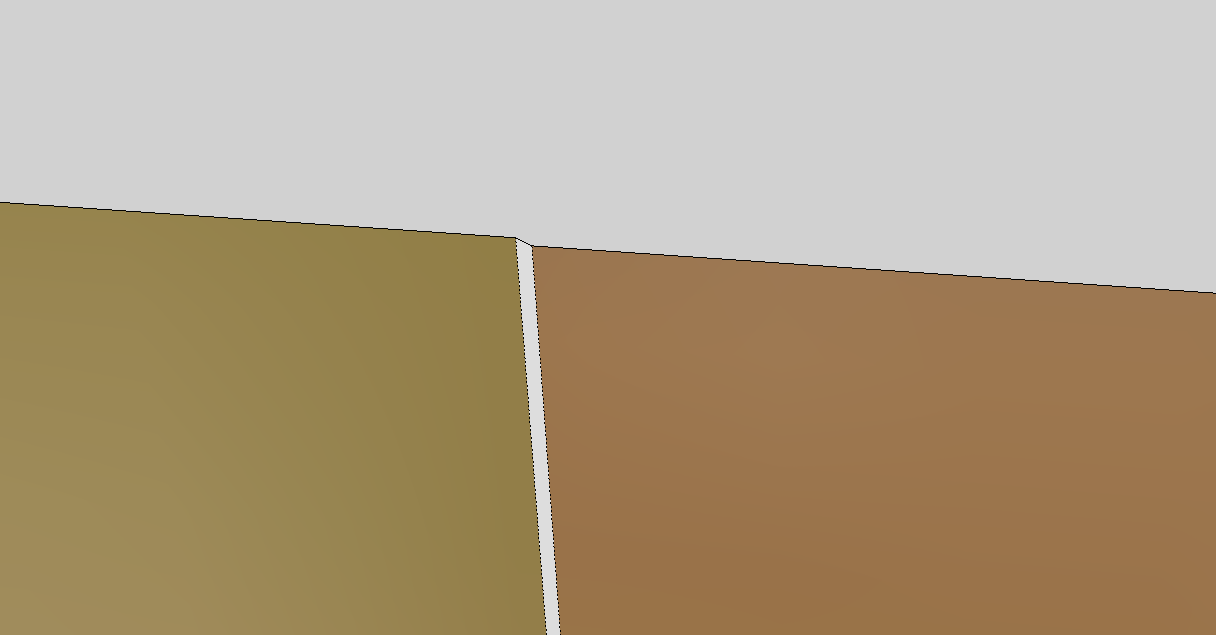
that little nick and things like it are going to potentially cause a lot of problems (and they're possibly what's causing jointpushpull to fail in this instance)..
in sketchup, along with most drawings/projects/etc, it often helps to think ahead instead of just getting in there and freestyling.
you want 10 windows going 360º? then use a circle which is divisible by 10 (instead of the default of 24segments).. i used 60 in the .skp.. (doing this will allow you to draw one window and they'll all fit on the circle the same way) things like that.
here's your file with better starting geometry.. joint push pull should work on these surfaces.
turn on hidden geometry (View-> Hidden Geometry) and compare the two models..
(also, you have some hidden lines in your model.. basically, for now -- Don't ever hide lines.. only soften them (eraser tool + ctrl).. if they won't soften then you have another problem somewhere.. and hiding will only hide the error from being as visible.)
-
IDK how disimilar your openings are but really could be simpler just layout the whole circle then create one opening and the section of wall each side and radial duplicate.
-





Hello! It looks like you're interested in this conversation, but you don't have an account yet.
Getting fed up of having to scroll through the same posts each visit? When you register for an account, you'll always come back to exactly where you were before, and choose to be notified of new replies (either via email, or push notification). You'll also be able to save bookmarks and upvote posts to show your appreciation to other community members.
With your input, this post could be even better 💗
Register Login


Advertisement