sketchucation logo sketchucation
    • 登入
    Oops, your profile's looking a bit empty! To help us tailor your experience, please fill in key details like your SketchUp version, skill level, operating system, and more. Update and save your info on your profile page today!
    🔌 Smart Spline | Fluid way to handle splines for furniture design and complex structures. Download

    [Plugin][$] VisuHole - v1.5a - 01 Apr 24


    已排程 已置頂 已鎖定 已移動 Plugins
    103 貼文 39 Posters 127.4k 瀏覽 39 Watching
    正在載入更多貼文
    • 從舊到新
    • 從新到舊
    • 最多點贊
    回覆
    • 在新貼文中回覆
    登入後回覆
    此主題已被刪除。只有擁有主題管理權限的使用者可以查看。
    • pilouP 離線
      pilou
      最後由 編輯

      We have yet the rotation 👍
      but...
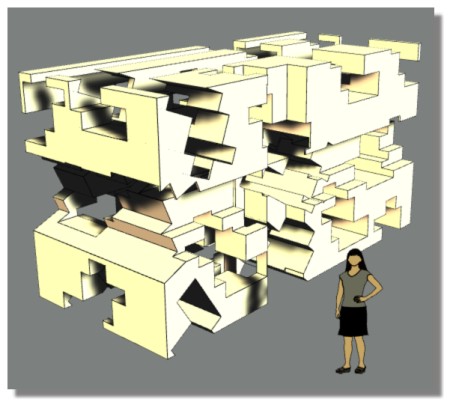
      ... does this is possible ? 😄
      Will be very smart! 😄
      And a Gizmo with separated scale X, Y, Z super smart! ☀
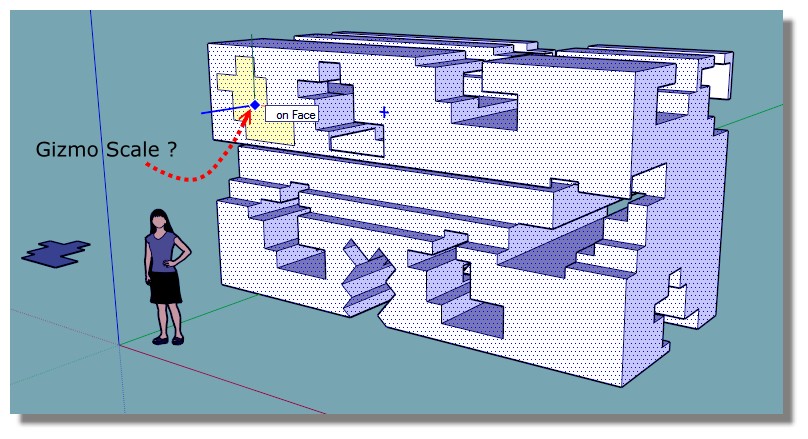
      gizmo_scale.jpg
      gizmo_scale1.jpg

      Frenchy Pilou
      Is beautiful that please without concept!
      My Little site :)

      1 條回覆 最後回覆 回覆 引用 0
      • W 離線
        Whaat
        最後由 編輯

        Congrats Fredo! Another great release! I am looking forward to playing with this one... 👍

        SketchUp Plugins for Professionals

        1 條回覆 最後回覆 回覆 引用 0
        • ElibjrE 離線
          Elibjr
          最後由 編輯

          Fredo this looks amazing! I can 't wait to play with this one!

          1 條回覆 最後回覆 回覆 引用 0
          • fredo6F 離線
            fredo6
            最後由 編輯

            NEW RELEASE: VisuHole v1.1a - 19 Oct 14

            VisuHole 1.1a is required for the support of usernames with non-ascii characters in Sketchup 2014

            See main post of this thread for Download of VisuHole.

            Fredo

            1 條回覆 最後回覆 回覆 引用 0
            • MALAISEM 離線
              MALAISE
              最後由 編輯

              Once more time, awsome tools. 😄 MALAISE

              La Connaissance n'a de valeur que partagée

              1 條回覆 最後回覆 回覆 引用 0
              • R 離線
                reboot05
                最後由 編輯

                This is an awesome plug-in, thank you! I have one question, if for example I punch a hole in a component it seems to make that component unique and doesnt make that change to what were instances of the original component. It cant see to find if there was an option to make the change to all instances of the component. Other "typical" changes on components are working properly. Am I doing something wrong? Or have some preference set wrong?

                Thanks again!!

                1 條回覆 最後回覆 回覆 引用 0
                • fredo6F 離線
                  fredo6
                  最後由 編輯

                  @reboot05 said:

                  This is an awesome plug-in, thank you! I have one question, if for example I punch a hole in a component it seems to make that component unique and doesnt make that change to what were instances of the original component. It cant see to find if there was an option to make the change to all instances of the component. Other "typical" changes on components are working properly. Am I doing something wrong? Or have some preference set wrong?

                  Thanks again!!

                  You have the choice

                  1. If you are outside the component, only the component selected is affected (and thus is made unique)

                  2. if you are inside the component, then all instances will be affected.

                  Fredo

                  1 條回覆 最後回覆 回覆 引用 0
                  • S 離線
                    skogen75
                    最後由 編輯

                    Just found this...awesome indeed. Any tips on how to position the drill on guide points or lines? The stencil seems to disappear when I hover over a guide cross or guideline that intersects a face. I would love to know how to accurately place the drill. Very cool. I'm using SU15.

                    1 條回覆 最後回覆 回覆 引用 0
                    • P 離線
                      Pants
                      最後由 編輯

                      @skogen75 said:

                      Just found this...awesome indeed. Any tips on how to position the drill on guide points or lines? The stencil seems to disappear when I hover over a guide cross or guideline that intersects a face. I would love to know how to accurately place the drill. Very cool. I'm using SU15.

                      +1.

                      I think this is what <pilou » Sat Sep 27, 2014 10:55 am> was describing (along with a workaround?) and if so, I don't get his results, or just don't understand exactly what he was suggesting to do the workaround.

                      I can NOT get it to punch through any semblance of guidelines, pencil-lines, etc. The stencil disappears as soon as it infers an intersection point - though yes, arrow-keys seem to bring it back as per previous post, but...still...there's no punching going on. Yes, I can punch to my heart's content if I just "get random" with it, but I'm trying to hit precise measurements, not do an art piece where measurements don't matter.

                      Fantastic capabilities, but for me...entirely hamstrung by this flaw. Help!

                      Downloaded today with Sketchucation plugin store - Downloads: 3037 [ Version Updated: 2014/10/19 ]

                      1 條回覆 最後回覆 回覆 引用 0
                      • fredo6F 離線
                        fredo6
                        最後由 編輯

                        Thanks for signaling.

                        I normally fixed this ennoying problem in version 1.2a, now available on the PluginStore

                        Fredo

                        1 條回覆 最後回覆 回覆 引用 0
                        • fredo6F 離線
                          fredo6
                          最後由 編輯

                          NEW RELEASE: VisuHole v1.2a - 04 Feb 15

                          VisuHole 1.2a fixes a major bug preventing to drill when the cursor is positioned on a Guide line, Guide point or Edge over the target face.

                          See main post of this thread for Download of VisuHole.

                          Fredo

                          1 條回覆 最後回覆 回覆 引用 0
                          • pilouP 離線
                            pilou
                            最後由 編輯

                            Super! Works very fine on Guides Line, Guides points! ☀
                            No news for a Gizmo size just before drawing the Stencil ? 😄

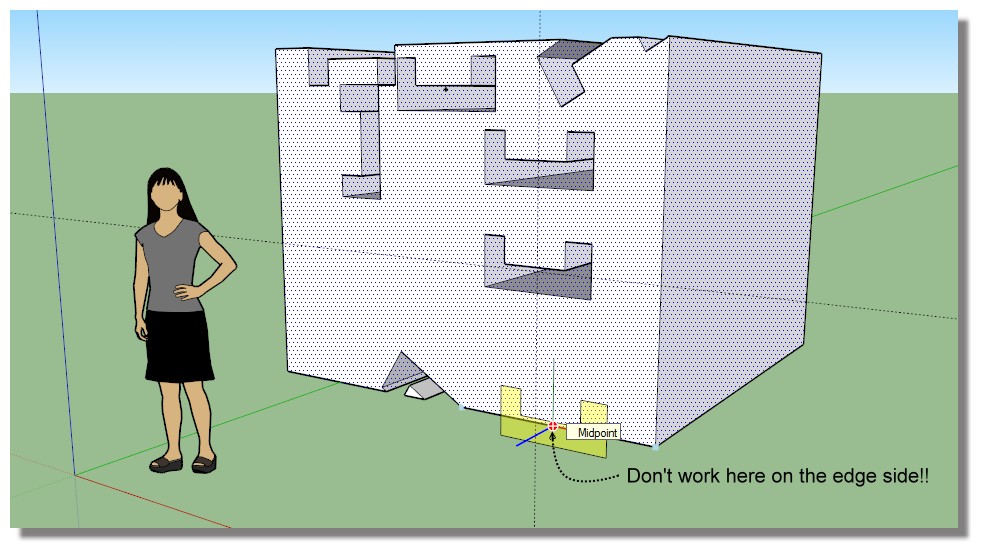
                            But something is always wrong on the edge sides! 😮

                            hum.jpg

                            Works on the edges as soon as there is a little angle! 😉
                            But when pararall not! 😮

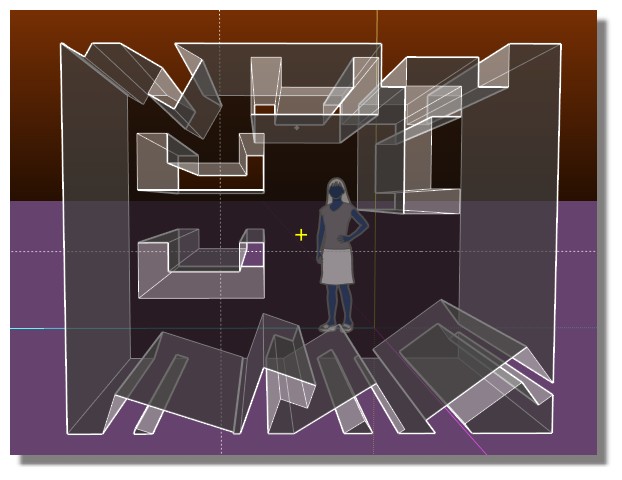
                            hum_angle.jpg


                            visuhole_hum01.skp

                            Frenchy Pilou
                            Is beautiful that please without concept!
                            My Little site :)

                            1 條回覆 最後回覆 回覆 引用 0
                            • fredo6F 離線
                              fredo6
                              最後由 編輯

                              @pilou

                              The problem for border edges is different. It deals with the fact that the stencil is usually partially outside of the shape. VisuHole only accepts to drill if the pivot point is inside the shape.

                              No I need to fix that as well.

                              Fredo

                              PS: for the Gizmo, it is on my list. VisuHole is actually not a finished plugin, but I don't know when I will resume work on it.

                              1 條回覆 最後回覆 回覆 引用 0
                              • P 離線
                                Pants
                                最後由 編輯

                                Thanks, Fredo...I look forward to punching with surgical precision.

                                1 條回覆 最後回覆 回覆 引用 0
                                • pilouP 離線
                                  pilou
                                  最後由 編輯

                                  @unknownuser said:

                                  VisuHole only accepts to drill if the pivot point is inside the shape.

                                  Aaaaaaaaaaaaaah! Damned! Un effet collatéral! 😆
                                  ça progresse, ça progresse! ☀

                                  Frenchy Pilou
                                  Is beautiful that please without concept!
                                  My Little site :)

                                  1 條回覆 最後回覆 回覆 引用 0
                                  • P 離線
                                    Pants
                                    最後由 編輯

                                    Fredo,

                                    Hope you got time for this, because it feels so close...anyway, can you confirm that you're able to make up new stencils and have them work as "punches?" I've found this only works for me if I use your "stock" three sample stencils - the ones you provided as defaults. It lets me pick a new shape that turns yellow and shows all signs of being ready to make a hole, but when I double-click, or try to "orient," etc...no hole results...just a "time elapsed" display.

                                    I also have some Sketchucation plugins-vs-extensions issues/possible confusion. Plugin manager shows current 2/4 version. Later, after finding I was still having problems, I noticed the SUcation Extensions manager still showed the old version (now disabled). I keep thinking there's a need to delete/uninstall old versions, not just disable. Apparently one can disable a plugin and still find that it shows up as the old version, active, but in the SUcation extensions manager. Confusing, to me, anyway.

                                    Mahalo - Dave

                                    1 條回覆 最後回覆 回覆 引用 0
                                    • fredo6F 離線
                                      fredo6
                                      最後由 編輯

                                      Dave,

                                      I would need to have your model with

                                      • the shape to drill
                                      • the set of faces to be used as a stencil.

                                      That would help me to troubleshoot

                                      Fredo

                                      1 條回覆 最後回覆 回覆 引用 0
                                      • P 離線
                                        Pants
                                        最後由 編輯

                                        @fredo6 said:

                                        Dave,

                                        I would need to have your model with

                                        • the shape to drill
                                        • the set of faces to be used as a stencil.

                                        That would help me to troubleshoot

                                        Fredo

                                        I just PM'd you...thanks - Dave

                                        1 條回覆 最後回覆 回覆 引用 0
                                        • T 離線
                                          thorx
                                          最後由 編輯

                                          Hi to every one, only to mention that the last version of visuhole(1.3a) crashed in sketchup 2016 last version for mac and the way to replicate the issue is this:

                                          1. Make a cube
                                          2. Make a little circle to use with drill option
                                          3. Put the circle at the corner vertex of the cube to make some kind of chamfer effect by clicking twice (to fix position and establish the axis).
                                          4. Make the procedure number 3 one more time in another corner vertex of the cube and... that's it!, sketchup 2016 (last ver.19913 for mac) completely crashed and bugsplat appears.

                                          To be sure that the problem isn't for incompatibility with another plugin, I disabled all other stuff before test the plugin and the same thing occurred.

                                          Anyway, the whole collection of fredo6 plugins are the best I have seen, I know this is only a stupid bug that could be fix it soon...

                                          Thanks for your wonderful work and the spectacular plugins you do guys.

                                          My Machine:


                                          Macbook pro (mid-2012) with OS X El Capitan 10.11.2
                                          8GB RAM
                                          1GB Nvidia 650gt
                                          512GB SSD

                                          1 條回覆 最後回覆 回覆 引用 0
                                          • pilouP 離線
                                            pilou
                                            最後由 編輯

                                            Hello Fredo
                                            No progress in this domain ?
                                            Will be fine for Grooves with complex path! 😄
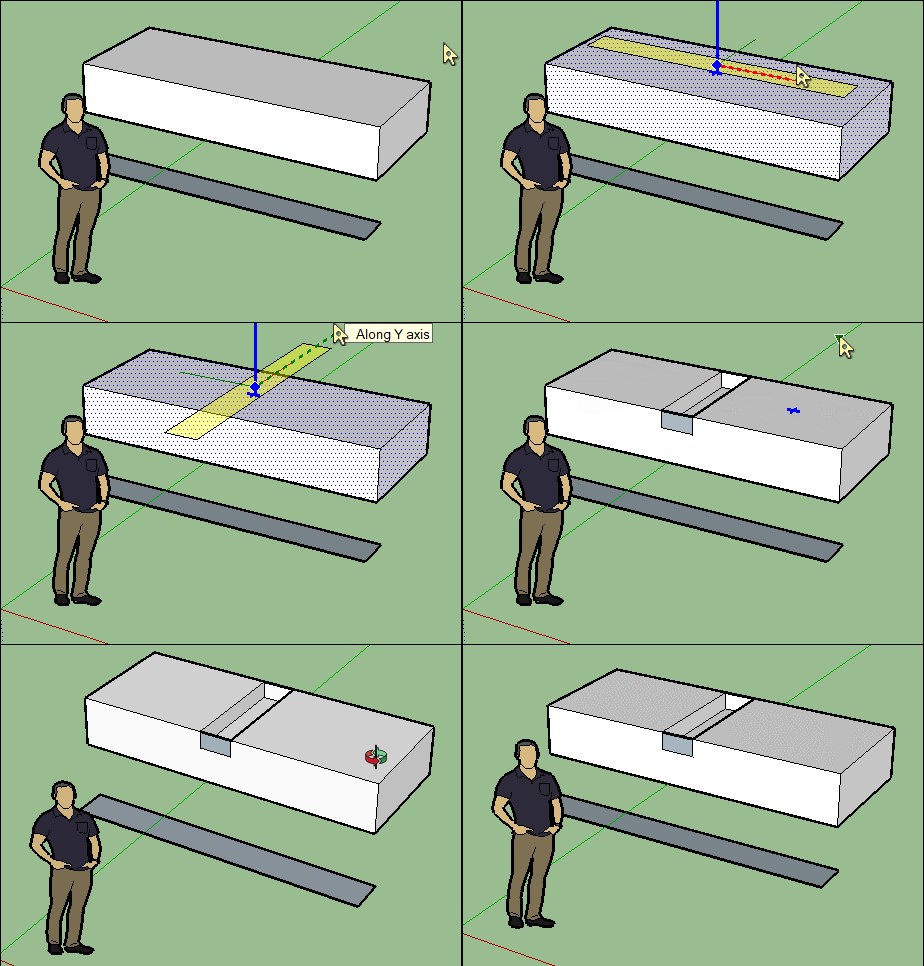
                                            GIF_visuhole10.gif

                                            Frenchy Pilou
                                            Is beautiful that please without concept!
                                            My Little site :)

                                            1 條回覆 最後回覆 回覆 引用 0
                                            • 1
                                            • 2
                                            • 3
                                            • 4
                                            • 5
                                            • 6
                                            • 2 / 6
                                            • 第一個貼文
                                              最後的貼文
                                            Buy SketchPlus
                                            Buy SUbD
                                            Buy WrapR
                                            Buy eBook
                                            Buy Modelur
                                            Buy Vertex Tools
                                            Buy SketchCuisine
                                            Buy FormFonts

                                            Advertisement