Flattening a cone frustum
-
I'm a SU newbie.
I modeled a cone frustum (larger radius 7", smaller radius 3", height 14") by drawing a circle, and then another circle on top of it at the same centerpoint, with the smaller radius, and used the AutoFold tool to drag it up to the 14" height.
Then I deleted the top circular face, so it was "hollow" like a lampshade.
Then I drew a line from the edge of the smaller circular face down to the edge of the larger circular face, in effect "cutting a slit".
Now I'm trying to unfold it out flat. I'm using Flattery but could use any other built-in tool if there is one. Nothing is happening. I select the object, index the edges, and then try to Unfold the faces, but nothing occurs.
Thanks.
-
Did you install the latest version of Flattery available from the SketchUcation Plugin Store ?
I updated it to work in ALL versions including v2014.
http://sketchucation.com/pluginstore?pln=Flattery
The one on the tool's own website is NOT compatible with the latest SketchUp.
Install the RBZ using Preferences > Extensions > Install... button or the PluginStore dialog's AutoInstall option...It works fine for me...
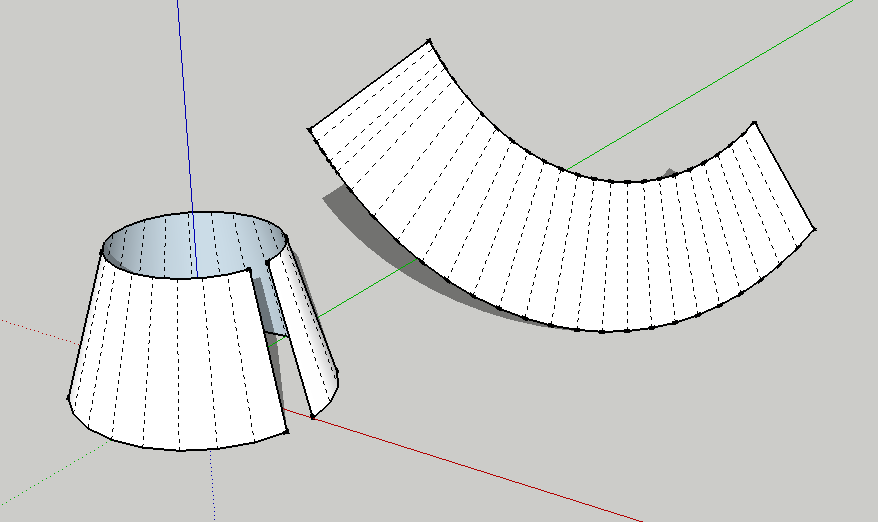
Index the edges, then click on each face in turn...
The flattened form is made just fine.
-
Thanks for confirming that it works. I do have the latest and it was installed in the manner you laid out.
What are the faces of the (hollow) cone? Do I click on the edge of each circle? On the outer face of the cone? Does the edge of the "slit" line count as a face?
-
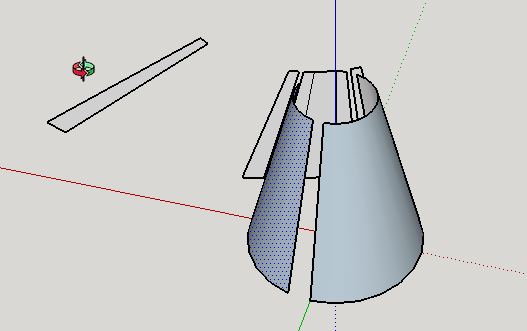
My unfolding is getting all weird. Not sure what's going on.
-
You will notice that my example shows the individual facets that form the surface of the code [dotted-lines].
To see them use View > Hidden Geometry > ON
Then pick each adjacent facet in turn...
When you are picking the 'surface' you are not necessarily clicking on the relevant facet...

-
Thanks once again. It works

Hello! It looks like you're interested in this conversation, but you don't have an account yet.
Getting fed up of having to scroll through the same posts each visit? When you register for an account, you'll always come back to exactly where you were before, and choose to be notified of new replies (either via email, or push notification). You'll also be able to save bookmarks and upvote posts to show your appreciation to other community members.
With your input, this post could be even better 💗
Register Login


Advertisement