OnKeyDown: getting the charcater value from key
-
I investigated a little bit the key / flags received for the onKeyDown and onKeyUp events.
My goal was to see if the keys could be transformed into characters in order to trap the 0-9, =, +, -, *, / characters.
I get some strange results (Win7-64, SU14 and SU13):
Main keyboard:
typing 1
Down key = 49 flags = 2
Up key = 49 flags = 49154typing 2
Down key = 50 flags = 3
Up key = 50 flags = 49155typing 3
Down key = 51 flags = 4
Up key = 51 flags = 49156typing 4
Down key = 52 flags = 5
Up key = 52 flags = 49157typing 5
Down key = 53 flags = 6
Up key = 53 flags = 49158Numeric keyboard (with Num lock):
Typing 1
Down key = 97 flags = 79
Up key = 97 flags = 49231Typing 2
Down key = 98 flags = 80
Up key = 98 flags = 49232Typing 3
Down key = 99 flags = 81
Up key = 99 flags = 49233Typing 4
Down key = 100 flags = 75
Up key = 100 flags = 49227Typing 5
Down key = 101 flags = 76
Up key = 101 flags = 49228This first shows that <flags> is probably useless, especially for bit testing, because it can take any value.
Second I don't get the logic....
....and I guess this is probably different on Mac.
Anyone with some inspiring views on that.
-
@fredo6 said:
My goal was to see if the keys could be transformed into characters in order to trap the 0-9, =, +, -, *, / characters.
The API indicates you should probably use the
onUserText()callback, instead. -
@unknownuser said:
by fredo6 » Today, 11:09 am
This give me a key down swicth Ideas
Great !!!
thanks fredo -
@dan rathbun said:
@fredo6 said:
My goal was to see if the keys could be transformed into characters in order to trap the 0-9, =, +, -, *, / characters.
The API indicates you should probably use the
onUserText()callback, instead.Dan,
I was trying to see if it is possible to have a independent VCB as a web dialog box.
Basically, when you type the first character ([0-9], or *=+-/()) you switch to a regular web dialog field where you are free to type other letters, in particular a suffix, which may happen to be a shortcut. So it does not really change the workflow of the user.
The benefit could also be to have more extended syntax, add a calculator, etc....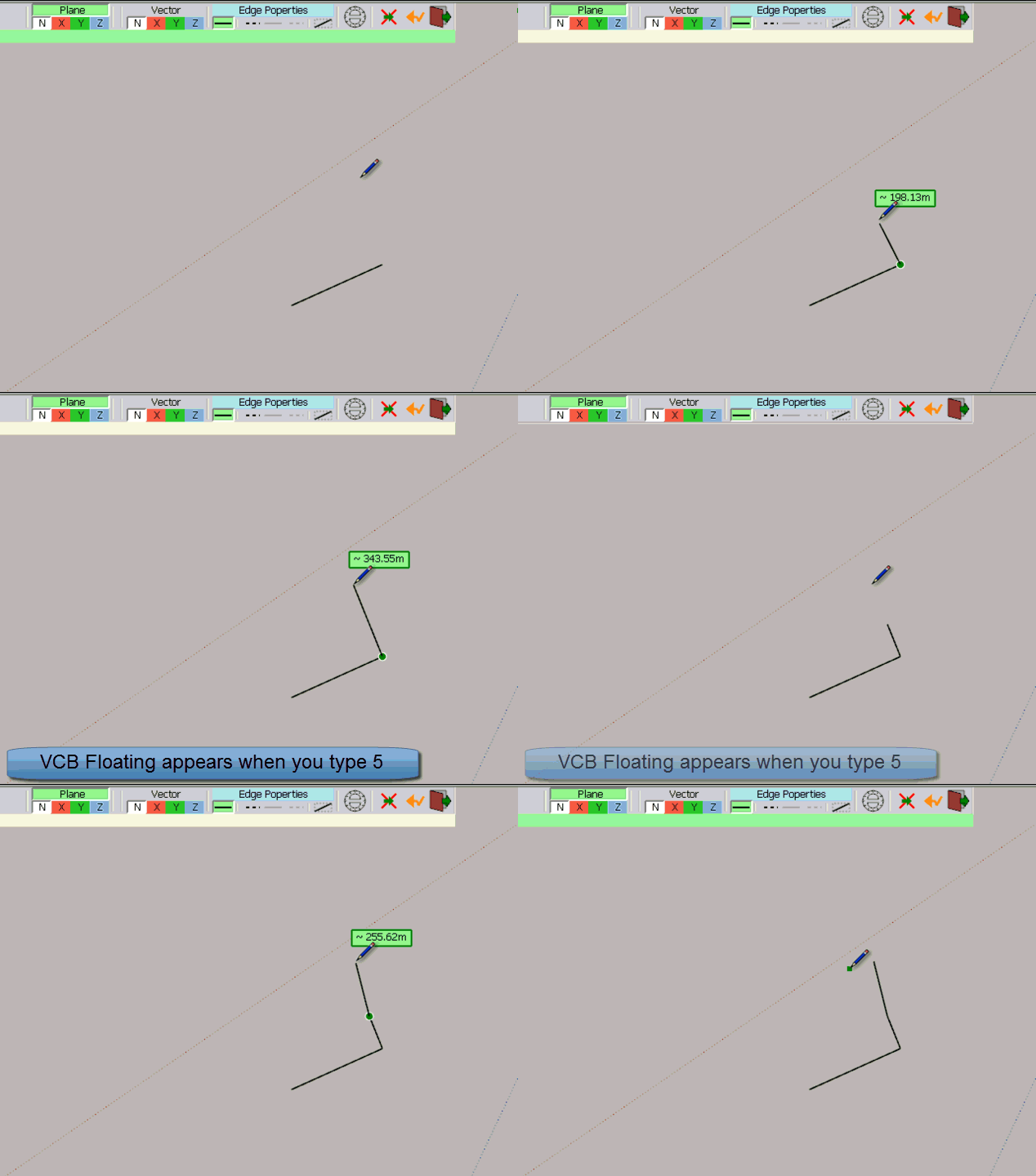
The only issue is to decode correctly the first character.
I can of course hard code the key / flags, but would need to check on Mac too.
Anyway, at this stage, I was first trying to understand the logic.
Fredo
-
@vcb_active = truedef enableVCB? return @vcb_active end... then get the 1st char with
onUserText()
if it is "a special character" then set@vcb_active = falseand show your special vcb dialog (or input box).When things return to normal, set
@vcb_active = trueagain. -
Another little foible is that [unlike PC] .onKeyDown with TAB doesn't "fire" on MAC, but .onKeyUp with TAB it does

-
Dan,
It does not work, and for two good reasons:
-
EnableVCB?is not checked continuously but only after a click -
onUserTextfires when you have type Enter, not before. To keep the same workflow, the VCB psuedo input box has to appear 'naturally when typing characters.
My original question was about the logic in key and flags on
onKeyDown/Upevents, but apparently this is not an obvious one.@TIG: Currently, I am just trying to trap and decode a few characters: numeric and arithmetic signs, whether typed on the main keyboard or numpad. I know for TAB and always use it on key Up (in general, I prefer to trigger actions on key up, to avoid pending events).
Fredo
-
-
@fredo6 said:
It does not work, and for two good reasons:
-
EnableVCB?is not checked continuously but only after a click -
onUserTextfires when you have type Enter, not before. To keep the same workflow, the VCB psuedo input box has to appear 'naturally when typing characters.
These "rules" should be IN the API dictioanry.
-
-
@fredo6 said:
My original question was about the logic in key and flags on
onKeyDown/Upevents, but apparently this is not an obvious one.This kind of thing was discussed years ago, in a topic that Jim posted his key inspector tool.
Jim's tool:
https://sites.google.com/site/jimfoltz/my-sketchup-plugins/key-code-tool/jf_KeyTool.rbSee:
[url=http://sketchucation.com/forums/viewtopic.php?f=180%26amp;t=34002:24695zr7]My Apple Keyboard VK_KEYS[/url:24695zr7][url=http://sketchucation.com/forums/viewtopic.php?f=180%26amp;t=37217%26amp;p=328264:24695zr7]very difficult key codes![/url:24695zr7]
[url=http://sketchucation.com/forums/viewtopic.php?f=180%26amp;t=18860:24695zr7]flags on onKeyDown?[/url:24695zr7]
[url=http://sketchucation.com/forums/viewtopic.php?f=180%26amp;t=12642:24695zr7]keycodes intelmac[/url:24695zr7]
- Jim's KeyTool.rb is also posted in this topic thread, but not sure if it is the latest version ?
[url=http://sketchucation.com/forums/viewtopic.php?f=180%26amp;t=2012:24695zr7]Key sequence in ruby[/url:24695zr7]
-
could this be adapted for SU ruby?
https://gist.github.com/acook/4190379 -
@driven said:
could this be adapted for SU ruby?
https://gist.github.com/acook/4190379Thanks. Unfortunately, I did not find a way to get anything out of $stdin. The problem is that the class Tool is based on events and therefore, the class is notified about keys, once entered, and cannot get the key.
Fredo
-
@dan rathbun said:
This kind of thing was discussed years ago, in a topic that Jim posted his key inspector tool.
Dan,
I had already browsed some of these threads. Thanks.
I think for tracking Shoft, Ctrl and arrows, it is clear.
But what I am trying to do is simplyget a natural character(like the digits [0-9)) and I really do not understand the logic.
- the key seems to be the ascii value, but only on main keyboard and for the main key (i.e. ignoring the Shift state)
- the flag value is for me totally cryptic (in addition it is very different on keydown and keyup for the same key).
I guess there must be some logic encoded Under the Hood and that's what I am trying to understand.
Fredo
-
@fredo6 said:
- the flag value is for me totally cryptic (in addition it is very different on keydown and keyup for the same key).
Oh yes it is quite clear that there are issues, and it IS a pain in the butt.
I remember vaguely someone explaining how the flag bit masks worked, and how to
|and&them properly.It would be nicve if the API creates a
KeyFlagsubclass of integer with methods like:
.shift? .control? .command? .alt?
... etc. -
@fredo6 said:
But what I am trying to do is simplyget a natural character(like the digits [0-9)) and I really do not understand the logic.
@fredo6 said:
My goal was to see if the keys could be transformed into characters in order to trap the 0-9, =, +, -, *, / characters.
The tool onKeyDown method returns virtual key constant value, key repeat, key flags, and view instance.
Here is the list of Virtual Key Codes on Windows: http://msdn.microsoft.com/en-us/library/windows/desktop/dd375731(v=vs.85).aspx
key.chrwill return the character of the value.
for instance 87.chr returns 'W'You can filter the keys like this:
def onKeyDown(key, repeat, flags, view)
  if %w(1 2 3 4 5 6 7 8 9 0 = + - * /).include?(key.chr)
    # process code here
  else
    return
  end
end
How to convert numeric decimal to hexadecimal:
87.to_s(16) # => '57'or 0x57 which can be found in the virtual key codes list.When viewing flags you might first want to convert them to hexadecimal.
The flags don't give you anything special about the key.
Here is what they give: http://msdn.microsoft.com/en-us/library/windows/desktop/ms646267(v=vs.85).aspx#_win32_Keystroke_Message_Flags -
Apparently
key.chrdoesn't return proper characters for all values. For that, we might want to sett up a hash of values and characters.CHARS = { # Standard keys 0x30 => '0' 0x31 => '1' 0x32 => '2' 0x33 => '3' 0x34 => '4' 0x35 => '5' 0x36 => '6' 0x37 => '7' 0x38 => '8' 0x39 => '9' 0xBD => '-' 0xBB => '+' 0x0D => '=' # use enter key for = # Numpads 0x60 => '0' 0x61 => '1' 0x62 => '2' 0x63 => '3' 0x64 => '4' 0x65 => '5' 0x66 => '6' 0x67 => '7' 0x68 => '8' 0x69 => '9' 0x6B => '+' 0x6D => '-' 0x6A => '*' 0x6F => '/' }So the filter set up would look like this now.
def onKeyDown(key, repeat, flags, view)
  key_char = CHARS[key]
  return unless key_char
  # process
end
This technique should work on Windows. I don't know about Macs though.
-
Anton,
Thanks very much.
I have the virtual keycodes on Mac too.The main issue is that these map physical keys, so it will be very difficult to have a reliable result for non-US keyboards for the the digits for instance, which may require a Shift (like on French keyboard).
And you are right that
flagsdoes not bring much info.Fredo
-
Yea, the Tool class return key codes, not character codes. And they are system dependant.
I'm not sure how you'd get the resulting character that would be produced, though should think there should be some system API for this. I'd have to search for that.
-
@Anton: Would using ToUnicode() be better than ToAscii() ?
-
@dan rathbun said:
@Anton: Would using ToUnicode() be better than ToAscii() ?
I just tested and seen no difference. I think it doesn't matter much.
-
@dan rathbun said:
@Anton: Would using ToUnicode() be better than ToAscii() ?
Indeed this appear to be the correct function to use:
http://msdn.microsoft.com/en-us/library/windows/desktop/ms646320(v=vs.85.aspx@unknownuser said:
Translates the specified virtual-key code and keyboard state to the corresponding Unicode character or characters.
Though, it probably produce a UTF-16LE string, transposing to UTF-8 would probably be best for interoperability with the rest of the SketchUp environment.







Advertisement