sketchucation logo sketchucation
    • Login
    Oops, your profile's looking a bit empty! To help us tailor your experience, please fill in key details like your SketchUp version, skill level, operating system, and more. Update and save your info on your profile page today!
    ⚠️ Update | Sketchucation Tools 5.0.8 released with licensing improvements and bugfixes Download

    Diagonal halflap joint

    Scheduled Pinned Locked Moved SketchUp Discussions
    sketchup
    8 Posts 4 Posters 568 Views 4 Watching
    Loading More Posts
    • Oldest to Newest
    • Newest to Oldest
    • Most Votes
    Reply
    • Reply as topic
    Log in to reply
    This topic has been deleted. Only users with topic management privileges can see it.
    • M
      Mechtec
      last edited by

      Hi all
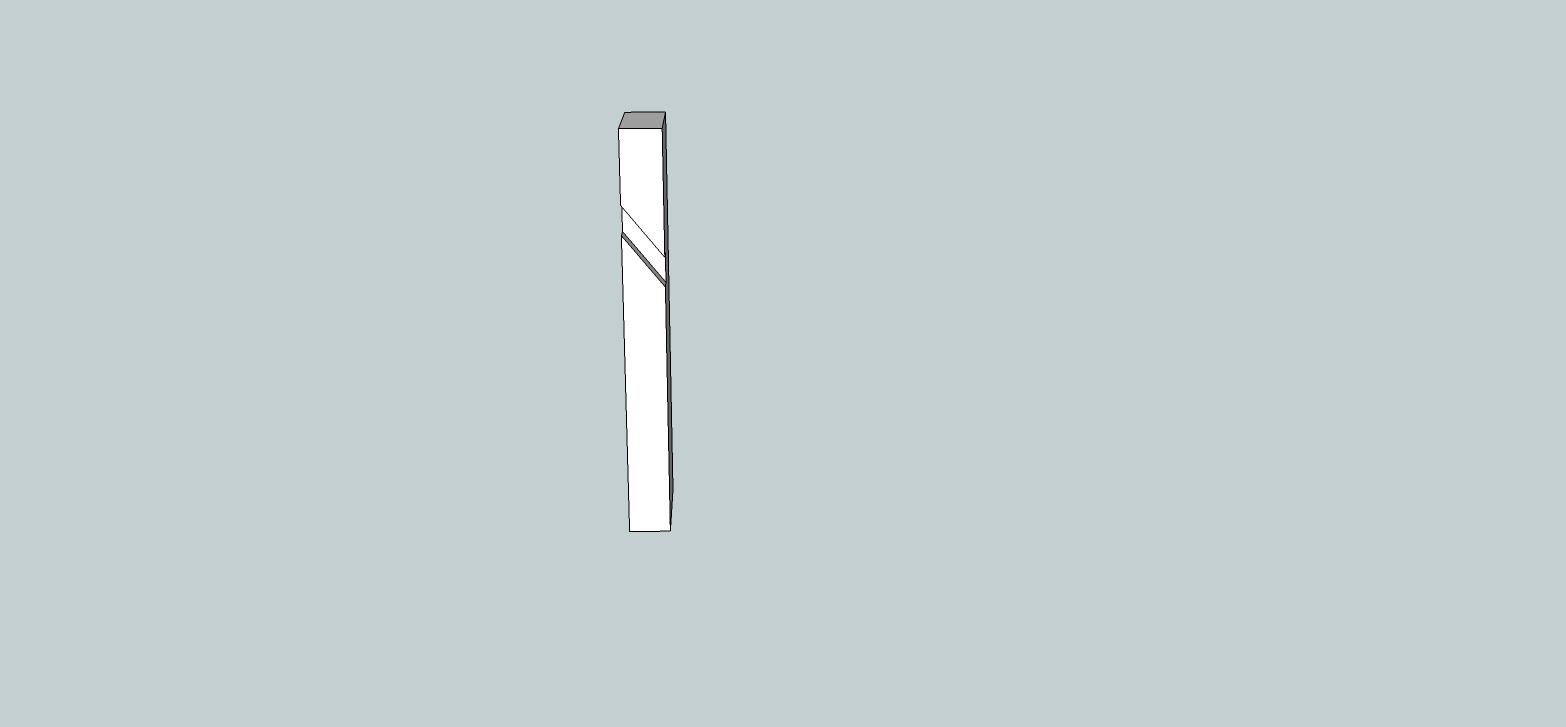
      I am trying to figure out how to us push/pull on a diagonal layed out halflap joint.
      it seems to me that push/pull won't work on anything but straight lines push/pulls.
      So is there another way?
      thanks gary

      http://i3.photobucket.com/albums/y73/createdlight/fence.jpg

      1 Reply Last reply
      Reply Quote 0
      • M
        mrossk
        last edited by

        not sure what the problem is- You're not trying to use the pictured guidelines to create the edges, are you? Draw solid diagonal lines instead...Untitled.jpg

        https://www.mkaplanfinefurniture.com/

        1 Reply Last reply
        Reply Quote 0
        • massimoM
          massimo Moderator
          last edited by

          Yeah, I'm not sure either. Anyway if you want a pushpull along a line try this one. There is a "vector pushpull" tool which does exactly that.

          1 Reply Last reply
          Reply Quote 0
          • M
            Mechtec
            last edited by

            WOW I don't know what was going on it wasn't working for me. yeah those diagonal lines were only a guide for the correct angle down across the complete fence for me to draw my lines to use push/pull on. I did redraw another post and tried the same angle and push/pull on and it worked...so i don't know what i was doing wrong?
            thanks gary

            1 Reply Last reply
            Reply Quote 0
            • Dave RD
              Dave R
              last edited by

              Gary, were the pales in your first model groups or components? If they were and you didn't open them for editing, the diagonal lines wouldn't divide the faces of the pales and so Push/Pull wouldn't work.

              Etaoin Shrdlu

              %

              (THERE'S NO PLACE LIKE)

              G28 X0.0 Y0.0 Z0.0

              M30

              %

              1 Reply Last reply
              Reply Quote 0
              • M
                Mechtec
                last edited by

                @dave r said:

                Gary, were the pales in your first model groups or components? If they were and you didn't open them for editing, the diagonal lines wouldn't divide the faces of the pales and so Push/Pull wouldn't work.

                Yes all the post were components. And i did open the first component and draw out my lines,
                and this is were the problem is the half laps went straight across. is there a way to have them follow a angle instead of straight across?

                thanks gary

                1 Reply Last reply
                Reply Quote 0
                • Dave RD
                  Dave R
                  last edited by

                  You can't if they are instances of the same component. You would need to use Make Unique to break their relationship to each other.

                  Etaoin Shrdlu

                  %

                  (THERE'S NO PLACE LIKE)

                  G28 X0.0 Y0.0 Z0.0

                  M30

                  %

                  1 Reply Last reply
                  Reply Quote 0
                  • M
                    Mechtec
                    last edited by

                    @dave r said:

                    You can't if they are instances of the same component. You would need to use Make Unique to break their relationship to each other.

                    Thanks i understand

                    gary

                    1 Reply Last reply
                    Reply Quote 0

                    Hello! It looks like you're interested in this conversation, but you don't have an account yet.

                    Getting fed up of having to scroll through the same posts each visit? When you register for an account, you'll always come back to exactly where you were before, and choose to be notified of new replies (either via email, or push notification). You'll also be able to save bookmarks and upvote posts to show your appreciation to other community members.

                    With your input, this post could be even better 💗

                    Register Login
                    • 1 / 1
                    • First post
                      Last post
                    Buy SketchPlus
                    Buy SUbD
                    Buy WrapR
                    Buy eBook
                    Buy Modelur
                    Buy Vertex Tools
                    Buy SketchCuisine
                    Buy FormFonts

                    Advertisement