sketchucation logo sketchucation
    • 登入
    Oops, your profile's looking a bit empty! To help us tailor your experience, please fill in key details like your SketchUp version, skill level, operating system, and more. Update and save your info on your profile page today!
    🔌 Smart Spline | Fluid way to handle splines for furniture design and complex structures. Download

    MSPhysics 1.0.3 (16 October 2017)

    已排程 已置頂 已鎖定 已移動 Plugins
    926 貼文 171 Posters 963.2k 瀏覽 172 Watching
    正在載入更多貼文
    • 從舊到新
    • 從新到舊
    • 最多點贊
    回覆
    • 在新貼文中回覆
    登入後回覆
    此主題已被刪除。只有擁有主題管理權限的使用者可以查看。
    • ecatiE 離線
      ecati
      最後由 編輯

      Where do we download MSPhysics 1.0.0?

      1 條回覆 最後回覆 回覆 引用 0
      • TIGT 離線
        TIG Moderator
        最後由 編輯

        @ecati said:

        Where do we download MSPhysics 1.0.0?
        You could wait [joke 😉 ] ?
        The current version is 0.9.9 - and it's latest version is always available from the SketchUcation PluginStore:
        http://sketchucation.com/pluginstore?pln=MSPhysics
        Like most Plugins/Extensions...

        TIG

        1 條回覆 最後回覆 回覆 引用 0
        • F 離線
          faust07
          最後由 編輯

          Hi, ecati,
          Sorry, I used a test version for the connect example file.
          Anton is working on release version 1.0.0 - which soon comes out.

          1 條回覆 最後回覆 回覆 引用 0
          • S 離線
            SynSuka3D
            最後由 編輯

            Bonjour,
            Je voudrais lire la vitesse D'un corps sur l'axe Y interne,no axe Y mondiale !!!
            J'ai essayé get_velocity...
            set_var("speed_Y",????)

            Hello,
            I would like to read the speed of a body on the internal Y-axis, no Y-axis world!
            I tried: get_velocity...
            set_var("speed_Y",????)

            1 條回覆 最後回覆 回覆 引用 0
            • A 離線
              Anton_S
              最後由 編輯

              Hello, Nicolas,

              To get local velocity, along the body's Y-axis, you got to transform the global velocity relative to the body first, then get the Y component:

              loc_vel = this.get_velocity.transform(this.get_normal_matrix.inverse)
              vy = loc_vel.y
              

              Regards,
              Anton

              1 條回覆 最後回覆 回覆 引用 0
              • A 離線
                Anton_S
                最後由 編輯

                Faust, I will ckeck out that cloth thingy soon.

                1 條回覆 最後回覆 回覆 引用 0
                • F 離線
                  faust07
                  最後由 編輯

                  Hi, Anton,
                  first test of a (cloth-) mesh with your MSPhysics API self connect script.
                  Unfortunately, each node joins only one rod. What am I doing wrong?
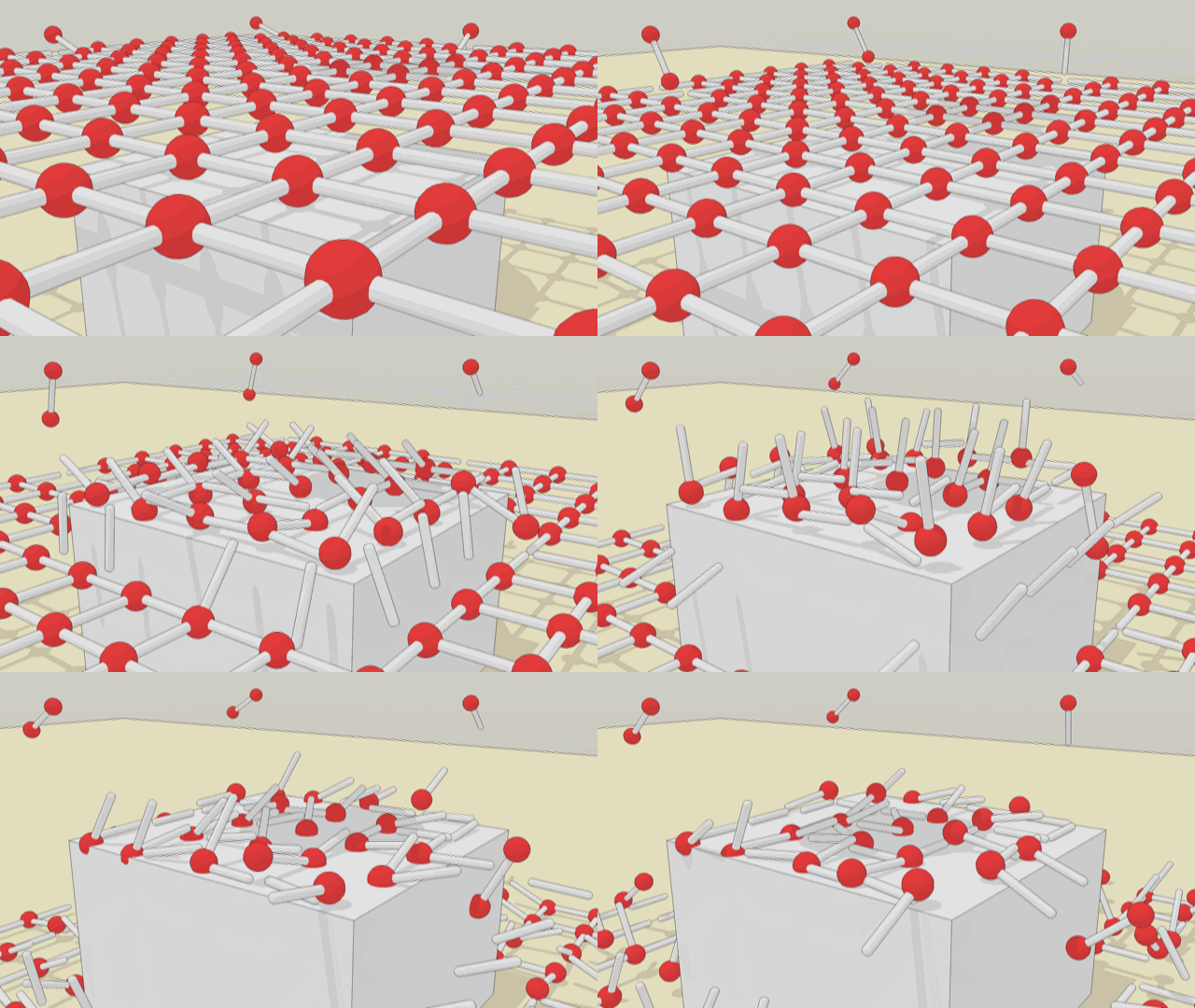

                  Connect_test_01.skp


                  Self_Connect_02.gif

                  1 條回覆 最後回覆 回覆 引用 0
                  • A 離線
                    Anton_S
                    最後由 編輯

                    Okay, faust.

                    Your script for connecting bodies attempts to connnect multiple bodies to the same joint. That's how it is in the user interface of MSPhysics, but behind the scenes a new joint instance is added for each constraint. So here is the script to have:

                    onTick {
                      if frame == 1
                        this.touching_bodies(true).each { |body|
                          next if body.group.name != 'capsule'
                          joint = MSPhysics;;BallAndSocket.new(this.world, this, this.get_matrix, this.group)
                          joint.connect(body)
                        }
                      end
                    }
                    

                    Paste it into one knot, and assign it to all knots, using the Assign Script to All With Name button.

                    That said, this is a very inefficient way of creating cloth, not to mention that you also have to create faces and then reposition vertices and map the UVs of textures (if any).

                    I already got my own, more efficient, version of cloth working, like 3 years ago. But it's not perfect. Here is the demo updated and refined for the current version of MSPhysics:

                    1 條回覆 最後回覆 回覆 引用 0
                    • C 離線
                      cristyan
                      最後由 編輯

                      Hello ! There is a script or another way that maintains the same distance between objects attached on CurvySlider , as a rollercoaster ? Thank you !

                      1 條回覆 最後回覆 回覆 引用 0
                      • F 離線
                        faust07
                        最後由 編輯

                        Thanks, Anton,
                        Your code works perfectly. For genuine cloth simulation this is, of course, too cumbersome. For me, it is a good practice to learn a little bit of good script again. In addition, the example shows the almost unlimited possibilities of MSPhysics.
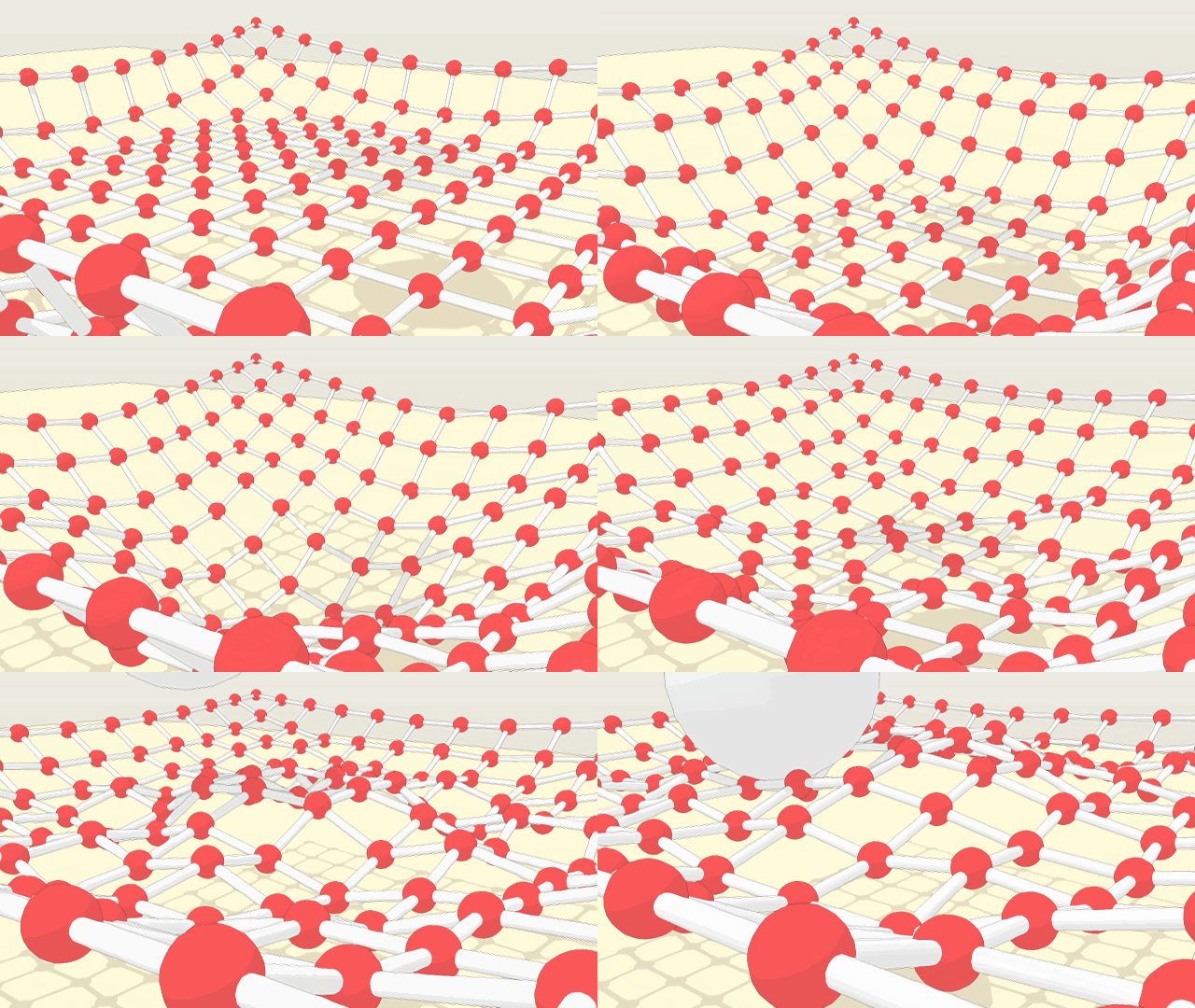
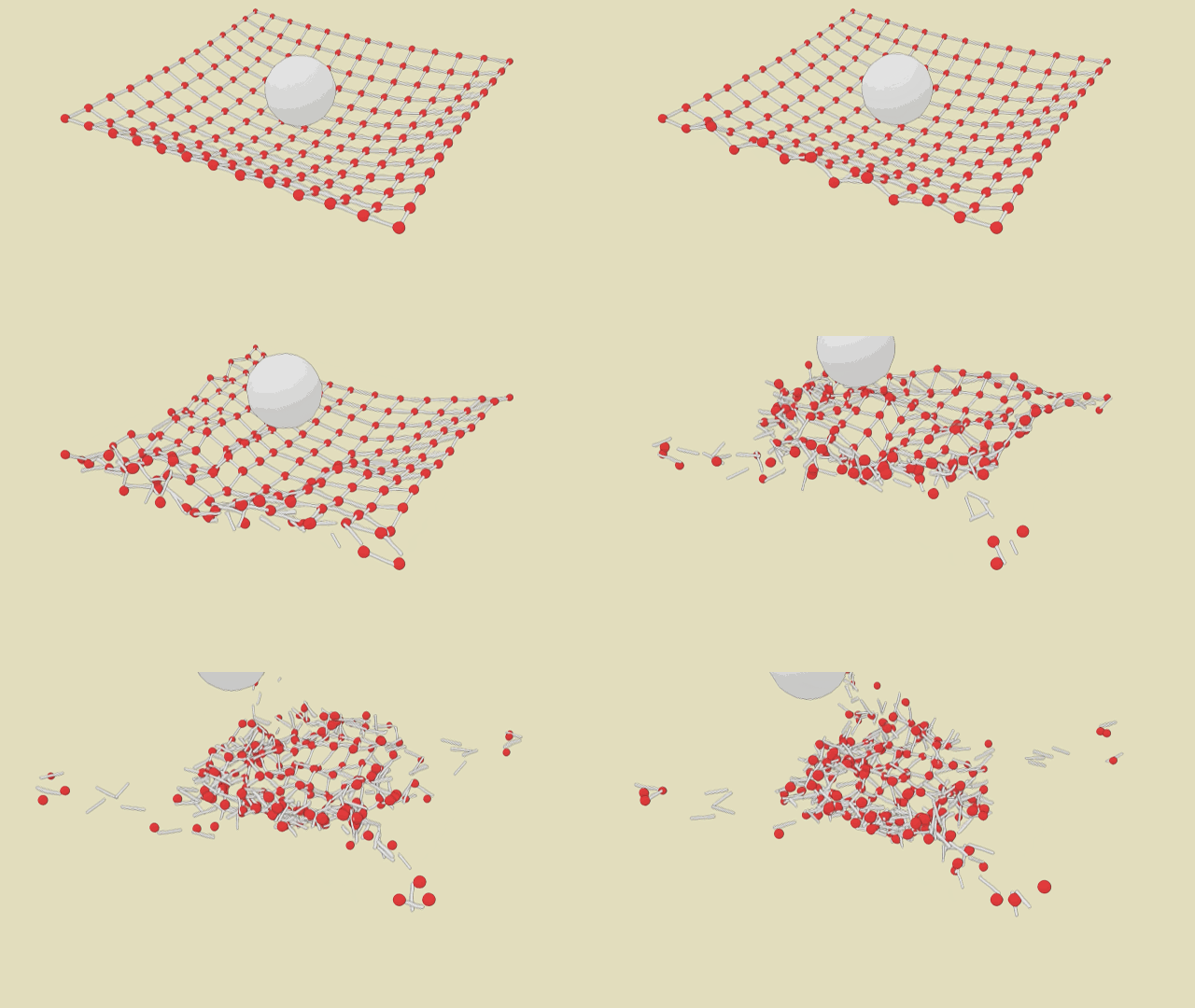
                        Self_Connect_03.gif


                        and this happens after 1.800 frames

                        1 條回覆 最後回覆 回覆 引用 0
                        • A 離線
                          Anton_S
                          最後由 編輯

                          Oops, the get_normal_matrix should be normal_matrix

                          Also, to quote other people, use the double-quote button or put them in quote tags surrounded with square brackets. And posting the whole video on the error isn't necessary either. Just post a message that is reported.

                          1 條回覆 最後回覆 回覆 引用 0
                          • S 離線
                            SynSuka3D
                            最後由 編輯

                            ==============================

                            To get local velocity, along the body's Y-axis, you got to transform the global velocity relative to the body first, then get the Y component:
                            CODE: SELECT ALL
                            loc_vel = this.get_velocity.transform(this.get_normal_matrix.inverse)
                            vy = loc_vel.y

                            Regards,
                            Anton

                            ===================
                            problem!!!!!!

                            1 條回覆 最後回覆 回覆 引用 0
                            • ecatiE 離線
                              ecati
                              最後由 編輯

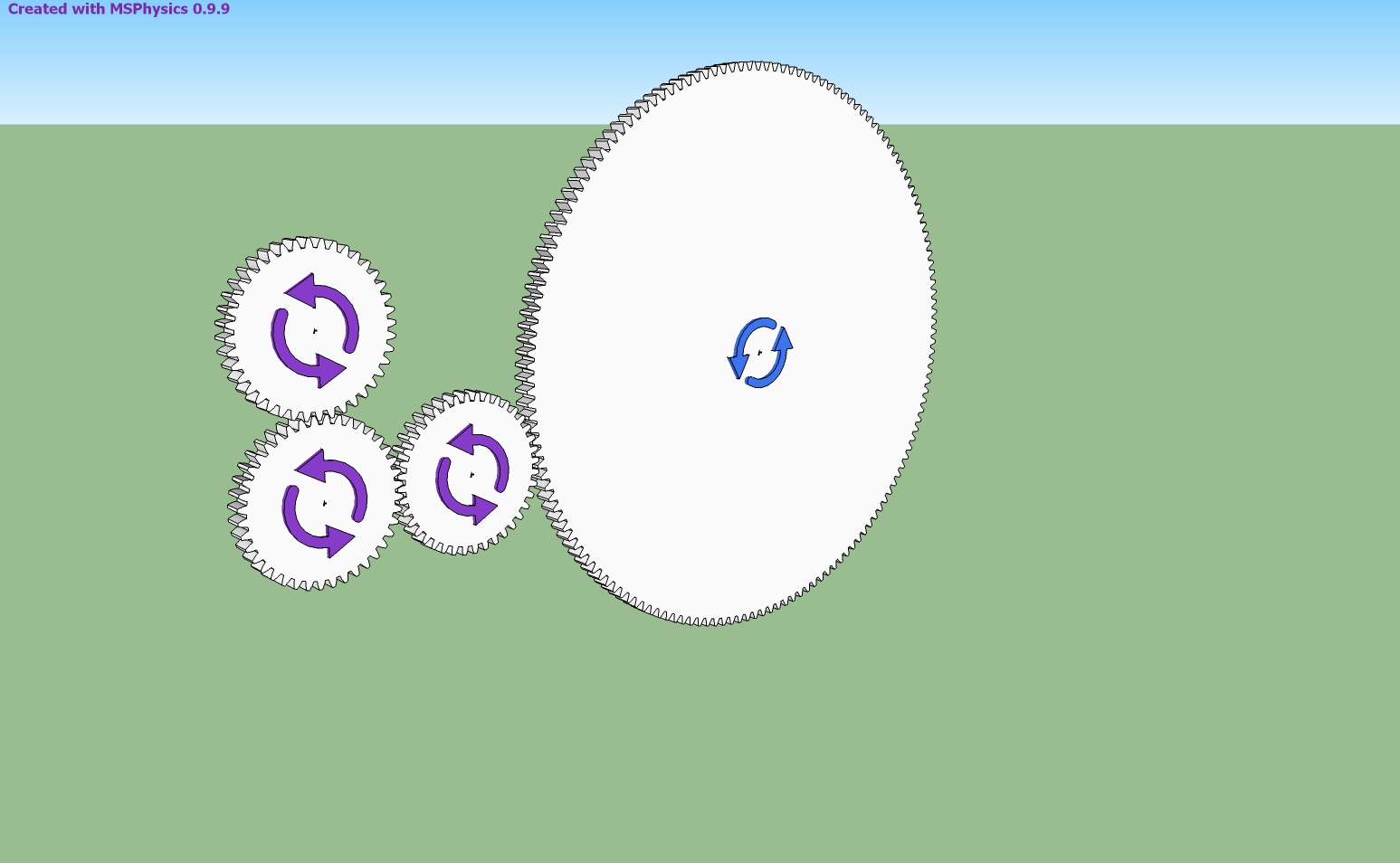
                              This gears is not spinning properly. What would be the reason?


                              dişli.jpg


                              dişli.skp

                              1 條回覆 最後回覆 回覆 引用 0
                              • ecatiE 離線
                                ecati
                                最後由 編輯

                                Hi, Anton
                                Will you take a look at this file at a time when you are not busy?


                                makine.skp

                                1 條回覆 最後回覆 回覆 引用 0
                                • A 離線
                                  Anton_S
                                  最後由 編輯

                                  Hello, Ecati,

                                  For the first one, try setting material thickness of simulation tab, in the MSPhysics UI, to zero. It will improve the behavior by a bit. But because the gears are too small, the collision intersections aren't quite proper. You could increase world scale, say to 40, which should result in an improved behavior, but it will unfortunately result in a crash. I will try to fix that scaling bug before releasing 1.0.0.

                                  For the second one, you can increase update rate, to say 4, and/or reduce update timestep, to say 1/120. The smaller the update timestep is, the more accurate the simulation is. The smaller update timestep should prevent collisions from deteriorating. Both of the settings can be adjusted through the Simulation tab of the MSPhysics UI dialog. After you do these, increasing the motor speed should have things running properly.

                                  Nice examples by the way. I'm stunned with your improved MSPhysics skills.

                                  Regards,
                                  Anton

                                  1 條回覆 最後回覆 回覆 引用 0
                                  • ecatiE 離線
                                    ecati
                                    最後由 編輯

                                    Is it possible to do servo controls via the msphysics API without writing a script?

                                    1 條回覆 最後回覆 回覆 引用 0
                                    • A 離線
                                      Anton_S
                                      最後由 編輯

                                      It depends on how complex you want the controller to be. The simplest one is the slider controller. You can generate it by pressing the generate slider button in joint UI. Others are controlling with key, like key('f') as noted in some prior post. You can also write a function of time dirctly into the cpntroller, like: t = world.time; cos(t)*5 There are many controllers you can write without relying on the MSPhysics scripting API.

                                      1 條回覆 最後回覆 回覆 引用 0
                                      • W 離線
                                        Wolfy_71
                                        最後由 編輯

                                        I'm really enjoying MSPhysics plug-in and have been following Sam Ketner's very insightful tutorials on Youtube. I'm wondering if there is a manual easily available, so I can bone up on some more stuff. More pressingly, I'm wondering how to attach one hinge with a bar (which appears to be in a fixed point) on a bar attached to another hinge... so that it is freely movable. I'm trying to draw an umbrella-like hinge at the moment and I'm stuck.

                                        1 條回覆 最後回覆 回覆 引用 0
                                        • ecatiE 離線
                                          ecati
                                          最後由 編輯

                                          Hi, Anton,
                                          I made this file by taking advantage of the Planned Steps.skp file you have prepared. I want the movement to begin when the space key is pressed and continue and stop until the space key is pressed again.


                                          makine_servo.skp

                                          1 條回覆 最後回覆 回覆 引用 0
                                          • A 離線
                                            Anton_S
                                            最後由 編輯

                                            @ecati said:

                                            I made this file by taking advantage of the Planned Steps.skp file you have prepared. I want the movement to begin when the space key is pressed and continue and stop until the space key is pressed again.

                                            This command will be available in MSPhysics 1.0.0. Basically you will utilize the toggle_key('space') command. It will be released soon.

                                            1 條回覆 最後回覆 回覆 引用 0
                                            • 1
                                            • 2
                                            • 6
                                            • 7
                                            • 8
                                            • 9
                                            • 10
                                            • 46
                                            • 47
                                            • 8 / 47
                                            • 第一個貼文
                                              最後的貼文
                                            Buy SketchPlus
                                            Buy SUbD
                                            Buy WrapR
                                            Buy eBook
                                            Buy Modelur
                                            Buy Vertex Tools
                                            Buy SketchCuisine
                                            Buy FormFonts

                                            Advertisement