Vray render issue (1 displacement applies to all materials)
-
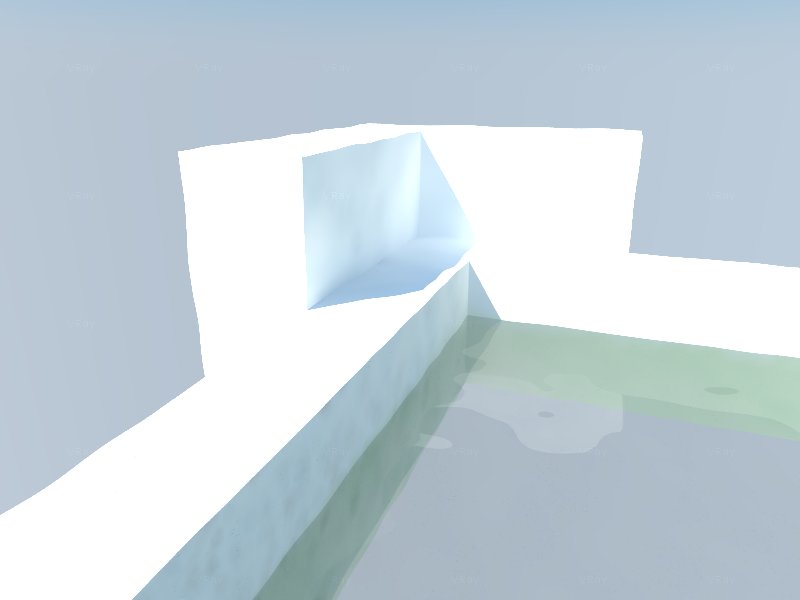
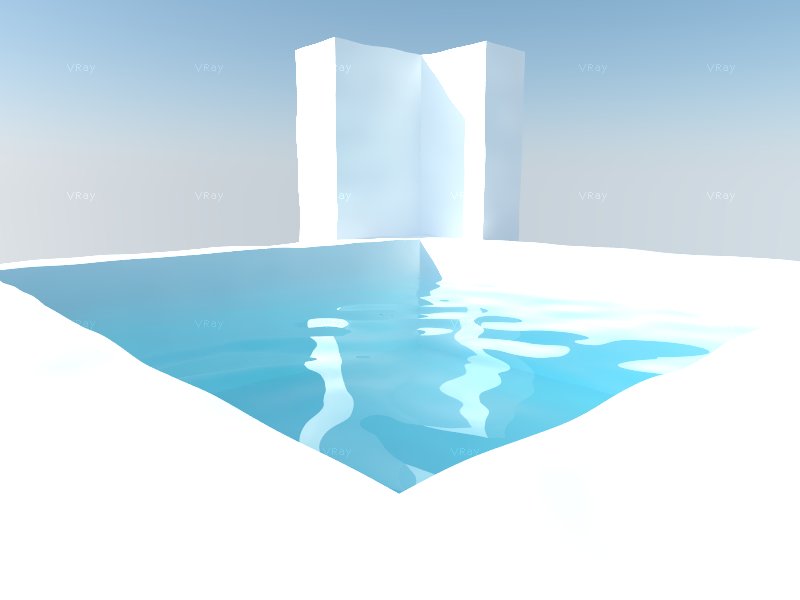
hello guys, i'm quite new to sketch up so can anyone please guide me in fixing my vray? uhm, the error i get is that, when i put a DISPLACEMENT MAP to a material, it applies to all other materials as well, i don't know how i got there but it's what always happens. i have already re-installed the vray but still, same outcome,. i'll post a picture of a sample.
the only material i used in this photo is a dark gray color with reflection and refraction layer, and the displacement map(noise) option i have applied to the gray color material(water). i didn't apply any material to the frame containing the water. it is just a default material. but if you could notice, the texture(wave) of the water is also applied to the frame. it also has a wavy form though it is just a plain, default 3d that i haven't applied any materials yet.
2 pictures, before and after i have re-installed vray, nothing changes
-
Is your water isolated in its own group/component?
-
it is not a component/group, so i guess its material is isolated from the rest.
-
yes
-
@mchljsnrmrz said:
it is not a component/group
Displaced geometry should always be in a separate group.
-
how do i group it? (im a newbie,. sorry)
-
-
might be a good idea to read through this post (it's a sticky post for a reason
 )
)


Hello! It looks like you're interested in this conversation, but you don't have an account yet.
Getting fed up of having to scroll through the same posts each visit? When you register for an account, you'll always come back to exactly where you were before, and choose to be notified of new replies (either via email, or push notification). You'll also be able to save bookmarks and upvote posts to show your appreciation to other community members.
With your input, this post could be even better 💗
Register Login


Advertisement