sketchucation logo sketchucation
    • Login
    Oops, your profile's looking a bit empty! To help us tailor your experience, please fill in key details like your SketchUp version, skill level, operating system, and more. Update and save your info on your profile page today!
    ⚠️ Important | Libfredo 15.6b introduces important bugfixes for Fredo's Extensions Update

    Need advice how to model this

    Scheduled Pinned Locked Moved SketchUp Discussions
    sketchup
    17 Posts 6 Posters 690 Views 6 Watching
    Loading More Posts
    • Oldest to Newest
    • Newest to Oldest
    • Most Votes
    Reply
    • Reply as topic
    Log in to reply
    This topic has been deleted. Only users with topic management privileges can see it.
    • soloS Offline
      solo
      last edited by

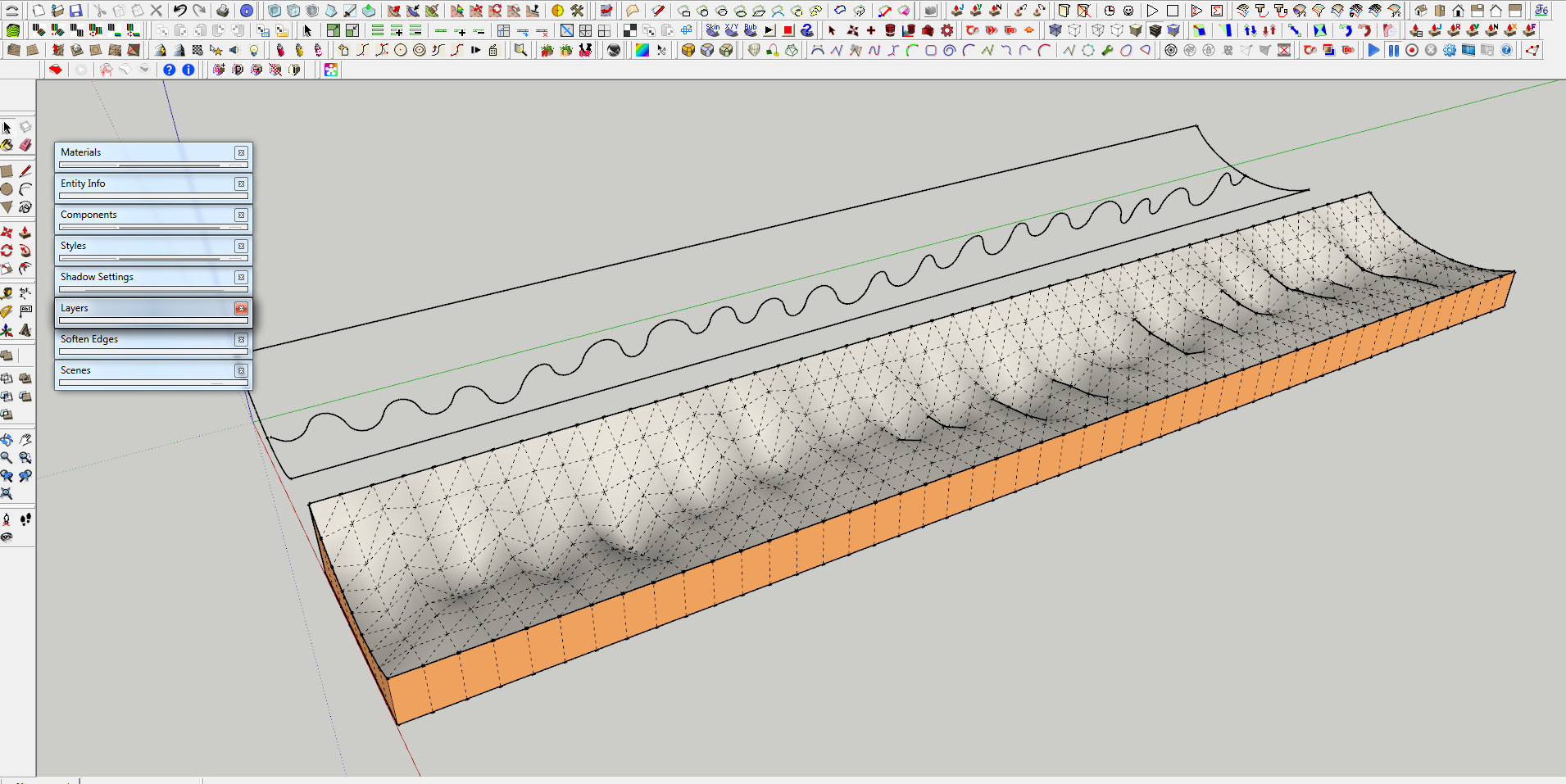
      Lol, even Toposhaper does the trick.

      even toposhaper.jpg

      http://www.solos-art.com

      If you see a toilet in your dreams do not use it.

      1 Reply Last reply Reply Quote 0
      • andybotA Offline
        andybot
        last edited by

        @solo said:

        Lol, even Toposhaper does the trick.

        lol, except it doesn't... what's that about Pete? πŸ˜•

        I run into situations too where the extruded shapes are not continuous, so this is helpful to know that curviloft works for this kind of thing. Many thanks to Fredo for his wonderful plugins πŸ‘

        http://charlottesvillearchitecturalrendering.com/

        1 Reply Last reply Reply Quote 0
        • soloS Offline
          solo
          last edited by

          @unknownuser said:

          Lol, even Toposhaper does the trick.

          lol, except it doesn't... what's that about Pete? πŸ˜•

          All the logical methods were taken, I thought I'd play with something else. πŸ˜„

          http://www.solos-art.com

          If you see a toilet in your dreams do not use it.

          1 Reply Last reply Reply Quote 0
          • fredo6F Offline
            fredo6
            last edited by

            Oooops!

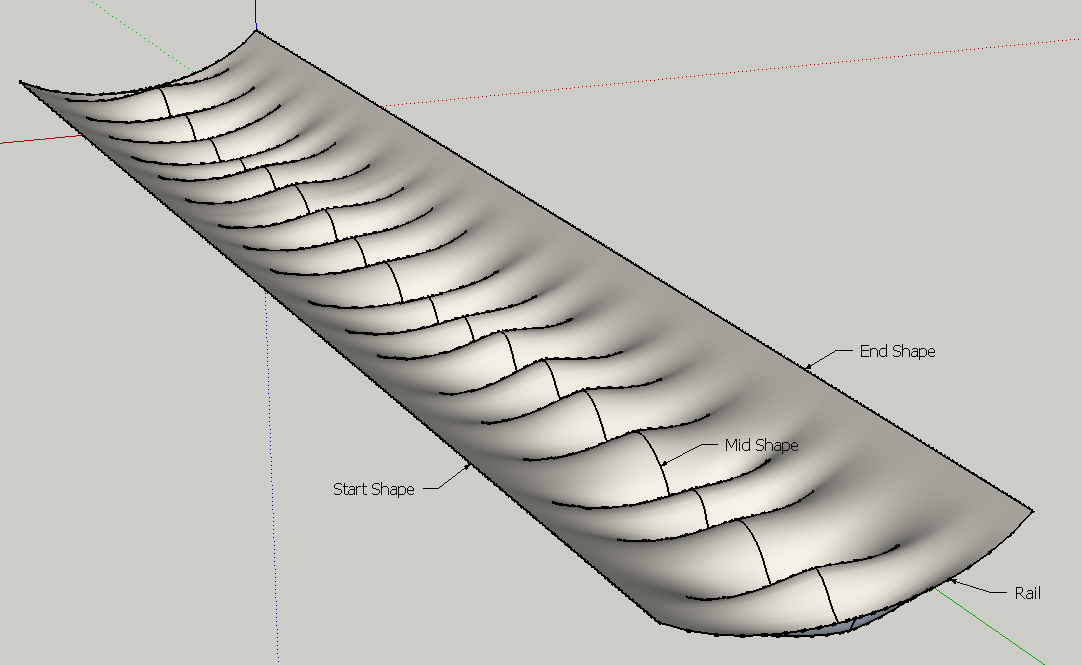
            To get continuity along the Rail, you need to select the Offset option
            Capture3.png

            Then the two sides are joined in continuity.

            Fredo
            Need2 extrude.png

            need2extrude _ Curviloft - v8.skp

            1 Reply Last reply Reply Quote 0
            • N Offline
              numerobis
              last edited by

              @fredo6 said:

              Curviloft "Loft along Path" ca n handle all contours in one shape.

              Select first the 2 parts of the Rail contour.
              Then select the 3 contours "Start", "Mid" and "End" in order.

              But the result is the same - there is still no smooth transition possible.

              Btw. i accidently closed the status bar... how can i get it back?!? 😲

              1 Reply Last reply Reply Quote 0
              • N Offline
                numerobis
                last edited by

                @fredo6 said:

                Oooops!

                To get continuity along the Rail, you need to select the Offset option

                πŸ‘ great! thanks!!! 😍

                ...now i only need to get the status/options bar back to be able to change the method πŸ˜†

                1 Reply Last reply Reply Quote 0
                • fredo6F Offline
                  fredo6
                  last edited by

                  I just realized that the 2 straight line contours were overly divided.

                  This is not necessary. Just make them a single edge each.

                  Then it will be the wavelet contour which will drive the mesh.

                  Fredo

                  need2extrude _ Curviloft - v8.skp

                  1 Reply Last reply Reply Quote 0
                  • fredo6F Offline
                    fredo6
                    last edited by

                    @numerobis said:

                    ...now i only need to get the status/options bar back to be able to change the method πŸ˜†

                    There should be a small red rectangle in the upper left corner. just click on it to expand the button palette.

                    Fredo

                    1 Reply Last reply Reply Quote 0
                    • N Offline
                      numerobis
                      last edited by

                      i will look for it next time when it happens... thanks!

                      After the second or third reopening of sketchup it was there again.

                      1 Reply Last reply Reply Quote 0
                      • dereiD Offline
                        derei
                        last edited by

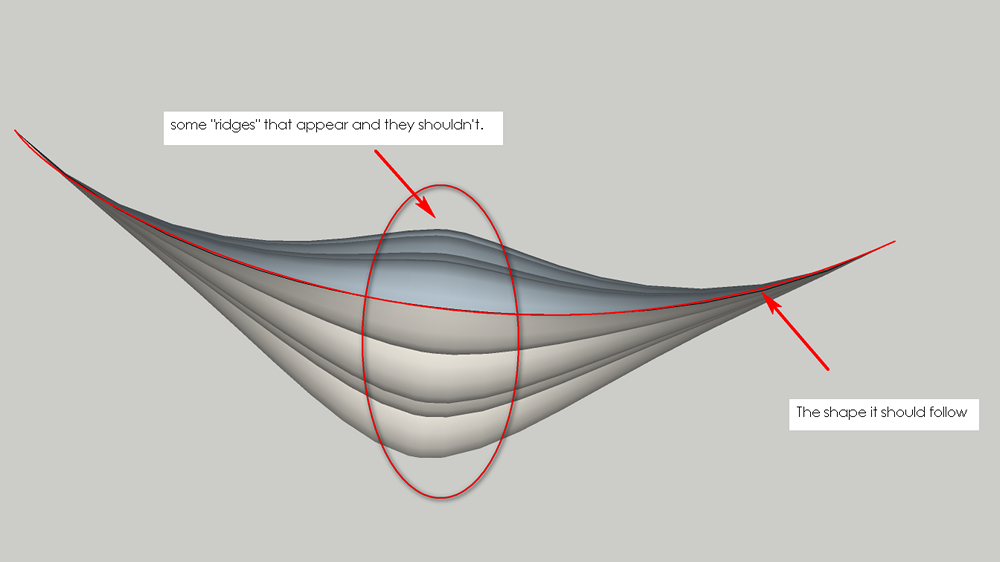
                        Thanks fredo for the input, but as you can see in the image, there are some strange effects. The model seems to "grow" where the wavy line is. Maybe I should add on each side a second wave, smaller? To make the transition more controllable ?

                        need2extrude _ Curviloft - v8.png

                        DESIGNER AND ARTIST [DEREI.UK](http://derei.uk/l)

                        1 Reply Last reply Reply Quote 0
                        • fredo6F Offline
                          fredo6
                          last edited by

                          Derei,

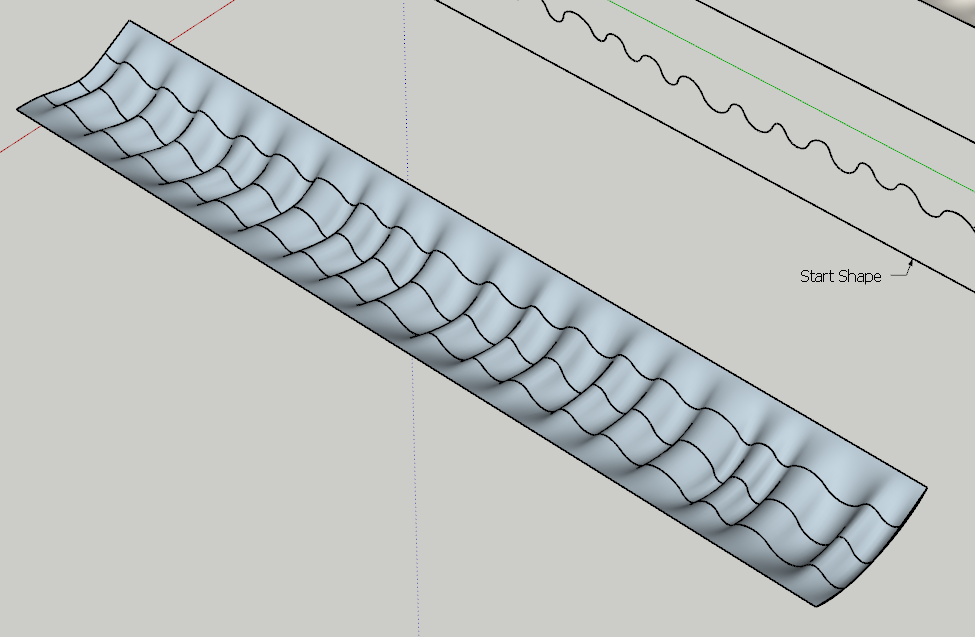
                          By the way, you could remove the up and downs by duplicating the wave profile at 1/4 and 3/4 distance, and then use Curviloft, Loft by Spline, as shown below:
                          Derei - Wave - Curviloft.png

                          Derei - need2extrude.skp

                          Fredo

                          1 Reply Last reply Reply Quote 0
                          • 1 / 1
                          • First post
                            Last post
                          Buy SketchPlus
                          Buy SUbD
                          Buy WrapR
                          Buy eBook
                          Buy Modelur
                          Buy Vertex Tools
                          Buy SketchCuisine
                          Buy FormFonts

                          Advertisement