Need advice how to model this
-
I have this:
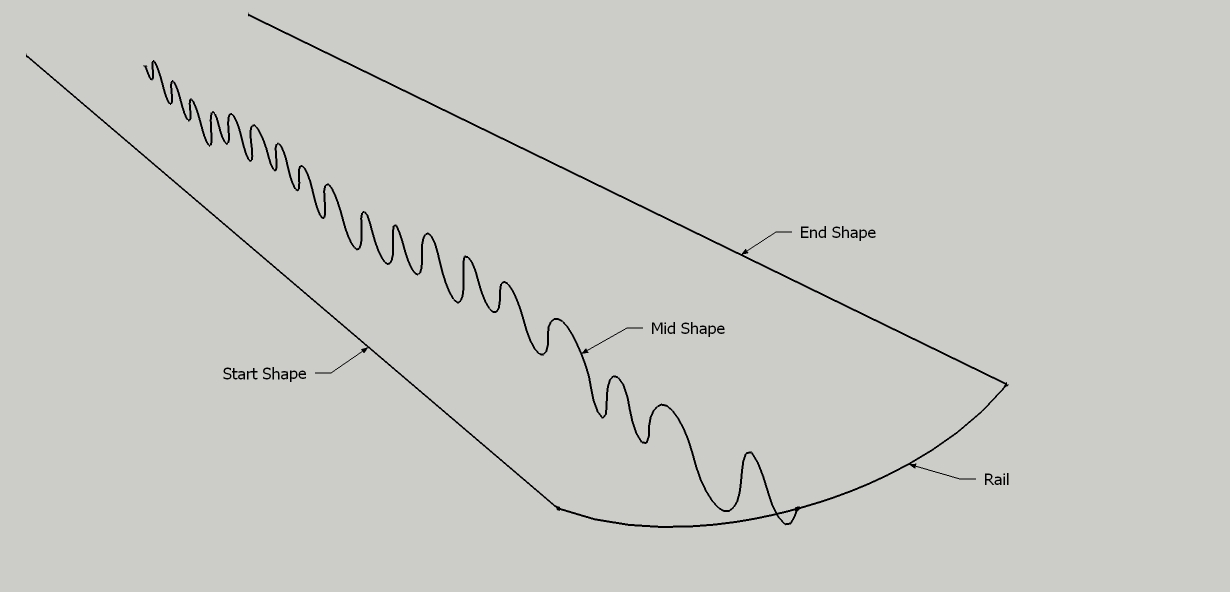
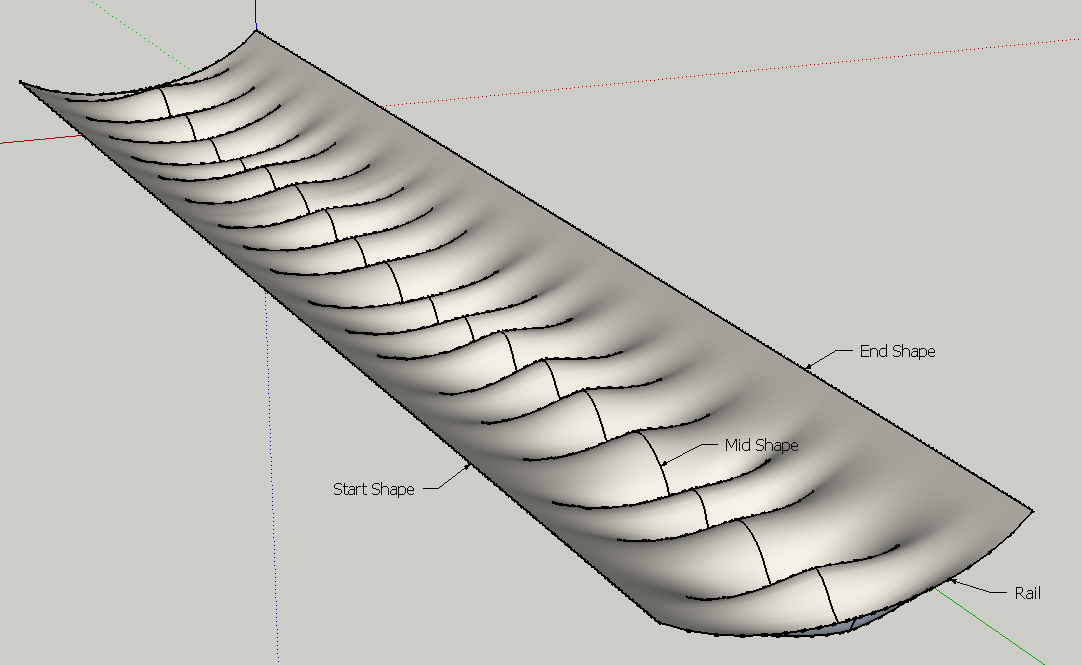
I need to extrude the lines from Start to Mid to End, but also to keep the rail's shape.
What plugin would help me for this and how?
I can't make half and mirror, because the rail is catenary (maybe in this example is hard to see, but I have several similar shapes to make).
SU file attached.
-
TIG EEbyR would do it.....after some 'thinking' time as it's quite heavy at 300 segments per curve.
-
@rich o brien said:
TIG EEbyR would do it.....after some 'thinking' time as it's quite heavy at 300 segments per curve.
And how to select them? Should I make a group with the 3 profiles and another group with the rail?
I have TIG's extruding plugin, but I'm pretty confused about how to use it, especially the more complex extruding tools. -
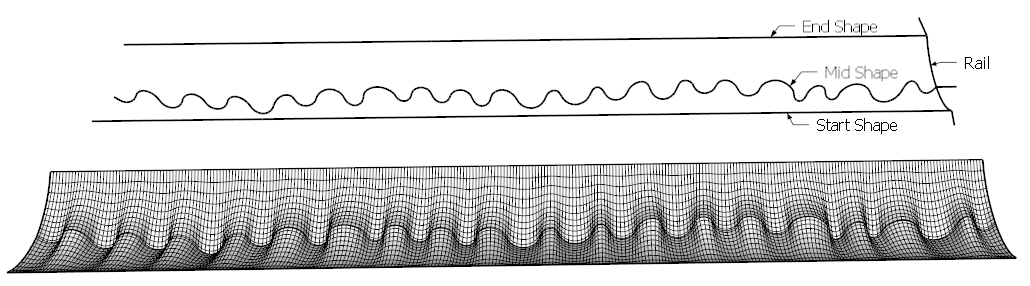
Start Shape
Rail x 2
Mid Shape
to generate one side. Repeat for other side
-
curviloft works too with two separated sides. But the problem with both solutions is the transition between the two sides... it is not possible to get a smooth transition. I had this problem several times. It would be great if curviloft would work with multiple shapes and could generate a smooth transition.
-
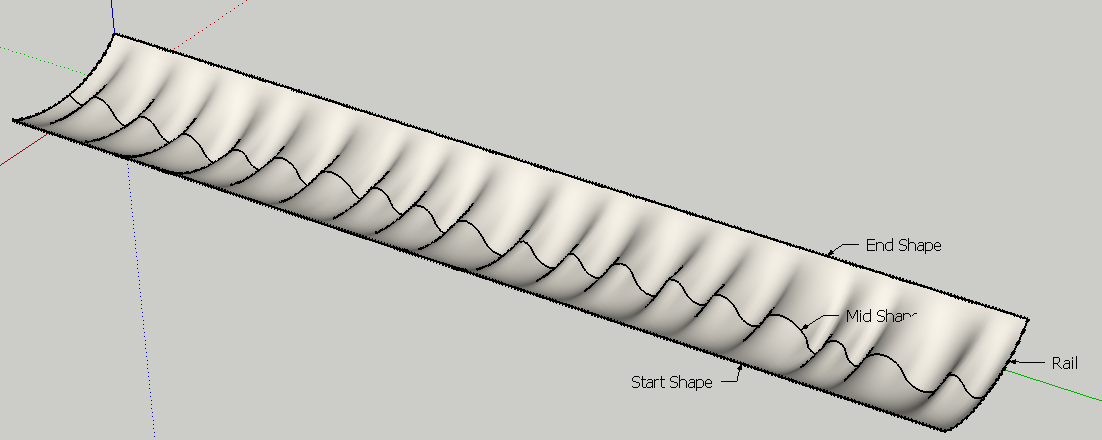
Curviloft "Loft along Path" ca n handle all contours in one shape.
Select first the 2 parts of the Rail contour.
Then select the 3 contours "Start", "Mid" and "End" in order.Fredo
-
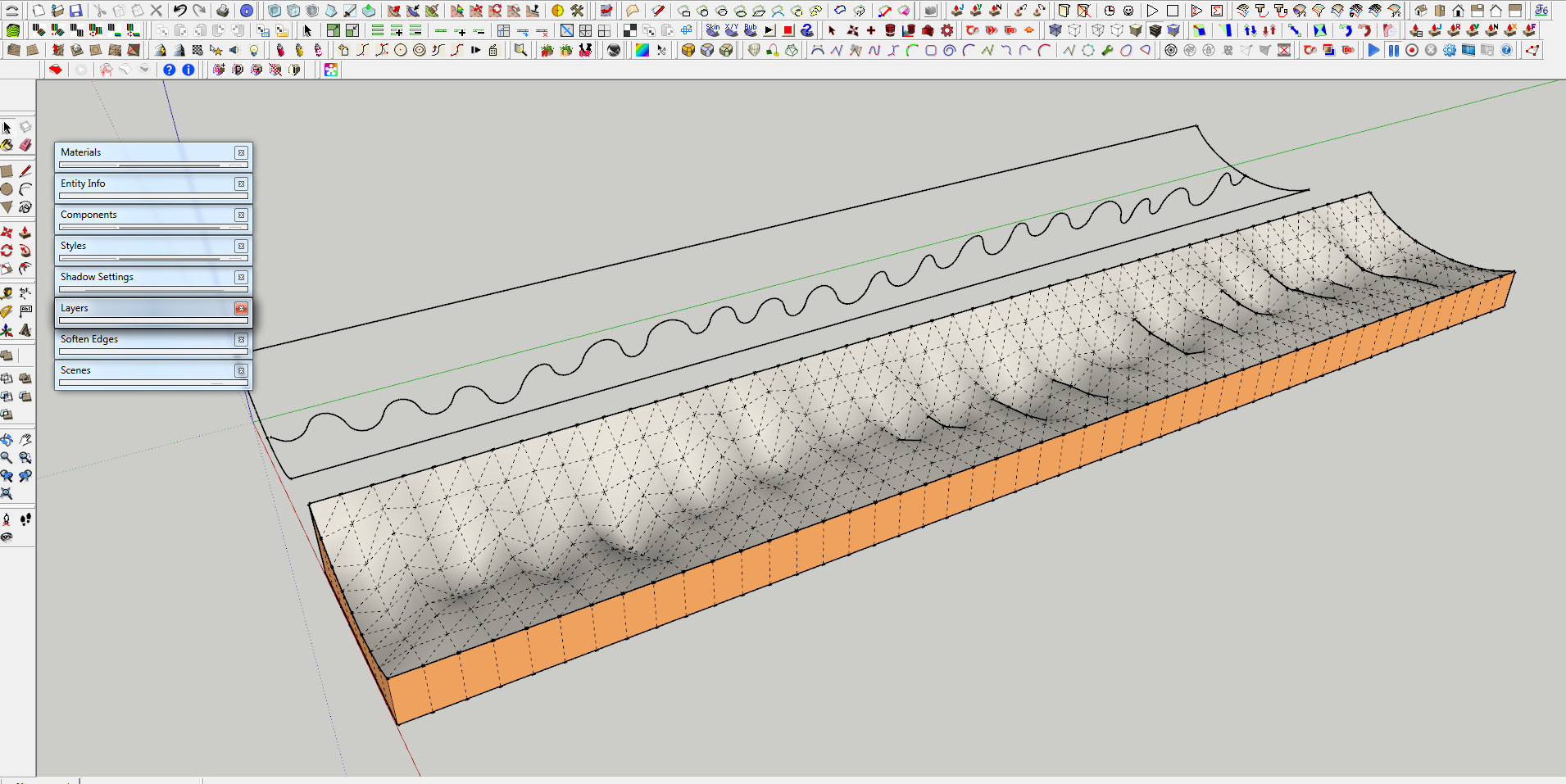
Lol, even Toposhaper does the trick.
-
@solo said:
Lol, even Toposhaper does the trick.
lol, except it doesn't... what's that about Pete?

I run into situations too where the extruded shapes are not continuous, so this is helpful to know that curviloft works for this kind of thing. Many thanks to Fredo for his wonderful plugins

-
@unknownuser said:
Lol, even Toposhaper does the trick.
lol, except it doesn't... what's that about Pete?
All the logical methods were taken, I thought I'd play with something else.

-
Oooops!
To get continuity along the Rail, you need to select the Offset option

Then the two sides are joined in continuity.
Fredo
-
@fredo6 said:
Curviloft "Loft along Path" ca n handle all contours in one shape.
Select first the 2 parts of the Rail contour.
Then select the 3 contours "Start", "Mid" and "End" in order.But the result is the same - there is still no smooth transition possible.
Btw. i accidently closed the status bar... how can i get it back?!?

-
@fredo6 said:
Oooops!
To get continuity along the Rail, you need to select the Offset option
great! thanks!!! 
...now i only need to get the status/options bar back to be able to change the method

-
I just realized that the 2 straight line contours were overly divided.
This is not necessary. Just make them a single edge each.
Then it will be the wavelet contour which will drive the mesh.
Fredo
-
@numerobis said:
...now i only need to get the status/options bar back to be able to change the method
There should be a small red rectangle in the upper left corner. just click on it to expand the button palette.
Fredo
-
i will look for it next time when it happens... thanks!
After the second or third reopening of sketchup it was there again.
-
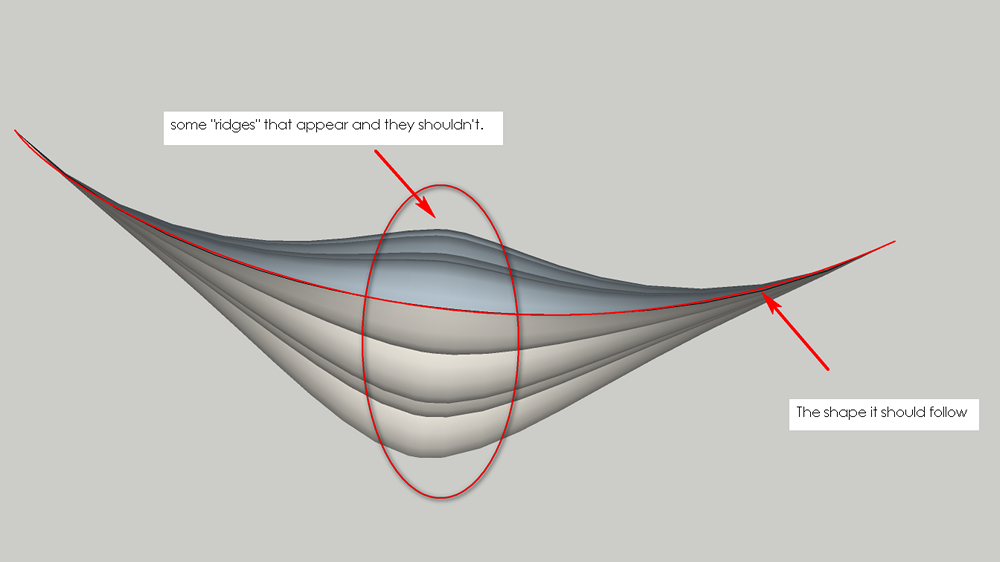
Thanks fredo for the input, but as you can see in the image, there are some strange effects. The model seems to "grow" where the wavy line is. Maybe I should add on each side a second wave, smaller? To make the transition more controllable ?
-
Derei,
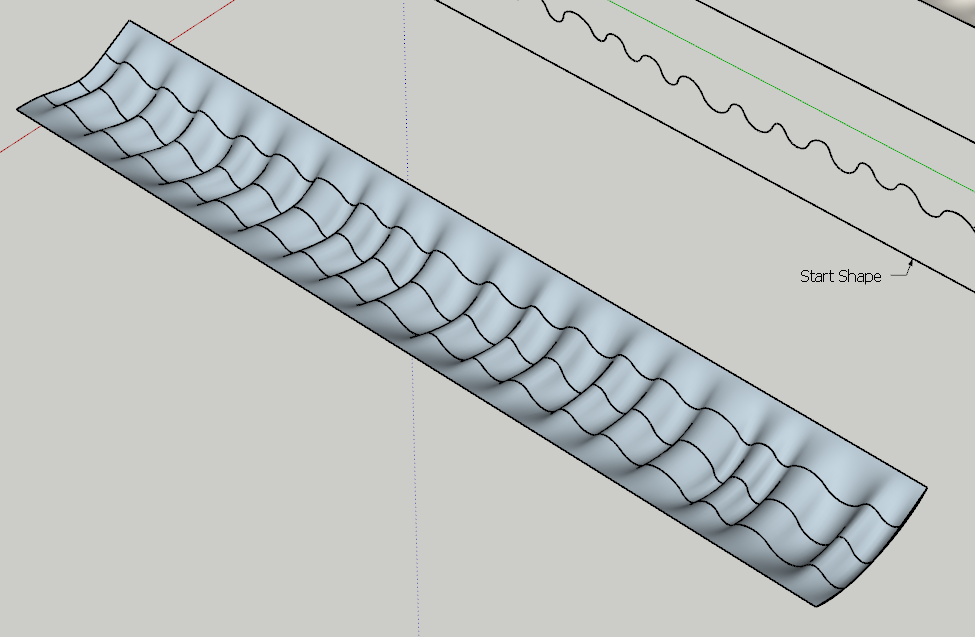
By the way, you could remove the up and downs by duplicating the wave profile at 1/4 and 3/4 distance, and then use Curviloft, Loft by Spline, as shown below:
Fredo





Hello! It looks like you're interested in this conversation, but you don't have an account yet.
Getting fed up of having to scroll through the same posts each visit? When you register for an account, you'll always come back to exactly where you were before, and choose to be notified of new replies (either via email, or push notification). You'll also be able to save bookmarks and upvote posts to show your appreciation to other community members.
With your input, this post could be even better 💗
Register Login


Advertisement