Anti aliasing Problem
-
Hi guys.
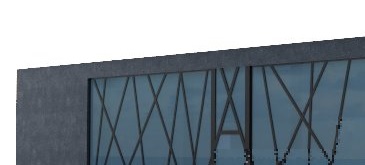
I struggle whit this jagged lines to make it look smoother.
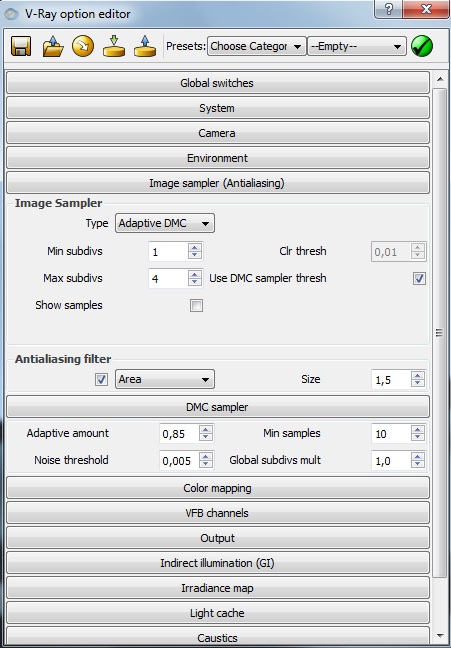
I try everything in Image Sampler. I use Adaptive DMC
i tried min/max subd.. 1/4 1/8 2/4 2/8 in DMC
I tried all antialising filters
also Area filter whit 0,5 / 1 / 1,5/ 4
But nothing, the line is still jagged.
What can i do to make it smother.This is 100% crop image
Thanks in advance.
-
Doesnt anybody know ?
-
turn antialiasing filter off and render >= 3600 pixels (width)
-
Yep. I agree with the above. Render at higher res and turn of AA. The filters create these edges. Just use unsharp mask in Photoshop in post after to clean up.
-
Thanks you guys. The project is finished.I post it in the gallery.
I never had that kind of problem until now.
Hello! It looks like you're interested in this conversation, but you don't have an account yet.
Getting fed up of having to scroll through the same posts each visit? When you register for an account, you'll always come back to exactly where you were before, and choose to be notified of new replies (either via email, or push notification). You'll also be able to save bookmarks and upvote posts to show your appreciation to other community members.
With your input, this post could be even better 💗
Register Login


Advertisement