Inference Symbol Size
-
Hi there!
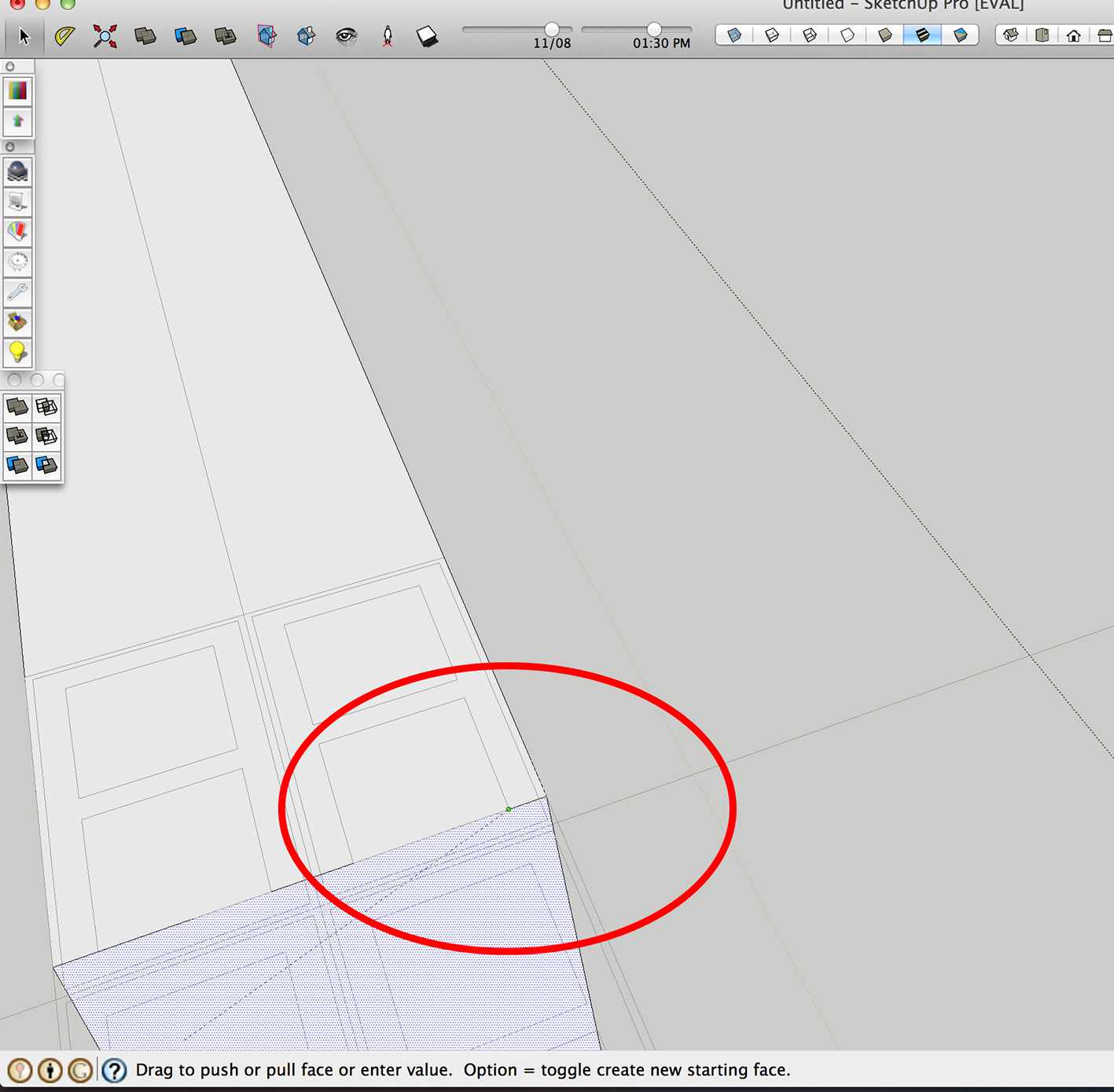
I'm currently using sketchup in a new computer and it appeared a problem I really didn't find how to solve, maybe someone can help me: I'd like to increase de inference symbol that appears when you are modelling using some reference from the model (e.g.: push pull inference). I'm going to attach an image so you can understand it better!
Thank you,
Matheus
-
Have you got a Retina display on your MAC ?
Its 'doubled resolution' has been the focus of much angst - as it halves the size of some displayed font messages and I suspect the inference 'dots'...

There is a thread started by Fredo6 discussing this...
There are other debates too...
This one seems relevant http://sketchucation.com/forums/viewtopic.php?p=426031#p426031
You are not alone... -
Yep, it's a Retina display!
I thought it could be due to it, but was not sure.
Thank you
-
@matheusbragagnolo said:
Yep, it's a Retina display!
I thought it could be due to it, but was not sure.
Thank youYeah, the adaptation of SketchUp to the Retina was a mixed bag. Some things are wonderfully clear, but others are so tiny they are hard to see. I often find it hard to make out a selected Edge or to be certain that a cursor's hotspot is on an Edge. Fredo has been tearing out hair trying to make view.draw_text use a non-microscopic font. The programmers did not expose any interface to let users configure these things...
Steve

Hello! It looks like you're interested in this conversation, but you don't have an account yet.
Getting fed up of having to scroll through the same posts each visit? When you register for an account, you'll always come back to exactly where you were before, and choose to be notified of new replies (either via email, or push notification). You'll also be able to save bookmarks and upvote posts to show your appreciation to other community members.
With your input, this post could be even better 💗
Register Login


Advertisement