[Plugin] AMS Library 3.7.1b (29 May 2021)
-
@Anton_s,I want WebDialog to have been in the front until end of a program ,because I want to make the WebDialog as a mask,I can do something to model which I wan't people to see the process. WebDialog.#bring_to_front can't always in the front。
-
Here is the code Ying:
title = "My Dialog"
dlg = UI;;WebDialog.new(title)
dlg.show
hwnd = AMS;;Sketchup.find_window_by_caption(title)
AMS;;Window.set_pos(hwnd, -1, 0,0,0,0, 0x0023) # The -1 here does the trick
Though upgrade to 3.2.1 first as there was a small bug in that function.
@Perojack, @Perroloco2000 I think the error is fixed now. Try the new version.
-
@Anton_S,thank you very much!It is helpful.
-
thanks for answer Anton
AMS Library 3.2.1. is working, no error
But I still have my past problem with AMS Window Settings: everytime i hide menu bar crash SU.
The others functions of the plugin are working but impossible hide menu bar without crash.
please help to optimize my screen -
@Perroloco2000 give me a list of plugins your using, a list of shortcuts (Preferences->Shortcuts->Export...), sketchup version, sketchup localization (en, fr, or whatever) and windows version so that I could attempt to reproduce the crash and pin it down on my own machine.
-
SketchUp Make 2016 16.1.1449 64-bits (spanish). Windows 10 Home 1511 (10586.164)
I have a fresh install of windows 10 (last version) and SketchUp (last version). I still haven´t other plugins, and didn´t modify default shortcuts.
I installed AMS Library 3.2.1. (all works)
I installed AMS Window Settings 4.2.0. all functions works but when I hide menu bar the crash come. Thanks -
Ok I am able to reproduce it with Spanish localization. I even get frozen strings errors, which I have no idea what's causing them and how to prevent them. I will look into into it and do my best to fix it.
-
Hi perecollo2000. Try the new version. I think it should be fixed now.
-
hi Anton .... YOU SOLVED IT!!!
100% working, thank you very much for your work, and quick reply
your plugins really help my work on the laptop screen
great autor, thanks -
Forgive me but I'm a newb who can barely work his way through/around Extensions.
I'm unable to get the MSphysics to load/run. It is registered under Plugins but I receive the following message when I open Sketchup2016. I've tried copying/pasting the "main.rb" file into every imaginable Plugin folder but it still fails to see/find the file.?
(I installed the AMS Library v3.2.2 AFTER I installed the MSphysics extension but the order of installation shouldn't matter, correct?)
I'm running Win8 via Parallels, SU2016.
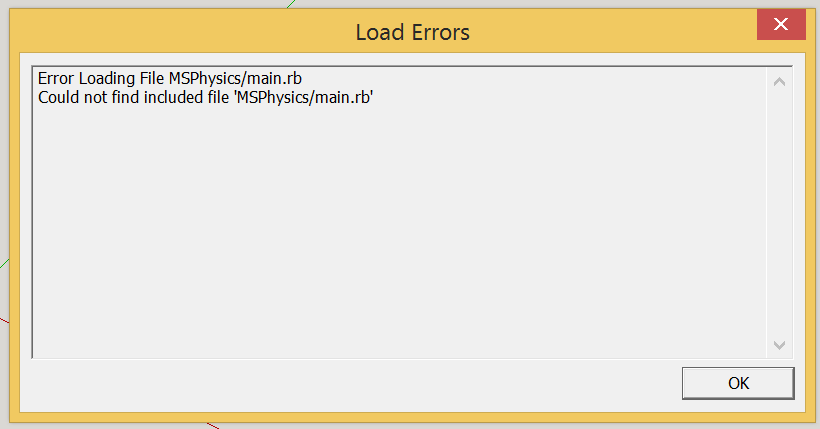

-
Pnickles, you got it into the correct plugins folder, but placed the content improperly.
I suggest deleteding whatever you placed in the plugins folder manually (including MSPhysics which is placed improperly based on your screenshot) and starting over with the following instructions. Download ams_Lib_3.2.2.zip, extract it, and place ams_Lib folder and ams_Lib.rb file into the plugins folder. Same applies to MSPhysics_0.5.0.zip. It should look something like this:
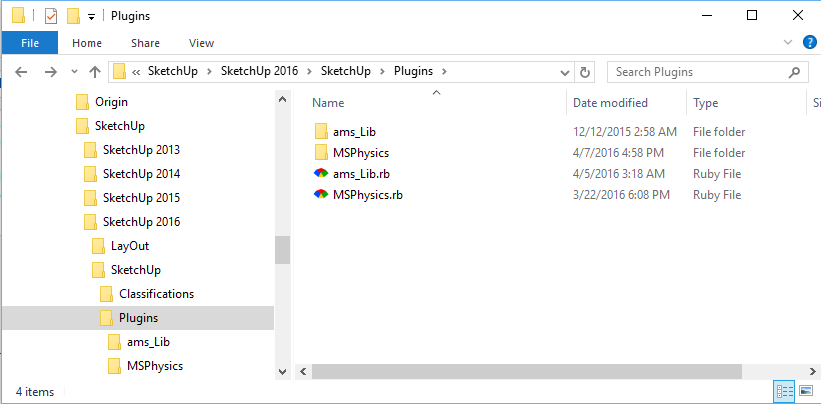
-
Different error messages now. See attached. Perhaps it's because I'm running Win8 via Parallels?
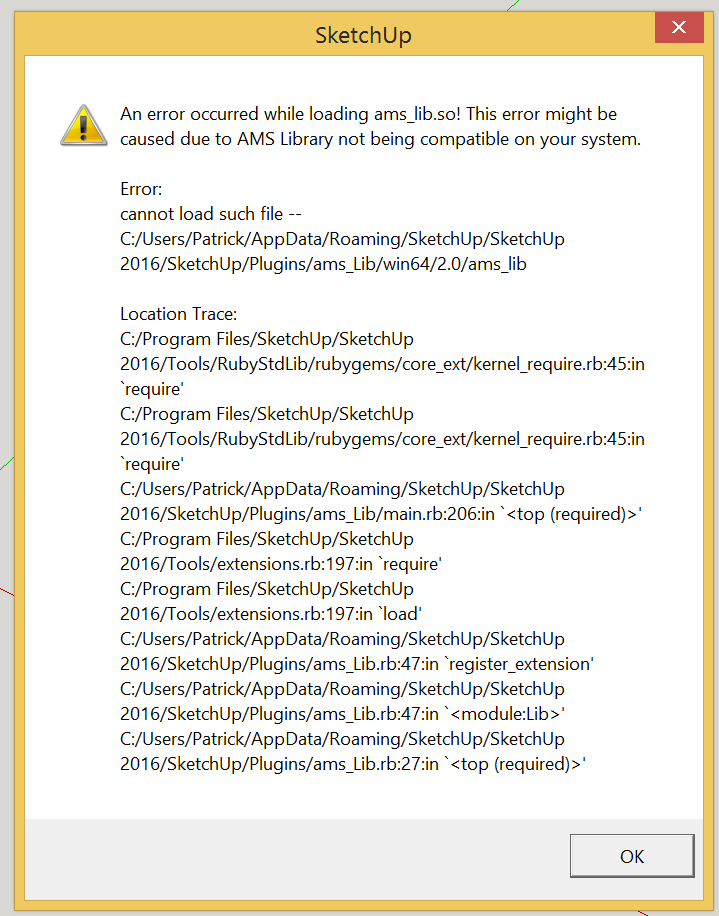
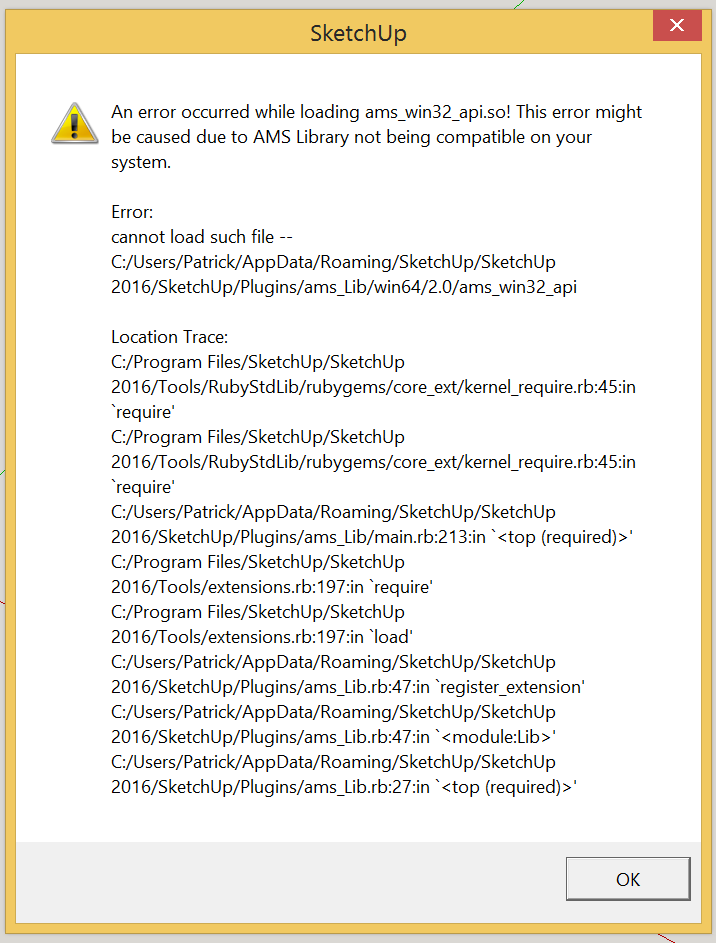
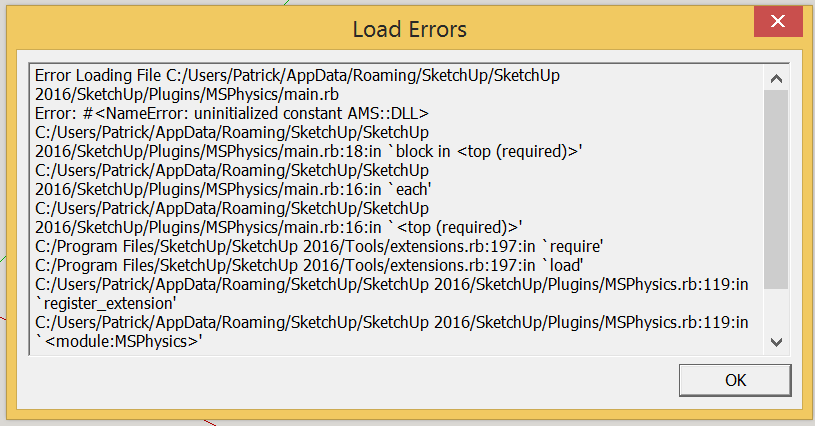
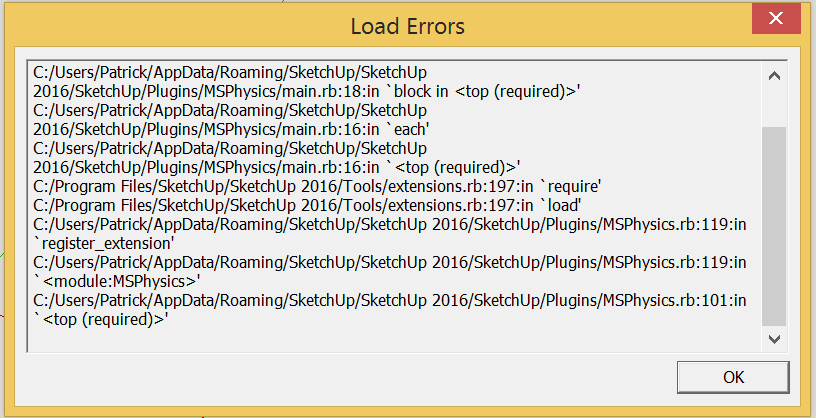
-
Are there how to use instructions somewhere?
-
Bryan, in case you're wondering if it's a plugin, well it's not. AMS library is more of a dependency for a few of my other plugins.
-
How to get the version number?
AMS.ver ?
-
Use AMS::Lib::VERSION It returns a string like "3.3.0".
-
@anton_s said:
Bryan, in case you're wondering if it's a plugin, well it's not. AMS library is more of a dependency for a few of my other plugins.
Thanks Anton, but what I'm looking for is how to use it. It's installed without a problem but I need some kind of instructions or tutorial on how to use the controls.
Thanks.
-
The first post contains a link to the library's documentation. I not particularly sure if that's what you desire though.
-
Anton, thanks. I found some great video tutorials. https://www.youtube.com/user/samketner/videos?sort=dd%26amp;view=0%26amp;shelf_id=0
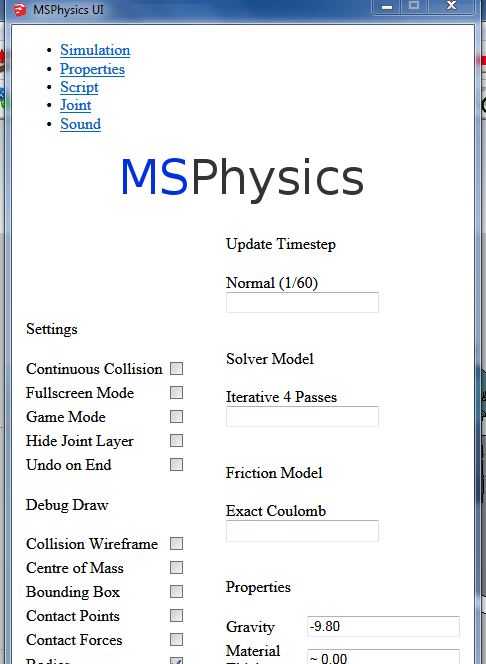
My new problem is that the UI menu is not displaying correctly nor or the contents.. There are no tabs and the menu window is not resizable so I cannot access the contents at the bottom of the screen.
Here is a screen shot.
Any ideas?
-
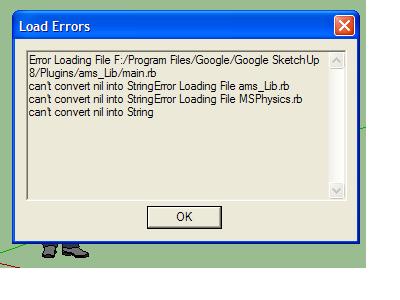
I keep getting this error. What is happening?

Hello! It looks like you're interested in this conversation, but you don't have an account yet.
Getting fed up of having to scroll through the same posts each visit? When you register for an account, you'll always come back to exactly where you were before, and choose to be notified of new replies (either via email, or push notification). You'll also be able to save bookmarks and upvote posts to show your appreciation to other community members.
With your input, this post could be even better 💗
Register Login


Advertisement