sketchucation logo sketchucation
    • Login
    Oops, your profile's looking a bit empty! To help us tailor your experience, please fill in key details like your SketchUp version, skill level, operating system, and more. Update and save your info on your profile page today!
    Mac User? | Join the Rayscaper Beta for Mac Learn More

    [Extension][$] iSelect

    Scheduled Pinned Locked Moved Plugins
    54 Posts 20 Posters 27.7k Views 20 Watching
    Loading More Posts
    • Oldest to Newest
    • Newest to Oldest
    • Most Votes
    Reply
    • Reply as topic
    Log in to reply
    This topic has been deleted. Only users with topic management privileges can see it.
    • pilouP
      pilou
      last edited by

      Seems there is a glitch! 😉

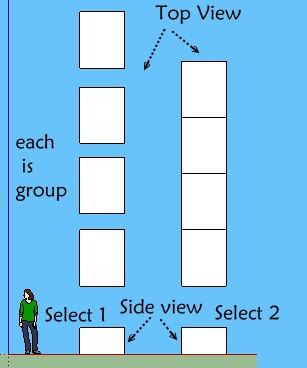
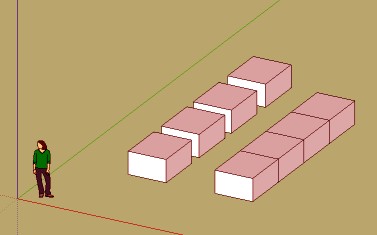
      Each 3d block is a group! I select in side view!

      Seems don't works when I all select 1 or all select 2 from left to right or right to lerft! 😲

      All stay selected after click the black eye!(in perspective or parallal projection) 😮

      iselect.jpg

      plop.jpg


      v6.skp

      Frenchy Pilou
      Is beautiful that please without concept!
      My Little site :)

      1 Reply Last reply
      Reply Quote 0
      • G
        glro
        last edited by

        @renderiza said:

        [pre:1w1z3q12]Authors:: Renderiza
        Plugin Name:: iSelect
        Version:: 1.0.1
        Date:: 11/6/2013
        Cost:: Free[/pre:1w1z3q12]
        iSelect v1.0.1 is now available for download.

        http://jroot.sketchucation.com/pluginrepo/image/RND_iSelect_v1.0.0.png

        %(#909090)[What is new:

        • Group & Component selection is fixed
        • Context Menu Added (right click > iSelect)
        • Add keyboard shortcut

        How to set keyboard shortcut:
        Window > Preference > Shortcuts > Function = Edit/Item/iSelect > Add Shortcut

        Thanks for Feedback! 👍]

        i use Iselect 1.0.1 to select components, but sometimes i forget to clic on the plugin button after selecting to filter them

        i wouldn't forget if the filtering was automatic after selection

        so would it be possible modify the order of operations, and embed your plugin in a "filtered selection" tool:

        you click on the button corresponding to "filtered selection"
        you select
        and only then "iselect" is launched to filter the selection

        i tried to add some lines of code to yours to do that, but after calling the native select tool, everything stops ...

        1 Reply Last reply
        Reply Quote 0
        • danchoD
          dancho
          last edited by

          Hi,

          does someone use it under SKP 2015. I can't get it to work 😒

          1 Reply Last reply
          Reply Quote 0
          • E
            Einstein
            last edited by

            Hi!

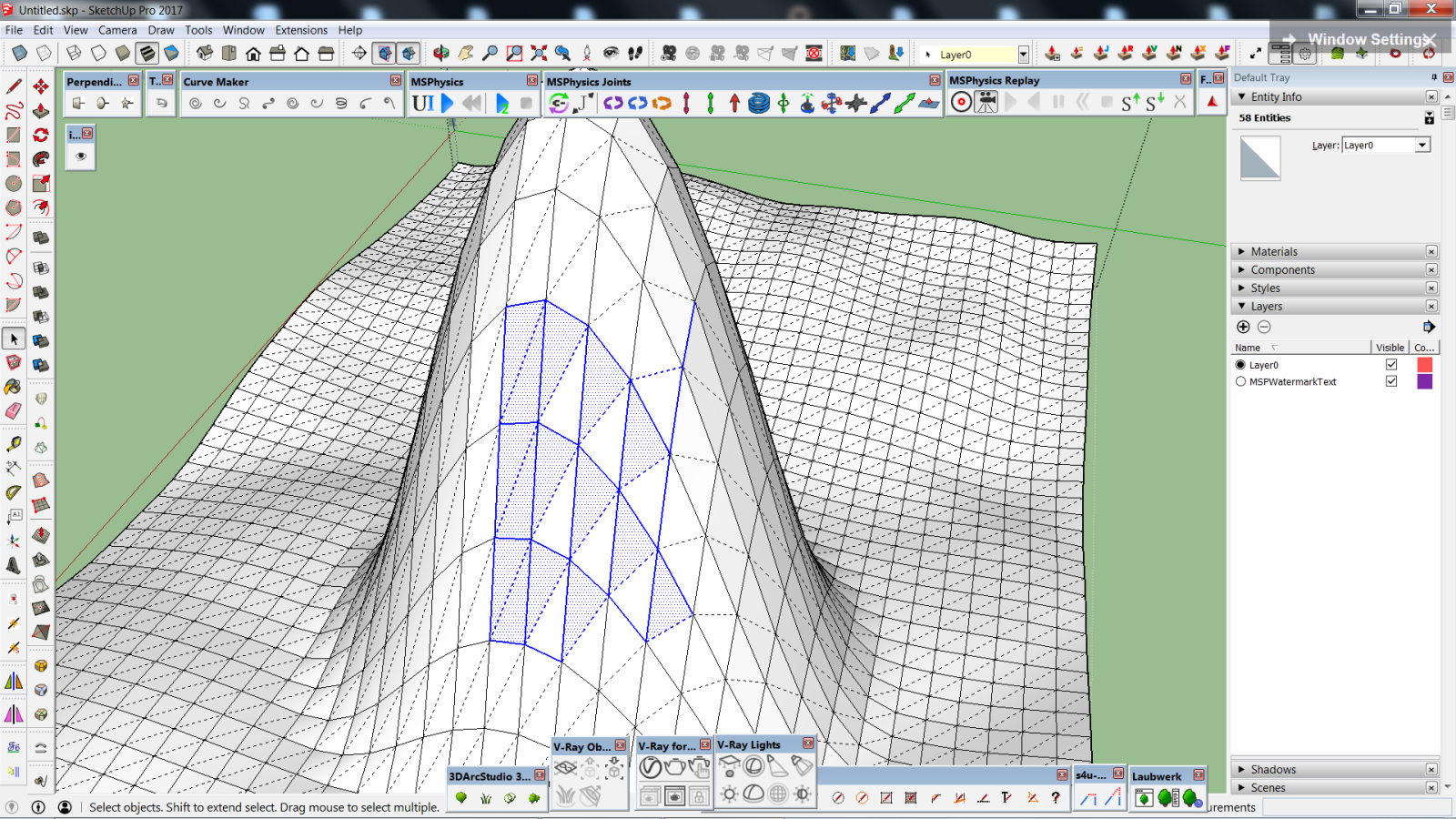
            As you can see in the attachment, it also deselects some of the front, visible faces. The problem appears when softened edges come into play.

            I also told this in Extension Warehouse.

            iSelect problem.png

            1 Reply Last reply
            Reply Quote 0
            • G
              glro
              last edited by

              @renderiza said:

              @einstein said:

              As you can see in the attachment, it also deselects some of the front, visible faces. The problem appears when softened edges come into play.

              Hi,

              I have updated the code of 'iSelect' and the new version 2.0.0 is available at the following link...

              Download Now

              Also, I'll appreciate more feedback so I can improve iSelect even more.

              Note: I am charging a small fee for the plugin to help me spend more time making SketchUp Extensions.

              best regards,
              Renderiza

              i tried version 2

              still have problems

              Error: #<RangeError: float Inf out of range of integer>
              C:/ProgramData/SketchUp/SketchUp 2017/SketchUp/Plugins/MiSU_iSelect/MiSU_iSelect_loader.rb:98:in `*'

              selection is not filtered

              1 Reply Last reply
              Reply Quote 0
              • G
                glro
                last edited by

                @renderiza said:

                @einstein said:

                As you can see in the attachment, it also deselects some of the front, visible faces. The problem appears when softened edges come into play.

                Hi,

                I have updated the code of 'iSelect' and the new version 2.0.0 is available at the following link...

                Download Now

                Also, I'll appreciate more feedback so I can improve iSelect even more.

                Note: I am charging a small fee for the plugin to help me spend more time making SketchUp Extensions.

                best regards,
                Renderiza

                something is missing?
                content 1

                content 2

                i don't see the code that is supposed to do the job

                1 Reply Last reply
                Reply Quote 0
                • renderizaR
                  renderiza
                  last edited by

                  Hi,

                  Can you provide an attachment of the SketchUp model you are trying to use?

                  What version of SketchUp are you using?

                  Can you install the plugin?

                  Does it work on some faces?

                  Are you trying to detect Groups or Components?

                  I'll try to find out how to solve your issue.

                  Best regards,
                  Renderiza

                  [url=https://www.sketchupcode.com/:z3kqsidd]My Extensions ...[/url:z3kqsidd]

                  1 Reply Last reply
                  Reply Quote 0
                  • G
                    glro
                    last edited by

                    @renderiza said:

                    Hi,

                    Can you provide an attachment of the SketchUp model you are trying to use?

                    What version of SketchUp are you using?

                    Can you install the plugin?

                    Does it work on some faces?

                    Are you trying to detect Groups or Components?

                    I'll try to find out how to solve your issue.

                    Best regards,
                    Renderiza

                    sketchup 17
                    it works in some circonstances
                    trying to detect components

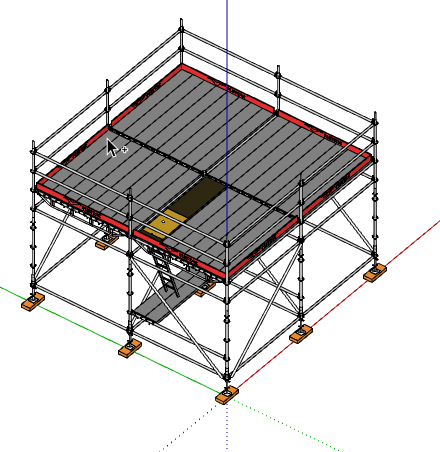
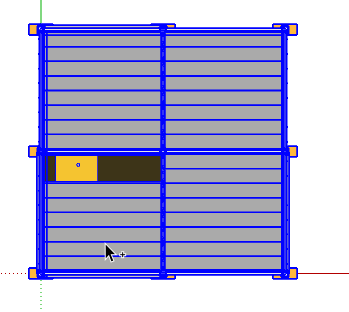
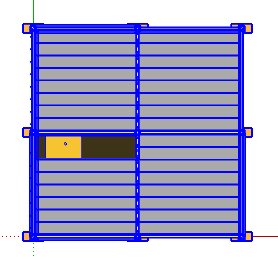
                    here is the example that fails
                    platform

                    top view
                    top view

                    "Error: #<RangeError: float Inf out of range of integer>
                    C:/Users/.../SketchUp 2017/SketchUp/Plugins/MiSU_iSelect/MiSU_iSelect_loader.rb:98:in `*'"

                    now i admit this is not a usual case
                    most of the time it works pretty well

                    1 Reply Last reply
                    Reply Quote 0
                    • renderizaR
                      renderiza
                      last edited by

                      Hi,

                      Now that I have your SketchUp model I am receiving the error you mentioned. I'll work on fixing it soon.

                      Thanks
                      Renderiza

                      [url=https://www.sketchupcode.com/:z3kqsidd]My Extensions ...[/url:z3kqsidd]

                      1 Reply Last reply
                      Reply Quote 0
                      • renderizaR
                        renderiza
                        last edited by

                        Hi,

                        Try to download the extension again... It should say 'iSelect v2.0.2.rbz' and hopefully the problem you were having is now fixed. Please let me know if it works.

                        Thanks,
                        Renderiza

                        [url=https://www.sketchupcode.com/:z3kqsidd]My Extensions ...[/url:z3kqsidd]

                        1 Reply Last reply
                        Reply Quote 0
                        • G
                          glro
                          last edited by

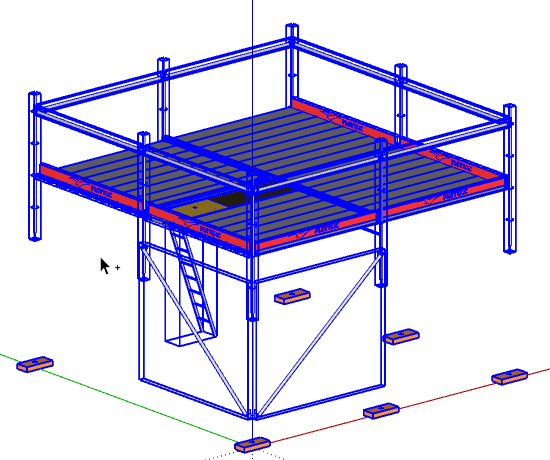
                          before iselectafter iselect

                          no error message
                          and i noticed the progressbar

                          it is slower but more efficient
                          thank you

                          1 Reply Last reply
                          Reply Quote 0
                          • renderizaR
                            renderiza
                            last edited by

                            @einstein said:

                            As you can see in the attachment, it also deselects some of the front, visible faces. The problem appears when softened edges come into play.

                            Hi,

                            I have updated the code of 'iSelect' and the new version 2.0.0 is available at the following link...

                            Download Now

                            Also, I'll appreciate more feedback so I can improve iSelect even more.

                            Note: I am charging a small fee for the plugin to help me spend more time making SketchUp Extensions.

                            best regards,
                            Renderiza

                            [url=https://www.sketchupcode.com/:z3kqsidd]My Extensions ...[/url:z3kqsidd]

                            1 Reply Last reply
                            Reply Quote 0
                            • E
                              Einstein
                              last edited by

                              Hi!
                              I visited your webpage to buy iSelect but when I click BUY NOW, there pops a message: "Oops! It looks like your trial has expired. Please upgrade to continue". I don't understand it - what should I upgrade?

                              1 Reply Last reply
                              Reply Quote 0
                              • renderizaR
                                renderiza
                                last edited by

                                @einstein said:

                                Hi!
                                I visited your webpage to buy iSelect but when I click BUY NOW, there pops a message: "Oops! It looks like your trial has expired. Please upgrade to continue". I don't understand it - what should I upgrade?

                                Hi,

                                Sorry for the inconvenience please go here instead...

                                https://sellfy.com/p/9upS/

                                [url=https://www.sketchupcode.com/:z3kqsidd]My Extensions ...[/url:z3kqsidd]

                                1 Reply Last reply
                                Reply Quote 0
                                • E
                                  Einstein
                                  last edited by

                                  I assume the license in for 1 PC only?

                                  1 Reply Last reply
                                  Reply Quote 0
                                  • renderizaR
                                    renderiza
                                    last edited by

                                    @einstein said:

                                    I assume the license in for 1 PC only?

                                    At the moment I don't require any licensing registration in order to use the plugin.
                                    If you purchase any of my extension you can use them in as many PC's as you see fit.

                                    Also, if I make any updates you will be notified by email with a download button and no further fees is required.

                                    Cheers!

                                    [url=https://www.sketchupcode.com/:z3kqsidd]My Extensions ...[/url:z3kqsidd]

                                    1 Reply Last reply
                                    Reply Quote 0
                                    • E
                                      Einstein
                                      last edited by

                                      Ok, thank you for info.

                                      Can we send you a regular money transfer instead of PayPal payment?

                                      1 Reply Last reply
                                      Reply Quote 0
                                      • renderizaR
                                        renderiza
                                        last edited by

                                        My Extensions Store now supports direct payments via credit card without the need to use Paypal.

                                        Thanks for your support!

                                        [url=https://www.sketchupcode.com/:z3kqsidd]My Extensions ...[/url:z3kqsidd]

                                        1 Reply Last reply
                                        Reply Quote 0
                                        • E
                                          Einstein
                                          last edited by

                                          Am I having hallucinations or the minimum fee grows higher and higher every day? I was happy to see this plugin in the very beginning at the price of 3$ but is went up to 10$ O.o

                                          And I was asking about regular money transfer cuz I don't like to pass my card number anywhere. Transfer is a transfer, I'm more ensured about safety of my money.

                                          1 Reply Last reply
                                          Reply Quote 0
                                          • jujuJ
                                            juju
                                            last edited by

                                            @einstein said:

                                            And I was asking about regular money transfer cuz I don't like to pass my card number anywhere. Transfer is a transfer, I'm more ensured about safety of my money.

                                            a lot of people have this fear, for good reason, but consider that your credit card probably has fraud insurance built into your service fee for it

                                            Save the Earth, it's the only planet with chocolate.

                                            1 Reply Last reply
                                            Reply Quote 0

                                            Hello! It looks like you're interested in this conversation, but you don't have an account yet.

                                            Getting fed up of having to scroll through the same posts each visit? When you register for an account, you'll always come back to exactly where you were before, and choose to be notified of new replies (either via email, or push notification). You'll also be able to save bookmarks and upvote posts to show your appreciation to other community members.

                                            With your input, this post could be even better 💗

                                            Register Login
                                            • 1
                                            • 2
                                            • 3
                                            • 2 / 3
                                            • First post
                                              Last post
                                            Buy SketchPlus
                                            Buy SUbD
                                            Buy WrapR
                                            Buy eBook
                                            Buy Modelur
                                            Buy Vertex Tools
                                            Buy SketchCuisine
                                            Buy FormFonts

                                            Advertisement