sketchucation logo sketchucation
    • Login
    Oops, your profile's looking a bit empty! To help us tailor your experience, please fill in key details like your SketchUp version, skill level, operating system, and more. Update and save your info on your profile page today!
    Mac User? | Join the Rayscaper Beta for Mac Learn More

    Sketchup and Blender

    Scheduled Pinned Locked Moved Extensions & Applications Discussions
    extensions
    170 Posts 26 Posters 55.0k Views 26 Watching
    Loading More Posts
    • Oldest to Newest
    • Newest to Oldest
    • Most Votes
    Reply
    • Reply as topic
    Log in to reply
    This topic has been deleted. Only users with topic management privileges can see it.
    • michaliszissiouM
      michaliszissiou
      last edited by

      @unknownuser said:

      Is there a walk through some place or a video tutorial, I'd really like to learn this and another thing, say I have a shape created in meta modeling and convert it to regular mesh will this process work with it?

      A video tut?
      Oliver Villar did a tutorial based on this. It explains only the basics though. There is much more potential on this method.
      http://www.youtube.com/watch?v=3wyzvsmfia0&feature=youtu.be

      1 Reply Last reply
      Reply Quote 0
      • L
        Lobster
        last edited by

        I must admit i did not really go for tutorials when i first started learning blender.

        Even if this modelling time lapse isn't what you want to model in Blender i think it says more about modelling, approaches to modelling and retopology (after the z brush bit) than quite a few of the tutorials i have subsequently watched.

        If in doubt just start modelling a hand in mid air and end up with the right number of edges to join to the arm! Using the sculpt brushes to shape the low poly mesh e.t.c.

        it was definitely, mind blowing.

        Regards

        1 Reply Last reply
        Reply Quote 0
        • Rich O BrienR
          Rich O Brien Moderator
          last edited by

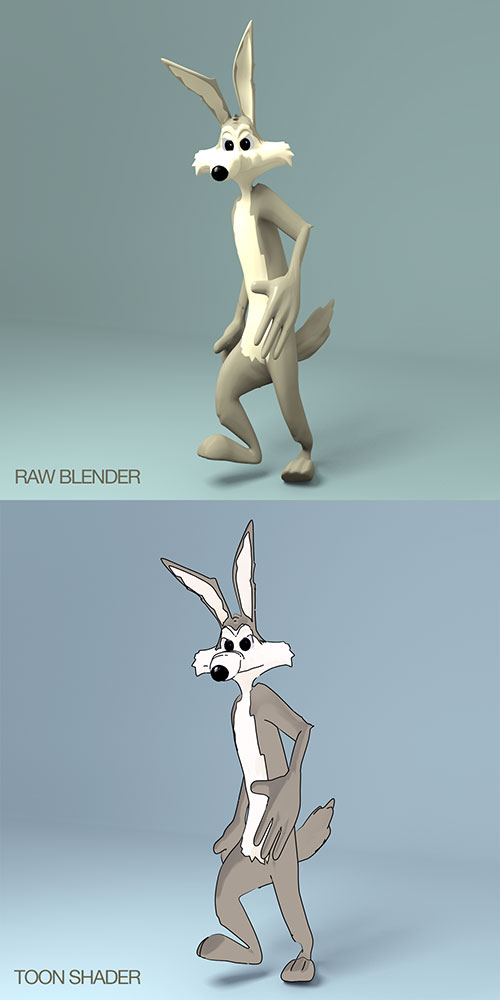
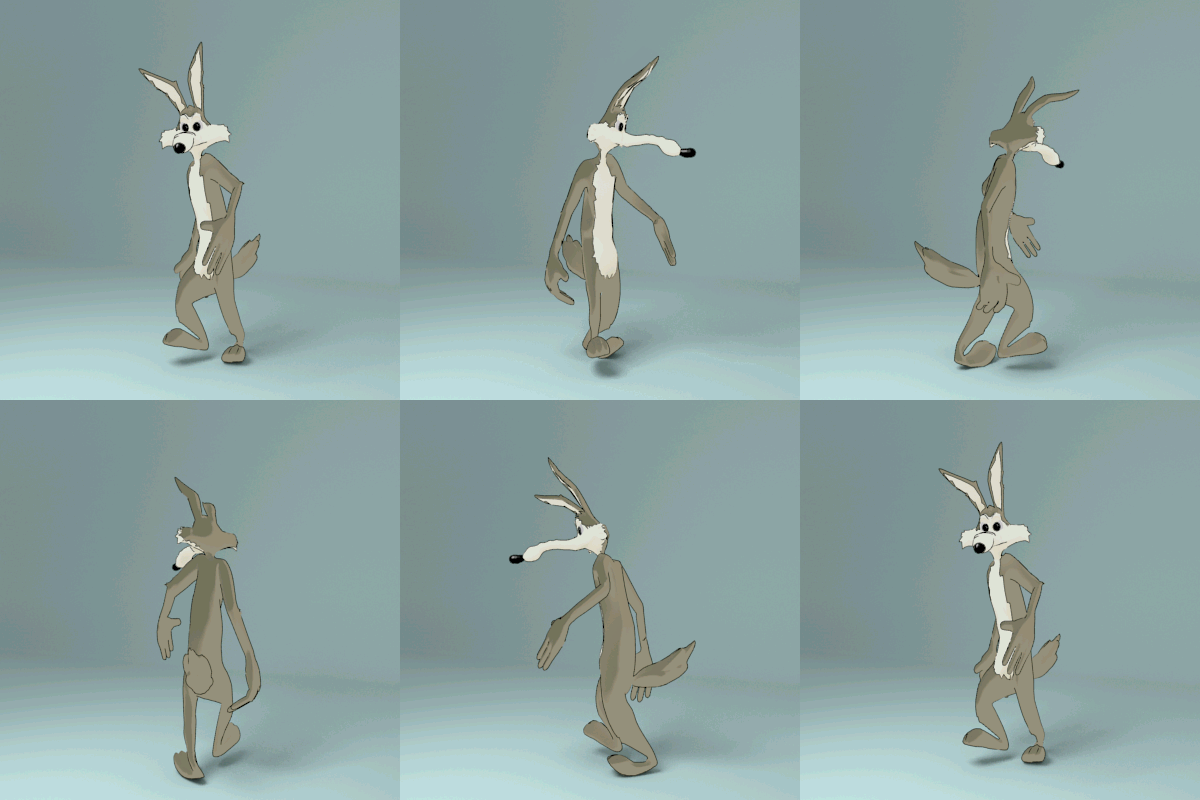
          Had some fun with Pete's model...

          COYOTE-01.jpg

          coyote.gif

          Properly meshed and rigged this will make for some fun loony tune time πŸ‘

          Download the free D'oh Book for SketchUp πŸ“–

          1 Reply Last reply
          Reply Quote 0
          • pilouP
            pilou
            last edited by

            Funny : a French Blender Guru is named CoyHot! 😎
            Site in English πŸ˜‰

            http://www.coyhot.com/Images/Enter_Logo.jpg

            Frenchy Pilou
            Is beautiful that please without concept!
            My Little site :)

            1 Reply Last reply
            Reply Quote 0
            • michaliszissiouM
              michaliszissiou
              last edited by

              we should still keep in mind how rapidly Cycles renderer is developing, right?
              I noticed this artwork today, byn blender artist Spelle.

              http://blenderartists.org/forum/attachment.php?attachmentid=271759&d=1384961721

              1 Reply Last reply
              Reply Quote 0
              • arail1A
                arail1
                last edited by

                That is an incredibly impressive image!

                1 Reply Last reply
                Reply Quote 0
                • Rich O BrienR
                  Rich O Brien Moderator
                  last edited by

                  http://www.blendernation.com/2013/12/07/sneak-peek-blender-toolbar-tabs/

                  New UI coming

                  Download the free D'oh Book for SketchUp πŸ“–

                  1 Reply Last reply
                  Reply Quote 0
                  • olisheaO
                    olishea
                    last edited by

                    About bloody time! This is the only thing that holds me back from being competent with blender.

                    oli

                    1 Reply Last reply
                    Reply Quote 0
                    • andybotA
                      andybot
                      last edited by

                      @rich o brien said:

                      http://www.blendernation.com/2013/12/07/sneak-peek-blender-toolbar-tabs/

                      New UI coming

                      Looks like a nice evolution. Not sure Oli that it'll necessarily make Blender easier to learn. From what I could tell it doesn't fundamentally change anything about the UI, just makes it a bit easier to navigate.

                      http://charlottesvillearchitecturalrendering.com/

                      1 Reply Last reply
                      Reply Quote 0
                      • pilouP
                        pilou
                        last edited by

                        It's a pity that was not make from the beginning! πŸ˜’

                        Frenchy Pilou
                        Is beautiful that please without concept!
                        My Little site :)

                        1 Reply Last reply
                        Reply Quote 0
                        • Rich O BrienR
                          Rich O Brien Moderator
                          last edited by

                          The level of commits for the next Blender is growing...

                          Render time remaining now added

                          Themeable UV editor

                          Cycles speed improvement

                          OSL improvements.

                          Download the free D'oh Book for SketchUp πŸ“–

                          1 Reply Last reply
                          Reply Quote 0
                          • michaliszissiouM
                            michaliszissiou
                            last edited by

                            Christmas coming.
                            A nice blender tutorial from Andrew Price
                            I found it interesting, a good presentation of Sapling Tree blender editor.
                            Some particles system
                            Color indexing and some PPros (compositor)
                            https://www.youtube.com/watch?v=5Yd7ad08e54

                            1 Reply Last reply
                            Reply Quote 0
                            • pilouP
                              pilou
                              last edited by

                              Happy new year! 😎
                              This guy is very good in Blender and speeching! β˜€
                              A real entertainer! πŸ‘

                              Frenchy Pilou
                              Is beautiful that please without concept!
                              My Little site :)

                              1 Reply Last reply
                              Reply Quote 0
                              • michaliszissiouM
                                michaliszissiou
                                last edited by

                                Bisect tool in blender
                                http://www.blendernation.com/2013/11/28/quick-tip-creating-stones-with-the-bisect-tool-part-1/

                                1 Reply Last reply
                                Reply Quote 0
                                • michaliszissiouM
                                  michaliszissiou
                                  last edited by

                                  A wonderful Blender presentation.
                                  Have fun, it is a 2:20 hours video.

                                  1 Reply Last reply
                                  Reply Quote 0
                                  • Rich O BrienR
                                    Rich O Brien Moderator
                                    last edited by

                                    Happy 20th Birthday to Blender.

                                    I had version 1.6 at one point but wasn't until 2.4 that I started to get my head around it.

                                    Download the free D'oh Book for SketchUp πŸ“–

                                    1 Reply Last reply
                                    Reply Quote 0
                                    • pilouP
                                      pilou
                                      last edited by

                                      Active Morphing by FranΓ§ois Grassard aka CoyHot with Blender!

                                      Morphing result:

                                      Screencast :

                                      PS
                                      in the past was existing WinMorph by Debugmode in 2D! πŸ˜„ (free)

                                      Frenchy Pilou
                                      Is beautiful that please without concept!
                                      My Little site :)

                                      1 Reply Last reply
                                      Reply Quote 0
                                      • pilouP
                                        pilou
                                        last edited by

                                        Not yet the same than Sketchup but...that is the beginning! πŸ˜‰
                                        ArchiMesh

                                        Frenchy Pilou
                                        Is beautiful that please without concept!
                                        My Little site :)

                                        1 Reply Last reply
                                        Reply Quote 0
                                        • michaliszissiouM
                                          michaliszissiou
                                          last edited by

                                          πŸŽ‰
                                          Many ways to skin a cat Pilou.
                                          I would try a different and simpler way for the job.

                                          I wonder, what we could do for a cornice on the ceiling.
                                          Extrude following a path somehow?
                                          It can be done.
                                          But not quite creative.
                                          What about using the inset tool of blender?

                                          What I'm trying to say. Different apps, different workarounds.

                                          1 Reply Last reply
                                          Reply Quote 0
                                          • gillesG
                                            gilles
                                            last edited by

                                            Blender UI πŸ’š


                                            pmb150.jpg

                                            " c'est curieux chez les marins ce besoin de faire des phrases "

                                            1 Reply Last reply
                                            Reply Quote 0

                                            Hello! It looks like you're interested in this conversation, but you don't have an account yet.

                                            Getting fed up of having to scroll through the same posts each visit? When you register for an account, you'll always come back to exactly where you were before, and choose to be notified of new replies (either via email, or push notification). You'll also be able to save bookmarks and upvote posts to show your appreciation to other community members.

                                            With your input, this post could be even better πŸ’—

                                            Register Login
                                            • 1
                                            • 2
                                            • 3
                                            • 4
                                            • 5
                                            • 6
                                            • 7
                                            • 8
                                            • 9
                                            • 5 / 9
                                            • First post
                                              Last post
                                            Buy SketchPlus
                                            Buy SUbD
                                            Buy WrapR
                                            Buy eBook
                                            Buy Modelur
                                            Buy Vertex Tools
                                            Buy SketchCuisine
                                            Buy FormFonts

                                            Advertisement