sketchucation logo sketchucation
    • 登入
    Oops, your profile's looking a bit empty! To help us tailor your experience, please fill in key details like your SketchUp version, skill level, operating system, and more. Update and save your info on your profile page today!
    🔌 Smart Spline | Fluid way to handle splines for furniture design and complex structures. Download

    [Plugin] Layers Panel 1.2.1

    已排程 已置頂 已鎖定 已移動 Plugins
    672 貼文 109 Posters 203.5k 瀏覽 109 Watching
    正在載入更多貼文
    • 從舊到新
    • 從新到舊
    • 最多點贊
    回覆
    • 在新貼文中回覆
    登入後回覆
    此主題已被刪除。只有擁有主題管理權限的使用者可以查看。
    • jiminy-billy-bobJ 離線
      jiminy-billy-bob
      最後由 編輯

      Hey guys, how about choosing what layers to render ? 😄
      Got it working with at least Vray, Kerkythea, and Maxwell suite.

      25% off Skatter for SketchUcation Premium Members

      1 條回覆 最後回覆 回覆 引用 0
      • ToboboT 離線
        Tobobo
        最後由 編輯

        @jiminy-billy-bob said:

        Hey guys, how about choosing what layers to render ? 😄
        Got it working with at least Vray, Kerkythea, and Maxwell suite.

        That is a very interesting concept.

        It means you could using to hide walls etc

        Toby

        Philippians 4:13

        I can do everything through him who gives me strength.

        1 條回覆 最後回覆 回覆 引用 0
        • jiminy-billy-bobJ 離線
          jiminy-billy-bob
          最後由 編輯

          It means the plugin will hide/unhide chosen layers when you hit the render button, without actually hidding/showing them. So you could have heavy vegetation layers sent to the renderer, but never activated in SU's viewport.

          25% off Skatter for SketchUcation Premium Members

          1 條回覆 最後回覆 回覆 引用 0
          • tt_suT 離線
            tt_su
            最後由 編輯

            Oh? Now that sounds mighty interesting.

            1 條回覆 最後回覆 回覆 引用 0
            • jiminy-billy-bobJ 離線
              jiminy-billy-bob
              最後由 編輯

              Yeah, and that's pretty simple :

              • Start operation with UI disabled
              • Hide/unhide chosen layers (But UI is disabled, so their visibility is not actually changed)
              • Trigger render (like "VRayForSketchUp.launch_vray_render")
              • Revert back layers visibility
              • Commit operation

              😄

              25% off Skatter for SketchUcation Premium Members

              1 條回覆 最後回覆 回覆 引用 0
              • Bob JamesB 離線
                Bob James
                最後由 編輯

                Totally outstanding plugin 👍 👍
                Would it be possible to add the ability to delete a layer into the current layer?

                Example:
                I have layer 5 chosen as the current default layer.
                I want to put all the stuff in layer 8 into layer 5
                I need the option to select 1. delete completely, 2. delete to layer 0, and 3. delete to current layer.
                The first two exist (the red garbage can and the green garbage can)
                Now I'd like a "blue" garbage can "delete to current layer" 😄
                Once again: Outstanding Plugin

                i7-4930K 3.4Ghz, 2x GTX780 6GB, 32GB DDR3-1600 ECC, OCZ Vertex 4 500GB, WD Black 3TB, 32TB NAS, 4x 27" Monitors, SpaceMouse Pro, X-keys XK-60

                1 條回覆 最後回覆 回覆 引用 0
                • Bob JamesB 離線
                  Bob James
                  最後由 編輯

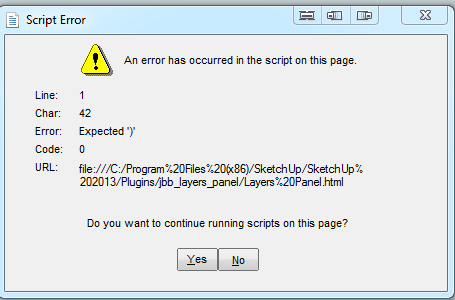
                  While using Ctrl-z to undelete portions of the model that I have just deleted, I get this dialog.

                  Panel.PNG

                  i7-4930K 3.4Ghz, 2x GTX780 6GB, 32GB DDR3-1600 ECC, OCZ Vertex 4 500GB, WD Black 3TB, 32TB NAS, 4x 27" Monitors, SpaceMouse Pro, X-keys XK-60

                  1 條回覆 最後回覆 回覆 引用 0
                  • jiminy-billy-bobJ 離線
                    jiminy-billy-bob
                    最後由 編輯

                    Noted bob about deleting to active layer.
                    Not sure about the undo problem, though. Do you get this every time ?

                    25% off Skatter for SketchUcation Premium Members

                    1 條回覆 最後回覆 回覆 引用 0
                    • jiminy-billy-bobJ 離線
                      jiminy-billy-bob
                      最後由 編輯

                      BOOM !
                      Choose what layer to render ! 👍

                      [screenr:t24aadah]OHcH[/screenr:t24aadah]

                      Works with Vray, Maxwell, Kerkythea and Indigo. I'm working with Tomasz to get Thea to support this feature.
                      It still needs some finishing, but the release is not far 😉

                      25% off Skatter for SketchUcation Premium Members

                      1 條回覆 最後回覆 回覆 引用 0
                      • ToboboT 離線
                        Tobobo
                        最後由 編輯

                        @jiminy-billy-bob said:

                        BOOM !
                        Choose what layer to render ! 👍
                        Works with Vray, Maxwell, Kerkythea and Indigo. I'm working with Tomasz to get Thea to support this feature.
                        It still needs some finishing, but the release is not far 😉

                        Well done!!! I cant wait to have a crack 👍

                        Toby

                        Philippians 4:13

                        I can do everything through him who gives me strength.

                        1 條回覆 最後回覆 回覆 引用 0
                        • jiminy-billy-bobJ 離線
                          jiminy-billy-bob
                          最後由 編輯

                          New version 0.4 beta !

                          Changelog :

                          • Adds the ability to choose which layers to render (Works with Vray, Maxwell, Indigo, and Kerkythea)
                          • Fix bug when having too many layers
                          • The dialog now remembers its size and position when closed
                          • Fix focus jumping at the top of the dialog

                          Download in the plugin store !

                          25% off Skatter for SketchUcation Premium Members

                          1 條回覆 最後回覆 回覆 引用 0
                          • K 離線
                            kirill2008
                            最後由 編輯

                            I won't be original, just want to say: it is a great plugin! 👍 Many thanks for it!

                            1 條回覆 最後回覆 回覆 引用 0
                            • jiminy-billy-bobJ 離線
                              jiminy-billy-bob
                              最後由 編輯

                              @kirill2008 said:

                              I won't be original

                              You don't have to, it's always nice to hear that 😉

                              25% off Skatter for SketchUcation Premium Members

                              1 條回覆 最後回覆 回覆 引用 0
                              • U 離線
                                Ulimann
                                最後由 編輯

                                Hallo Jiminy

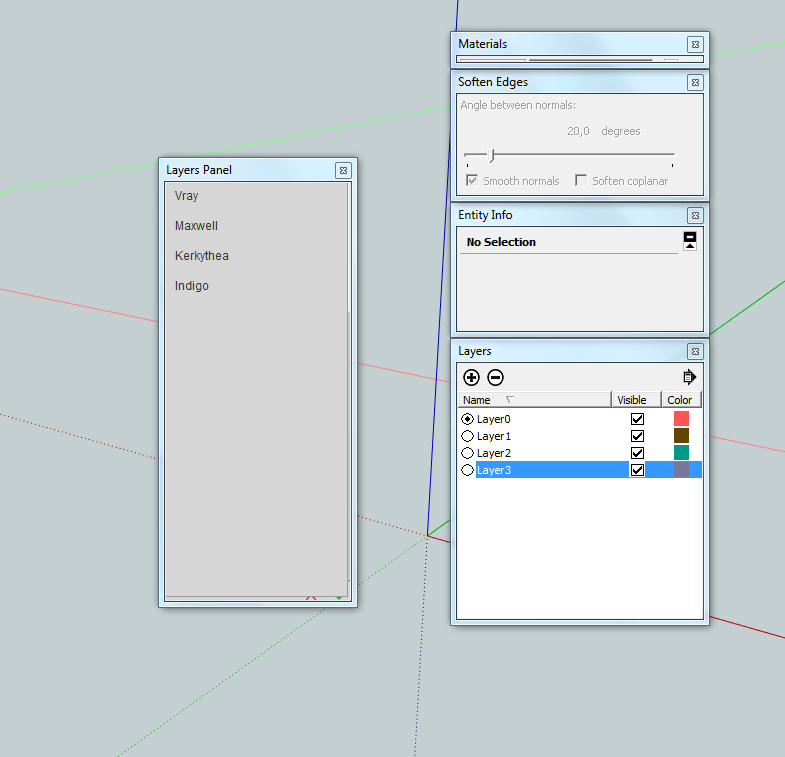
                                Great plugin , installed the update and get the resulting screen on activation.
                                I am running Windows 7 64 SU 8 PRO.

                                Layer Addon.PNG

                                1 條回覆 最後回覆 回覆 引用 0
                                • jiminy-billy-bobJ 離線
                                  jiminy-billy-bob
                                  最後由 編輯

                                  Can you delete everything concerning Layers Panel in your plugin folder, and reinstall it ?
                                  Plugins/jbb_layers_panel.rb
                                  Plugins/jbb_layers_panel

                                  25% off Skatter for SketchUcation Premium Members

                                  1 條回覆 最後回覆 回覆 引用 0
                                  • U 離線
                                    Ulimann
                                    最後由 編輯

                                    Thanks for the quick reply,did as you suggested its up and running.

                                    1 條回覆 最後回覆 回覆 引用 0
                                    • sadyoS 離線
                                      sadyo
                                      最後由 編輯

                                      Great Plugin... (y)
                                      waiting for Render feature to work with Thea Render

                                      1 條回覆 最後回覆 回覆 引用 0
                                      • jiminy-billy-bobJ 離線
                                        jiminy-billy-bob
                                        最後由 編輯

                                        Actually, if it works with Thea on day, it'll behave differently. You will probably have an option directly inside Thea allowing you to choose if you want to render with Layers Panel feature or not. But you won't render from within Layers Panel as you do with Vray/Maxwell/etc. This is due to the way Thea is designed. I can't trigger the render from my plugin.

                                        I gave evrything to Tomasz to make it work, the ball is on his side now 😉 So if you badly want this feature, you should get in touch with him !

                                        25% off Skatter for SketchUcation Premium Members

                                        1 條回覆 最後回覆 回覆 引用 0
                                        • doush-007D 離線
                                          doush-007
                                          最後由 編輯

                                          Great plugin...it must absolutely replaced the layer window in the next version of sketchup..thanks a lot for this plugin 😍

                                          1 條回覆 最後回覆 回覆 引用 0
                                          • JQLJ 離線
                                            JQL
                                            最後由 編輯

                                            Jiminy great plugin and great news on Thea!

                                            Is it possible that my layer groups have been wiped out after a purge?

                                            Best regards,

                                            JQL

                                            www.casca.pt
                                            Visit us on facebook!

                                            1 條回覆 最後回覆 回覆 引用 0
                                            • 1
                                            • 2
                                            • 30
                                            • 31
                                            • 32
                                            • 33
                                            • 34
                                            • 32 / 34
                                            • 第一個貼文
                                              最後的貼文
                                            Buy SketchPlus
                                            Buy SUbD
                                            Buy WrapR
                                            Buy eBook
                                            Buy Modelur
                                            Buy Vertex Tools
                                            Buy SketchCuisine
                                            Buy FormFonts

                                            Advertisement