sketchucation logo sketchucation
    • Login
    Oops, your profile's looking a bit empty! To help us tailor your experience, please fill in key details like your SketchUp version, skill level, operating system, and more. Update and save your info on your profile page today!
    Mac User? | Join the Rayscaper Beta for Mac Learn More

    [Plugin]T2H_Stretch_By_Area v1.2.3(Aug 25,2013)

    Scheduled Pinned Locked Moved Plugins
    30 Posts 21 Posters 60.4k Views 21 Watching
    Loading More Posts
    • Oldest to Newest
    • Newest to Oldest
    • Most Votes
    Reply
    • Reply as topic
    Log in to reply
    This topic has been deleted. Only users with topic management privileges can see it.
    • BoxB
      Box
      last edited by

      Yet another outstanding plugin.

      1 Reply Last reply
      Reply Quote 0
      • V
        Vicspa
        last edited by

        Very useful, thank you. ๐Ÿ‘

        1 Reply Last reply
        Reply Quote 0
        • T
          treviso
          last edited by

          Great!!!
          Will be perfect if sensitive with osnap geometry when clicking move direction

          1 Reply Last reply
          Reply Quote 0
          • ElibjrE
            Elibjr
            last edited by

            Thank you so much! This is better than the AutoCAD stretch. Can't wait to really get into using it.

            1 Reply Last reply
            Reply Quote 0
            • T
              tawny
              last edited by

              Thanks you, like the demonstration.

              1 Reply Last reply
              Reply Quote 0
              • JQLJ
                JQL
                last edited by

                Tak2Hata,

                When working inside a component/group if we use your plugin to stretch a small portion of the group, it selects everything inside the group but also outside it. This makes it very prone to create unexpected results. Is it somehow possible to affect only that wich is within the active context?

                Thank you very much and best regards,

                JQL

                www.casca.pt
                Visit us on facebook!

                1 Reply Last reply
                Reply Quote 0
                • T
                  tak2hata
                  last edited by

                  @jql said:

                  Tak2Hata,

                  When working inside a component/group if we use your plugin to stretch a small portion of the group, it selects everything inside the group but also outside it. This makes it very prone to create unexpected results. Is it somehow possible to affect only that wich is within the active context?

                  Thank you very much and best regards,

                  JQL

                  Hi,JQL.

                  It is possible.
                  But now my right hand does not work fine for two weeks.

                  Please wait.


                  by TAK2HATA

                  1 Reply Last reply
                  Reply Quote 0
                  • JQLJ
                    JQL
                    last edited by

                    Hi Tak2Hata,

                    Thanks for your generous reply. Please have no rush as it was just a suggestion for improvement on an already very useful plugin.

                    I hope you get well soon and best regards,

                    JQL

                    www.casca.pt
                    Visit us on facebook!

                    1 Reply Last reply
                    Reply Quote 0
                    • T
                      tak2hata
                      last edited by

                      Hi,All.
                      I update this version to 1.2.2.
                      Only Modify the entities in active editting group/components.
                      ArcCurve modify as curve.
                      Draw Snap points.
                      And BugFix.

                      My right hand is not completely fixed,yet.
                      So,I edited small changes of this script.

                      Thanks!


                      by TAK2HATA

                      1 Reply Last reply
                      Reply Quote 0
                      • R
                        rv1974
                        last edited by

                        I'll be damned! This is amazing (and seems to be stable)tool! ๐Ÿ˜ฎ
                        At last, after long dead period we've got something estimable in the Plugins forum.
                        Many thanks tak2hata!

                        1 Reply Last reply
                        Reply Quote 0
                        • R
                          rv1974
                          last edited by

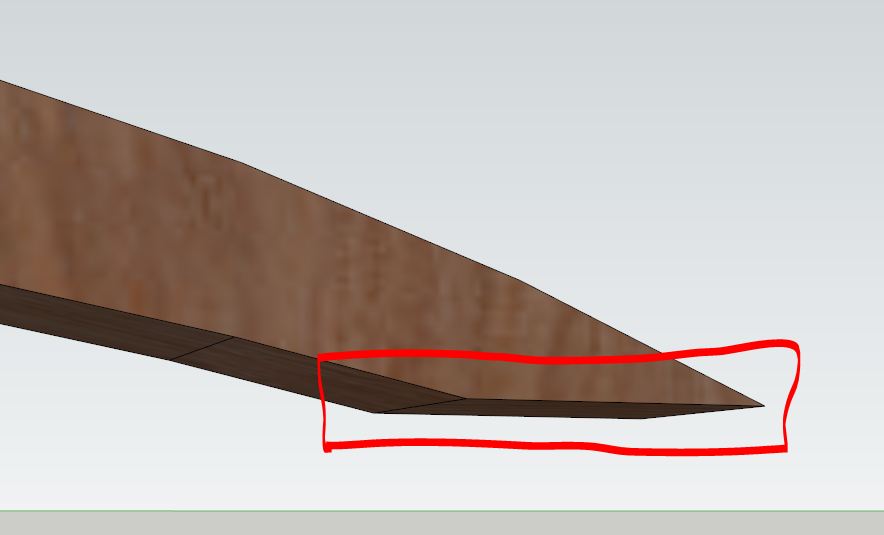
                          some minor bug: stretch doesn't work in this case.
                          P.S. My humble request: multiple stretch a-la Acad's one (with Shift key).

                          Capturettt.JPG


                          aaa21.skp

                          1 Reply Last reply
                          Reply Quote 0
                          • L
                            lmfboy
                            last edited by

                            why i can't upload this plugin after i put it in the plugin folder?

                            1 Reply Last reply
                            Reply Quote 0
                            • Dave RD
                              Dave R
                              last edited by

                              How did you go about putting it in the Plugins folder? Did you just paste the .rbz file into Plugins? If so, that the wrong way to do it. You need to use Install Extension under Preferences>Extensions.

                              Complete your profile with your SketchUp and operating system versions.

                              Etaoin Shrdlu

                              %

                              (THERE'S NO PLACE LIKE)

                              G28 X0.0 Y0.0 Z0.0

                              M30

                              %

                              1 Reply Last reply
                              Reply Quote 0
                              • B
                                Ben Ritter
                                last edited by

                                Thank you for your generosity

                                1 Reply Last reply
                                Reply Quote 0
                                • T
                                  tak2hata
                                  last edited by

                                  Hi,rv1974.
                                  I will correct this bug.
                                  I think that adding function multiple stretch is difficult.
                                  So it takes long time.Please wait.

                                  Hi,lmfboy.
                                  I agree with Dave.
                                  Thanks Dave.

                                  Hi,Ben.
                                  Enjoy it.

                                  Thanks!


                                  by TAK2HATA

                                  1 Reply Last reply
                                  Reply Quote 0
                                  • T
                                    tak2hata
                                    last edited by

                                    Hi,everyone.
                                    I update this version to 1.2.3 in Aug25,2013.
                                    Bugfix abot selecting vertices in curve.
                                    Thanks


                                    by TAK2HATA

                                    1 Reply Last reply
                                    Reply Quote 0
                                    • R
                                      rv1974
                                      last edited by

                                      Tak2hata, thank you for refinements!
                                      Somehow you tool manage to temporarily 'disable' the skp file hierarchy (you know all those group\components relationships) and work on the primitive vertex level. Have you thought about some kind of 'tak2hata line tool' that would draw directly on the faces (and splitting them of course) regardless the hierarchy?

                                      1 Reply Last reply
                                      Reply Quote 0
                                      • P
                                        pgarmyn
                                        last edited by

                                        Extremely usefull โ—
                                        Thanks Tak2hata โ—

                                        1 Reply Last reply
                                        Reply Quote 0
                                        • kimi kimiK
                                          kimi kimi
                                          last edited by

                                          Man, if I knew this existed... ;( This is so awesome. I had to change the height of some building once, stretch all the windows, doors, with this thing I just cross it all, move it up and it's done. Previously, I had to open each window, each door, each column, each wall, ohhh maaan... It was such a frustration. Thank you!

                                          1 Reply Last reply
                                          Reply Quote 0
                                          • R
                                            ronhiatt
                                            last edited by

                                            Thank you VERY MUCH for making this tool. I would pay good money for this. I am only buying Sketchup Pro because of this tool.

                                            How can I make sure I don't loose it? I'm worried Sketchup might mess it up.

                                            Thanks,
                                            Ron

                                            1 Reply Last reply
                                            Reply Quote 0

                                            Hello! It looks like you're interested in this conversation, but you don't have an account yet.

                                            Getting fed up of having to scroll through the same posts each visit? When you register for an account, you'll always come back to exactly where you were before, and choose to be notified of new replies (either via email, or push notification). You'll also be able to save bookmarks and upvote posts to show your appreciation to other community members.

                                            With your input, this post could be even better ๐Ÿ’—

                                            Register Login
                                            • 1
                                            • 2
                                            • 1 / 2
                                            • First post
                                              Last post
                                            Buy SketchPlus
                                            Buy SUbD
                                            Buy WrapR
                                            Buy eBook
                                            Buy Modelur
                                            Buy Vertex Tools
                                            Buy SketchCuisine
                                            Buy FormFonts

                                            Advertisement