sketchucation logo sketchucation
    • 登入
    Oops, your profile's looking a bit empty! To help us tailor your experience, please fill in key details like your SketchUp version, skill level, operating system, and more. Update and save your info on your profile page today!
    🔌 Smart Spline | Fluid way to handle splines for furniture design and complex structures. Download

    [Plugin]T2H_Stretch_By_Area v1.2.3(Aug 25,2013)

    已排程 已置頂 已鎖定 已移動 Plugins
    30 貼文 21 Posters 52.1k 瀏覽 21 Watching
    正在載入更多貼文
    • 從舊到新
    • 從新到舊
    • 最多點贊
    回覆
    • 在新貼文中回覆
    登入後回覆
    此主題已被刪除。只有擁有主題管理權限的使用者可以查看。
    • pilouP 離線
      pilou
      最後由 編輯

      Seems a very cool one! ☀

      Frenchy Pilou
      Is beautiful that please without concept!
      My Little site :)

      1 條回覆 最後回覆 回覆 引用 0
      • A 離線
        a4chitect
        最後由 編輯

        very nice, would be perfect if it only scaled/rotated linear components and keep the original component definition

        thank you for sharing!!

        1 條回覆 最後回覆 回覆 引用 0
        • JQLJ 離線
          JQL
          最後由 編輯

          Amazing plugin tak2hata! Thanks,

          I noticed that if I use you plugin in a group with some components where I pick a selection where some are stretched but some are just moved along the vector, the plugin creates unique components for all selected instances.

          Is it possible to make the plugin behave as it does if the components are not grouped?

          Best regards and thank you again!

          www.casca.pt
          Visit us on facebook!

          1 條回覆 最後回覆 回覆 引用 0
          • BoxB 離線
            Box
            最後由 編輯

            Yet another outstanding plugin.

            1 條回覆 最後回覆 回覆 引用 0
            • V 離線
              Vicspa
              最後由 編輯

              Very useful, thank you. 👍

              1 條回覆 最後回覆 回覆 引用 0
              • T 離線
                treviso
                最後由 編輯

                Great!!!
                Will be perfect if sensitive with osnap geometry when clicking move direction

                1 條回覆 最後回覆 回覆 引用 0
                • ElibjrE 離線
                  Elibjr
                  最後由 編輯

                  Thank you so much! This is better than the AutoCAD stretch. Can't wait to really get into using it.

                  1 條回覆 最後回覆 回覆 引用 0
                  • T 離線
                    tawny
                    最後由 編輯

                    Thanks you, like the demonstration.

                    1 條回覆 最後回覆 回覆 引用 0
                    • JQLJ 離線
                      JQL
                      最後由 編輯

                      Tak2Hata,

                      When working inside a component/group if we use your plugin to stretch a small portion of the group, it selects everything inside the group but also outside it. This makes it very prone to create unexpected results. Is it somehow possible to affect only that wich is within the active context?

                      Thank you very much and best regards,

                      JQL

                      www.casca.pt
                      Visit us on facebook!

                      1 條回覆 最後回覆 回覆 引用 0
                      • T 離線
                        tak2hata
                        最後由 編輯

                        @jql said:

                        Tak2Hata,

                        When working inside a component/group if we use your plugin to stretch a small portion of the group, it selects everything inside the group but also outside it. This makes it very prone to create unexpected results. Is it somehow possible to affect only that wich is within the active context?

                        Thank you very much and best regards,

                        JQL

                        Hi,JQL.

                        It is possible.
                        But now my right hand does not work fine for two weeks.

                        Please wait.


                        by TAK2HATA

                        1 條回覆 最後回覆 回覆 引用 0
                        • JQLJ 離線
                          JQL
                          最後由 編輯

                          Hi Tak2Hata,

                          Thanks for your generous reply. Please have no rush as it was just a suggestion for improvement on an already very useful plugin.

                          I hope you get well soon and best regards,

                          JQL

                          www.casca.pt
                          Visit us on facebook!

                          1 條回覆 最後回覆 回覆 引用 0
                          • T 離線
                            tak2hata
                            最後由 編輯

                            Hi,All.
                            I update this version to 1.2.2.
                            Only Modify the entities in active editting group/components.
                            ArcCurve modify as curve.
                            Draw Snap points.
                            And BugFix.

                            My right hand is not completely fixed,yet.
                            So,I edited small changes of this script.

                            Thanks!


                            by TAK2HATA

                            1 條回覆 最後回覆 回覆 引用 0
                            • R 離線
                              rv1974
                              最後由 編輯

                              I'll be damned! This is amazing (and seems to be stable)tool! 😮
                              At last, after long dead period we've got something estimable in the Plugins forum.
                              Many thanks tak2hata!

                              1 條回覆 最後回覆 回覆 引用 0
                              • R 離線
                                rv1974
                                最後由 編輯

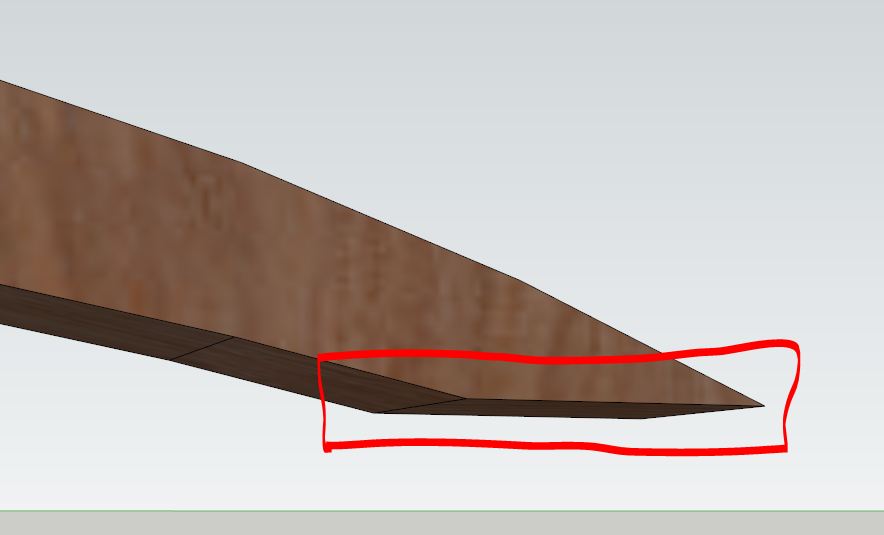
                                some minor bug: stretch doesn't work in this case.
                                P.S. My humble request: multiple stretch a-la Acad's one (with Shift key).

                                Capturettt.JPG


                                aaa21.skp

                                1 條回覆 最後回覆 回覆 引用 0
                                • L 離線
                                  lmfboy
                                  最後由 編輯

                                  why i can't upload this plugin after i put it in the plugin folder?

                                  1 條回覆 最後回覆 回覆 引用 0
                                  • Dave RD 離線
                                    Dave R
                                    最後由 編輯

                                    How did you go about putting it in the Plugins folder? Did you just paste the .rbz file into Plugins? If so, that the wrong way to do it. You need to use Install Extension under Preferences>Extensions.

                                    Complete your profile with your SketchUp and operating system versions.

                                    Etaoin Shrdlu

                                    %

                                    (THERE'S NO PLACE LIKE)

                                    G28 X0.0 Y0.0 Z0.0

                                    M30

                                    %

                                    1 條回覆 最後回覆 回覆 引用 0
                                    • B 離線
                                      Ben Ritter
                                      最後由 編輯

                                      Thank you for your generosity

                                      1 條回覆 最後回覆 回覆 引用 0
                                      • T 離線
                                        tak2hata
                                        最後由 編輯

                                        Hi,rv1974.
                                        I will correct this bug.
                                        I think that adding function multiple stretch is difficult.
                                        So it takes long time.Please wait.

                                        Hi,lmfboy.
                                        I agree with Dave.
                                        Thanks Dave.

                                        Hi,Ben.
                                        Enjoy it.

                                        Thanks!


                                        by TAK2HATA

                                        1 條回覆 最後回覆 回覆 引用 0
                                        • T 離線
                                          tak2hata
                                          最後由 編輯

                                          Hi,everyone.
                                          I update this version to 1.2.3 in Aug25,2013.
                                          Bugfix abot selecting vertices in curve.
                                          Thanks


                                          by TAK2HATA

                                          1 條回覆 最後回覆 回覆 引用 0
                                          • R 離線
                                            rv1974
                                            最後由 編輯

                                            Tak2hata, thank you for refinements!
                                            Somehow you tool manage to temporarily 'disable' the skp file hierarchy (you know all those group\components relationships) and work on the primitive vertex level. Have you thought about some kind of 'tak2hata line tool' that would draw directly on the faces (and splitting them of course) regardless the hierarchy?


                                            1 條回覆 最後回覆 回覆 引用 0
                                            • 1
                                            • 2
                                            • 1 / 2
                                            • 第一個貼文
                                              最後的貼文
                                            Buy SketchPlus
                                            Buy SUbD
                                            Buy WrapR
                                            Buy eBook
                                            Buy Modelur
                                            Buy Vertex Tools
                                            Buy SketchCuisine
                                            Buy FormFonts

                                            Advertisement