Solid non-transparent objects have gone transparent
-
Almost everything in my drawing had become transparent (see attachment) with internal edges showing through. Does anyone have a clue why this happens?
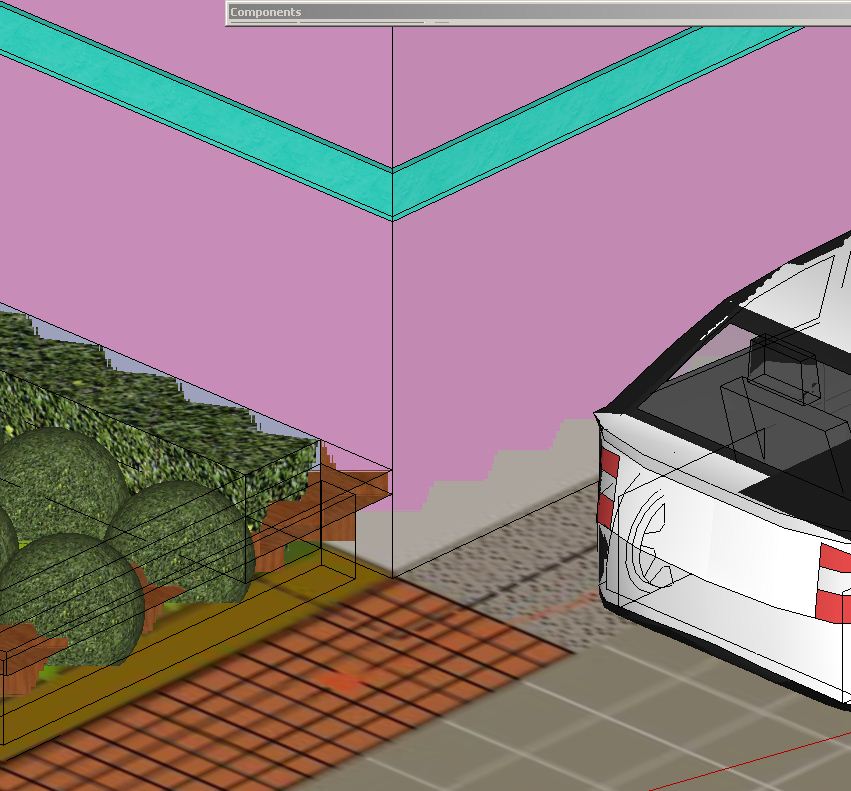
-
check styles window
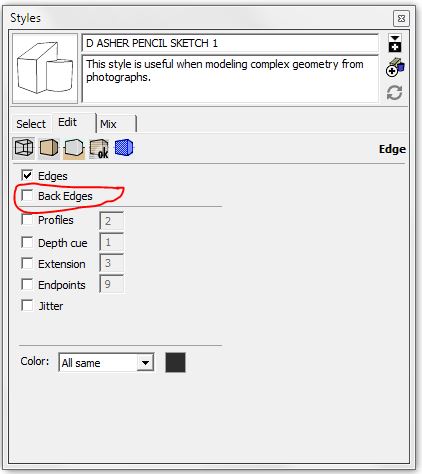
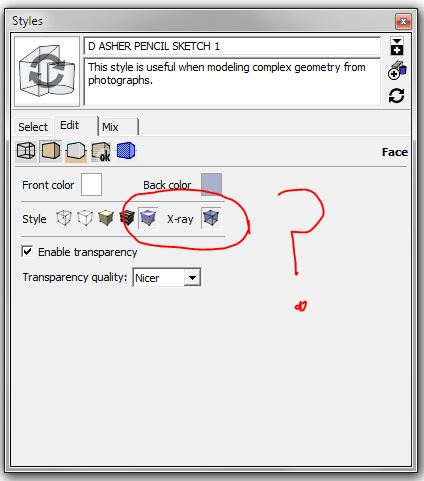
-
Looks like a graphics-card issue?
Check your drivers are up to date and look at the Preferences > OpenGL settings to see if any changes help...
Also check if the model, or any part of it [even on off-layers or hidden], is miles from the origin [axes intersection [0,0,0]] and that no components have geometry miles from their origins [insertion points] - common with imported CAD data.
Also oddly scaled block-objects from CAD imports can have unexpected issues...
Extremes like this can affect how the model displays... -
Thanks TIG, I've found nothing way over the horizon as it were (or way above or below), and the jaggy problem only occurs with parallel projection (and only really shows with 3D/iso type views), with perspective views it's all fine. Its probably time for a reinstall.

Hello! It looks like you're interested in this conversation, but you don't have an account yet.
Getting fed up of having to scroll through the same posts each visit? When you register for an account, you'll always come back to exactly where you were before, and choose to be notified of new replies (either via email, or push notification). You'll also be able to save bookmarks and upvote posts to show your appreciation to other community members.
With your input, this post could be even better 💗
Register Login


Advertisement