[Plugin]Extend Trim Faces.rb(Mar27,2013.)
-
Awesome. Thank you again for sharing the fruits of your talent.
-
I am using this plugin every day and I have some difficulty in a single selection. Each edge select and click one surface, it's wasting modeling time can you change single click to multiple edges selection or viewport selections. . . .
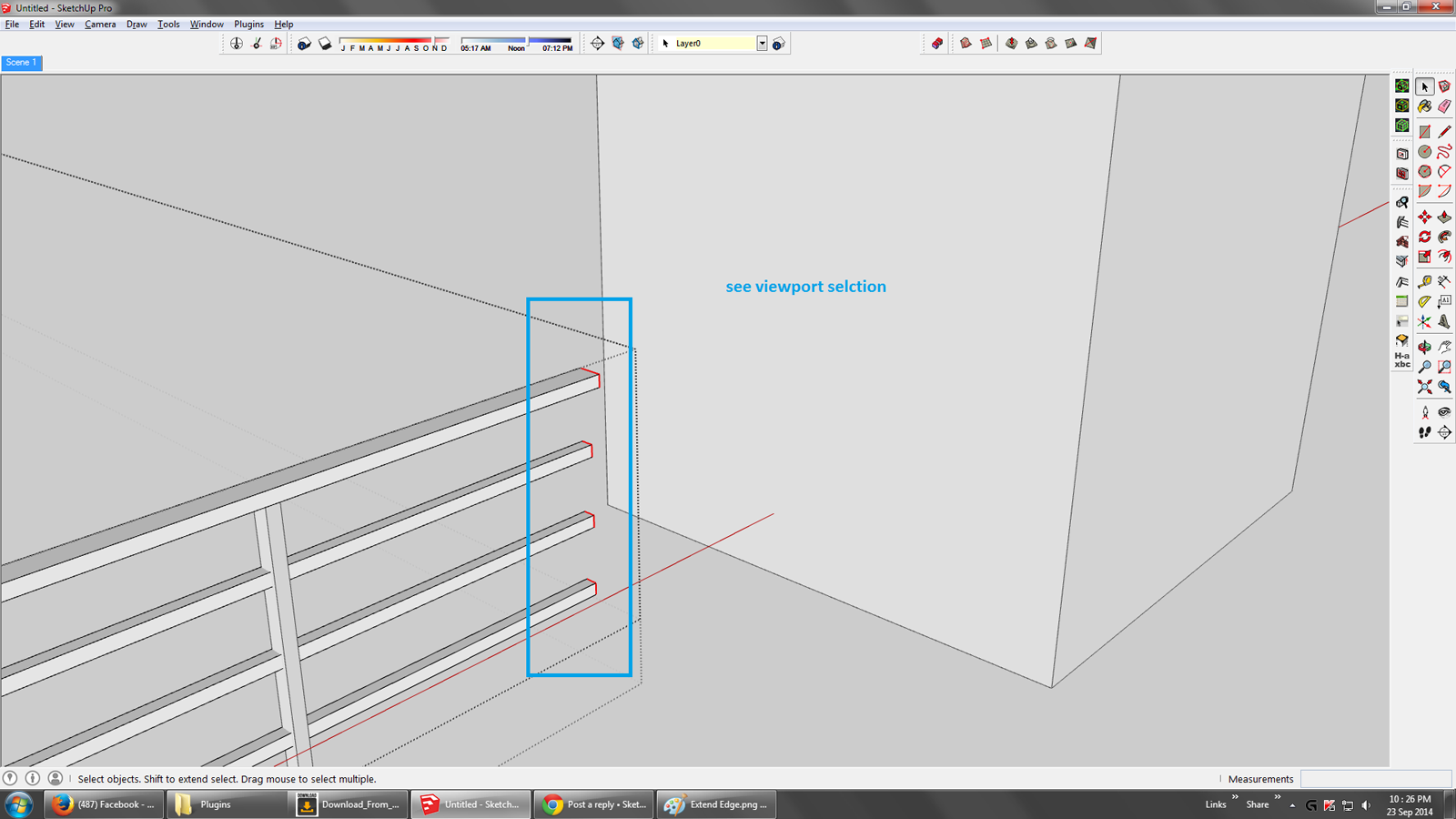
-
SU master you could do that easily with the move tool on the very selection you have. Why don't you try?
-
Hello JQL,
Yes, you are right. But when you find a triangular shape wall.
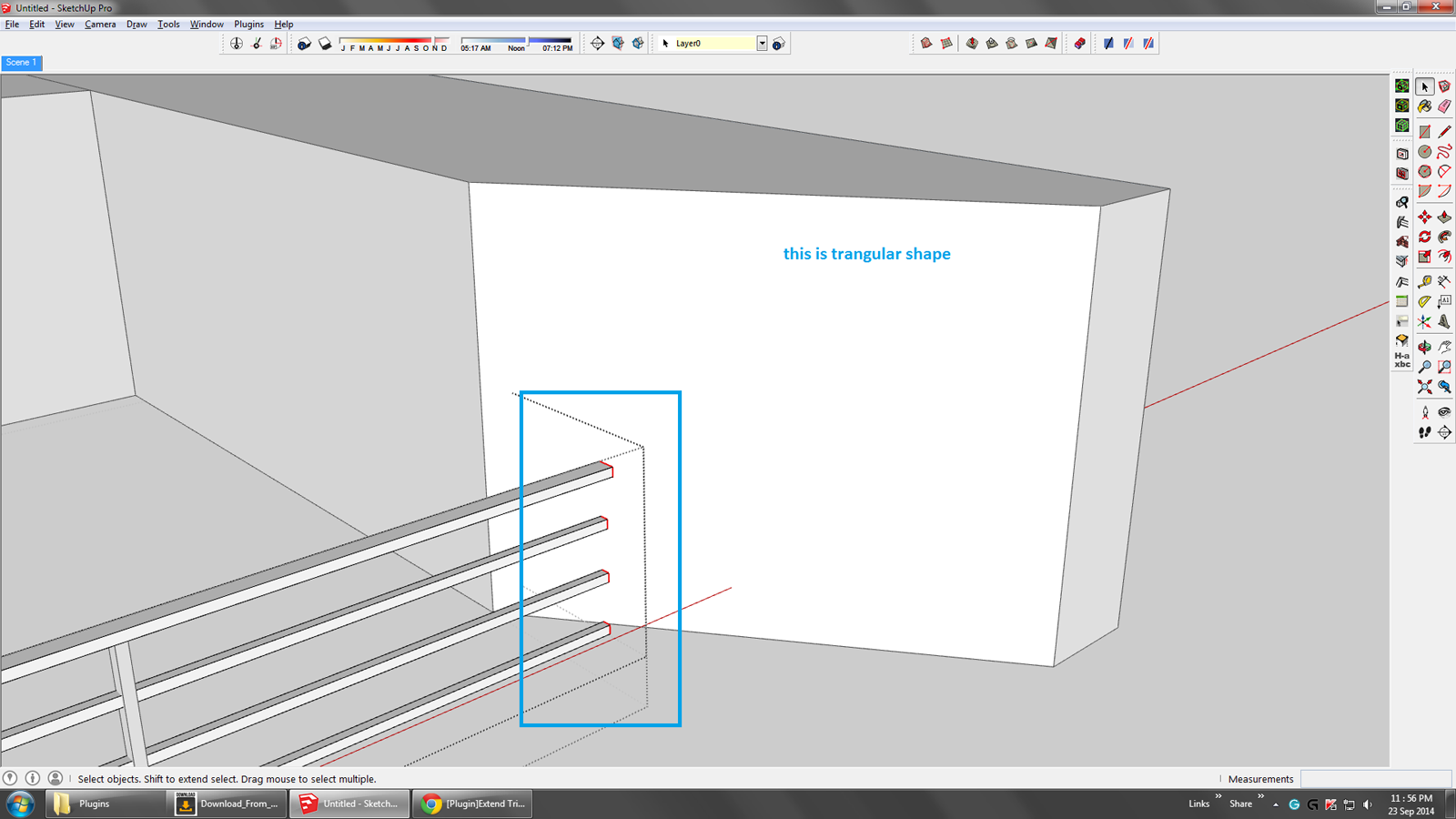
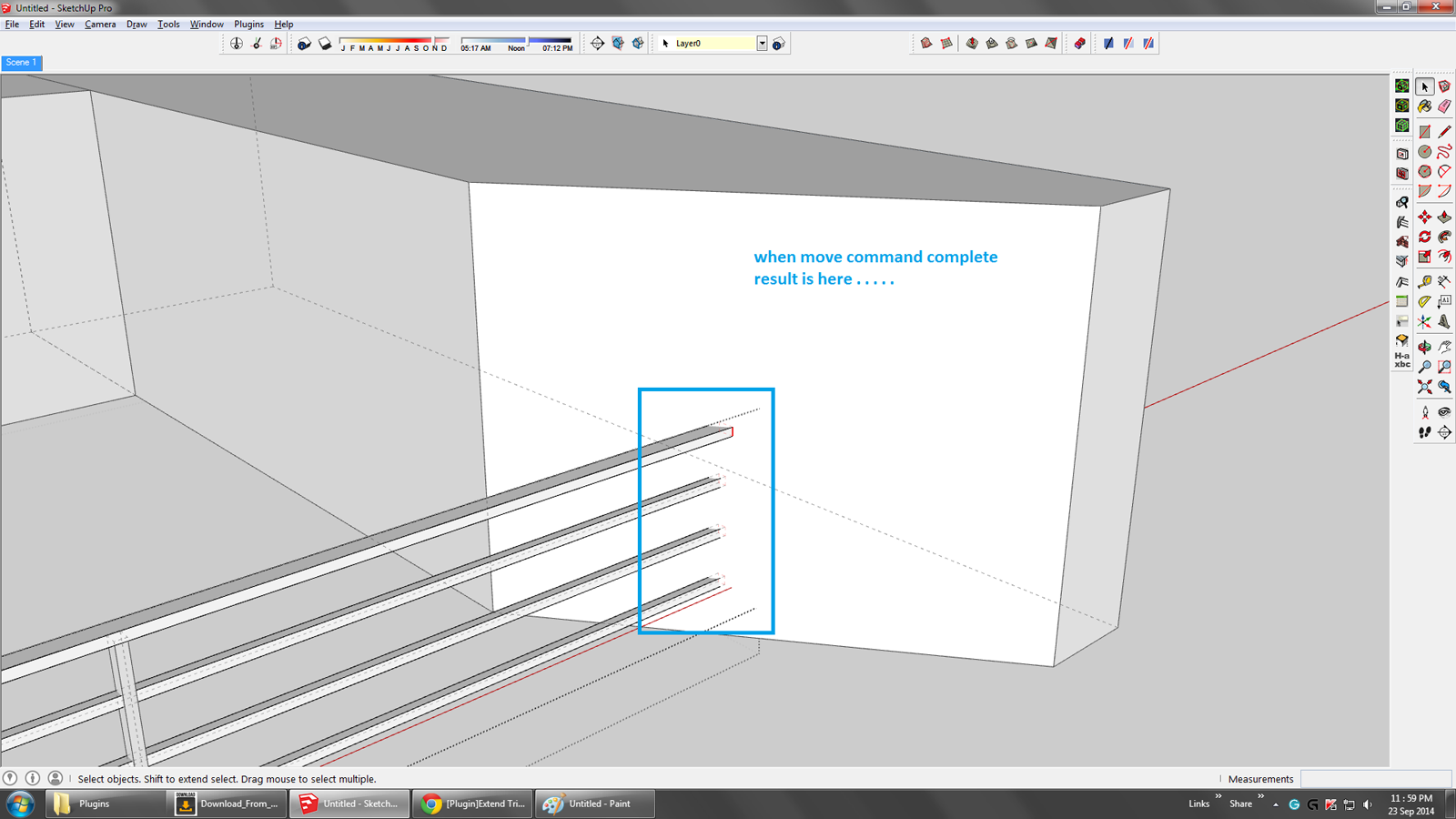
And when I move current selections, then the result is below. . .
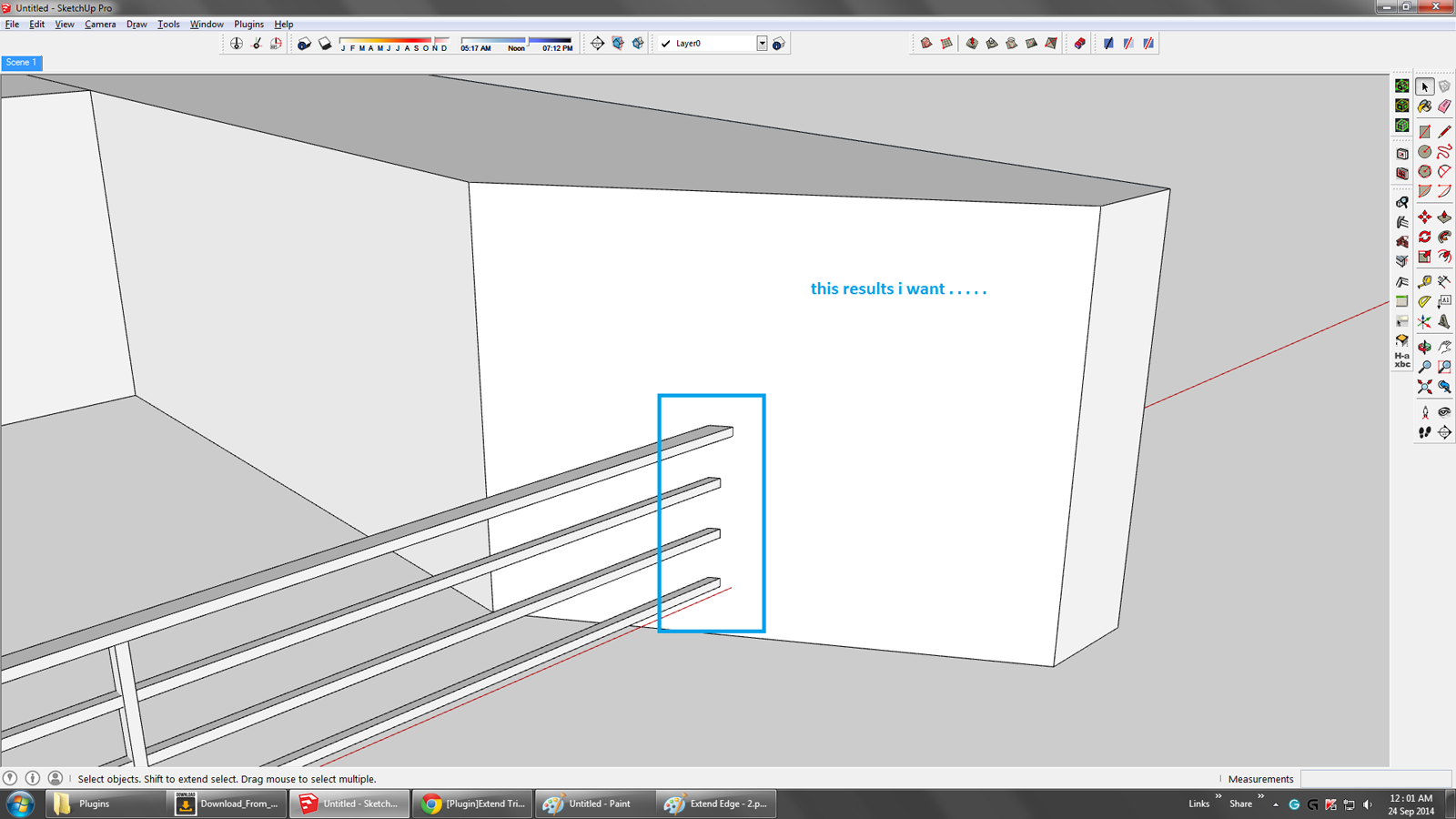
But I want this result. . . . .
-
Yes, that is only an example. And what if some of the faces to be moved are not aligned with others? The move function wouldn't help speed things up. I could see how this would be helpful. This tool looks to be a more specific version of some of the TIG's Extrusion tools ( extrude edges to face), which can move multiple disconnected edges. Some version of either of these tools really belongs in the basic SU toolbox.
-
My snappily named 'ExtrudeEdgesByVectorToObject' would take all of the selected edges and moved their vertices along a picked vector stopping at the end of the vector OR the first face[s] that were met it the vector passes through some intervening object[s]...
http://sketchucation.com/pluginstore?pln=ExtrudeTools
http://sketchucation.com/plugin/1103-extrudetools for feedback link...
See near the end of the movie of an example of its simpler sibling 'ExtrudeEdgesByVector'... -
yes TIG sir right i use this but when ExtrudeEdgesByVectorToObject complete operation extruded edge loop not fill means not create face
-
Cám ơn bạn nhiều ! Một công cụ có nhiều tiện ích.






Hello! It looks like you're interested in this conversation, but you don't have an account yet.
Getting fed up of having to scroll through the same posts each visit? When you register for an account, you'll always come back to exactly where you were before, and choose to be notified of new replies (either via email, or push notification). You'll also be able to save bookmarks and upvote posts to show your appreciation to other community members.
With your input, this post could be even better 💗
Register Login


Advertisement