sketchucation logo sketchucation
    • Login
    Oops, your profile's looking a bit empty! To help us tailor your experience, please fill in key details like your SketchUp version, skill level, operating system, and more. Update and save your info on your profile page today!
    ⚠️ Update | Sketchucation Tools 5.0.8 released with licensing improvements and bugfixes Download

    Quickest/Easiest Way to Create a Sphere?

    Scheduled Pinned Locked Moved SketchUp Discussions
    sketchup
    20 Posts 7 Posters 1.5k Views 7 Watching
    Loading More Posts
    • Oldest to Newest
    • Newest to Oldest
    • Most Votes
    Reply
    • Reply as topic
    Log in to reply
    This topic has been deleted. Only users with topic management privileges can see it.
    • BoxB
      Box
      last edited by

      Yep I saw the YT link, but it's another step and I don't want a YT account.

      1 Reply Last reply
      Reply Quote 0
      • GaieusG
        Gaieus
        last edited by

        Yes, if you start it from the origin, it is easier. But finding the centre of the circle is not too hard either if you hover over the perimeter a bit first.

        This is my shot at it

        Gai...

        1 Reply Last reply
        Reply Quote 0
        • Rich O BrienR
          Rich O Brien Moderator
          last edited by

          Nice soundtrack.

          Sent from my iPad

          Download the free D'oh Book for SketchUp πŸ“–

          1 Reply Last reply
          Reply Quote 0
          • dukejazzD
            dukejazz
            last edited by

            Any place that not at the origin
            Movie_0003.gif

            1 Reply Last reply
            Reply Quote 0
            • BoxB
              Box
              last edited by

              I think we have glossed over the main issue in Chris' question, they are having trouble getting the second circle in the centre of the first. This is an inferencing issue.
              I did this vid for finding the centre point.

              http://screenr.com/07f7

              1 Reply Last reply
              Reply Quote 0
              • olisheaO
                olishea
                last edited by

                Use Set Center Point plugin. Sorry I just saw where you say "without additional plugin" πŸ˜†

                oli

                1 Reply Last reply
                Reply Quote 0
                • Jean LemireJ
                  Jean Lemire
                  last edited by

                  Hi folks.

                  Once you know the trick it shall takes less than 10 seconds to create a sphere.

                  Read all the text notes in this sketchUp file for ideas:


                  Sphere quick drawing.skp

                  Jean (Johnny) Lemire from Repentigny, Quebec, Canada.

                  1 Reply Last reply
                  Reply Quote 0
                  • BoxB
                    Box
                    last edited by

                    @cmartin said:

                    we create a flat circle then create another vertical circle, but first we have to find the center on the flat circle to place the vertical circle. And finding the center is sometimes difficult. I tell them to draw a line in the middle of the circle, but sometimes even that is very difficult because by default, sketchup doesn't always draw the line in the middle. Sometimes its off-center.

                    I've highlighted what seems to be the main issue. They know how to create the sphere, it's the alignment that has them confused, which is what I addressed in my second video.

                    1 Reply Last reply
                    Reply Quote 0
                    • dukejazzD
                      dukejazz
                      last edited by

                      @unknownuser said:

                      by cmartin Β» Yesterday, 11:10 am

                      I try to get my students to do a sphere, we create a flat circle then create another vertical circle, but first we have to find the center on the flat circle to place the vertical circle. And finding the center is sometimes difficult. I tell them to draw a line in the middle of the circle, but sometimes even that is very difficult because by default, sketchup doesn't always draw the line in the middle. Sometimes its off-center.

                      Have them display crosshairs
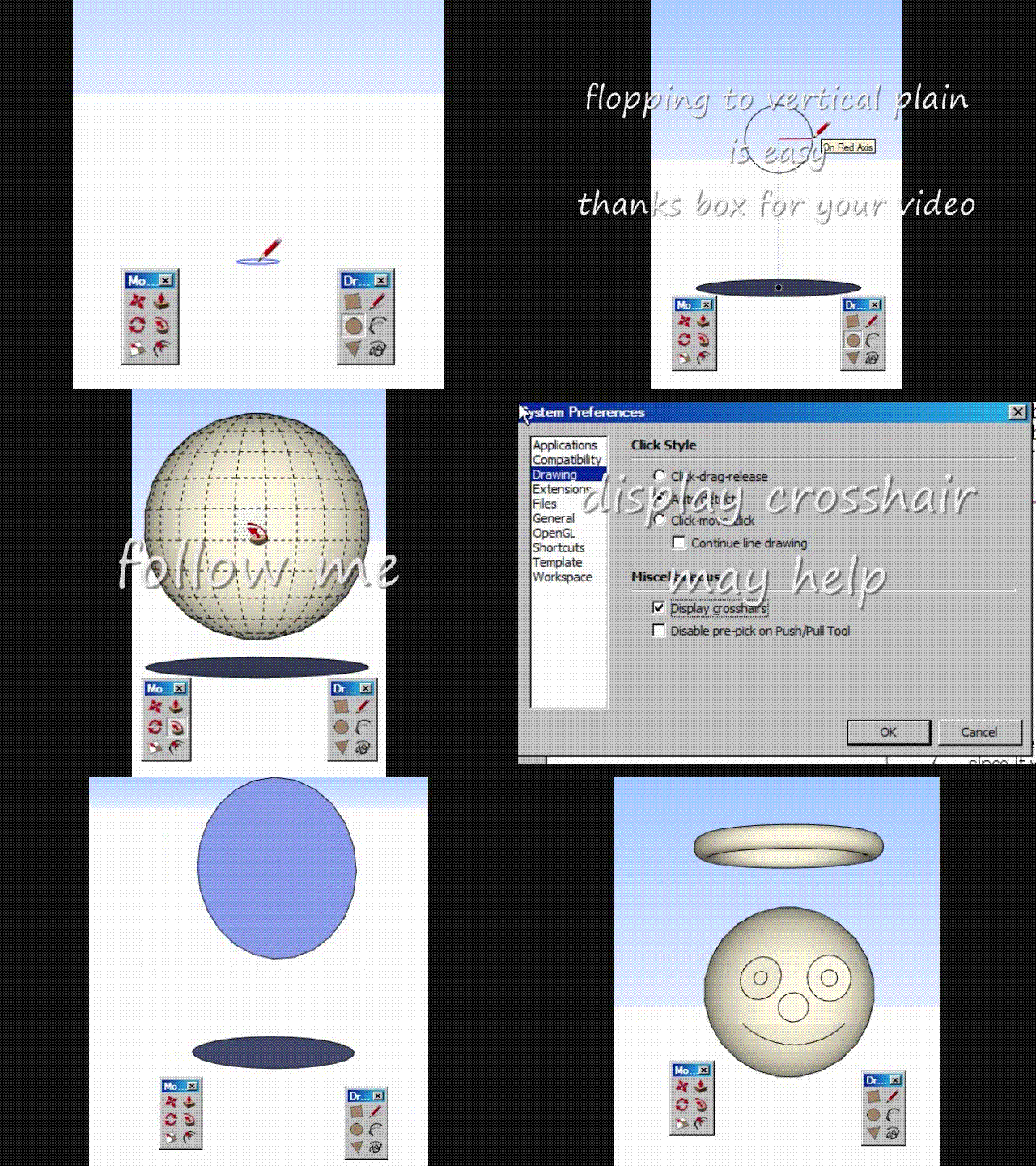
                      Movie_0004.gif

                      1 Reply Last reply
                      Reply Quote 0
                      • dukejazzD
                        dukejazz
                        last edited by

                        Easiest and fastest way yet
                        only two tools were used with crosshair display on:

                        1. 2 times circle tool used
                        2. 2 times follow-me tool were used to touch a same aline tangent points
                          that's it done.
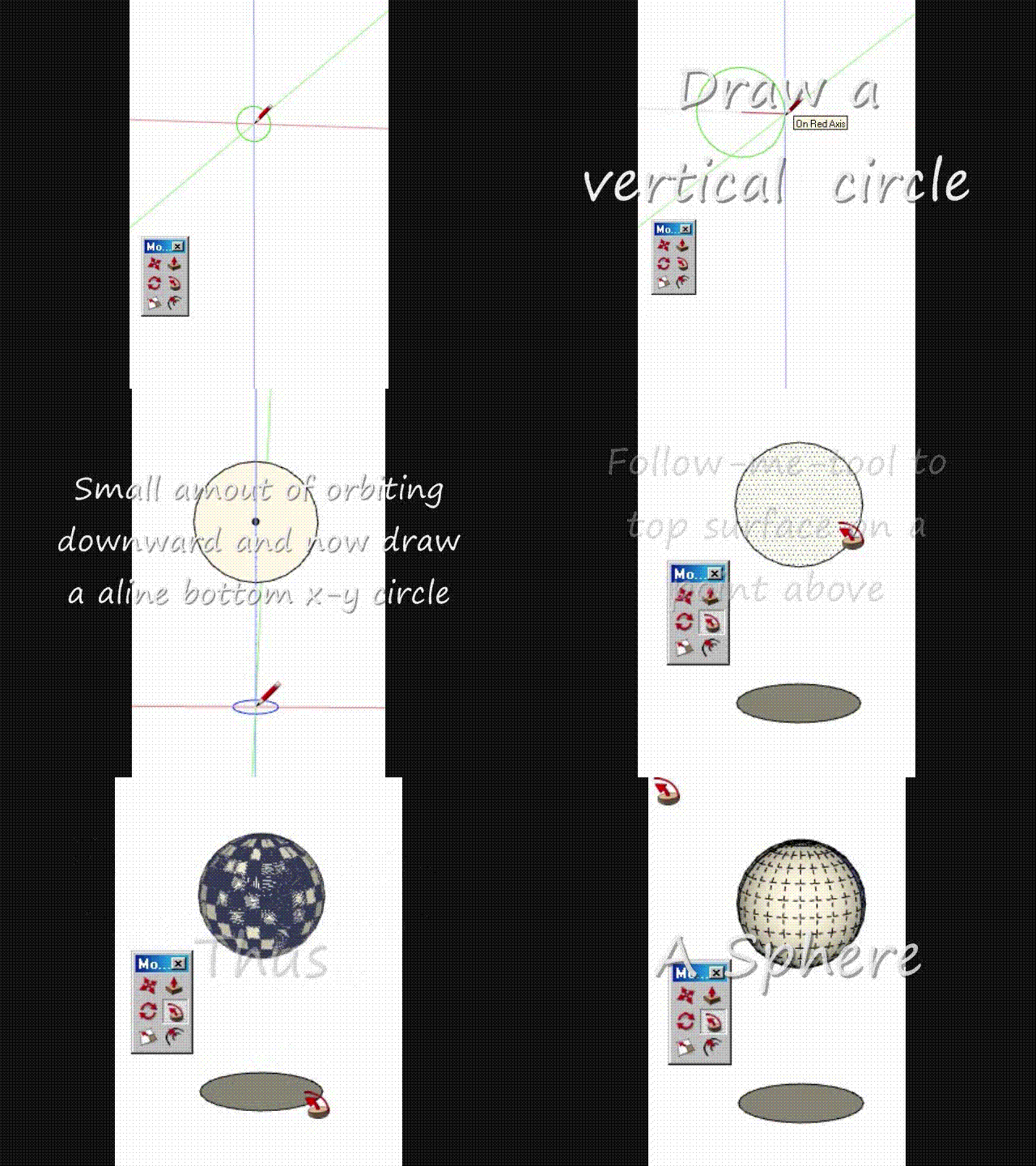
                          Movie_0008.gif
                        1 Reply Last reply
                        Reply Quote 0

                        Hello! It looks like you're interested in this conversation, but you don't have an account yet.

                        Getting fed up of having to scroll through the same posts each visit? When you register for an account, you'll always come back to exactly where you were before, and choose to be notified of new replies (either via email, or push notification). You'll also be able to save bookmarks and upvote posts to show your appreciation to other community members.

                        With your input, this post could be even better πŸ’—

                        Register Login
                        • 1 / 1
                        • First post
                          Last post
                        Buy SketchPlus
                        Buy SUbD
                        Buy WrapR
                        Buy eBook
                        Buy Modelur
                        Buy Vertex Tools
                        Buy SketchCuisine
                        Buy FormFonts

                        Advertisement