Installing Soap Skin Bubbles in SU8
-
Hi All,
I have been trying to install SoapSkinBubble in my free version of SU8, but it doesnt seem to want to install!
I have tried to insert it through the MacHD/Library/GoogleSketchup/Sketchup/plugins
or by dragging it into sketchup, or by opening the file...But When I reopen my sketchup application nothing happens/ it does not appear anywhere.
Can anyone help?
(Also I noticed that unlike other plugins, the little logo next to the name doesnt look like a little blank page, but rather like a 3ds or autocad logo. Not sure if this is helpful.)
Thank you so much for your help.
Chloe
-
Read how to install plugins here....
http://www.thomthom.net/thoughts/2012/01/installing-plugins-for-google-sketchup/
If the download is in .zip format then rename the .zip part to .rbz
Go to Preferences > Extensions in SketchUp
Then click 'Install Extension....'
-
Thank you, but this doesnt work either...
Not sure what the problem is, I have literally tried everything!
Install extensions will not open any .rbz file... And I have read your instructions link and done everything but it still wont go through. Not through plugins not through tools, not as .zip and not as .rbz
-
Can you provide a link to the download file you used?
-
Must be some permission issue on Mac. But I don't use a Mac so I can't really say.
Did you try loading another .rbz file and it also failed?
Are you running the latest version of SketchUp?
-
this is the link i have been using
http://www.tensile-structures.de/sb_software.htmlI have installed podium, on this same computer a few weeks ago, and that works perfectly...
i am using skecthup version 8.0.16845
i download it, it comes as .zip, i drag it from desktop into the tools folder (macHD/ library/etc), and then i have tried both options:
closing and opening sketchup and checking tool palettes (in which case there is nothing)
or
install extensions (in which case it wont even let me select the .rbz file) -
I'm familiar with it, I just wanted to make sure she found the authentic download site
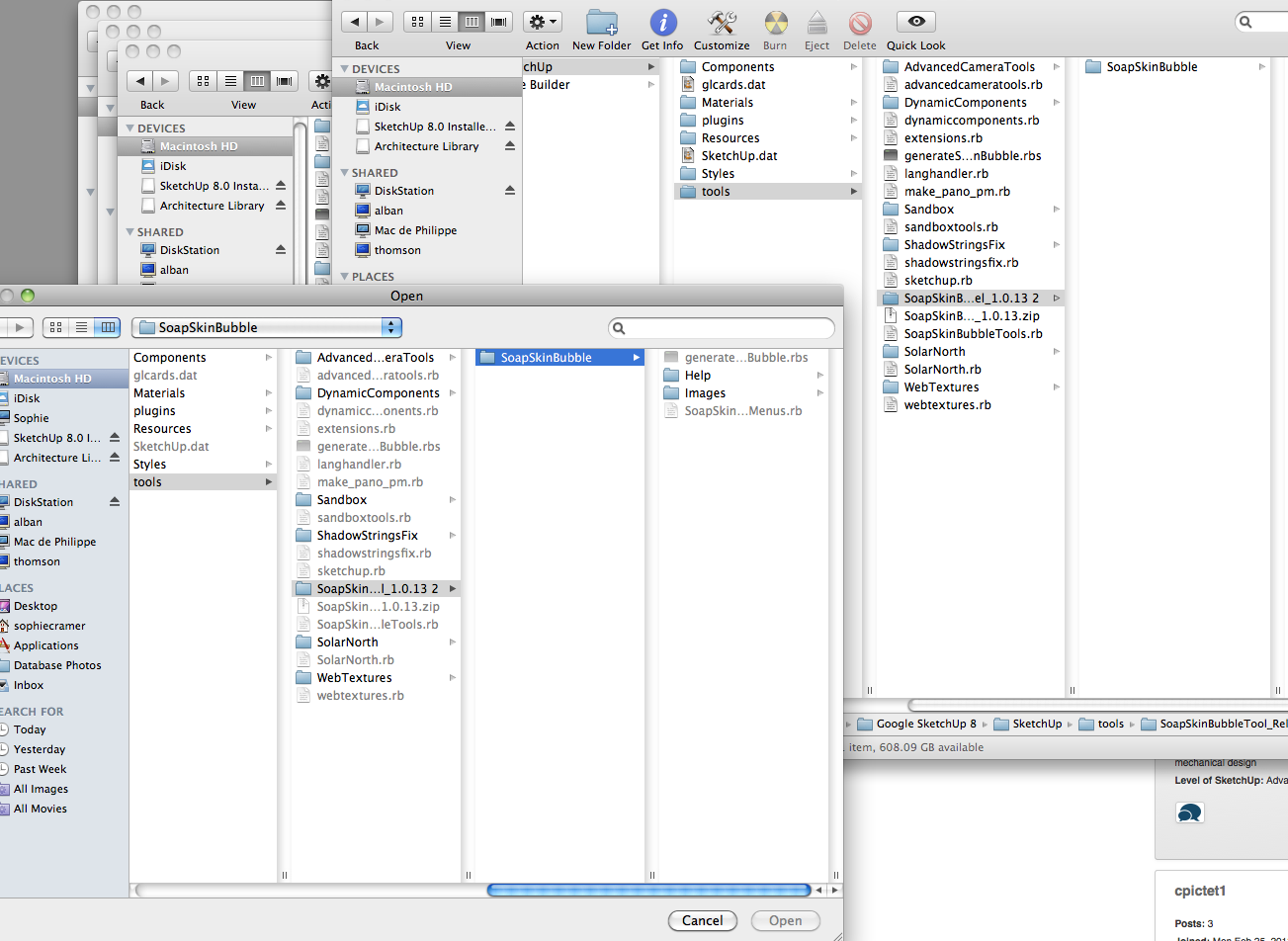
 But there you go Chloe, make sure that's the one you downloaded. It should come as a .zip file. You should extract the zip file into your plugins folder. The SoapSkinBubbleTools.rb file should be directly in the plugins folder, not inside a folder in the plugins folder. Maybe provide a screen shot of your plugins folder if possible?
 -
@cpictet1 said:
install extensions (in which case it wont even let me select the .rbz file)
REname the ZIP to RBZ and try then.
-
Sure... and thanks for your help!
here is the picture... I have the twindows opened the one on the top is from trying to install extension, and the one in the back is just the folder from the computer....
-
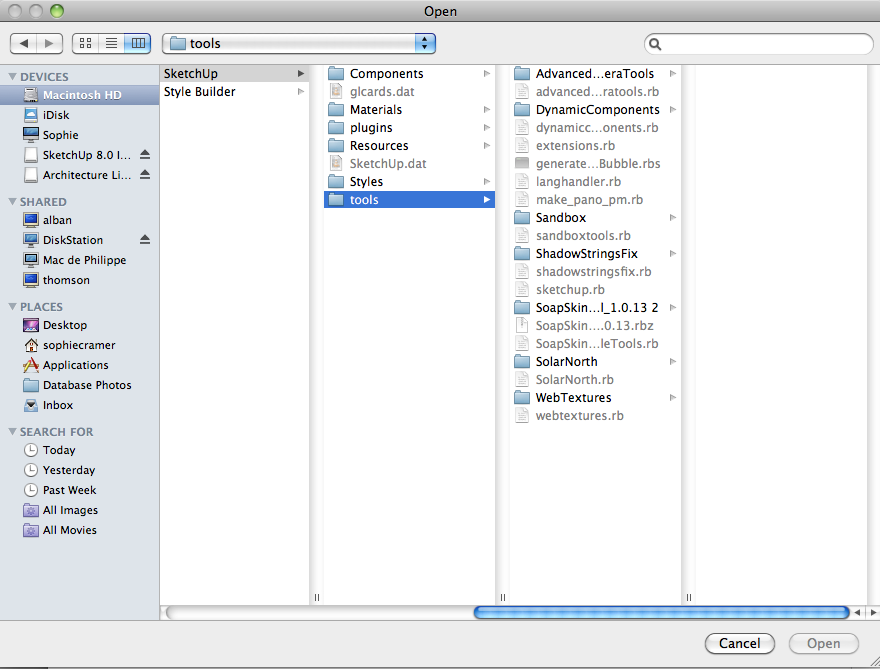
with .rbz
Still not getting anything...
-
Plugins should not go into the Tools folder, they go into the Plugins folder - this is where the Install Extension install it to.
-
I work on mac and I have had the same problem.
Here is the trick I have found and this works for me.I extracted the file with Stuffit Expander (rather then Archive Utility, by default on Mac).... and miracle Skin Soap Buble works now, (even if I don't see any différence in the files open with Archive Utility or Stuffit Expander).



Hello! It looks like you're interested in this conversation, but you don't have an account yet.
Getting fed up of having to scroll through the same posts each visit? When you register for an account, you'll always come back to exactly where you were before, and choose to be notified of new replies (either via email, or push notification). You'll also be able to save bookmarks and upvote posts to show your appreciation to other community members.
With your input, this post could be even better 💗
Register Login


Advertisement