sketchucation logo sketchucation
    • 登入
    Oops, your profile's looking a bit empty! To help us tailor your experience, please fill in key details like your SketchUp version, skill level, operating system, and more. Update and save your info on your profile page today!
    🔌 Smart Spline | Fluid way to handle splines for furniture design and complex structures. Download

    Thea for SketchUp - Available Now!

    已排程 已置頂 已鎖定 已移動 Extensions & Applications Discussions
    extensions
    39 貼文 18 Posters 5.5k 瀏覽 18 Watching
    正在載入更多貼文
    • 從舊到新
    • 從新到舊
    • 最多點贊
    回覆
    • 在新貼文中回覆
    登入後回覆
    此主題已被刪除。只有擁有主題管理權限的使用者可以查看。
    • jeff hammondJ 離線
      jeff hammond
      最後由 編輯

      bravO tomaz!
      that looks really nice..

      the obligatory one-click-wonder-test went well too.. installed it, open the skp of this thing I'm working on, pushed play..

      everything went smoothly and i actually received an image too 😄
      (last time i tried thea was a couple of years ago and things weren't so smooth then 😉 (at least on the mac side of things)

      very promising and i'll definitely be exploring this one further.
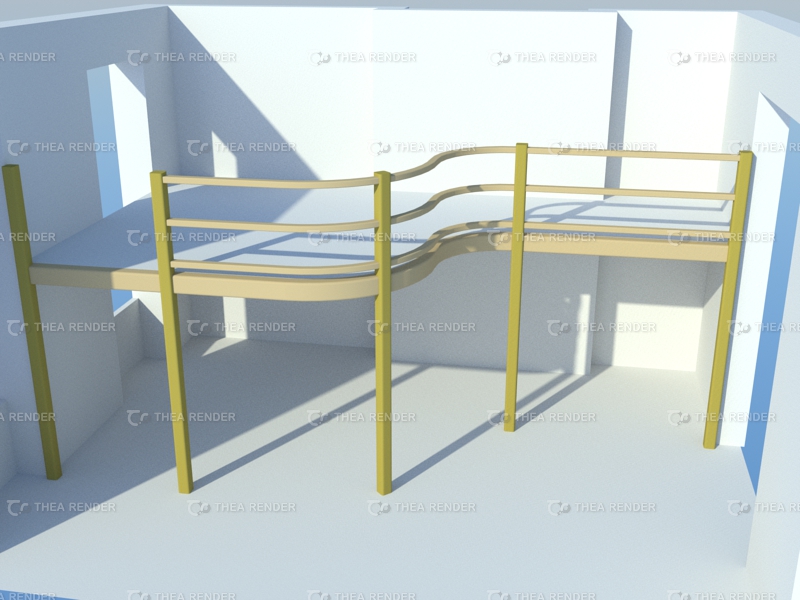

      one click wonder test after 4or5 minutes ;)

      dotdotdot

      1 條回覆 最後回覆 回覆 引用 0
      • boofredlayB 離線
        boofredlay
        最後由 編輯

        A Merry Christmas indeed.

        http://www.coroflot.com/boofredlay

        1 條回覆 最後回覆 回覆 引用 0
        • david_hD 離線
          david_h
          最後由 編輯

          So is the upgrade worth it considering the world is going to end today? I'm downloading it now just in case. . .but I dunno. . . .

          Sure is taking a long time. Are you guys overloading the servers??? 💚

          If I make it look easy...It is probably easy

          1 條回覆 最後回覆 回覆 引用 0
          • T 離線
            tomasz
            最後由 編輯

            Thank you for kind comments.

            A note for existing users of Thea Studio 64bit version. To use 'Thea for SketchUp' you also have to install the 32bit version of the Studio.

            Author of Thea Render for SketchUp

            1 條回覆 最後回覆 回覆 引用 0
            • david_hD 離線
              david_h
              最後由 編輯

              So I will go ahead and answer my own question. . .

              Pretty Darn worth it. and I stink at this. . .so in the hands of you wizards---pure magic.
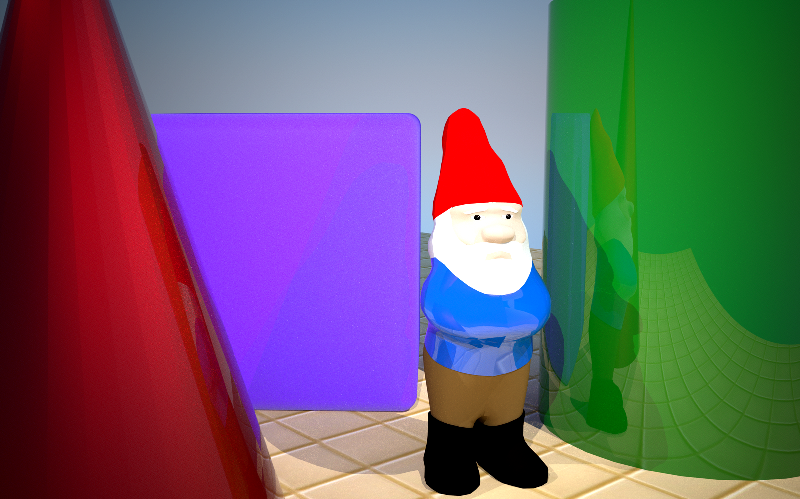

              Thea Test.png

              If I make it look easy...It is probably easy

              1 條回覆 最後回覆 回覆 引用 0
              • ATLAStudioA 離線
                ATLAStudio
                最後由 編輯

                Installed this afternoon and went through tutorial videos, quite excited to try out proxies as been v-raying for ages. Material editor is nice to use. For pic below I just imported the model, swung camera about, tweaked a couple materials and hit go, pretty impressed with result. Would like to know how to reduce noise if there's any experts reading! interior001.png
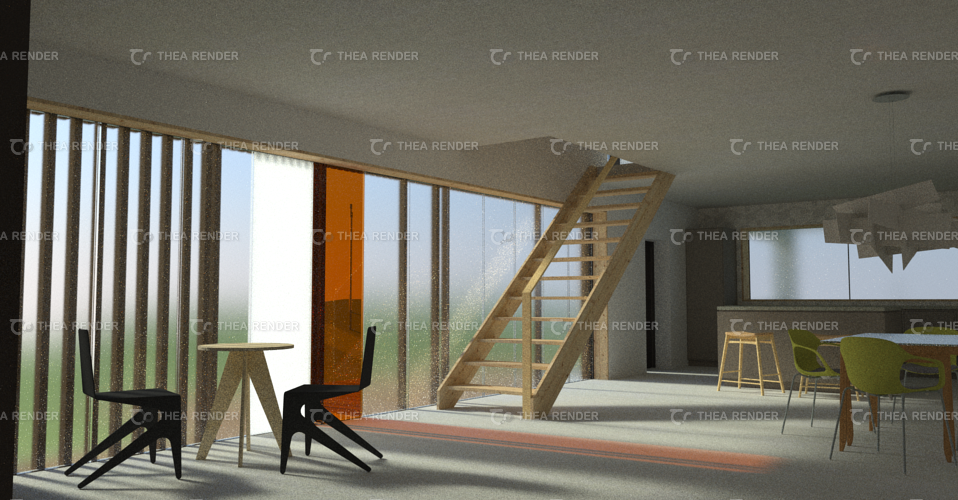
                http://www.atlas-studio.co.uk

                1 條回覆 最後回覆 回覆 引用 0
                • N 離線
                  notareal
                  最後由 編輯

                  @atlastudio said:

                  Would like to know how to reduce noise if there's any experts reading!

                  Not sure how materials and scene is set, but I do get a impression that most light comes from the Sun trough a glossy based glass (a real glass that creates caustics) curtain wall.
                  Some "tricks":

                  • Thin Film based glass (architectural glass) will speed up convergence a lot.
                  • TR2 will render most challenging light paths and materials (naturally with cost of render time)
                  • Super-Sapling set to "High" with TR1/TR2 helps to reduce noise
                  • Use some fill light (a emitter that is not visible to the camera) to boost convergence, if most of the light comes trough glossy based glass.
                    Note: light components and mesh emitters intersecting nearby mesh may cause noise as well as emitters that has really dense polygon mesh. Make sure that pure white and black are not used, keep diffuse colors in 6-96% range.

                  Welcome to try Thea Render, Thea support | kerkythea.net -team member

                  1 條回覆 最後回覆 回覆 引用 0
                  • pbacotP 離線
                    pbacot
                    最後由 編輯

                    Similar here for the Mac! Some good rendering right off.

                    But no joy with materials. Soon as I go to material editor SU hangs, and no material.

                    MacOSX MojaveSketchUp Pro v19 Twilight v2 Thea v3 PowerCADD

                    1 條回覆 最後回覆 回覆 引用 0
                    • N 離線
                      notareal
                      最後由 編輯

                      @pbacot said:

                      Similar here for the Mac! Some good rendering right off.

                      But no joy with materials. Soon as I go to material editor SU hangs, and no material.

                      Please, if issues are find, report those at related topic for all technical questions about Thea for SketchUp. There probably are some unfortunate bugs here and there, even as Thea for SketchUp is tested by our internal beta test team.

                      Welcome to try Thea Render, Thea support | kerkythea.net -team member

                      1 條回覆 最後回覆 回覆 引用 0
                      • soloS 離線
                        solo
                        最後由 編輯

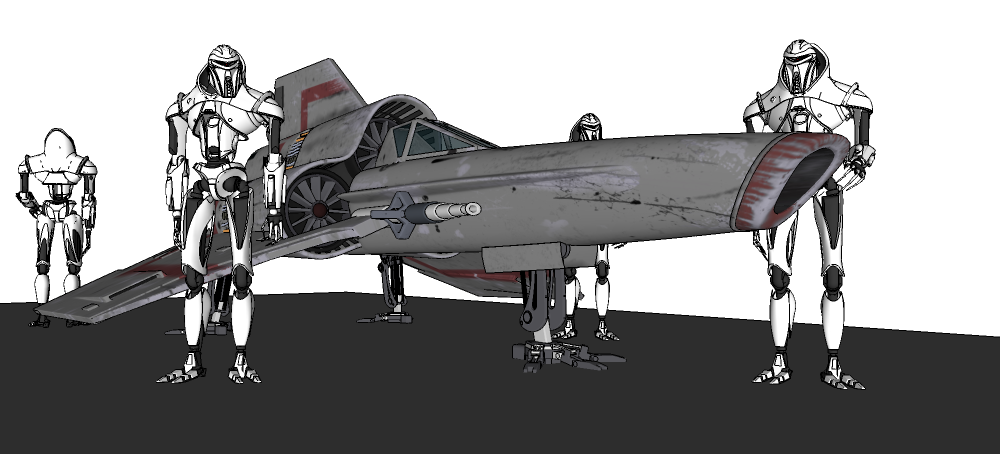
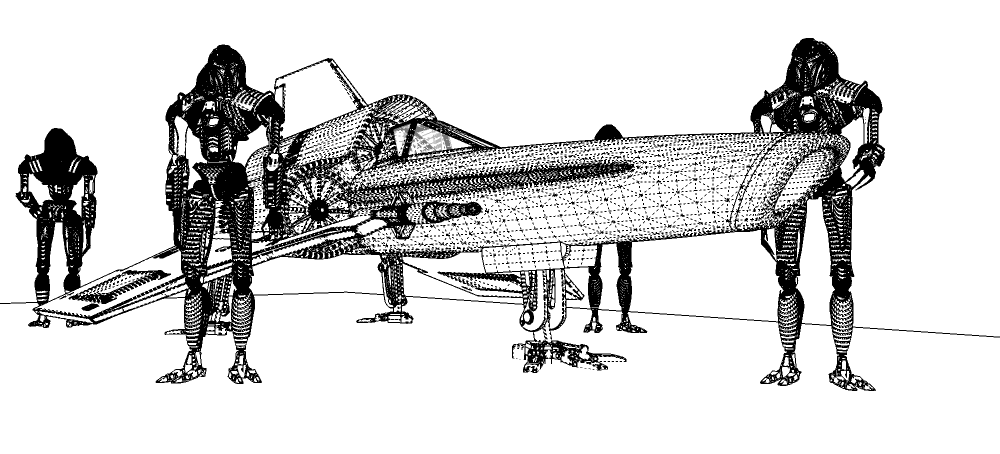
                        Playing with Thea4SU

                        viper with cylons.png

                        viper with cylons1.png

                        cylon viper.jpg

                        http://www.solos-art.com

                        If you see a toilet in your dreams do not use it.

                        1 條回覆 最後回覆 回覆 引用 0
                        • pbacotP 離線
                          pbacot
                          最後由 編輯

                          @notareal said:

                          @pbacot said:

                          Similar here for the Mac! Some good rendering right off.

                          But no joy with materials. Soon as I go to material editor SU hangs, and no material.

                          Please, if issues are find, report those at related topic for all technical questions about Thea for SketchUp. There probably are some unfortunate bugs here and there, even as Thea for SketchUp is tested by our internal beta test team.

                          Thanks. As it is Beta, I expect to help by reporting issues I have. I registered and activated the account at Thea, logged in, but can't post.

                          MacOSX MojaveSketchUp Pro v19 Twilight v2 Thea v3 PowerCADD

                          1 條回覆 最後回覆 回覆 引用 0
                          • T 離線
                            tomasz
                            最後由 編輯

                            @pbacot said:

                            Thanks. As it is Beta, I expect to help by reporting issues I have. I registered and activated the account at Thea, logged in, but can't post.

                            SketchUp sub-forum is divided into three sections: Versions & Resources, How do I...?, Bug Reports. You have to select a section first.

                            Author of Thea Render for SketchUp

                            1 條回覆 最後回覆 回覆 引用 0
                            • P 離線
                              pepa
                              最後由 編輯

                              Hi nice render, everything works really fast, I tried insert my own proxy. I wanted save the custom model from thea studio, but I cant find a mod.thea format which is needed for inserting the proxy inside SU. So question is if is it possible insert own proxy into SU..?

                              http://jsvizualizace.daportfolio.com/

                              1 條回覆 最後回覆 回覆 引用 0
                              • FrederikF 離線
                                Frederik
                                最後由 編輯

                                @pepa said:

                                So question is if is it possible insert own proxy into SU..?

                                Yes, of course it's possible... 😄
                                However, the process is a little tedious at the moment, but a new process will be worked on...
                                Once you get used to the guide below it really isn't that difficult... 😉

                                The proxy system is primary thought of to be used, when having a very high poly model/component, which can be difficult - if not even impossible - to work with inside SU... (I.e. high poly tree models (eg. Xfrog models) and alike)

                                The steps are:
                                1.) Open/import the model you want to use, in the Thea Render Studio.
                                2.) Adjust all materials making it "render ready".
                                3.) Group all parts of the model.
                                4.) Make sure the gizmo of the group is adjusted so it aligns with the X, Y and Z point.
                                (Use the parallel view in Thea, which makes it much easier to set...)
                                5.) Click the Model tab and either right-click the part you want to make to a .mod.thea file and select "Automation > Build Preview" or click the "Build All Previews" icon.
                                6.) In the Thea Browser panel, click the "+" (read: plus sign) and select the "/Models" option from the menu.
                                By Default Thea4SU will open the "C:\ProgramData\Thea Render\Models" location, but you are able to create folders anywhere you want on your hard drive and browse for it.
                                (personally I stick to the default location...)
                                7.) If you want you can right-click in the Browser panel and create a new folder, making it easier for you to control the various models you're going to make.
                                Double-click the folder where you want the .mod.thea file to be in.
                                8.) From the Models tab, simply drag the model down to the folder in the Thea Browser panel.

                                Voila, you're done and you can now use that model as a proxy model in SU using the Thea For SketchUp tool... 😄

                                Cheers
                                Kim Frederik

                                1 條回覆 最後回覆 回覆 引用 0
                                • P 離線
                                  pepa
                                  最後由 編輯

                                  thanks for your detailed instructions. really helpful

                                  http://jsvizualizace.daportfolio.com/

                                  1 條回覆 最後回覆 回覆 引用 0
                                  • R 離線
                                    rv1974
                                    最後由 編輯

                                    @tomasz said:

                                    Thank you for kind comments.

                                    A note for existing users of Thea Studio 64bit version. To use 'Thea for SketchUp' you also have to install the 32bit version of the Studio.

                                    2 questions:
                                    Does this version support X64 architecture?
                                    Is there distributed rendering feature?

                                    1 條回覆 最後回覆 回覆 引用 0
                                    • marked001M 離線
                                      marked001
                                      最後由 編輯

                                      Is it/will it be possible to use Colimo with Thea for SketchUp?

                                      http://www.revision21vis.com

                                      instagram: revi21on

                                      1 條回覆 最後回覆 回覆 引用 0
                                      • T 離線
                                        tomasz
                                        最後由 編輯

                                        @rv1974 said:

                                        Does this version support X64 architecture?

                                        Only in the Studio. Thea inside SketchUp works in 32bit environment.

                                        @rv1974 said:

                                        Is there distributed rendering feature?

                                        It will be supported on the plugin level soon. It is available in the Studio.

                                        @marked001 said:

                                        Is it/will it be possible to use Colimo with Thea for SketchUp?

                                        It will be possible to export Colimo file straight from the plugin. Please note that this feature will require large quantities of free memory. The more materials one wants to paint after a rendering the more memory is needed. 64bit version of SketchUp would be an excellent companion to Thea. 😄

                                        Author of Thea Render for SketchUp

                                        1 條回覆 最後回覆 回覆 引用 0
                                        • T 離線
                                          tomasz
                                          最後由 編輯

                                          We have just updated the plugin with a fix for Windows XP systems and localized SketchUp versions. There are also some improvements with editing and reseting Thea material back to a default state. We highly recommend you to install the new revision.

                                          Author of Thea Render for SketchUp

                                          1 條回覆 最後回覆 回覆 引用 0
                                          • jo-keJ 離線
                                            jo-ke
                                            最後由 編輯

                                            This sounds really very good.

                                            I am an old Twilight user. I liked it a lot, but sometimes I got stuck because of the heavyness of the model. Seems to handle it more easy in thea4su!?!

                                            Should I change to thea4su?

                                            http://www.zz7.de

                                            1 條回覆 最後回覆 回覆 引用 0
                                            • 1
                                            • 2
                                            • 2 / 2
                                            • 第一個貼文
                                              最後的貼文
                                            Buy SketchPlus
                                            Buy SUbD
                                            Buy WrapR
                                            Buy eBook
                                            Buy Modelur
                                            Buy Vertex Tools
                                            Buy SketchCuisine
                                            Buy FormFonts

                                            Advertisement