Quick help re' Layer Manager please
-
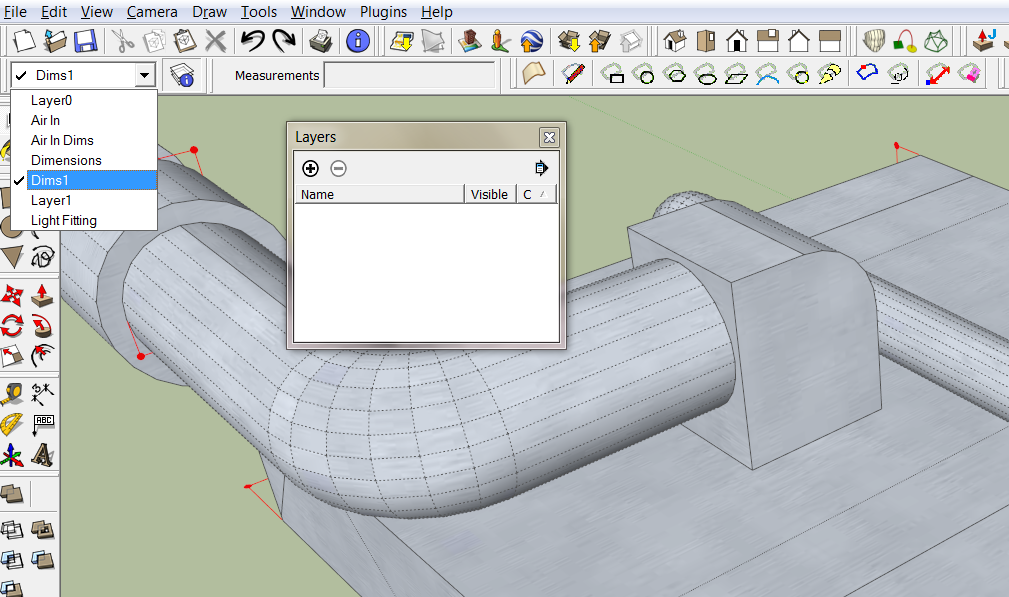
My layer manager box and button are still present and semi functional, but all the layers have gone missing in every drawing that I open. I can see that they are still there in the drop down layer viewer, but I am unable to delete or turn layers on/off as they are not visible to me in Layer Manager.
When I click on the Layer Manager button it brings up a minimized version of the usual control panel, but even when I expand it, it is empty!
-
Here is what I mean....
-
Looks like you've broken SketchUp

Can I suggest you close SketchUp and try a 'Repair' on the SketchUp app in the 'Programs and Features' Control Panel...
When you restart SketchUp what happens ? -
@tig said:
Looks like you've broken SketchUp
Can I suggest you close SketchUp and try a 'Repair' on the SketchUp app in the 'Programs and Features' Control Panel...
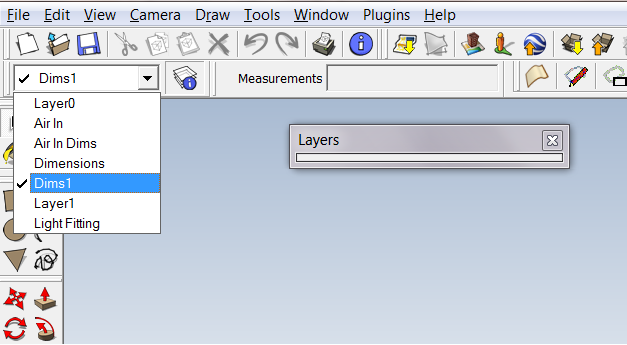
When you restart SketchUp what happens ?Well as usual I feel ridiculous. So simple was the fix that I suspect you may have been winding me up TIG

Grabbing the edge to expand the box does nothing to show the layers, but simply clicking in the grey tab at the top!


Hello! It looks like you're interested in this conversation, but you don't have an account yet.
Getting fed up of having to scroll through the same posts each visit? When you register for an account, you'll always come back to exactly where you were before, and choose to be notified of new replies (either via email, or push notification). You'll also be able to save bookmarks and upvote posts to show your appreciation to other community members.
With your input, this post could be even better 💗
Register Login


Advertisement